What references does
References gives you a managed library of customers who have agreed to speak with prospects — organized by industry, company size, and use case — so a rep in a late-stage deal can find the right reference in minutes instead of pinging the whole company on chat. Each reference record tracks who the customer is, what story they can tell, and when they were last asked.
Without a managed library, reference selling runs on memory: the same two friendly customers get called for every deal until they burn out, reps waste days hunting for a match, and deals stall at the exact moment momentum matters most. Reference fatigue is real — over-contacted advocates start saying no. A tracked library spreads the load and keeps your best proof points available.
How it works in HelloGrowthCRM
References lives in the Customer module. You enroll willing customers as references with tags for industry, size, and the use case they represent. When a rep needs one, they search the library, log the request against the reference record, and the system keeps a history of every ask — so anyone can see who was contacted recently and who is fresh.
It pairs with deals — reference requests attach to the opportunity that needed them, so you can later see which references helped close revenue — and with the referrals feature, since strong references are often your best referral advocates too.
See it in action
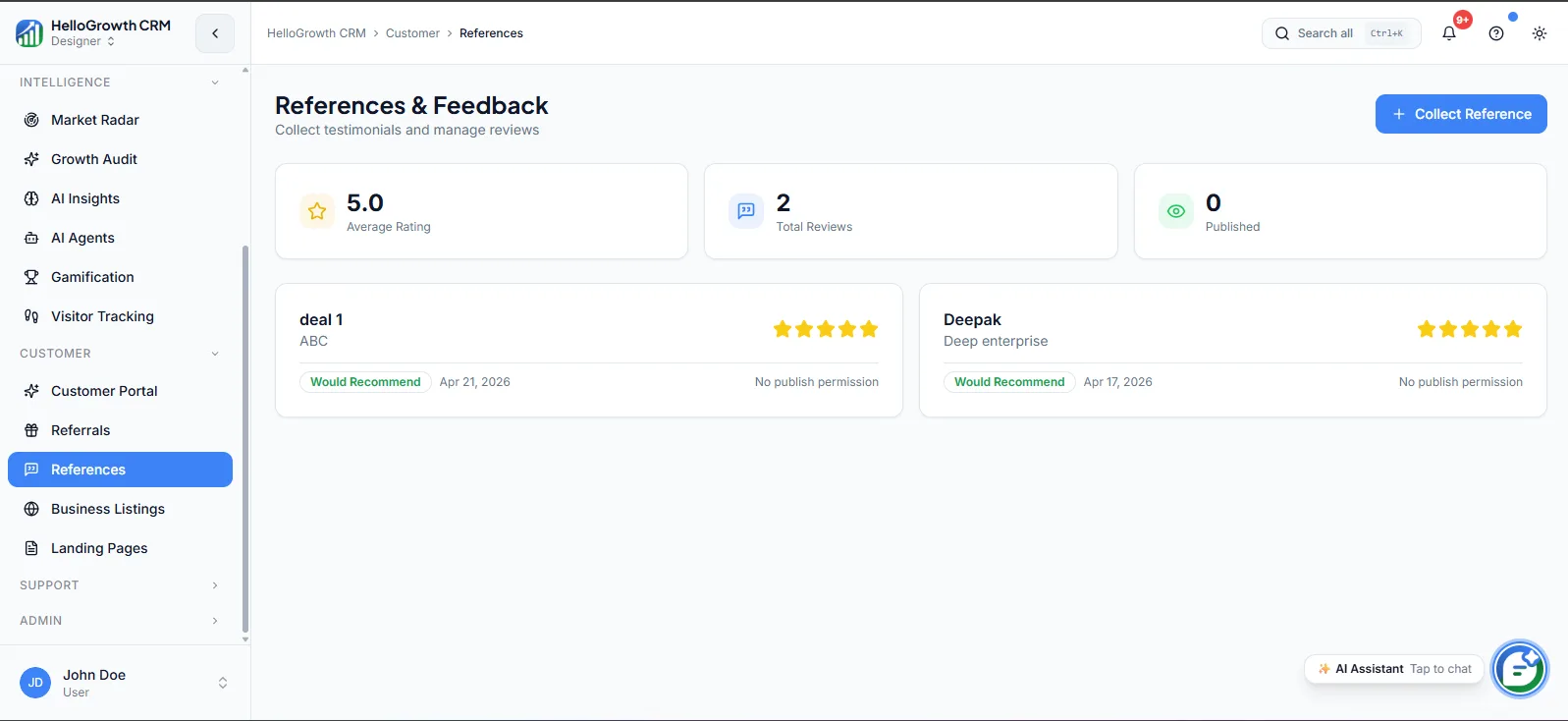
How this capability is packaged by plan
| Plan | Availability |
|---|---|
| Free Forever | |
| Software Only | |
| Growth Engine | |
| RevOps Partner |
Setting it up — step by step
- 1
Recruit willing references
Ask satisfied customers for permission explicitly, and record what topics and formats they are comfortable with.
- 2
Tag each reference
Label references by industry, company size, and use case so reps can match them to prospects quickly.
- 3
Set contact guardrails
Agree how often each reference may be asked, and make the request history visible to everyone.
- 4
Define the request flow
Require reps to log reference requests against the deal so usage and outcomes are tracked.
- 5
Refresh the library quarterly
Add new advocates, retire tired ones, and thank active references so the pool stays healthy.
Who uses references
Sales rep
Searches the library when a late-stage prospect asks to speak with a similar customer, finds an industry-matched reference who has not been called recently, and logs the request against the deal.
Sales manager
Reviews which references are being used and which deals they influenced, watches for over-contacted advocates, and works with customer success to recruit new references in segments where the library is thin.
RevOps lead
Owns the library structure — tags, request rules, usage reporting — and reports quarterly on reference coverage by segment and how often reference calls appear in won deals.
References in practice — industry examples
Manufacturing
A machinery supplier keeps references tagged by plant type and order size. When a prospective factory owner wants to hear from someone running the same equipment, the rep finds a matched customer two states away who was last asked four months ago — and the call happens within the week instead of stalling the deal.
Agencies
A marketing agency pitching a retail client searches its library for retail-sector references, finds two, and picks the one not contacted this quarter. The reference call is logged against the deal, and when the contract signs, the agency can see reference conversations appearing consistently in its largest wins.
Logistics
A logistics provider bidding for a pharma shipping contract needs a reference who can speak to cold-chain reliability. The library surfaces a customer tagged for temperature-controlled freight, the ops lead confirms availability, and the prospect hears operational detail no brochure could carry — from a peer, not a salesperson.
Common mistakes to avoid
Calling the same two friendly customers for every deal until they burn out and quietly start declining requests.
Skipping explicit permission and topic boundaries, leading to awkward calls where references are asked things they cannot discuss.
Letting reps arrange reference calls off the record, so usage history is invisible and over-contacting goes unnoticed.
Never refreshing the library, so tags go stale and the references reflect the customer base of two years ago.
What teams usually care about here
Helps reps match the right reference to a prospect's industry, size, or use case
Keeps reference requests organized so customers are not over-contacted
Useful for enterprise deals where social proof and peer validation matter
How this fits the buying decision
Buyers usually do not evaluate references in isolation. They want to know whether it improves execution, reporting, handoffs, and accountability inside the broader CRM workflow. That is why this capability matters most when it is connected to records, ownership, activity history, and manager review rather than living in a separate point tool.
The real decision is often less about whether a box is checked and more about how much depth the team needs. Lower tiers may be enough when the workflow is simple or the volume is small. Higher tiers become more valuable when teams need governance, faster response expectations, specialist execution, or a repeatable operating cadence around the process.
If this capability is important to your rollout, compare it in the context of the whole plan. That includes related workflows, support level, reporting expectations, and whether your team will manage the motion itself or rely on managed RevOps help to keep it consistent.
Frequently asked questions
Which plans include the references feature?
References is available on the Growth Engine and RevOps Partner plans. It is not part of Free Forever or Software Only. It belongs to the Customer module alongside referrals and the customer portal.
How is references different from referrals?
Referrals is customers introducing new prospects to you — a pipeline source. References is prospects speaking with existing customers to validate a purchase — a deal accelerator. They complement each other, and your strongest references often make excellent referral advocates too.
How do I set up the reference library initially?
Start by asking your happiest customers for explicit permission, then create their reference records with tags for industry, size, and use case, plus any topic boundaries. A starting library of even eight to ten well-tagged references covers most matching needs for a small team.
How do I stop references from being over-contacted?
Every request is logged against the reference record, so the full ask history is visible before anyone reaches out. Set an agreed contact frequency per reference, and have reps check the history — the system makes over-use visible instead of accidental.
Can I see whether reference calls actually help close deals?
Yes. Because requests are logged against the deals that needed them, you can review won deals for reference involvement and see which references appear most often in closed revenue — useful evidence when recruiting new references or thanking active ones.
Related Pricing Capabilities
Customer Portal
A branded self-service portal where customers can view their orders, invoices, project status, and communications without contacting support.
Referrals
A referral program workflow that tracks advocate activity, referral submissions, and pipeline generated from customer introductions.
Business Listings
Tools for managing and syncing your business presence across directories, review platforms, and local listing sources.
Landing Pages
CRM-connected landing page builder for campaign capture, event signups, and inbound conversion without needing a separate tool.