CRM Contact Management Software — contact management crm
Organize contacts, companies, activity history, and ownership in one clean system of record. Built for teams researching CRM contact management software that supports real sales execution instead of static databases.

Why teams evaluate contact management
Contact Management usually becomes important when a repeated part of the revenue workflow is creating too much manual work, too little visibility, or too much tool-switching. Teams are rarely shopping for a feature in isolation. They are usually trying to make one meaningful workflow cleaner, faster, and easier to inspect.
That is why buyers usually look beyond the headline capability and inspect the surrounding details: Centralized CRM contact management software for leads and accounts, Unified contact and company timeline, Owner, stage, and next-step visibility, Activity history across email, calls, and meetings. Those details determine whether the feature actually improves day-to-day execution or simply adds another surface area to manage.
Where contact management fits in the workflow
Most teams adopt this capability as part of practical motions such as lead management, account tracking, pipeline support. The value tends to show up fastest when the workflow is tied to a clear owner, a clear next action, and a visible outcome that managers can review later.
It also matters how this page connects to the rest of the stack. For many teams, tools such as Gmail, Google Calendar, Slack, Zapier are what make the feature operational instead of theoretical because they keep data, communication, and handoffs in sync.
What a strong rollout looks like for contact management
The best rollout usually starts small: one high-value workflow, one clear ownership model, and one review rhythm for adoption. Once the team is consistently using the feature, managers can expand into deeper automation, reporting, or cross-functional handoffs without rebuilding the foundation.
In practice, that means evaluating not only what the feature can do, but also whether the team can maintain the process around it. Ease of use, reporting trust, and manager visibility matter just as much as the feature checklist itself.
- Use it first for lead management if that is the workflow creating the most friction today.
- Use it first for account tracking if that is the workflow creating the most friction today.
- Use it first for pipeline support if that is the workflow creating the most friction today.
- Use it first for manager inspection if that is the workflow creating the most friction today.
How It Works
Get started in three simple steps
Key Features
Use Cases
Lead management
Organize new leads with ownership, status, and follow-up visibility from first touch onward.
What teams care about
- Fast adoption with less manual cleanup for managers and reps.
- Clear visibility into workflow execution, outcomes, and accountability.
- Reliable handoffs into the CRM record so downstream teams keep full context.
Deep dive
Open the sections that matter most instead of scrolling through a long uninterrupted text block.
Why teams search for CRM contact management software
Teams usually start looking for CRM contact management software when the current system is no longer reliable enough to support follow-up. Contacts are duplicated, ownership is unclear, and important activity lives in inboxes instead of the record. That makes it harder for reps to move fast and harder for managers to trust the data.
A strong contact management workflow should create one dependable system of record for people, companies, and relationship history. That foundation matters because every other sales workflow depends on it.
What CRM contact management software should improve
Good CRM contact management software should make it easier to find the right person, understand prior context, and know exactly what should happen next. It should also reduce duplicate records and fragmented history so the team is not working from conflicting information.
HelloGrowthCRM is designed to connect contact records to tasks, deals, messages, and follow-up ownership. That keeps contact management operational instead of turning it into a static database.
How cleaner contact management helps pipeline execution
Cleaner contact management improves execution because reps spend less time figuring out who owns the relationship or what happened last. The activity timeline becomes clearer, handoffs become smoother, and follow-up quality improves because the next action is easier to identify.
Managers also benefit because they can inspect record quality and team discipline with much less guesswork. That creates better reporting and a more dependable operating rhythm across the pipeline.
Choosing CRM contact management software for growth
As teams grow, the real question is not whether they can store contact records. It is whether the platform helps them keep those records accurate, useful, and connected to execution. That is the difference between contact storage and true CRM contact management software.
For many teams, the best option is the one that keeps people data, activity history, follow-up, and pipeline workflows in one place. That reduces cleanup work and helps the team move with more consistency.
Teams usually start looking for CRM contact management software when the current system is no longer reliable enough to support follow-up. Contacts are duplicated, ownership is unclear, and important activity lives in inboxes instead of the record. That makes it harder for reps to move fast and harder for managers to trust the data.
A strong contact management workflow should create one dependable system of record for people, companies, and relationship history. That foundation matters because every other sales workflow depends on it.
Buyer playbook
Compare, launch, and govern the workflow with an interactive overview instead of four long generic essays.
How teams evaluate contact management
The best pages help buyers understand fit quickly instead of forcing them through long walls of copy.
Check whether the product covers the capabilities you actually care about, such as Centralized CRM contact management software for leads and accounts, Unified contact and company timeline, Owner, stage, and next-step visibility, Activity history across email, calls, and meetings.
Test if it supports real execution scenarios like Lead management, Account tracking, Pipeline support.
Confirm the workflow stays connected to Gmail, Google Calendar, Slack, Zapier so reporting and handoffs remain reliable.
Frequently Asked Questions
Explore More
Related Articles
Quick answer
What is a contact management CRM?
Key facts
- One record per person; contacts roll up to the company account, so several stakeholders at one customer share a company-level history.
- Calls, emails, WhatsApp messages, notes, meetings, tasks, and deals are logged to the contact timeline without manual entry.
- CSV and Excel import maps your columns to CRM fields, validates emails and phone numbers, and previews the result before records are created.
- Fuzzy deduplication on phone, email, and name; merging keeps the activity history from every duplicate record.
What is CRM Contact Management?
HelloGrowthCRM's contact management stores every person and company your team interacts with — and automatically builds a complete relationship history for each. Every call, email, WhatsApp message, note, meeting, and deal is logged to the right contact record automatically. Your team always sees the full picture of any relationship in a single timeline view — without manual data entry or hunting across multiple apps.
Contact data quality determines the effectiveness of every other CRM feature. Bad contacts corrupt pipelines, waste rep time, and produce inaccurate forecasts. HelloGrowthCRM's contact management is built around data quality: GSTIN-based deduplication, enrichment from 200M+ business profiles, required field validation, and merge tools for cleaning legacy data. Indian B2B teams with large distributor, dealer, or enterprise account databases particularly benefit from the company-level contact hierarchy.
Contact vs lead vs account: what goes where
Contact management software only works if everyone agrees on what a record means. In HelloGrowthCRM the model is simple: a leadis a person who has shown interest but hasn't been qualified — an enquiry from a web form, a WhatsApp message, a trade-show scan. A contact is a person you have a real, ongoing relationship with. An account is the company those contacts belong to, so three stakeholders at the same customer share one company-level history.
The distinction matters for small teams because it keeps the working lists clean: reps prospect from the lead list (see lead management software for how capture, scoring, and routing work), while contacts and accounts hold the long-term relationships that drive repeat business. Converting a lead carries the whole interaction history across — nothing is retyped, nothing is lost.
Import from spreadsheets without a cleanup project
Most small businesses come to contact management software with years of customer data in Excel, Google Sheets, and phone contacts. HelloGrowthCRM's import wizard is built for exactly that starting point: upload a CSV or Excel file, map your columns to CRM fields (or accept the automatic suggestions), and preview the result before anything is created. Emails and phone numbers are validated on the way in, extra spreadsheet columns become custom fields, and likely duplicates are flagged for review rather than silently created.
After import, deduplication keeps working in the background. Fuzzy matching on phone, email, and name catches the same customer entered as "Rajesh Kumar", "R. Kumar", and a bare mobile number — and merging preserves the activity history from every duplicate. Clean contact data is what makes everything downstream trustworthy: follow-up lists, AI lead scoring, and forecasts all depend on one record per real person. It's also the first step of the afternoon setup described in our CRM for small business guide.
One timeline: the whole customer history in one place
The core promise of contact management is that anyone on your team can open a contact and know exactly where the relationship stands in thirty seconds. Every email thread, call recording, WhatsApp conversation, SMS, meeting note, quote, and deal change lands on the contact's chronological timeline automatically — logged from the connected channels, not typed in by hand.
That changes real situations: a rep is off sick and a colleague picks up the renewal call with full context; a customer replies to a quote on WhatsApp three weeks later and the thread is right there next to the original email; a new hire inherits 200 accounts and reads each relationship's history instead of asking around the office. Contact management is included on every plan, from free to $10/user/month — see pricing, or compare the approach against HubSpot if you're evaluating options.
Key Capabilities
- Contact and Account Hierarchy: Individual contacts (people) are linked to accounts (companies). Multiple contacts at the same company share an account-level activity timeline — so any rep seeing the company record has full organisational context.
- Unified Activity Timeline: Calls, emails, WhatsApp messages, SMS, notes, and deal changes all appear in one chronological timeline per contact — automatically logged from all connected channels.
- Custom Fields and Sections: Add any number of custom fields to contacts — GSTIN, language preference, industry segment, or any business-specific attribute. Fields are available in filters, reports, and automation rules.
- Smart Segmentation: Create dynamic smart lists using any combination of contact fields, activity history, lead score, and pipeline status — updated automatically as contacts meet or leave the criteria.
- GSTIN and PAN Verification: Verify B2B contacts against GST portal data to confirm company name, address, and filing status — essential for Indian B2B teams issuing GST invoices.
- Duplicate Detection and Merging: Fuzzy matching identifies duplicate contacts across phone, email, and name. Merge duplicates preserving all history from both records.
- WhatsApp and Call Auto-Logging: All WhatsApp conversations and calls are automatically linked to the matching contact by phone number — no manual linking required.
- DPDPA Consent Tracking: Record and track customer consent for data processing per India's DPDPA requirements. Consent status is visible on every contact record.
How Indian Teams Use It
- B2B Distributor Networks: A Mumbai FMCG distributor manages 2,000+ retail accounts in HelloGrowthCRM. Each account has the shop owner as a contact, with visit frequency, order history, and territory rep linked. The territory rep sees the full account history on their mobile before every visit — without calling the office.
- Financial Services Client Management: A Bengaluru wealth management firm stores all client interactions — WhatsApp conversations, email threads, and meeting notes — in a single client record. New advisors taking over a client account can review 2 years of relationship history in 10 minutes rather than 2 hours of file review.
- Enterprise B2B Account-Level Selling: A Delhi IT services company manages enterprise accounts where multiple stakeholders (IT manager, procurement head, CFO) are involved in a deal. HelloGrowthCRM's account-level view shows all stakeholder interactions in one place — enabling coordinated multi-threaded outreach without reps stepping on each other. For teams focused on retention and growth, the account management CRM workflow adds stakeholder mapping, account health scoring, and renewal and expansion pipelines on top of this timeline.
Personal notes for everything that is not about one contact
Call notes and meeting notes belong on the contact, and that is where HelloGrowthCRM keeps them. But a salesperson also writes things down that belong to no single record: a territory plan, the objections heard across this week's demos, a draft pitch for a key account, a checklist for the next exhibition. Those usually end up in a phone notes app or a notebook, where they are hard to find and easy to lose. HelloGrowthCRM includes personal notes for exactly this, inside the same workspace the rest of the day happens in.
- Tags: Tag notes so related ones stay grouped by topic, whether that is a territory, a product line or an upcoming event.
- Search palette: Open the search palette and find a note in a few keystrokes instead of scrolling through a long list.
- Trash: Deleted notes move to a trash rather than disappearing at once, which takes the worry out of tidying up.
- PDF download: Download a note as a PDF when it needs to go to someone outside the CRM or into a file.
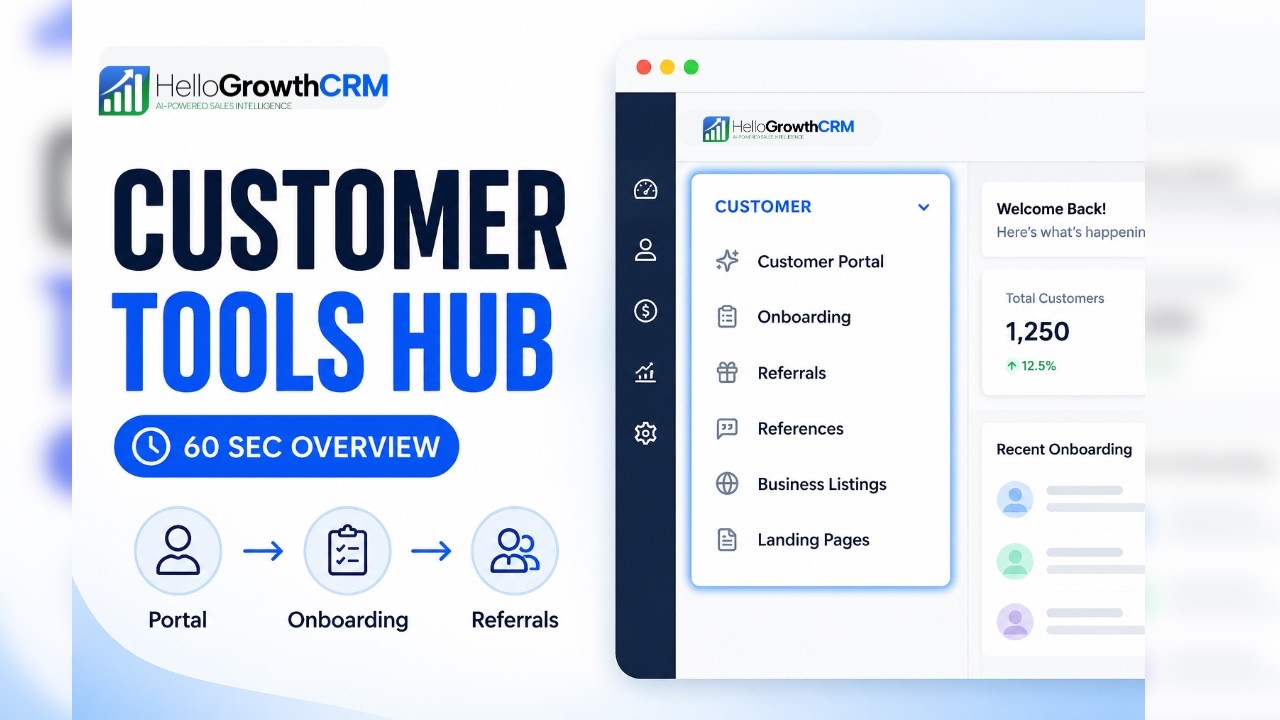
Watch: The Customer Section in 60 Seconds
A quick tour of the customer section in HelloGrowthCRM — where the portal, onboarding, referrals, and full relationship history live side by side on one record.
Contact management software FAQ
Contact management is included on all HelloGrowthCRM plans. Compare plans. Explore duplicate detection and GSTIN verification to maximise contact data quality.