CRM Sales Pipeline Template(Free Download)
A free sales pipeline template: 7 stages with close probabilities, weighted forecast formulas, and deal-aging alerts — in Excel, CSV, or your CRM.
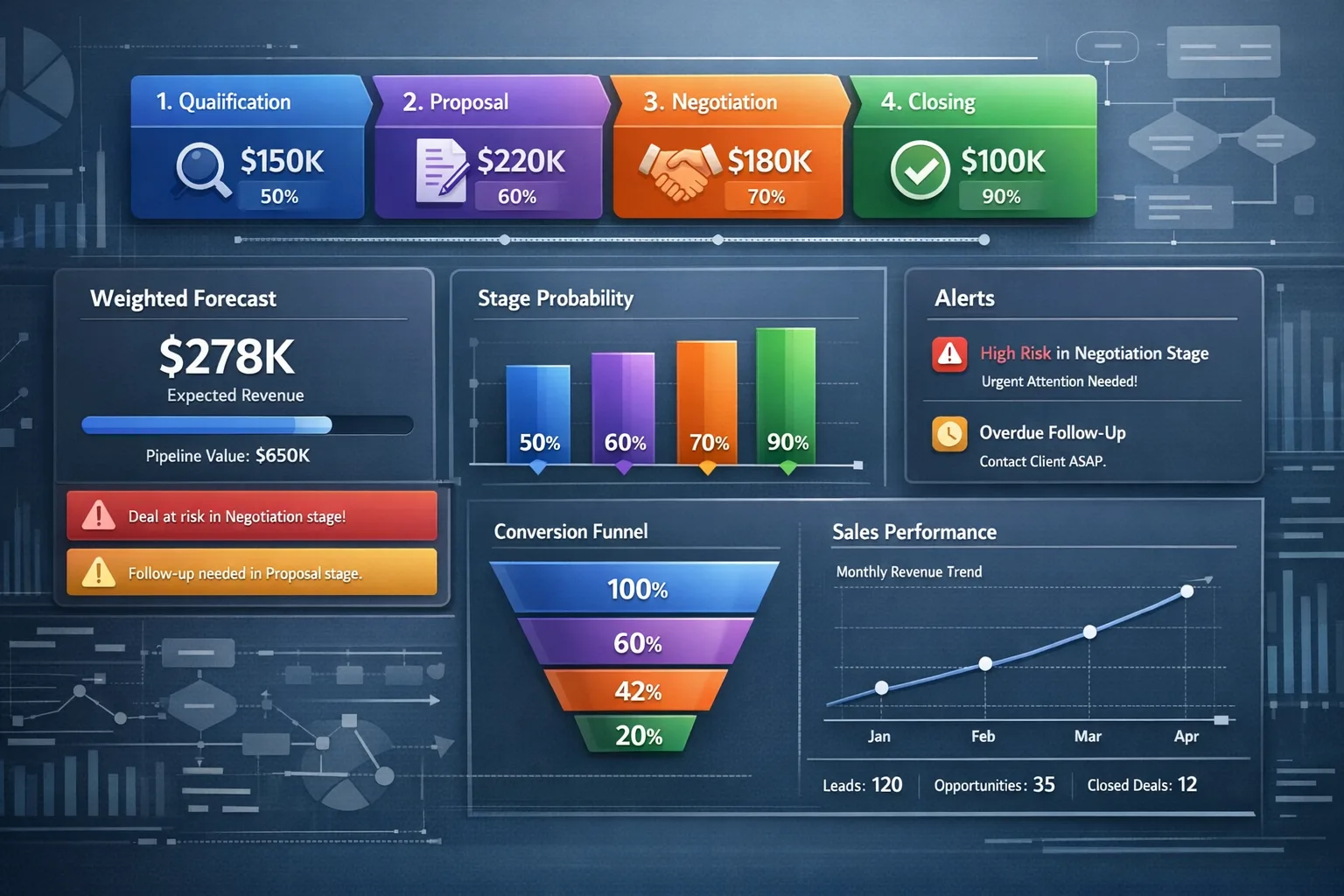
Template preview
Pipeline board view
What's included
A 7-stage deal board with a close probability, an average-days benchmark, and a next action for every stage; eight fields on each deal record; three follow-up and aging automations; a summary view with the five numbers a pipeline review needs; and Excel, CSV, and PDF copies of the same layout.
Automation rules
- Task completed on a deal → move it to the next stage
- Follow-up date falls due today → notify the owner by push and email
- No activity for 7 days → alert the assigned rep and their manager
Custom fields
Dashboards & views
- Kanban board with one column per stage
- Weighted forecast total — deal amount × stage probability
- Open deal count and average deal size
- Average deal age, to catch deals sitting past the stage benchmark
- Win rate across closed deals
- Spreadsheet view with Deal Name, Stage, Amount, Close Date, and Owner columns
Template specs
Updated 2026-02-15
No credit card · Free forever
A sales pipeline template is a fixed list of deal stages plus the fields you fill in for every opportunity, so every rep records a deal the same way and the totals add up. This one ships with seven stages — Prospecting, Qualification, Demo, Proposal, Negotiation, Verbal Commit, and Closed Won — and each stage carries a default close probability, an average-days benchmark, and the action that moves the deal forward, so a new rep can read the board and know what to do with every deal. Deal records carry lead name and company, email and phone, deal value, priority, assigned rep, follow-up date, lead source, and attachments with notes. The spreadsheet copies use Deal Name, Stage, Amount, Close Date, and Owner as their header row, which is exactly what the CRM import expects: keep the file in Excel or Google Sheets for as long as you like, open the same CSV in HelloGrowthCRM later, and nothing needs remapping. Weighted pipeline is deal amount times stage probability, and the summary view totals it next to open deal count, average deal size, average deal age, and win rate — the numbers a weekly pipeline review runs on. Because every stage also carries an average-days benchmark, the same file shows which stage deals sit in longest, which is usually where the process needs fixing rather than the rep.
The Problem This Solves
Without an agreed set of stages, every rep tracks deals differently: the same opportunity sits in Demo on one sheet and Proposal on another, the forecast is a guess, and nobody can say which stage is leaking deals. Follow-ups slip because no field records when the next one is due, and the pipeline review turns into an argument about definitions instead of a decision about deals.
Who It's For
Sales managers, AEs, and RevOps teams at B2B companies — and solo founders or single-rep teams who want the structure now and a CRM later. If your open deals currently live in an ad-hoc spreadsheet, this replaces it without asking you to leave the spreadsheet.
Use Cases
- Set up a new sales team's pipeline from scratch in under 15 minutes
- Replace personal deal spreadsheets with stage rules every rep follows
- Run the weekly pipeline review from one board instead of five private sheets
- Produce a weighted pipeline forecast for board or investor reporting
- Find the stage where deals stall by reading time-in-stage against the benchmark
- Onboard a new rep by handing them stage definitions and the next action for each
- Track deals in Excel or Google Sheets first, then import the same file into the CRM
How to Use This Template
- 1
Download the Excel or CSV copy, or deploy the board straight into HelloGrowthCRM from the Templates section
- 2
Rename stages to the words your team already says out loud, and keep one stage per buyer decision
- 3
Replace the sample rows with your open deals: Deal Name, Stage, Amount, Close Date, Owner
- 4
Set follow-up dates and the deal aging threshold (default: 14 days per stage)
- 5
Give every deal an owner, so the aging alert has somebody to reach
- 6
Update the stage after each customer conversation rather than once a week — the weighted forecast is only as current as the last edit
- 7
Read the summary numbers weekly: open deals, weighted forecast, average deal size, average age, win rate
- 8
Each quarter, compare your real days-per-stage with the benchmark column and re-tune the probabilities from your own closed deals
Inside the template: sample data
The exact rows that ship with the CRM Sales Pipeline Template download — replace them with your own records after import.
| Stage | Probability | Avg Days | Actions |
|---|---|---|---|
| Prospecting | 10% | 7 | Qualify lead, research company |
| Qualification | 20% | 10 | Discovery call, BANT check |
| Demo | 40% | 14 | Product demo, technical review |
| Proposal | 60% | 10 | Send proposal, negotiate terms |
| Negotiation | 75% | 14 | Contract review, final terms |
| Verbal Commit | 90% | 7 | Get signatures, legal review |
| Closed Won | 100% | 0 | Handoff to CS, kickoff |
Customization guide
- Stage names — use the words your team already says out loud
- Close probabilities, once you have enough won and lost deals to calculate your own
- The aging threshold per stage (14 days by default)
- Deal fields: keep the ones your reps actually fill in and delete the rest
- The spreadsheet header row — Deal Name, Stage, Amount, Close Date, and Owner are what the CRM import maps to
- A probability curve that rises stage by stage, with Closed Won at 100%; flatten it and the weighted forecast stops telling you anything
- One stage per buyer decision — extra stages added to show activity inflate the forecast
- Write an exit criterion beside each stage name, so 'Qualification' means the same thing to every rep
- Each quarter, put your real days-per-stage next to the benchmark column and re-tune both
- Keep lost deals with a reason recorded instead of deleting them — the reasons point at the stage to fix
- Give renewals and expansions their own board rather than a stage on this one; their probability curve is nothing like new business
Frequently Asked Questions
It is a pre-built structure for tracking deals: a named set of stages, a close probability for each stage, and a fixed set of fields you record on every opportunity. The point is that two reps looking at the same deal put it in the same stage, so the pipeline total means something. This template supplies all three — seven stages, a probability and average-days benchmark per stage, and eight deal fields — as a board in HelloGrowthCRM and as Excel, CSV, and PDF copies of the same layout.
Yes, and plenty of teams do for the first few months. The Excel file works offline, and the CSV opens in Google Sheets through File → Import, so the whole pipeline can live in a sheet your team already shares. You lose the automations — nothing will move a deal when a task completes, remind the owner on the follow-up date, or alert a manager after 7 quiet days — so you take that on manually. The header row is the same one the CRM import maps to, so when the manual upkeep stops being worth it you upload the file and keep every deal.
Weighted pipeline = Deal Amount × Stage Probability. This template calculates it automatically for each deal and shows a total weighted forecast on the dashboard. Use it as a range rather than a single number: the probabilities that ship here are starting defaults, and the forecast only gets sharp once you replace them with close rates from your own won and lost deals.
Yes. The template ships with 7 stages but you can add, rename, or remove stages at any time. Just update the probability defaults when you change stages. Two rules worth keeping: one stage per decision the buyer makes, and a probability curve that actually rises — splitting one stage into two so the board looks busier inflates the weighted forecast without any deal moving.
Compare the Avg Days column against what your deals are really doing. Each stage in this template carries a benchmark — 7 days in Prospecting, 10 in Qualification, 14 in Demo, and so on — so a stage where deals routinely sit two or three times longer is the bottleneck. Average deal age in the summary view tells you whether the whole pipeline is slowing or just one stage. The fix is usually the exit criterion for that stage being vague, not the rep being slow.
Change the stage and the follow-up date at the end of each customer conversation, while the detail is still fresh — that is the only cadence that keeps the weighted forecast honest. Then read the board once a week as a team: open deals, weighted forecast, average deal size, average age, win rate. Re-tune probabilities and stage benchmarks quarterly, when you have enough closed deals to calculate them from your own history.
Absolutely. The stages are generic enough for any B2B sales cycle. For services, you might rename 'Demo' to 'Proposal Review' and 'Negotiation' to 'SOW Finalization'. Agencies and consultancies often add a 'Scoping' stage before Proposal, since the scoping work itself takes a week or two and hiding it inside Qualification makes that stage look permanently stuck.
The template defaults to 14 days per stage, which fits a typical 60–90 day B2B cycle. If your average deal closes in under a month, drop it to 7 days; if you sell six-figure contracts, 21–30 days is more realistic. The point of the alert is to trigger a conversation, not to punish reps — review flagged deals in your weekly pipeline meeting and either advance them, push the close date with a documented reason, or mark them lost.
Export your current tracker as CSV, rename the columns to match the template's headers (Deal Name, Stage, Amount, Close Date, Owner), and use the CSV import in HelloGrowthCRM. Deals with stage names that do not match the 7 defaults land in Prospecting, so do a quick find-and-replace on stage names before importing. A 200-row sheet typically imports in under five minutes.
Ready to use this template?
Deploy CRM Sales Pipeline Template in HelloGrowthCRM with one click. Get started free — no credit card · free forever.
Free forever · No credit card required · Set up in minutes
Related resources
Related Templates
Real Estate Lead Pipeline
A 13-stage CRM pipeline for real estate agents: New Lead → Contacted → Qualification → Site Visit → Negotiation → Booking → Legal & Docs → Deal Closed.
Enterprise Sales Pipeline
10-stage enterprise pipeline for complex B2B sales cycles of 3-12 months with legal review and procurement stages.