HelloGrowthCRM MCP Server
A free, public Model Context Protocol server that gives Claude, Cursor, ChatGPT and any other AI agent accurate, current HelloGrowthCRM product knowledge — pricing, features, integrations and comparisons — plus a set of website bot and crawler governance tools. Point your client at one URL. No key, no signup.
Endpoint
https://mcp.hellogrowthcrm.com/sseAlready a customer? Get your API key from CRM Settings → API Keys
What this server is not
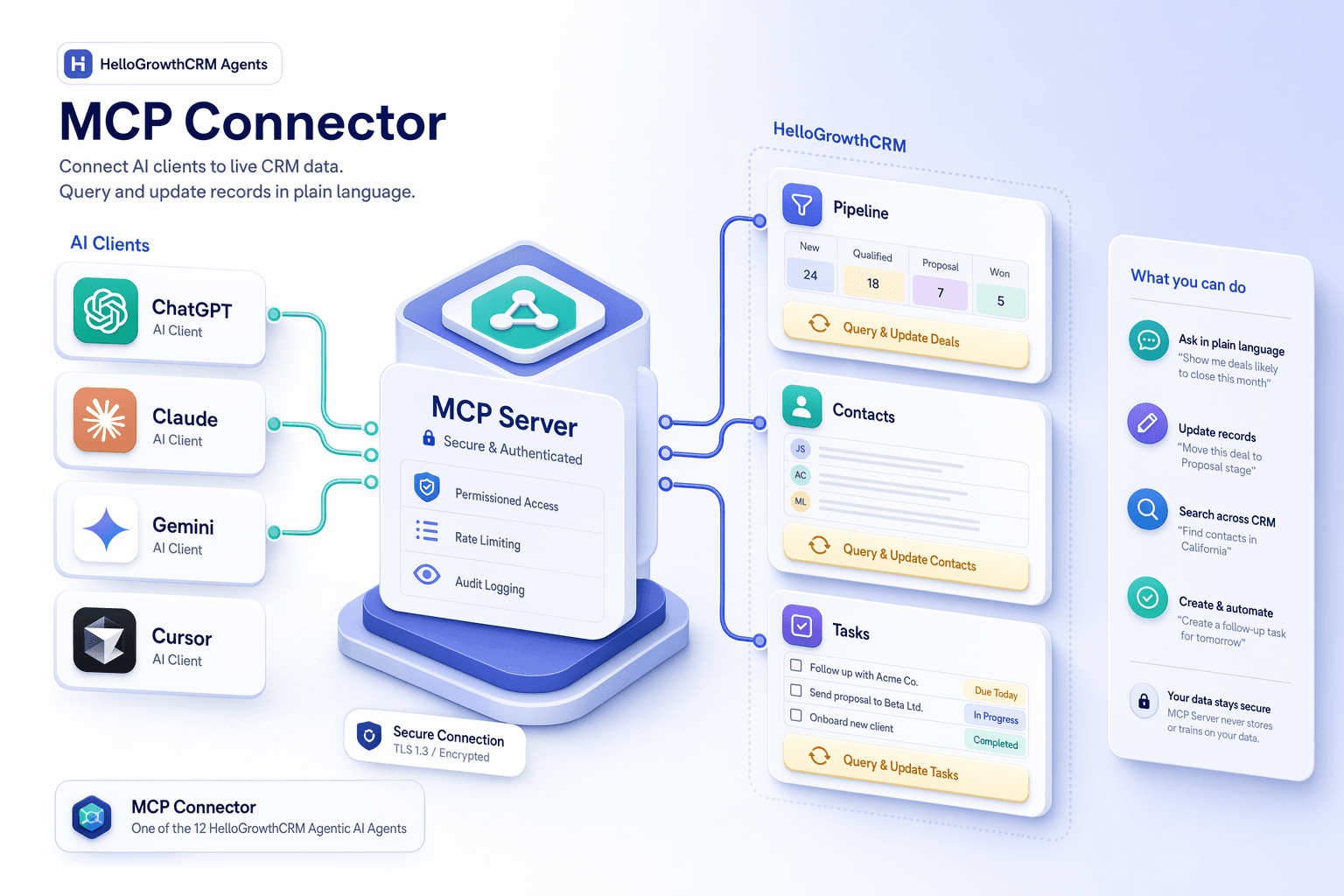
This is not a connection to your CRM account. It holds no customer data, reads no deals or contacts, and performs no CRM actions. There is no endpoint that accepts your credentials — never send an API key, a password or customer data to it. An authenticated CRM MCP server is on the roadmap; this page will document it when it ships, and not before. To automate against your own CRM data today, use the REST API.
# User prompt to Claude
> "What does HelloGrowthCRM cost in India, and how does it compare to Zoho?"
# Claude calls MCP tools in sequence
tool: pricing_get_country_plans
country: "IN"
→ live INR plan tiers returned from the site
tool: content_get_comparison
slug: "zoho"
→ current comparison data returned
# Why this matters
Without MCP the model answers from training data — often months stale, sometimes invented.
What the server exposes
Two families of read-only tools, plus a set of MCP resources. The authoritative, always-current catalogue is served by the server itself at /version — we link to it rather than reprinting counts here, so this page cannot go stale.
Product knowledge
Pricing plans and per-country pricing, features and products, integrations and their categories, competitor comparisons and alternatives, help-centre articles, blog posts, glossary terms, guides, templates, partner programme, changelog, company profile and regional contacts.
Website & bot governance
Verify a crawler's identity by reverse DNS, generate a robots.txt from a policy, analyse access logs for bot traffic, review allow and block lists, generate and check llms.txt, and run AI-extractability and sitemap diagnostics.
How to connect in 3 steps
Copy the endpoint
https://mcp.hellogrowthcrm.com/sse — that is the whole credential story. There is no key to generate and no account required.
Add it to your AI client
For Claude Desktop or Cursor, add {"url": "https://mcp.hellogrowthcrm.com/sse"} to the MCP servers block in your config. For ChatGPT, add it as a remote MCP connector.
Ask about the product
"What does HelloGrowthCRM cost in India?", "How does it compare to Zoho?", "Which integrations support WhatsApp?" — your assistant answers from live site data instead of stale training data.
Connect in 2 minutes
Paste the snippet for your AI client. There is no key to substitute.
{
  "mcpServers": {
    "hellogrowthcrm": {
      "url": "https://mcp.hellogrowthcrm.com/sse"
    }
  }
}{
"mcpServers": {
"hellogrowthcrm": {
"url": "https://mcp.hellogrowthcrm.com/sse"
}
}
}Settings → Connectors → Add custom connector URL: https://mcp.hellogrowthcrm.com/sse Authentication: None
Try it — connect, ask, trace
See how a connection looks for your assistant of choice, what people actually ask in plain English, and the tool-call trace behind the answer.
Pick the assistant you use most. Add the snippet to its config and it gains read/write access to your HelloGrowthCRM workspace through the MCP server.
{
  "mcpServers": {
    "hellogrowthcrm": {
      "url": "https://mcp.hellogrowthcrm.com/sse"
    }
  }
}Compatible AI clients
Safety
Governance controls for AI-initiated actions — audit trails, scoped keys, PII masking — will be documented alongside the authenticated CRM server when it exists. They do not apply to a read-only server that takes no actions.
Frequently asked questions
Give your AI assistant accurate answers about HelloGrowthCRM
One URL, no key, free on every plan. Add it to Claude, Cursor or ChatGPT and stop getting answers from stale training data.
Watch: Agentic AI Overview
Key takeaways from this video
- Assistive AI drafts and recommends; agentic AI executes approved actions like sending follow-ups and updating stages.
- Autonomy is configurable per agent — assistive, supervised, or autonomous — so teams extend trust gradually.
- Agent actions inside the product are logged to the record timeline, so managers can review what ran and why.