WhatsApp Message Template Generator
Draft reusable WhatsApp-style messages for sales and support. Replace placeholders before sending.
Scenario
Preview
Hi Alex, this is Priya from HelloGrowthCRM. We help teams like yours with pipeline visibility and faster follow-ups. Open to a quick chat this week? Reply YES for a 15-min slot.
30 WhatsApp message templates you can copy
The generator above fills in your details for five common messages. If you would rather browse, here are thirty templates in six groups. They are written for the way small businesses in India use WhatsApp: short, polite, and ending with one easy question. Replace the words in square brackets before you send.
Introduction and first-contact WhatsApp templates
For people who asked you something first, or agreed to hear from you. One question at the end gets a reply; two get silence.
1. Reply to a new enquiry
Hi [Name], thanks for your enquiry about [product or service]. I am [Your name] from [Business]. Could you share [one detail, such as quantity or location] so that I can send the right price today?
2. After a missed call
Hi [Name], this is [Your name] from [Business]. Sorry we missed your call at [time]. Is now a good time to call back, or would you prefer to continue here on WhatsApp?
3. Introduced by a referral
Hi [Name], [Referrer] suggested I get in touch. I am [Your name] from [Business], and we [what you do, in six words]. Would it help if I sent a two-line summary and our price list?
4. After meeting at an event
Hi [Name], good to meet you at [event] today. As promised, here is our catalogue: [link]. Which of the items we discussed should I quote for first?
5. Welcome after opt-in
Hi [Name], welcome to [Business] on WhatsApp. You will get order updates and occasional offers here. Reply STOP at any time to opt out. How can we help today?
Follow-up WhatsApp message templates
Follow up on something specific: the quotation, the visit, the date. A follow-up with nothing new in it reads as pressure.
6. Two days after a quotation
Hi [Name], I sent the quotation for [item] on [day]. Did it reach you, and is there anything you would like changed, such as the quantity, the delivery date or the payment terms?
7. After a demo or site visit
Hi [Name], thank you for your time today. To recap: [one line]. The next step from our side is [step] by [date]. Does that work for you?
8. Quotation about to expire
Hi [Name], a quick note that the prices in quotation [number] hold until [date]. If you need more time, tell me and I will see what I can do.
9. The polite last message
Hi [Name], I do not want to crowd your WhatsApp. Shall I check back next month, or close this enquiry for now? Either answer is fine.
10. Follow-up in Hinglish
Namaste [Name] ji, [Business] se [Your name]. Aapko [item] ka quotation bheja tha. Koi sawaal ho ya rate par baat karni ho to bataiye, main abhi available hoon.
Payment and invoice WhatsApp templates
Every payment message needs the invoice number, the amount, the date and a way to pay.
11. Sending the invoice
Hi [Name], sharing invoice [number] for ₹[amount], due on [date]. The PDF is attached. You can pay by UPI to [UPI ID] or here: [link]. Thank you for the order.
12. A gentle nudge
Hi [Name], sending invoice [number] again in case it got buried. ₹[amount] was due on [date]. Here is the link to pay: [link]. If it is already done, please ignore this.
13. Advance to confirm a booking
Hi [Name], to hold your [slot or stock], the advance is ₹[amount]. Pay here: [link]. I will confirm the booking as soon as it comes through.
14. Payment received
Hi [Name], received ₹[amount] against invoice [number], thank you. Your receipt is attached.
15. Renewal due
Hi [Name], your [plan, AMC or policy] is due for renewal on [date]. The amount is ₹[amount]. Renew here: [link], or reply if you would like to change anything first.
Appointment and meeting WhatsApp templates
Confirm, remind once, and make rescheduling a one-word reply. That is most of what cuts no-shows.
16. Booking confirmed
Hi [Name], your appointment with [person] is confirmed for [date] at [time], at [location or link]. Reply 1 to confirm or 2 to reschedule.
17. Reminder the day before
Hi [Name], a reminder of your [appointment or visit] tomorrow at [time]. Please bring [documents or items]. Need a different time? Reply here.
18. When you have to reschedule
Hi [Name], we need to move your [time] appointment today, and I am sorry for the change. Would [option 1] or [option 2] suit you?
19. After a no-show
Hi [Name], we missed you at [time] today. Hope all is well. Would you like to rebook? These slots are open: [slots].
20. Feedback after a visit
Hi [Name], thank you for visiting [Business] today. How was your experience, on a scale of 1 to 5? Your reply goes straight to the owner.
Festival and offer WhatsApp templates
Send offers only to customers who opted in, and give them a way out. Two good festive messages a year beat one every week.
21. Festival greeting with an offer
Happy Diwali, [Name]! From all of us at [Business]. As a thank you, there is [offer] on [items] until [date]. Reply DIWALI and we will share the details.
22. Greeting only, in Hinglish
[Name] ji, aapko aur aapke parivaar ko [festival] ki hardik shubhkamnayein. [Business] parivaar ki taraf se.
23. Back in stock
Hi [Name], the [product] you asked about is back in stock. Shall I hold one for you? Price: ₹[amount].
24. Offer for existing customers
Hi [Name], for our existing customers: [offer] on [service] booked before [date]. Reply YES and I will share the open slots. Reply STOP to opt out of offers.
25. Asking for a referral
Hi [Name], glad the [product or service] worked out. If you know someone who needs the same, please share this number. We thank every referral with [reward].
Order, delivery and support WhatsApp templates
Updates the customer is waiting for. Say what happened, what happens next and when.
26. Order confirmed
Hi [Name], we have your order [number]: [items], ₹[amount]. Expected dispatch: [date]. We will message you the tracking link.
27. Order dispatched
Hi [Name], order [number] has shipped with [courier]. Track it here: [link]. Expected delivery: [date].
28. Delivery delayed
Hi [Name], your order [number] is delayed and will now arrive by [date]. Sorry about this. If that does not work for you, reply here and we will sort it out.
29. Support request logged
Hi [Name], we have logged your issue with [product] as ticket [number]. [Person] will call you by [time]. You can reply here with photos if that helps.
30. Asking for a review
Hi [Name], thanks for choosing [Business]. If you have a minute, a Google review helps a small business like ours a lot: [link].
Need more for one situation? There are 25 payment reminder messages by stage, and call wording in the telecalling scripts.
Using these templates on the WhatsApp Business app and the API
On the WhatsApp Business app, save the ones you use most as quick replies, so that typing a short code inserts the whole message. Nothing needs approval, because you are messaging people one at a time from your own phone.
On the WhatsApp Business Platform (the API), a message that starts a conversation must be a template that Meta has approved. Square brackets become numbered variables, and Meta places each template in a category. Confirmations, reminders, and order and payment updates are normally utility. Greetings, offers, back-in-stock alerts and referral requests are marketing. Replies sent within 24 hours of the customer's last message do not need a template.
Meta charges per delivered message, at rates that depend on the category and the customer's country, and marketing costs more than utility. From 1 October 2026 it also charges for replies and for utility templates sent inside the 24-hour window, which were free until then. The current rates are on Meta's pricing page, and you can estimate a campaign with the WhatsApp broadcast cost calculator.
To send templates from a shared team number, with every chat saved against the customer, see WhatsApp CRM, WhatsApp automation and bulk WhatsApp messaging. To get customers to message you first, make a WhatsApp QR code.
What the WhatsApp Message Template Generator does
The WhatsApp Message Template Generator drafts ready-to-customize messages for the moments a small business messages customers most: first introductions, quote follow-ups, meeting confirmations, payment reminders, and support responses. Pick the scenario, and the generator produces a WhatsApp-appropriate message with placeholders — name, company, amount, date — that you replace before copying it into WhatsApp or your CRM.
Why templates matter on WhatsApp specifically: it is a personal channel with high open rates and low tolerance for spam. The same follow-up that reads as normal in email can feel pushy as a WhatsApp message. Templates tuned for the channel — brief, warm, one clear question — let you use WhatsApp's immediacy without burning the goodwill that makes it effective.
The generator suits businesses that already sell and support over WhatsApp — retailers, service providers, agencies, clinics, and field sales teams across India and beyond — and teams standardizing their messaging before adopting WhatsApp inside a CRM.
How to use the WhatsApp Message Template Generator
Choose the message scenario
Intro, follow-up, meeting, payment, or support. Each scenario has a different job and a different acceptable tone — a payment reminder needs more formality than a check-in.
Generate and read the draft aloud
WhatsApp messages are read conversationally, so test the draft that way. If a line sounds stiff spoken aloud, soften it before sending.
Replace every placeholder
Swap in the real name, amount, and date — and double-check before hitting send. A leftover placeholder in a personal channel is more embarrassing than in email.
Save winners as your team library
When a template consistently gets replies, record the final version for the whole team. Consistency across reps is what turns a good message into a good process.
How to read your results
Replies come quickly and conversationally
The tone is right for the channel. Keep messages this length or shorter; WhatsApp threads succeed on rhythm, not thoroughness.
Messages are read but rarely answered
Usually the ask is too big or missing. End with one small, answerable question — 'does Thursday still work?' outperforms 'let me know your thoughts' every time.
Customers go quiet after a payment reminder
Check the tone: reminders should assume good faith ('sharing the invoice again in case it got buried') and make paying easy with a link. Escalate formality only after gentle nudges fail.
Some contacts ask you to stop messaging
Respect it instantly and record the preference in your CRM so no teammate repeats the mistake. Channel preference is customer data — treat it as carefully as a phone number.
Real-world examples
A tile showroom following up on quotes
Walk-in customers took quotes home and disappeared. The owner began sending a templated WhatsApp follow-up two days after each quote — the customer's name, the specific tiles, one question about their decision timeline. The messages recovered conversations that a formal email or a phone call at a bad time would have missed.
A clinic cutting no-shows with confirmations
Missed appointments were costing empty slots daily. A templated confirmation the evening before — patient name, time, a reply-to-reschedule option — became standard. Patients answered the message conversationally, and slots freed by reschedules were refilled instead of wasted.
A distributor standardizing five reps' messaging
Every rep messaged customers in a different style, and payment reminders ranged from timid to abrasive. The sales manager generated a base template per scenario, workshopped them once with the team, and moved the final set into HelloGrowthCRM's native WhatsApp so every conversation logged against the right contact automatically.
HelloGrowthCRM Communication Module | Manage WhatsApp, Team Inbox & Web Chat
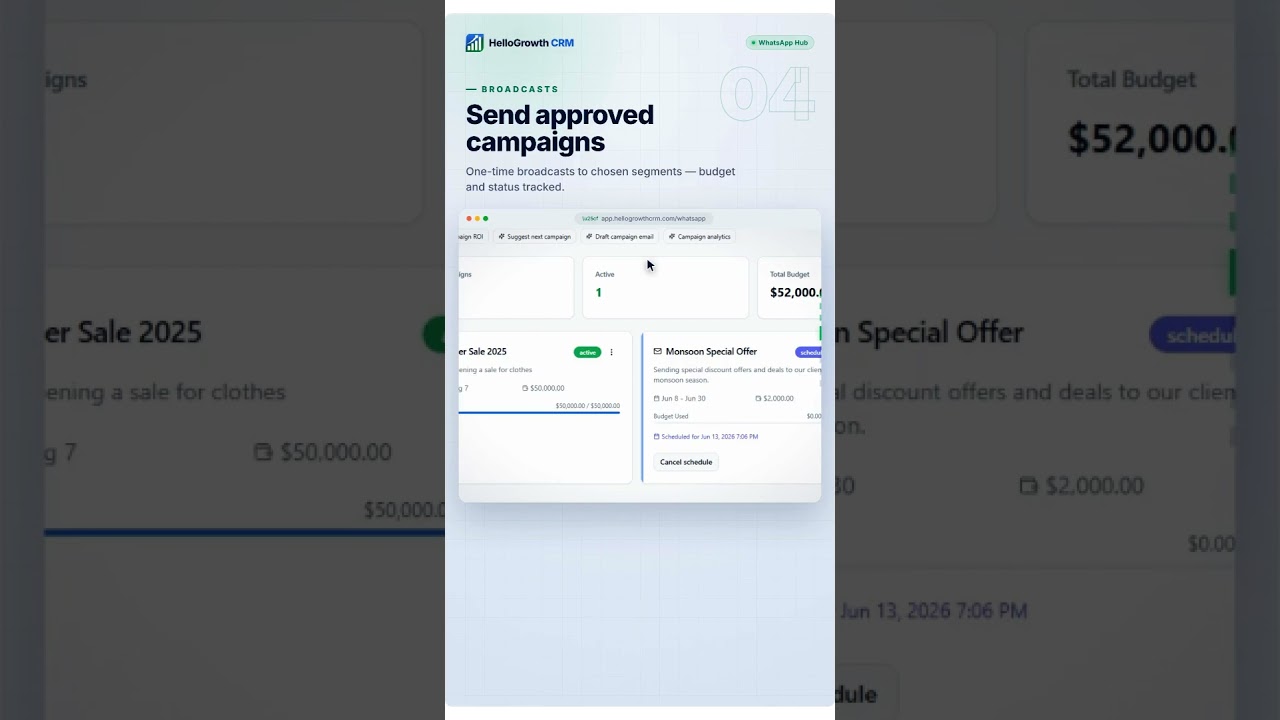
Key takeaways from this video
- WhatsApp conversations are handled inside the CRM's Communication section rather than in a separate messaging tool.
- Team Inbox gives the whole team one shared view of customer conversations.
- Inbox Analytics shows how the inbox is performing, so slow replies are visible.
- Web Chat Assistant brings website chats into the same place.
- Scheduled messages let the team plan communication ahead of time.
WhatsApp Message Template Generator — frequently asked questions
Quick answer
Does this send messages automatically?
- What makes a good business WhatsApp message
- When should I use WhatsApp instead of email for follow-up
- Do I need customer consent to message on WhatsApp