What deals does
Deals are the working surface of the pipeline: each one tracks an opportunity's value, stage, next step, and forecast contribution from first qualification to won or lost. Reps drag deals across stages as they progress; managers scan the same board to inspect risk — which deals have no next step, which close dates just slipped.
Without deal objects, the pipeline exists only as a feeling. Forecasts are hand-assembled guesses, stalled opportunities go quiet without anyone noticing, and stage definitions mean something different to every rep. Deals make the pipeline inspectable: honest stages, required fields, visible next steps, and a forecast built from records instead of recollection.
How it works in HelloGrowthCRM
Deals live on visual pipelines inside HelloGrowthCRM. Reps drag deals across stages, with required fields enforcing a clean, honest pipeline at each move. Deals with no next step or a slipping close date get flagged so nothing goes quiet unnoticed, and stage-probability weighting produces a realistic commit for managers each period. The free plan includes one pipeline; paid plans run unlimited pipelines for new business, renewals, and partnerships without mixing reporting.
Deals connect naturally to the rest of the system: activities log every touch, proposals and quotes attach to the deal, invoicing follows a win, and analytics reads stage movement for conversion and forecast reporting.
See it in action
How this capability is packaged by plan
| Plan | Availability |
|---|---|
| Free Forever | 1 pipeline |
| Software Only | Unlimited pipelines |
| Growth Engine | Unlimited pipelines |
| RevOps Partner | Unlimited pipelines |
Setting it up — step by step
- 1
Define your pipeline stages
Name stages after verifiable buyer actions — demo done, proposal sent — not rep optimism.
- 2
Set required fields per stage
Force value, close date, and next step before a deal can advance a stage.
- 3
Create your deals
Convert qualified leads into deals and import any existing open opportunities with stage and value.
- 4
Set stage probabilities
Assign a win likelihood per stage so the weighted forecast means something.
- 5
Schedule a weekly pipeline review
Walk the board weekly, starting with deals flagged for no next step or slipped dates.
Who uses deals
Sales rep
Works the board daily: drags deals as buyers act, sets the next step after every touch, and uses the no-next-step flag as a personal to-do list so nothing in their column goes quiet.
Sales manager
Runs the weekly pipeline review from the board — inspects flagged deals, challenges close dates that keep slipping, and builds the commit from stage-weighted values rather than collecting verbal estimates rep by rep.
Founder/owner
Checks weighted pipeline value against target between everything else, and uses separate pipelines to keep new business, renewals, and partnership conversations visible without blending them into one misleading number.
Deals in practice — industry examples
Construction
A contractor runs tender-driven deals through stages from site visit to bid submitted to negotiation. Required fields force an expected award date at bid stage, and the slipped-date flag surfaces tenders drifting past their decision window — prompting a call to the client before the file goes cold.
Financial advisors
An advisory practice runs two pipelines: new-client onboarding and existing-client top-ups. Keeping them separate stops large top-up cases inflating new-business conversion numbers, and the weekly review walks flagged cases — a prospect who went quiet after the plan presentation gets a follow-up before month-end.
Startups
A founder-led startup moves from a Notion list to a single pipeline with five stages. Weighted forecast replaces the founder's optimistic mental total, and within a month the no-next-step flag exposes a cluster of demos with zero follow-up — a fixable process gap nobody had seen.
Common mistakes to avoid
Naming stages after rep feelings rather than buyer actions, so stage conversion reports measure optimism instead of progress.
Skipping required fields, letting valueless deals with no close date pollute the forecast until nobody trusts the number.
Cramming renewals and new business into one pipeline, which muddles conversion rates and hides how each motion is really performing.
Letting dead deals sit open for months instead of closing them lost, inflating pipeline value and burying the real board.
What teams usually care about here
Supports stage-based selling, forecasting, and manager inspection
Single-pipeline access works for starter teams, while paid tiers support broader GTM complexity
Connects naturally to activities, proposals, invoicing, and revenue reporting
Drag deals across stages with required fields that enforce a clean, honest pipeline
Flag deals with no next step or a slipping close date so nothing goes quiet unnoticed
Run separate pipelines for new business, renewals, and partnerships without mixing reporting
Weight forecast by stage probability to give managers a realistic commit each period
How this fits the buying decision
Buyers usually do not evaluate deals in isolation. They want to know whether it improves execution, reporting, handoffs, and accountability inside the broader CRM workflow. That is why this capability matters most when it is connected to records, ownership, activity history, and manager review rather than living in a separate point tool.
The real decision is often less about whether a box is checked and more about how much depth the team needs. Lower tiers may be enough when the workflow is simple or the volume is small. Higher tiers become more valuable when teams need governance, faster response expectations, specialist execution, or a repeatable operating cadence around the process.
If this capability is important to your rollout, compare it in the context of the whole plan. That includes related workflows, support level, reporting expectations, and whether your team will manage the motion itself or rely on managed RevOps help to keep it consistent.
Frequently asked questions
How many pipelines do I get on each plan?
The Free Forever plan includes one pipeline, which works for a starter team with a single sales motion. Software Only, Growth Engine, and RevOps Partner all include unlimited pipelines, so new business, renewals, and partnerships each get their own board and clean reporting.
How long does pipeline setup take?
The mechanics take under an hour: name your stages, set required fields, assign stage probabilities. The thinking is the real work — defining stages around verifiable buyer actions. Most teams start with five or six stages, import open opportunities, and refine definitions after the first few weekly reviews.
How do deals connect to quoting and invoicing?
Quotes and proposals attach directly to the deal, so the offer, negotiation history, and outcome live in one thread. When a deal is won, invoicing picks up from the same record — sales and operations share one view instead of re-keying details into a separate billing tool.
Can automation act on deals?
Yes. Deals flagged for no next step or slipping close dates give reps and managers a built-in worklist, sequences can keep touchpoints running on active deals, and calls or WhatsApp messages made from the deal log automatically to its timeline — keeping momentum without manual tracking.
How does the forecast number get calculated?
Each stage carries a win probability, and the forecast weights every open deal's value by its stage probability. That produces a realistic commit rather than a sum of hopeful full values — and it sharpens over time as your stage definitions and historical conversion data settle.
Related Pricing Capabilities
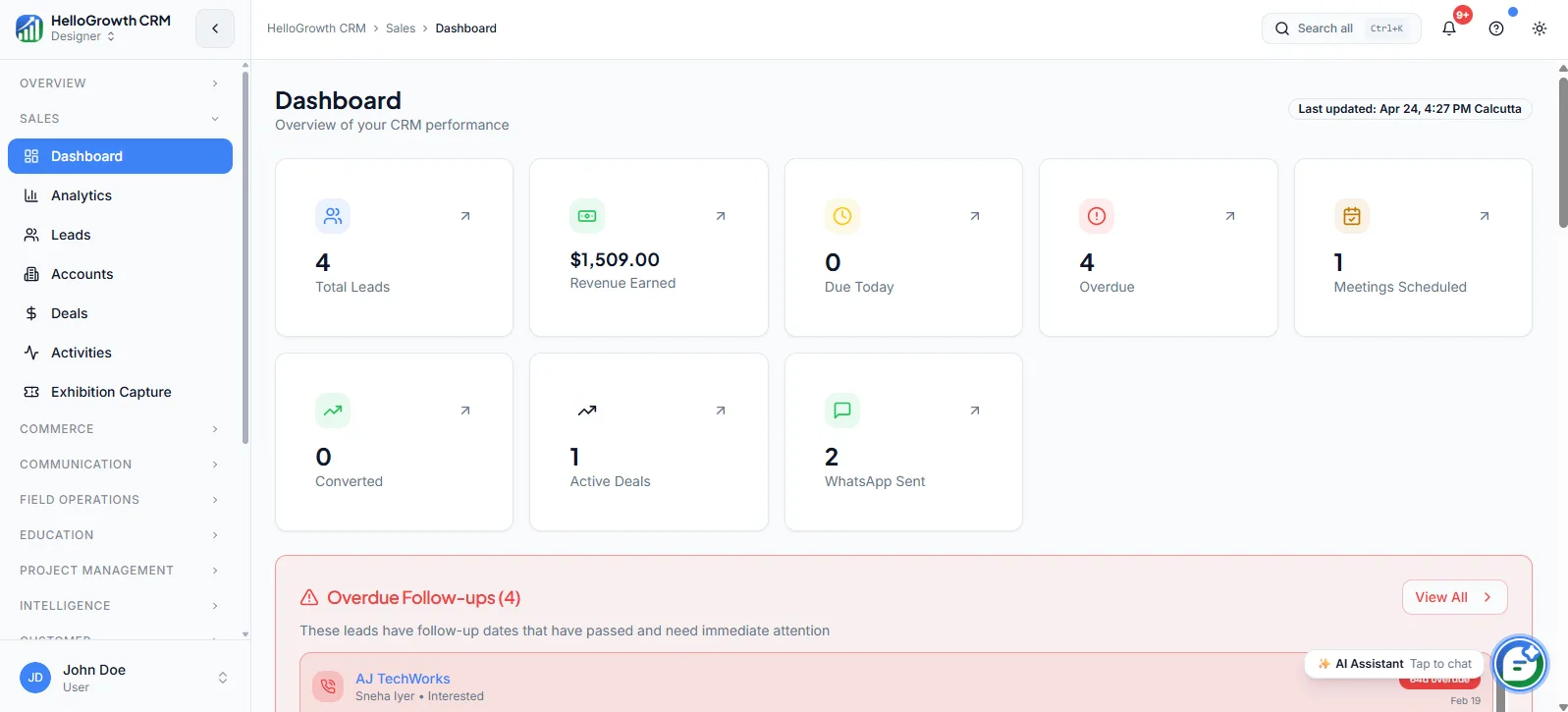
Dashboard (overview KPIs)
A home view for pipeline health, workload, follow-up priorities, and top-line KPIs so reps and managers can start the day with context.
Analytics
Reporting surfaces that help teams inspect conversion rates, stage-to-stage movement, rep activity levels, and overall funnel performance — so decisions come from data rather than gut feel.
Leads
Lead records that hold qualification context, ownership, source, and follow-up state in one CRM-native workflow — so no inquiry slips through the cracks between first touch and handoff.
Accounts
Company-level records that organise contacts, opportunities, activity history, and account context in one place — built for B2B teams selling into multiple stakeholders at the same organisation.
Activities
Calls, meetings, notes, tasks, and logged touchpoints that give teams a usable timeline of work completed on every record.
Exhibition Capture
Lead capture workflows for events, trade shows, and offline sales moments where speed and attribution both matter.