HelloGrowthCRM software
Built for real small-business sales teams
HelloGrowthCRM helps reps qualify faster, follow up on time, and close more deals—with practical automation in one place.
- AI lead scoring and pipeline visibility
- Built-in dialer, WhatsApp, and email automation
- Sales forecasting and RevOps-ready reporting
Automations for deal stage updates and task assignment help small businesses track sales progress and assign follow-up tasks automatically. This reduces manual errors and prevents leads from being forgotten. This article explains why automations matter, provides step-by-step guidance to set them up, shares a practical example with Indian business figures, highlights common mistakes, and shows how HelloGrowthCRM supports these automations.
Why this comes up / what goes wrong
Small and mid-sized businesses in India often lose leads or delay follow-ups because they track deals manually through WhatsApp messages, Excel sheets, or memory. For example, after sending a quotation, sales teams may forget to update the deal stage or set reminders for follow-ups. Tasks like calling a prospect or sending a proposal can slip through cracks without clear assignment and deadlines. This slows sales cycles and reduces closure rates.
Automations solve this by updating deal stages automatically when certain events happen (e.g., quotation sent) and by creating tasks with due dates assigned to the right team member. This ensures every lead is actively managed and no opportunity is missed.
Step-by-step
- Define your deal stages clearly: List all stages in your sales pipeline such as "Lead Received," "Contacted," "Quote Sent," "Negotiation," and "Closed Won/Lost." Check that each stage has a clear meaning and action associated.
- Set triggers for stage updates: Decide what event moves a deal to the next stage. For example, sending a quotation moves the deal to "Quote Sent." Check your CRM or tool can detect this event.
- Automate deal stage movement: Use your CRM’s workflow or automation feature to update the deal stage automatically when the trigger event occurs. Verify the automation updates the stage without manual input.
- Create task templates for follow-ups: Define common follow-up tasks like "Call client to discuss quotation" or "Send reminder email." Each task should have a due date and an owner.
- Automate task assignment: Set up rules to assign tasks automatically based on deal stage or lead source. For example, after moving to "Quote Sent," assign a follow-up call task to the sales executive responsible.
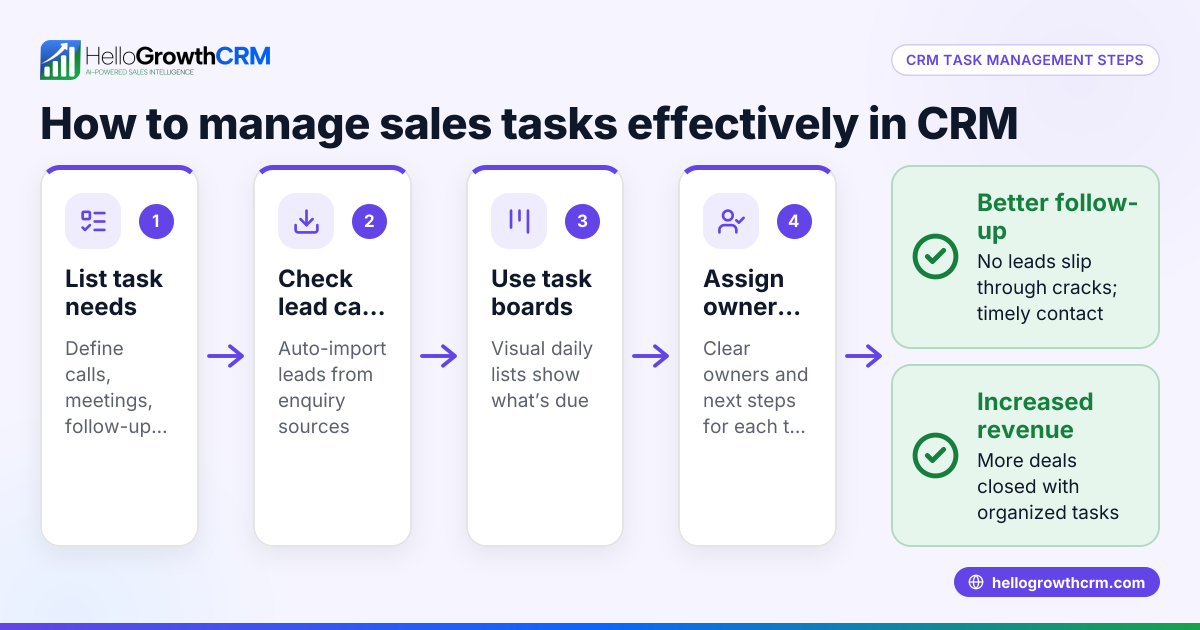
- Use task boards to track progress: Organize tasks on boards by due date or priority. Check daily task lists to ensure nothing is missed.
- Review and refine: Monitor if automations are triggering correctly and tasks are completed on time. Adjust triggers, task assignment rules, or stages as needed.
Using tools with workflows, lead routing, and task boards makes these steps easier and more reliable.
Example (fictional figures)
Rajesh runs a mid-sized electronics wholesale business in Bengaluru. He sends quotations and wants to automate follow-ups.
- On 10/04/2024, Rajesh sends a quotation worth ₹1,50,000 to a client.
- The CRM automatically moves the deal to "Quote Sent" stage on 10/04/2024.
- The automation creates a follow-up call task due on 15/04/2024 assigned to his sales executive, Priya.
- Priya calls the client on 15/04/2024 and updates the deal stage to "Negotiation."
This process ensures no quotation follow-up is forgotten.
Common mistakes
- Not defining clear deal stages: Without clear stages, automations can misfire. Prevent this by documenting each stage’s meaning.
- Ignoring task due dates: Assigning tasks without deadlines leads to delays. Always include due dates.
- Manual updates alongside automations: Mixing manual and automated updates causes confusion. Stick to automation rules.
- Not assigning task owners: Tasks without clear owners get ignored. Always assign a responsible team member.
- Overcomplicating automations: Too many triggers or stages slow down the process. Keep workflows simple.
- Failing to review automation results: Without monitoring, errors go unnoticed. Regularly check task completion and deal stage accuracy.
Doing this in HelloGrowthCRM
HelloGrowthCRM offers a Deals (pipeline) feature where a quotation sent last week appears as a deal at the "quote sent" stage with a follow-up date, so it is not forgotten. Its Activities and task boards turn each follow-up into a task with a due date, showing the day’s calls as a list rather than relying on memory. Workflows, lead routing, and validation rules enable automated round-robin assignment of new IndiaMART enquiries and automatic creation of first-call tasks. These features help Indian SMBs automate deal stage updates and task assignments efficiently. Learn more about AI CRM and sales task boards.
Frequently asked questions
What is the benefit of automating deal stage updates? Automating deal stage updates reduces manual errors and ensures your sales pipeline reflects the real status of each opportunity. This helps sales teams focus on the right activities and improves follow-up timeliness.
How do task assignments improve sales follow-up? Assigning tasks with due dates to specific team members ensures accountability and prevents leads from being forgotten. Task boards help visualize daily priorities and progress.
Can automations handle leads from multiple sources like IndiaMART? Yes, automation rules can route leads from sources like IndiaMART automatically to the right sales reps and create initial follow-up tasks, speeding up response times.
Do I need technical skills to set up these automations? Many modern CRMs, including HelloGrowthCRM, provide user-friendly workflow builders that let you create automations with simple drag-and-drop interfaces or guided setups.
How often should I review my automation rules? Review automations regularly, such as monthly or quarterly, to ensure they still match your sales process and fix any errors.
Can automations be customized for different sales teams or territories? Yes, advanced automation tools allow lead routing and task assignment based on territory, source, or team member workload, adapting to your business structure.
Key takeaways
- Automations update deal stages and assign follow-up tasks automatically to prevent missed leads.
- Clear deal stages and task definitions are essential before setting up automations.
- Task boards and due dates improve daily sales team focus and accountability.
- Regular review and simplification of automations prevent errors and delays.
- HelloGrowthCRM supports these automations with Deals, task boards, and workflows.
Start automating your sales process to improve follow-ups and close more deals. Start on the Free Forever plan (200 leads, no credit card).
Ready to put this into practice?
Set up your pipeline, WhatsApp follow-ups, and AI lead scoring in minutes — free, no credit card.
Try HelloGrowthCRM freeGet CRM tips in your inbox
Join thousands of sales professionals who get weekly insights on CRM strategy, AI automation, and pipeline optimization.

The HelloGrowthCRM team publishes guides on CRM strategy, AI sales tools, and revenue operations for small business sales teams.