HelloGrowthCRM software
Built for real small-business sales teams
HelloGrowthCRM helps reps qualify faster, follow up on time, and close more deals—with practical automation in one place.
- AI lead scoring and pipeline visibility
- Built-in dialer, WhatsApp, and email automation
- Sales forecasting and RevOps-ready reporting
Choosing the best CRM with email integration in Canada is critical for small and mid-sized businesses that want to streamline communication and improve sales follow-up. A CRM that integrates email allows your sales and support teams to manage inbound and outbound messages directly within the system, reducing missed leads and improving collaboration.
Why this comes up / what goes wrong
Many Canadian small-business owners rely on separate email clients, spreadsheets, and messaging apps to manage sales leads. This scattered approach leads to slow follow-up, lost communication history, and duplicated work. Without email integration, teams often miss replies to quotations or customer questions, causing lost sales opportunities. The search for the best CRM with email integration arises because business owners want a unified platform that captures every email interaction linked to deals and contacts, improving visibility and response times.
Step-by-step
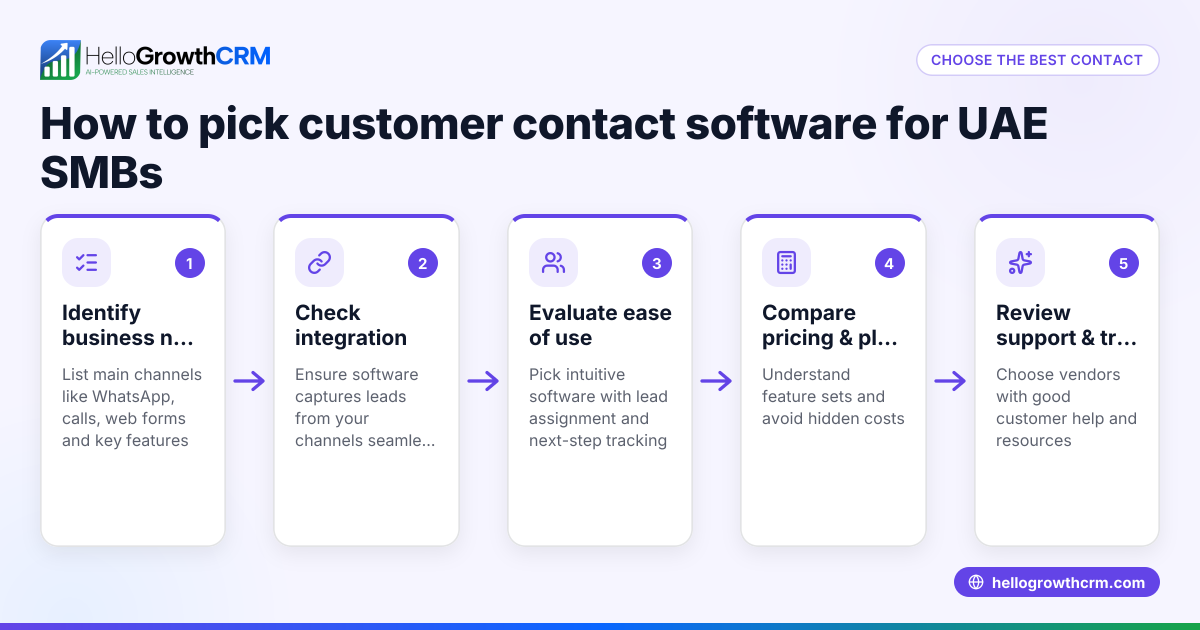
- Identify Your Email Integration Needs: Decide if you need a shared inbox for your team, automatic logging of emails to contacts, or email sequences for follow-up. Check if the CRM supports your preferred email providers.
- Check CRM Features Beyond Email: A good CRM also offers lead capture, pipeline management, task boards, and multi-channel messaging like WhatsApp and SMS. This helps keep all communication and sales activities in one place.
- Evaluate User Experience and Adoption: Choose a CRM that your team finds easy to use; otherwise, email integration benefits will be lost if emails are not logged properly.
- Review Integration Options: Look for CRMs with APIs and integrations that connect with your existing tools like web forms or lead sources. This ensures leads flow automatically into the CRM.
- Consider Pricing and Plans: Compare pricing tiers to confirm email integration features are included. Some CRMs reserve advanced email tools for higher-priced plans. For Canadian pricing details, see CRM pricing in Canada.
- Test Email Automation and Sequences: If your sales process requires follow-up emails, check if the CRM supports automation. Learn more about email automation and sequences.
- Verify Compliance and Data Security: Ensure the CRM complies with Canadian data privacy laws and securely handles your email data.
Example (fictional figures)
A bilingual insurance agency in Laval, Quebec, wants to improve sales follow-up by choosing a CRM with email integration.
- Current leads per month: 300
- Average deal size: C$2,500
- Conversion rate before CRM: 10%
- Lost leads due to slow email response: 15%
By implementing a CRM with shared inbox and email sequences, they reduce lost leads to 5% and increase conversion to 12%.
Calculations:
Leads lost before CRM: 300 × 15% = 45 Leads converted before CRM: 300 × 10% = 30 Leads lost after CRM: 300 × 5% = 15 Leads converted after CRM: 300 × 12% = 36
Revenue before CRM: 30 × C$2,500 = C$75,000 Revenue after CRM: 36 × C$2,500 = C$90,000
Revenue increase: C$90,000 - C$75,000 = C$15,000
This example shows how email integration in a CRM can directly impact revenue by improving lead follow-up and conversion.
Common mistakes
- Choosing a CRM without true email integration: Prevent this by testing if emails from your existing clients and prospects appear automatically in the CRM.
- Ignoring team collaboration features: Avoid this by selecting a CRM with a shared inbox so all team members see replies and updates.
- Overlooking multi-channel communication: Prevent lost leads by using a CRM that also supports WhatsApp and SMS alongside email.
- Not considering user adoption: Ensure your team is trained and comfortable with the CRM to make full use of email integration.
- Failing to check pricing details for email features: Review pricing carefully to avoid surprises; see CRM pricing in Canada.
Doing this in HelloGrowthCRM
HelloGrowthCRM offers a HelloMail shared inbox that lets your team manage inbound emails from leads and customers without switching apps. Replies to quotation emails are visible to the whole team on the deal, improving collaboration. Its API and integrations bring enquiries from sources like IndiaMART and JustDial directly into the CRM as leads. Additionally, WhatsApp and SMS conversations with leads are logged on their records, and follow-ups can be sent as messages, keeping all communication unified and easy to track. Learn more about these features at HelloGrowthCRM for Canada.
Frequently asked questions
What is the typical pricing for CRMs with email integration in Canada? Pricing varies by provider and plan. Some CRMs include basic email integration in entry-level plans, while advanced features like shared inboxes and automation may require higher tiers. Check details carefully at CRM pricing in Canada.
Are there alternatives to email integration in CRMs? Yes, some businesses use separate tools for email marketing or customer support, but this risks losing context and slows response times. CRMs with integrated email, WhatsApp, and SMS provide a more unified approach. See more about integrations.
How can I ensure my team uses email integration effectively? Provide training focused on the CRM’s email features and set clear processes for logging and responding to emails. Choose a CRM with an intuitive shared inbox like HelloMail.
Does email integration support automation and sequences? Many CRMs offer email automation to send follow-ups or nurture leads automatically. Check for these features if your sales process benefits from it. Learn about email automation and sequences.
Can I integrate my existing lead sources with a CRM? Yes, look for CRMs with APIs and integrations that connect your web forms, lead platforms, or enquiry sources directly to the CRM.
Key takeaways
- Choose a CRM with a shared inbox and automatic email logging to improve team collaboration.
- Verify the CRM supports your sales channels, including email, WhatsApp, and SMS.
- Test email automation and sequences if you need follow-up workflows.
- Check pricing plans carefully for email integration features.
- Train your team to use the CRM email tools effectively to avoid missed leads.
To explore options and pricing, See Canadian pricing.
Ready to put this into practice?
Set up your pipeline, WhatsApp follow-ups, and AI lead scoring in minutes — free, no credit card.
Try HelloGrowthCRM freeGet CRM tips in your inbox
Join thousands of sales professionals who get weekly insights on CRM strategy, AI automation, and pipeline optimization.

The HelloGrowthCRM team publishes guides on CRM strategy, AI sales tools, and revenue operations for small business sales teams.