HelloGrowthCRM software
Built for real small-business sales teams
HelloGrowthCRM helps reps qualify faster, follow up on time, and close more deals—with practical automation in one place.
- AI lead scoring and pipeline visibility
- Built-in dialer, WhatsApp, and email automation
- Sales forecasting and RevOps-ready reporting
Retail businesses rely heavily on email to connect with customers, promote products, and drive sales. Effective retail email examples include clear subject lines, personalized greetings, concise offers, and calls to action that encourage purchases or visits. This article gives you practical steps and examples to craft emails that work for your retail store.
Why this comes up / what goes wrong
Retail business owners or accountants often search for retail email examples because they handle multiple communication channels—text messages, emails, and spreadsheets—without a unified system. They struggle with slow follow-up, inconsistent messaging, and losing leads or customers due to poor email practices. Without industry-specific examples, their emails may lack relevance or fail to engage effectively, leading to missed sales opportunities.
Step-by-step
- Identify the email purpose: Decide if the email is a welcome message, promotional offer, order confirmation, or follow-up. Check that the content matches the purpose clearly.
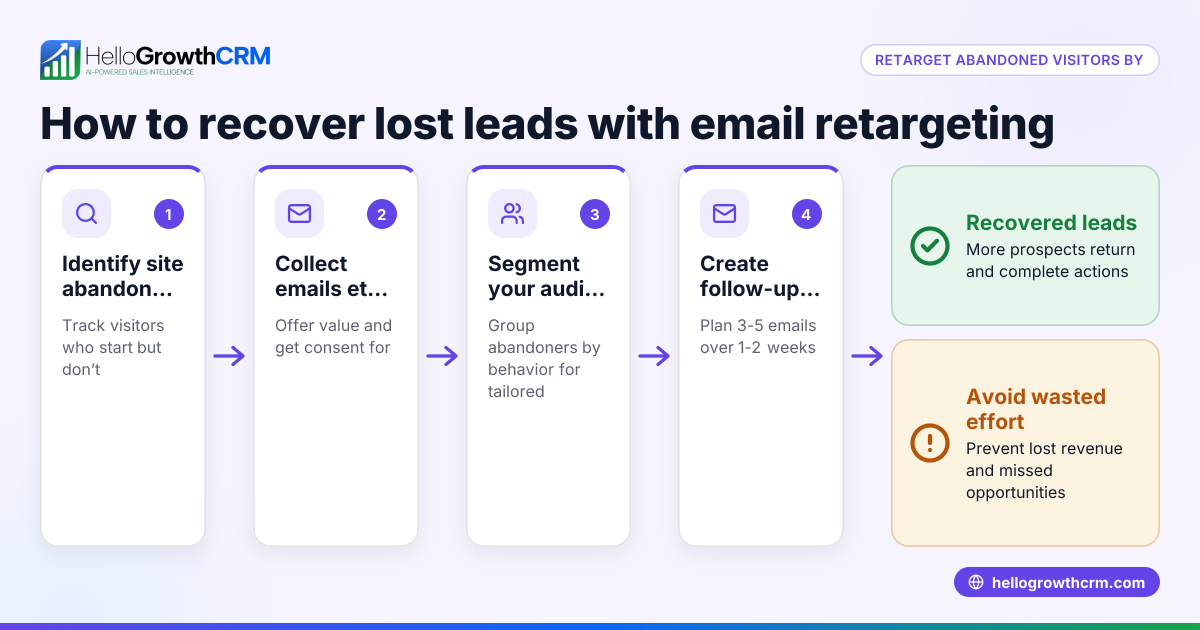
- Segment your audience: Group customers by purchase history, location, or preferences to tailor the message. Verify your list is clean and updated.
- Write a clear subject line: Use concise, benefit-driven language that grabs attention. Avoid spammy words and test different versions if possible.
- Personalize the greeting: Use the customer's name or reference previous purchases to build rapport. Check data accuracy to avoid errors.
- Craft the main message: Keep it brief and focused on the key offer or information. Include product details, discounts, or event dates as needed.
- Add a clear call to action (CTA): Tell the customer exactly what to do next (e.g., "Shop Now," "Visit Our Store," "Reply for a Quote"). Ensure the CTA button or link works correctly.
- Include contact and store info: Provide your store address, phone number, and customer service contacts for trust and convenience.
- Proofread and test: Check for typos, broken links, and formatting issues. Send a test email to yourself or a colleague.
- Schedule or automate follow-up: Plan a sequence of reminder or thank-you emails based on customer responses or inactivity.
Example (fictional figures)
A two-location retail clothing store in Columbus, Ohio, called "Columbus Threads," wants to send a promotional email for a summer sale starting 07/01/2026.
- Email subject: "Summer Sale Starts Now — Up to 30% Off!"
- Target audience: 3,000 active customers segmented by previous purchase category.
- Discount offer: 20% off all accessories, 30% off select summer apparel.
Step 1: Calculate expected revenue uplift based on last year's summer sales of $120,000.
Assuming a 15% increase in sales: $120,000 × 15% = $18,000 additional sales
Step 2: Estimate email campaign cost (design and sending) at $500.
Step 3: Calculate net gain: $18,000 - $500 = $17,500 net increase
Step 4: Plan follow-up sequence:
- Day 3: Reminder email with best sellers
- Day 7: Last chance email
This sequence helps maximize the campaign impact while automating follow-up.
Common mistakes
- Sending generic emails: Prevent by segmenting your list and tailoring content.
- Ignoring follow-up: Prevent by setting automated sequences to continue engagement after the first email.
- Overloading emails with information: Prevent by focusing on one clear message and CTA per email.
- Neglecting mobile optimization: Prevent by testing emails on mobile devices before sending.
- Failing to track responses: Prevent by using tools that monitor open rates and replies to adjust strategy.
Doing this in HelloGrowthCRM
HelloGrowthCRM helps retail teams manage emails efficiently with its HelloMail shared inbox, where replies to quotation emails are visible to the entire team on the deal. This avoids missed messages and keeps everyone informed. Its sequences and campaigns feature enables you to set up a five-step follow-up over two weeks that runs automatically and stops as soon as a prospect replies. This ensures timely and consistent communication without manual effort. Learn more about email automation and sequences and how HelloGrowthCRM supports Retail shops in the US at HelloGrowthCRM for the United States.
Frequently asked questions
What are the best types of emails for retail businesses? The most effective retail emails include welcome messages, promotional offers, seasonal sales announcements, order confirmations, and personalized follow-ups. Each type serves a different purpose, from engaging new customers to encouraging repeat purchases.
How often should I email my retail customers? A good rule is to email regularly but not so often that customers feel spammed. Typically, a moderate number of emails per week work well, with automated sequences handling follow-ups. Always monitor engagement to adjust frequency.
How can I personalize retail emails effectively? Use customer data such as names, purchase history, and preferences to customize greetings and offers. Segment your email list to send relevant messages, which improves open and conversion rates.
What is a follow-up email sequence, and why is it important? A follow-up sequence is a series of automated emails sent after an initial message, designed to nurture leads or customers. It ensures consistent contact, increases response rates, and can stop automatically when the recipient replies, saving time.
Can I manage retail email replies as a team? Yes, using a shared inbox like HelloMail in HelloGrowthCRM allows your sales or customer service team to view and respond to email replies collectively, ensuring no message is missed.
Key takeaways
- Tailor retail emails to specific purposes like promotions, welcomes, or follow-ups.
- Segment your audience and personalize emails for better engagement.
- Use clear subject lines and calls to action to drive customer response.
- Automate follow-up sequences to maintain timely communication.
- Avoid common errors like generic messaging and neglecting mobile optimization.
- HelloGrowthCRM’s shared inbox and sequences simplify retail email management.
Start improving your retail email outreach today by starting on the Free Forever plan (200 leads, no credit card).
Ready to put this into practice?
Set up your pipeline, WhatsApp follow-ups, and AI lead scoring in minutes — free, no credit card.
Try HelloGrowthCRM freeGet CRM tips in your inbox
Join thousands of sales professionals who get weekly insights on CRM strategy, AI automation, and pipeline optimization.

The HelloGrowthCRM team publishes guides on CRM strategy, AI sales tools, and revenue operations for small business sales teams.