HelloGrowthCRM software
Built for real small-business sales teams
HelloGrowthCRM helps reps qualify faster, follow up on time, and close more deals—with practical automation in one place.
- AI lead scoring and pipeline visibility
- Built-in dialer, WhatsApp, and email automation
- Sales forecasting and RevOps-ready reporting
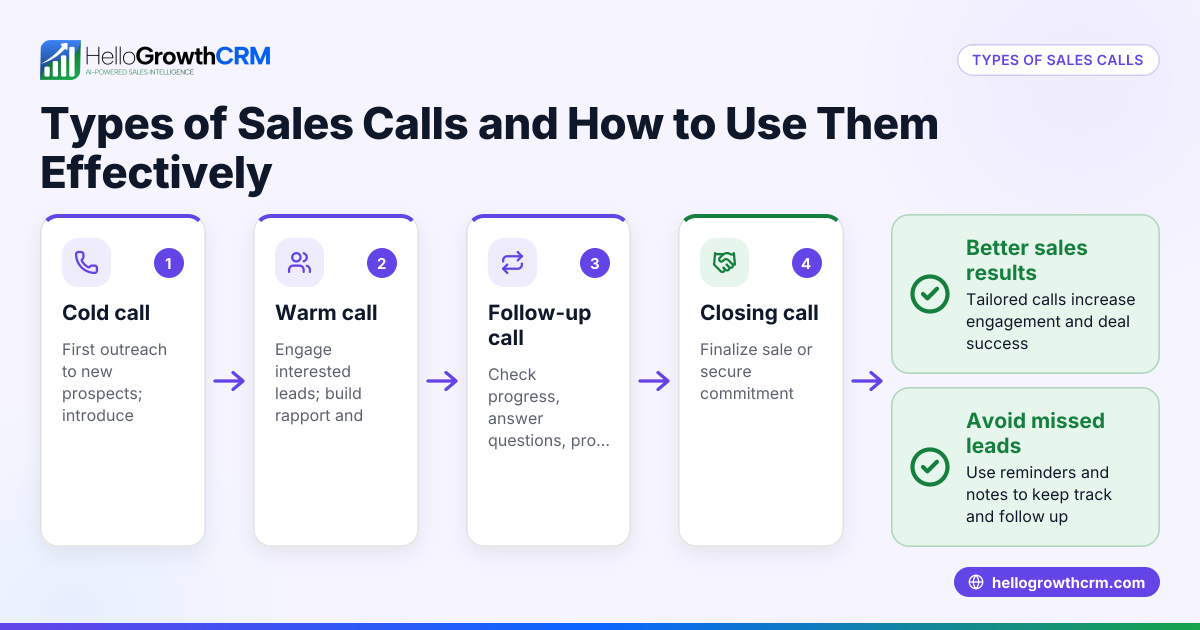
Sales call reports are summaries of each sales call your team makes, including information like the contact made, call outcome, next steps, and any notes. These reports provide insight into your sales pipeline, help prioritize follow-ups, and ensure no lead is forgotten.
Why this comes up / what goes wrong
Small business owners often lose track of sales conversations because calls happen over phone, text, or email without central tracking. Without sales call reports, it’s easy to forget which leads need follow-up or what was discussed. This results in lost sales and inefficient use of time. Owners and sales leaders want a clear way to capture call details, measure sales activity, and improve team accountability.
Step-by-step
- Prepare before the call: Know the lead’s background and your goal for the call. Check existing notes or deal stage.
- Make the call and take notes: Record key points such as objections, questions, and next steps.
- Log the call outcome immediately: Mark whether the call was successful, no answer, voicemail left, or follow-up scheduled.
- Update the sales call report: Include call date/time, contact name, call duration, outcome, and summary.
- Set follow-up tasks or reminders: Schedule next calls or emails with deadlines.
- Review reports regularly: Analyze call volume, success rates, and pipeline movement to adjust strategy.
Use tools like a CRM with a built-in dialer to streamline these steps and keep all data in one place. For example, HelloGrowthCRM lets reps call directly inside the system and logs outcomes automatically, reducing manual work. See the built-in CRM dialer for details.
Example (fictional figures)
A residential real-estate team in Phoenix, Arizona, tracks sales calls to potential homebuyers.
- On 05/10/2026, agent Sarah calls lead John Doe.
- Call duration: 12 minutes.
- Outcome: Interested, requested a property brochure.
- Next step: Send brochure and schedule a follow-up call in 3 days.
Sales call report entry:
- Call date: 05/10/2026
- Contact: John Doe
- Duration: 12 minutes
- Outcome: Interested, brochure requested
- Follow-up: 05/13/2026
This call moves John Doe’s deal to the “Quote Sent” stage in their CRM pipeline. The team sets a reminder to follow up on 05/13/2026 to keep the deal active.
Common mistakes
- Delaying call logging: Leads to forgotten details and missed follow-ups. Prevent by logging immediately after each call.
- Inconsistent report format: Causes confusion and hard analysis. Use a standardized template or CRM fields.
- Ignoring no-answer calls: These should be logged with next steps (e.g., callback date). Treat them as opportunities.
- Not reviewing reports regularly: Without analysis, you miss trends and improvement areas. Schedule weekly reviews.
- Separating calls from deals: If calls and deals aren’t linked, it’s hard to track progress. Use CRM pipelines to connect calls to deals.
Using a CRM that integrates call logging and deal tracking, like HelloGrowthCRM’s Deals (pipeline), helps avoid these mistakes.
Doing this in HelloGrowthCRM
HelloGrowthCRM supports sales call reporting with features tailored for small and mid-sized businesses:
- Built-in dialer: Sales reps make calls directly from the CRM. Each call’s outcome is logged on the lead automatically, keeping full call history tied to contacts and deals. This reduces manual data entry and errors.
- Deals (pipeline): When a quotation or proposal is sent, it appears as a deal at the "quote sent" stage with a follow-up date. This ensures no deal is forgotten and follow-ups are timely.
- Territories, field operations and commissions: Field reps can log visits and calls from their phones, and managers can monitor daily activity. This is helpful for distributors and teams with territory management needs.
Learn more about how to manage calls and deals with HelloGrowthCRM on the HelloGrowthCRM for the United States page.
Frequently asked questions
What information should a sales call report include? A sales call report should include the call date and time, contact name, call duration, call outcome (e.g., interested, no answer, follow-up scheduled), notes on the conversation, and next steps or follow-up dates.
How often should sales call reports be reviewed? Review sales call reports at least weekly to track progress, identify bottlenecks, and adjust your sales approach. Regular review helps ensure leads don’t fall through the cracks.
Can sales call reports be automated? Yes, using a CRM with a built-in dialer like HelloGrowthCRM automates call logging and outcome tracking. This reduces manual work and improves accuracy.
How do sales call reports improve sales performance? They provide visibility into sales activities, help prioritize leads, and ensure timely follow-up. This leads to higher conversion rates and better pipeline management.
Is it necessary to link sales call reports to deals? Linking calls to deals in a CRM pipeline helps track the progress of each opportunity and prevents losing track of important contacts. HelloGrowthCRM’s deal pipeline supports this linkage.
Can sales call reports track field sales activities? Yes, with territory and field operation features, reps can log visits and calls from mobile devices, and managers can monitor activity in real time.
Key takeaways
- Sales call reports summarize call details and outcomes to track sales progress.
- Immediate and consistent logging prevents lost information and missed follow-ups.
- Use a standardized format or CRM to simplify reporting and analysis.
- Regularly review reports to identify trends and improve sales strategy.
- HelloGrowthCRM’s built-in dialer and deals pipeline streamline call logging and follow-up management.
- Territory and field operation tools help manage field sales and commissions effectively.
To start managing your sales calls and deals more efficiently, Start on the Free Forever plan (200 leads, no credit card).
Ready to put this into practice?
Set up your pipeline, WhatsApp follow-ups, and AI lead scoring in minutes — free, no credit card.
Try HelloGrowthCRM freeGet CRM tips in your inbox
Join thousands of sales professionals who get weekly insights on CRM strategy, AI automation, and pipeline optimization.

The HelloGrowthCRM team publishes guides on CRM strategy, AI sales tools, and revenue operations for small business sales teams.