Outbound calling in a CRM is the process of placing sales calls directly from within the CRM platform, with automatic call logging, outcome tracking, follow-up task creation, and performance reporting built in. HelloGrowthCRM's built-in dialer lets reps click to call from any lead or contact record, logs call outcomes automatically, generates AI summaries, and triggers follow-up sequences based on the result — all without leaving the pipeline view.
Last updated:
Overview
Outbound calling remains one of the highest-converting sales channels for B2B teams — but only when reps can dial efficiently, log accurately, and follow up consistently. HelloGrowthCRM's built-in dialer eliminates the gap between CRM and phone, so reps click to call directly from the pipeline, outcomes auto-log, and follow-up tasks are created before the next dial.
The biggest efficiency drain in outbound calling is context switching. When reps have to toggle between a softphone, a CRM tab, and a notes document, they lose time on every call. With HelloGrowthCRM, the contact record, past call history, deal context, and call controls all live on the same screen. Reps enter a call informed and exit with data already captured.
Voicemail drop saves hours per rep per week on high-volume prospecting lists. Instead of recording the same message twenty times a day, reps drop a pre-recorded voicemail with one click and move to the next dial immediately. That efficiency compounds across a team — more dials per hour, less vocal fatigue, and consistent messaging quality across every prospect.
Call outcomes, recordings, and AI-generated summaries feed directly into the CRM record. Managers can review calls without sitting in on them, identify coaching opportunities from transcripts, and spot patterns in objections or competitor mentions across dozens of calls simultaneously. That visibility is especially valuable for onboarding new reps and improving pitch consistency.
Automated follow-up after calls is where most teams lose deals. HelloGrowthCRM can trigger a follow-up email sequence, schedule the next call task, or enroll the contact in a nurture campaign automatically based on the call outcome logged. No-shows get a reschedule sequence. Interested prospects get a proposal task. Objection-heavy calls trigger manager review. The system handles the routing; reps handle the relationship.
For outbound teams running high volumes, call analytics by rep, outcome type, time of day, and industry help managers optimize dial strategies and identify top performers. HelloGrowthCRM turns call data into a coaching asset, not just a compliance record. That makes outbound calling a system your team can improve, not just a task they repeat.
Going deeper
High-Performance Outbound Calling: The Workflow Behind a 2× Connect Rate
Connect rate — the percentage of dials that result in a live conversation — is the first metric that separates high-performing outbound teams from average ones. Most teams assume connect rate is fixed by the quality of the list, but the data shows otherwise. Call timing, caller ID reputation, voicemail strategy, and the number of attempts per contact all have measurable impact. HelloGrowthCRM's outbound workflow is designed around every one of these variables: smart dial scheduling suggests optimal call windows by industry, local presence dialing improves answer rates for unfamiliar numbers, and voicemail drop eliminates the time cost of low-answer-rate segments so reps stay efficient even when the list is cold.
Call disposition management is the operational backbone of a scalable outbound function. When reps can log outcomes in one click — connected, left voicemail, wrong number, not interested, callback requested — the data creates a self-improving system. HelloGrowthCRM's call disposition workflows trigger the right next action for every outcome: callback-requested contacts get a scheduled follow-up task at the agreed time, voicemail-left contacts get enrolled in an email sequence to reinforce the message, not-interested contacts get moved to a re-engagement pool after 60 days. That systematic handling of every outcome is what separates a disciplined outbound operation from one that just makes dials.
The coaching layer is where outbound calling moves from tactical to strategic. HelloGrowthCRM records every call, generates AI summaries of key moments — objections raised, competitors mentioned, next steps agreed — and surfaces those summaries in a manager review dashboard. Managers can identify the reps who handle objections best and use actual call transcripts as coaching material rather than role-playing from memory. Over time, that feedback loop drives pitch improvement across the whole team, not just the individual rep who got the one-on-one session. The combination of call data, AI summaries, and systematic coaching is what builds the institutional knowledge that makes outbound a durable competitive advantage rather than a high-turnover grind.
An Ahmedabad B2B packaging supplier shows what the shift looks like in practice. Before: two salespeople dialled from a printed list, scribbled outcomes in a notebook, and typed a summary into a spreadsheet at day's end — when they remembered. Callbacks promised for 'next Tuesday' evaporated, and the owner had no idea how many calls actually happened. After adopting HelloGrowthCRM's built-in dialer, reps click to call from the lead list, the recording and AI call summary attach to the record automatically, and choosing the 'Call Back' disposition books the follow-up task on the spot. A promised callback now exists as a task with a reminder — not a hope — and the owner reads dials, connects, and outcomes per rep on a live dashboard.
Challenges we solve
The problems holding this industry back — and the fix
The recurring gaps that cost this industry revenue, and how HelloGrowthCRM closes each one.
Reps lose minutes between every call switching tools
Click-to-call from the lead list keeps contact history, deal context, and call controls on one screen, so the next dial starts seconds after the last one ends.Built-in dialer
Call notes are thin, late, or missing
Every call is recorded and summarized by AI automatically — outcomes, objections, and next steps land on the record without the rep typing a word.AI call summaries
Promised callbacks evaporate
One-click dispositions create the follow-up task, schedule the callback, or start a sequence — the outcome decides the next action, not memory.Disposition automation
Managers coach blind
Recordings, transcripts, and per-rep dial analytics let managers review real conversations and coach from evidence instead of ride-alongs.Call analytics
Calling and messaging live in separate apps
Post-call WhatsApp templates via the native Meta Cloud API integration send the promised details in two taps, logged on the same record.WhatsApp follow-up
Setup guide
How to connect — step by step
Takes about 10–15 minutes. No coding required.
1
Import your call list and deduplicate
Upload prospects via CSV. HelloGrowthCRM deduplicates by phone number so two reps never dial the same company in the same week.
2
Set up the dialer and dispositions
Enable the built-in dialer, turn on recording with consent settings, and configure your disposition list — Interested, Call Back, Not Reachable, Not Interested.
3
Map each disposition to a next action
Call Back schedules the task, Interested moves the deal forward and books a proposal task, Not Reachable queues a retry plus a WhatsApp introduction.
4
Attach follow-up sequences
Connect an email and WhatsApp sequence for connected-but-not-ready prospects, so the conversation continues between calls automatically.
5
Track the calling dashboard daily
Watch dials, connects, talk time, and disposition mix per rep. Use AI summaries to spot recurring objections and refine the pitch weekly.
Outbound calling in a CRM is the process of placing sales calls directly from within the CRM platform, with automatic call logging, outcome tracking, follow-up task creation, and performance reporting built in. HelloGrowthCRM's built-in dialer lets reps click to call from any lead or contact record, logs call outcomes automatically, generates AI summaries, and triggers follow-up sequences based on the result — all without leaving the pipeline view.
What is the best outbound calling software for Indian sales teams?
For Indian sales teams, the best outbound calling software integrates natively with your CRM rather than operating as a separate tool. HelloGrowthCRM's built-in dialer supports local number display, voicemail drop, call recording, and outcome-triggered automation — all in one platform. It integrates with Exotel, Ozonetel, and other Indian telephony providers for teams that already have preferred carriers.
How do you improve outbound call connect rates?
Outbound call connect rates improve with four tactics: (1) call at the right time — research shows mid-morning and late afternoon windows have 20-40% higher answer rates than midday, (2) use local presence or familiar area codes where possible, (3) persist through multiple attempts — most connects happen on the 3rd–6th dial, not the first, and (4) send a pre-call WhatsApp or email that introduces you so your number isn't unknown when you dial. HelloGrowthCRM automates the multi-attempt sequencing and pre-call outreach.
Does HelloGrowthCRM record outbound calls?
Yes. HelloGrowthCRM records outbound calls automatically when connected through the built-in dialer or integrated telephony providers. Recordings are stored against the contact record, accessible to the rep and manager. AI transcription and call summaries are generated automatically, highlighting key topics, objections, competitor mentions, and agreed next steps. Call recording settings can be configured per team with appropriate consent disclosures.
How many calls per day should a sales rep make?
A realistic daily call target for a B2B outbound rep depends on the average call duration and the complexity of the product. For transactional products with short calls (5-10 min), 60-80 dials per day is achievable. For complex enterprise products requiring 20-30 minute conversations, 20-30 meaningful conversations per day is a better target than raw dial count. HelloGrowthCRM's call analytics show dials, connected calls, and average duration by rep so managers can set targets based on realistic benchmarks rather than arbitrary numbers.
Want help evaluating the next step?
Book a demo to see HelloGrowthCRM in action, or start a free trial.
This page is about the outbound calling workflow — how a small team turns a list of leads into a repeatable daily calling routine with outcomes and follow-ups. If you are evaluating the dialer itself — features, numbers, per-minute pricing — that lives on the CRM dialer product page. The two go together: the dialer is the tool, and this page covers how to run it well.
Most outbound calling efforts do not fail because reps are bad on the phone. They fail because the work around the calls is unmanaged. Reps pick leads by instinct, so the easiest leads get called five times and the awkward ones never. Outcomes live in memory — “he said call back next week” survives about two days. Unanswered calls simply evaporate: no message goes out, no retry gets scheduled, and a lead who was in a meeting at 11am is treated identically to a lead who will never pick up.
The result is a familiar pattern: a burst of calling enthusiasm, a few weeks of thin results, and a quiet return to waiting for inbound enquiries. A calling system fixes each failure point separately — who to call, what happened, and what happens next — and it is the difference between calling as an activity and calling as a channel.
Building the Workflow: Lists, Queues, Outcomes, Follow-Ups
Lists.A calling list is a filtered segment, not an export. New IndiaMART enquiries from the last 48 hours, quotes sent more than a week ago with no reply, leads whose score crossed a threshold — each list answers the question “why are we calling these people today?” If a list cannot answer that, the calls made from it will not either.
Queues. The list feeds a dialing queue. With the power dialer, the rep works the queue top to bottom — the lead record on screen, the next call dialing as soon as the last one is wrapped — instead of choosing each call and losing a minute of momentum between every conversation. AI lead scoring sets the order, so the highest-likelihood leads are called while the rep is freshest.
Outcomes. Every call ends with a disposition: connected, callback requested, not interested, wrong number, no answer. This takes five seconds and is what makes every later report possible. AI call summaries capture what was said, so the disposition carries context rather than just a label.
Follow-ups. Each outcome triggers the next step automatically. A no-answer sends a WhatsApp message or SMS and drops a voicemail; a callback request creates a task at the agreed time; a connected call that ends in a quote enrols the lead in a follow-up sequence. No outcome is a dead end — which is precisely the property the memory-based version of calling lacks.
Every call outcome creates its own next step.
Key takeaways from this video
How click-to-call works from the deal card, with the lead record on screen during the conversation.
Where call recordings and AI summaries land — on the lead timeline, next to WhatsApp and email history.
How the power dialer moves through a queue without the rep choosing each call.
What happens after a missed call: automatic WhatsApp or SMS follow-up and a scheduled callback task.
How managers see calling activity and outcomes per rep without collecting reports manually.
Key Capabilities
Power dialer: Queues a list and dials sequentially, skipping unanswered calls, so a rep works conversations rather than a phone keypad.
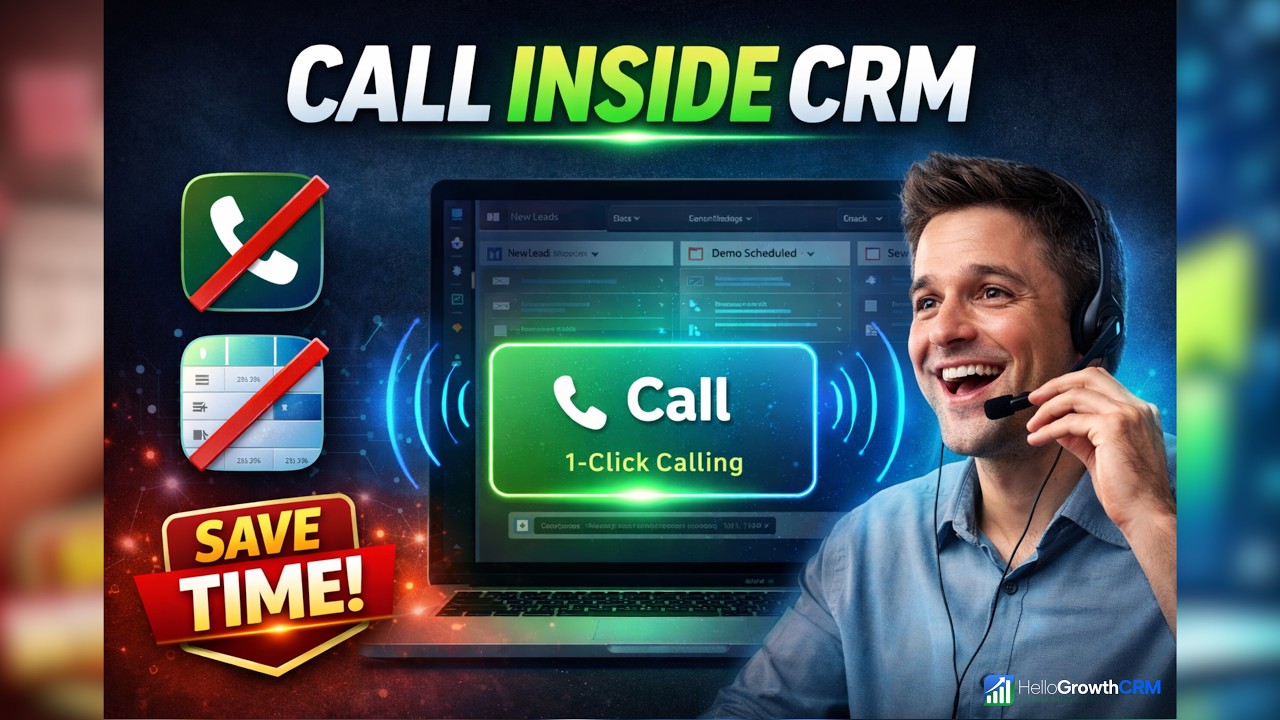
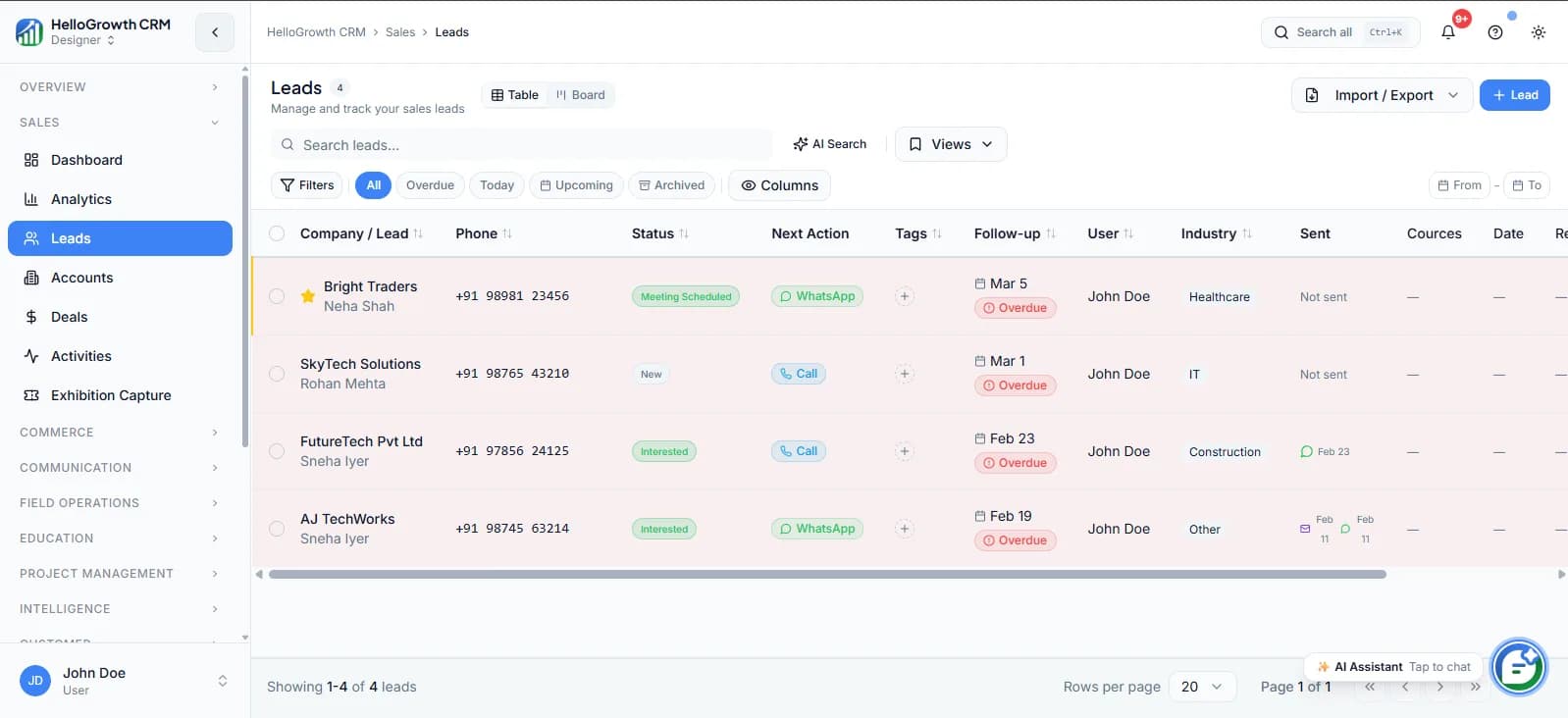
Click-to-call from the lead record: One click on any number places the call with the full lead history on screen.
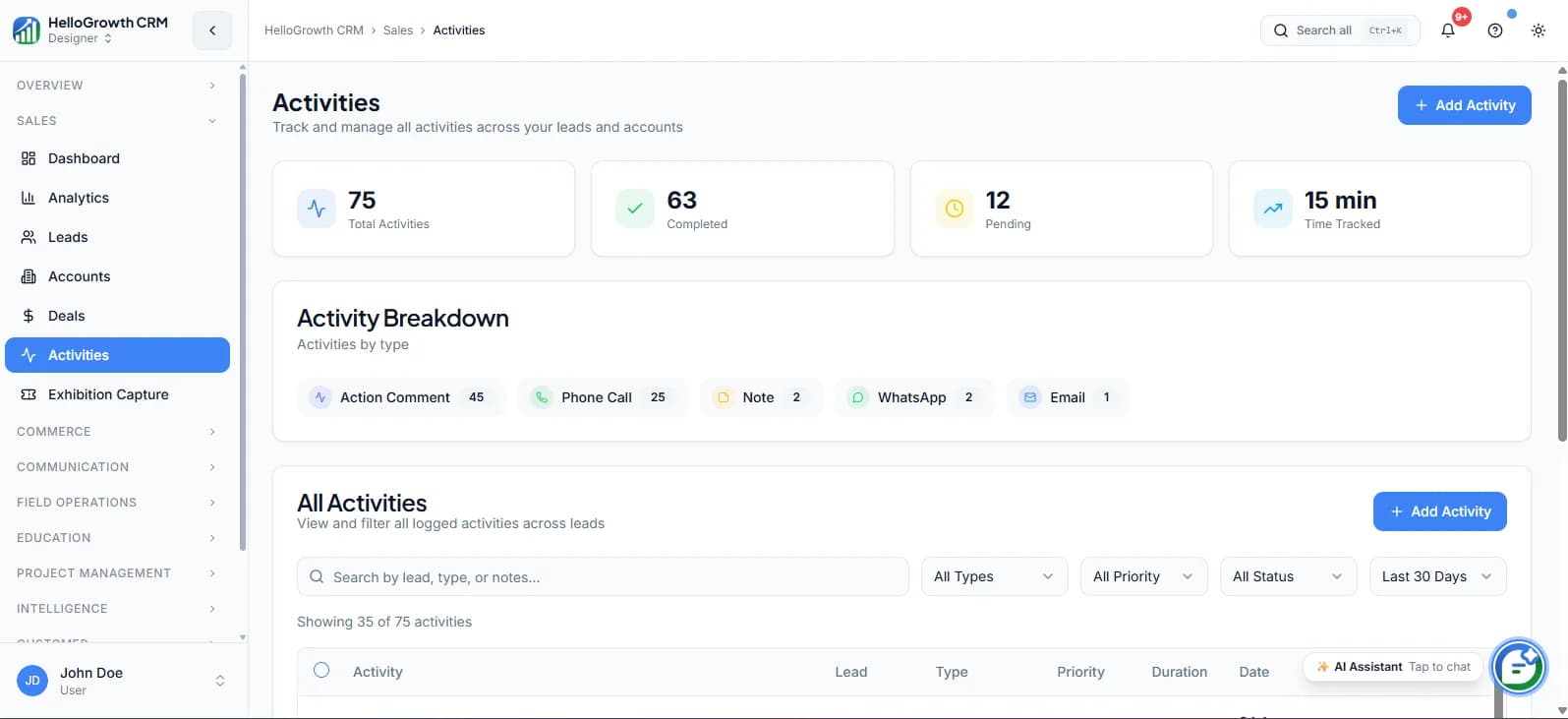
Automatic call logging: Every call saves itself to the contact timeline — duration, outcome, and recording — with no manual entry.
Call recording with consent notifications: Calls record with rep and lead consent notices, and recordings stay accessible against the lead for review.
AI call summaries: A summary and suggested next action appear shortly after each call ends, so notes stop depending on the rep's typing speed.
Voicemail drop: A pre-recorded voicemail goes down on unanswered calls, keeping the rep moving to the next dial.
WhatsApp and SMS fallback: Missed calls trigger an automatic message, so the attempt still opens a conversation channel.
Callback tasks: Requested callbacks become scheduled tasks at the agreed time, not diary entries in someone's head.
Campaign reporting: Connect rates, outcomes, and conversions per list show which segments and scripts are actually working.
Coaching from recordings: Managers review real calls against the lead record — see call coaching for the review workflow.
How Small Businesses Use This
A B2B supplier working portal enquiries: IndiaMART and JustDial leads flow straight into a same-day calling queue, ordered by lead score. Speed matters most on portal leads, and the queue means every enquiry gets a call within hours rather than whenever someone checks the portal.
An insurance agency running renewal calls: Policies expiring in 30 days become a monthly calling list. No-answers get an automatic WhatsApp with the renewal details, and callbacks land as tasks — so a two-person team works a list that used to need a third hire.
A software firm doing founder-led outbound: The founder blocks two hours, works a twenty-lead queue with the power dialer, and lets AI summaries handle the notes. Follow-up sequences carry every conversation forward, so the two hours produce pipeline instead of a to-do list.
A real-estate team splitting fresh and aged leads: Fresh site enquiries get called within the hour; aged leads run as a Friday re-engagement campaign with voicemail drop and SMS fallback. Campaign reporting showed the aged list still converting, which justified keeping it alive.
Calling in India: Working Around DND Realities
Outbound calling in India runs inside TRAI's Do Not Disturb framework, and a calling workflow should be designed with that in mind rather than discovered after complaints. The practical posture for a small business is to call people who have expressed interest — enquiries, form fills, existing customers — rather than purchased cold lists, and to keep a record of where each number came from.
A CRM helps here structurally: every lead carries its source and consent context, every call is logged, and leads who ask not to be contacted can be marked and excluded from future lists. None of this substitutes for understanding your own regulatory obligations — check the current TRAI rules for your calling pattern — but a system that records provenance and respects opt-outs is the right foundation either way.
Running a Small Call Center CRM Without an Enterprise Platform
Teams doing serious outbound volume often assume they need a dedicated contact-centre platform, then discover it comes with per-agent licensing, an IT project, and a phone system running separately from the CRM. For most small businesses the practical answer is a call center CRM: the dialer, the lead list, the call outcomes, and the follow-ups all live in one system, so an agent is never toggling between a softphone and a spreadsheet.
What most people mean by outbound call center CRM softwareis exactly the workflow on this page — dial a list fast, log every outcome in one click, trigger the next step automatically, and let a manager watch dials, connects, and dispositions per agent on a live dashboard. HelloGrowthCRM covers that as a lightweight call center CRM for small teams: the calling itself runs on the built-in dialer, and high-volume Indian calling teams can see the outbound calling software for India page for local telephony and pricing.
Getting Started
Start with one list and one hour. Pick the segment with the clearest reason to call — usually new enquiries from the last two days — build the queue, and have one rep work it daily at the same time. A single well-run hour beats a vague instruction to “do more calling.”
Add the missed-call fallback in week one. It is the highest-return automation in the whole workflow, because half of outbound attempts go unanswered and the WhatsApp or SMS that follows turns a dead dial into an open conversation.
Then let the reporting run for two weeks before changing anything. Connect rates by time of day, outcomes by list, and conversions by script are the data you need to decide what to scale — and they only exist if dispositions are being logged from day one.
Frequently Asked Questions
How many calls a day should one rep make with a queue-based workflow?
It depends on call length and list quality, but the workflow question matters more than the target: a rep working a pre-built queue with the power dialer spends their time in conversations instead of choosing numbers, so the same hours simply produce more dials. Set a daily calling block first, then measure what a focused hour yields on your lists.
How do I build a calling list in HelloGrowthCRM?
Filter leads into a segment — by source, stage, score, last-contact date, or any combination — and feed that segment to the dialer as a queue. Good lists have a reason attached: new enquiries, unanswered quotes, expiring renewals. The filter is reusable, so tomorrow's queue rebuilds itself.
What call outcomes should we track?
Keep the list short enough that reps actually use it: connected, callback requested, not interested, wrong number, no answer. Five dispositions cover most workflows, and each one should trigger a defined next step. AI call summaries add the detail, so dispositions stay fast.
How should we handle leads registered on TRAI DND?
Design the workflow around expressed interest: call leads who enquired with you, record where every number came from, and mark and exclude anyone who asks not to be contacted. The CRM keeps source and opt-out status on each lead so exclusions are systematic. For your specific calling pattern, review the current TRAI DND rules — this is a workflow consideration, not legal advice.
Can managers use recordings for coaching?
Yes. Recordings sit on the lead record next to the AI summary and outcome, so a manager can review a real call in context — what the lead had already been sent, what was said, what happened next. The call coaching workflow builds on exactly this.
What happens after a call ends — how do follow-ups get scheduled?
The disposition drives it. A callback request creates a task at the agreed time, a no-answer triggers the WhatsApp or SMS fallback and a retry, and a connected call that produced a quote enrols the lead in a follow-up sequence. The rep's job is the conversation; the system handles what comes next.