HelloGrowthCRM software
Built for real small-business sales teams
HelloGrowthCRM helps reps qualify faster, follow up on time, and close more deals—with practical automation in one place.
- AI lead scoring and pipeline visibility
- Built-in dialer, WhatsApp, and email automation
- Sales forecasting and RevOps-ready reporting
B2B HubSpot migration support is essential for businesses that want to switch away from HubSpot or integrate their HubSpot data into a new system without losing leads, contacts, or sales history. Many Indian SMBs find the process complex because it involves multiple data types and ongoing customer communication.
Why this comes up / what goes wrong
Small-business owners often look for B2B HubSpot migration support when their current HubSpot setup no longer fits their sales process, budget, or team size. They may want to move to a CRM with better WhatsApp integration or more affordable pricing. Without proper support, businesses risk losing lead data, misaligning sales pipelines, or interrupting customer service during the transition.
Common issues include:
- Data loss or duplication during export/import
- Incompatible data formats
- Lack of continuity in customer communication
- Confusion among sales and telecalling teams
Step-by-step
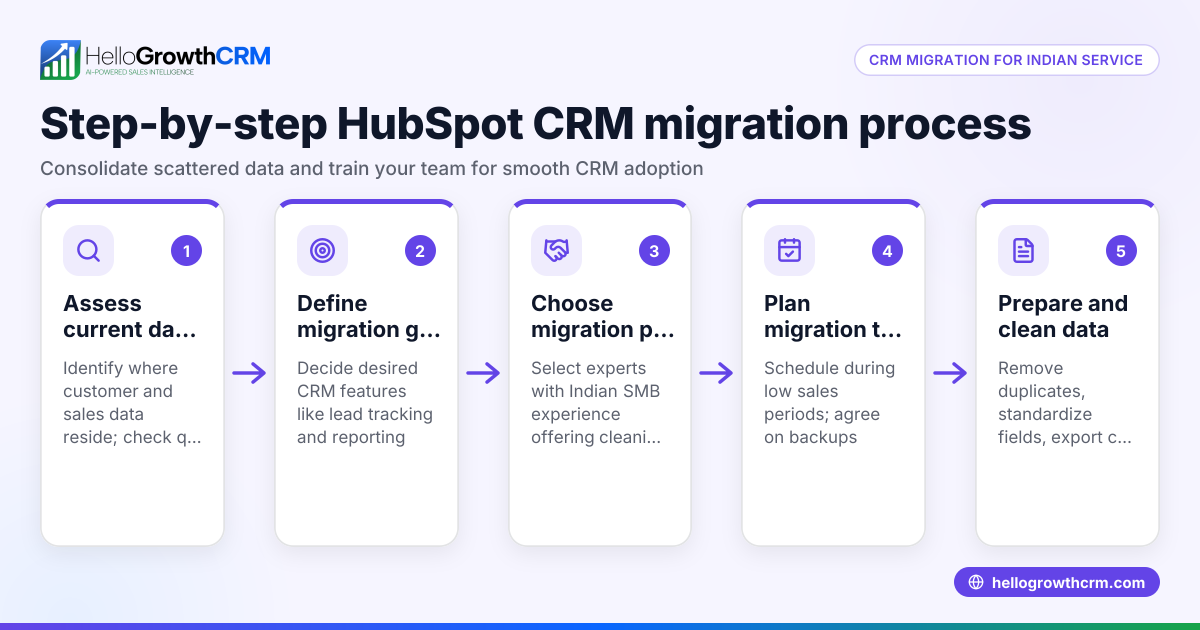
- Assess your current HubSpot data: Check which data you need to migrate (contacts, deals, tasks, notes, emails). Verify completeness and accuracy.
- Export data from HubSpot: Use HubSpot's export tools to download your data in CSV or Excel format. Confirm you have all necessary files.
- Choose your target CRM or system: Select a CRM that supports your sales workflows and communication channels like WhatsApp. Check if it offers migration tools or support.
- Map your data fields: Compare HubSpot data fields with those in the new CRM. Plan how to match or transform fields to avoid loss.
- Import data carefully: Use the new CRM’s import feature. Start with a small test batch to check for errors.
- Verify data integrity: After import, review sample records to ensure data is correctly mapped and complete.
- Train your team: Update your sales and telecalling teams on new CRM features and workflows.
- Set up integrations and automations: Connect WhatsApp, email sequences, and lead capture sources as needed.
- Monitor customer communications: Keep track of ongoing deals and support tickets to avoid service gaps.
- Seek expert help if needed: Consider CRM consultants or migration support services to smooth the process.
During these steps, keep customer records organized to maintain a clear history of interactions.
Example (fictional figures)
An Indian B2B supplier, "ABC Components," decides to switch from HubSpot to a CRM with better WhatsApp integration on 01/07/2024. They have 5,000 contacts and 1,200 deals.
- Exported data size: 5,000 contacts + 1,200 deals
- Cost estimate for manual migration support: ₹50,000
- Time estimated: 2 weeks
Step 1: Export data
- Contacts exported: 5,000
- Deals exported: 1,200
Step 2: Import to new CRM
- Test import of 500 contacts
- Error found in 2% (10 contacts) due to missing fields
Step 3: Correct mapping and re-import
- Remaining 4,500 contacts imported successfully
Step 4: Train 5 sales reps
- Training cost: ₹10,000
Total cost = ₹50,000 + ₹10,000 = ₹60,000
ABC Components avoids losing leads and maintains sales pipeline continuity by following these steps.
Common mistakes
- Skipping data backup before export: Always backup HubSpot data to prevent permanent loss.
- Ignoring data field mismatches: Map fields carefully to avoid incomplete records.
- Rushing full import without testing: Test with small batches to catch errors early.
- Not training the sales team: Without training, teams may misuse the new CRM causing delays.
- Neglecting ongoing customer communication: Keep service requests and follow-ups active during migration.
- Overlooking integration setup: Missing WhatsApp or email sequences can reduce lead engagement.
Prevent these by planning thoroughly and involving your sales and support teams.
Doing this in HelloGrowthCRM
HelloGrowthCRM offers a customer portal, referrals, tickets, and a knowledge base that keep all service requests linked to the same customer record as the deal. This helps maintain clear communication and support history after migration. You can manage support tickets and track referrals directly, ensuring no loss of customer context during or after your HubSpot migration. Learn more about these features at customer health score.
Frequently asked questions
What is B2B HubSpot migration support? It is assistance provided to businesses moving their HubSpot data to another CRM or system. Support covers data export, mapping, import, and ensuring continuity in sales and customer service.
How long does a typical HubSpot migration take? Migration time depends on data size and complexity but generally ranges from one to four weeks. Testing and team training add to the timeline.
Can I migrate my WhatsApp conversations from HubSpot? WhatsApp conversation migration depends on your CRM’s capabilities. HelloGrowthCRM integrates WhatsApp natively, but historical chats may require manual export or third-party tools. NEEDS EXPERT REVIEW
What should I check before starting migration? Ensure you have complete data backups, a clear mapping plan, and buy-in from your sales and support teams. Also, verify the new CRM supports your key workflows.
How does HelloGrowthCRM help after migration? It keeps all service requests, tickets, and referrals linked to the customer record, helping teams maintain customer context and streamline support post-migration.
Is it better to hire a consultant for migration? If your data or workflows are complex, a consultant can reduce errors and downtime. For simpler cases, following step-by-step guides and using CRM support may suffice.
Key takeaways
- B2B HubSpot migration support ensures smooth data transfer and sales continuity.
- Plan your data export, field mapping, and test imports carefully.
- Train your sales and telecalling teams on the new CRM.
- Avoid common mistakes like skipping backups and ignoring integrations.
- HelloGrowthCRM helps maintain customer service continuity with linked tickets and referrals.
- Use expert help if your migration is complex or time-sensitive.
Start your CRM journey confidently by following these steps and keeping customer communication uninterrupted.
Ready to try a CRM designed for Indian SMBs? Start on the Free Forever plan (200 leads, no credit card) today.
Ready to put this into practice?
Set up your pipeline, WhatsApp follow-ups, and AI lead scoring in minutes — free, no credit card.
Try HelloGrowthCRM freeGet CRM tips in your inbox
Join thousands of sales professionals who get weekly insights on CRM strategy, AI automation, and pipeline optimization.

The HelloGrowthCRM team publishes guides on CRM strategy, AI sales tools, and revenue operations for small business sales teams.