HelloGrowthCRM software
Built for real small-business sales teams
HelloGrowthCRM helps reps qualify faster, follow up on time, and close more deals—with practical automation in one place.
- AI lead scoring and pipeline visibility
- Built-in dialer, WhatsApp, and email automation
- Sales forecasting and RevOps-ready reporting
Choosing the right CRM with built-in calling is essential for small and mid-sized businesses in the United States that want to improve lead follow-up speed and sales team efficiency. A CRM with integrated calling lets your sales reps call prospects directly from the software, automatically logs call results, and keeps all communication tied to the lead record. This article guides you through why this need arises, step-by-step evaluation criteria, a worked example, common pitfalls, and how HelloGrowthCRM supports these features.
Why this comes up / what goes wrong
Many US small business owners rely on a mix of text messages, emails, and spreadsheets to manage sales leads. This fragmented approach often causes slow follow-up, lost leads, and poor sales visibility. When calls happen outside the CRM, it’s harder to track conversations and measure sales performance. Business owners searching for the best CRM with built-in calling want a system that centralizes communication and logging, so their inside sales teams can work faster and more transparently.
Step-by-step
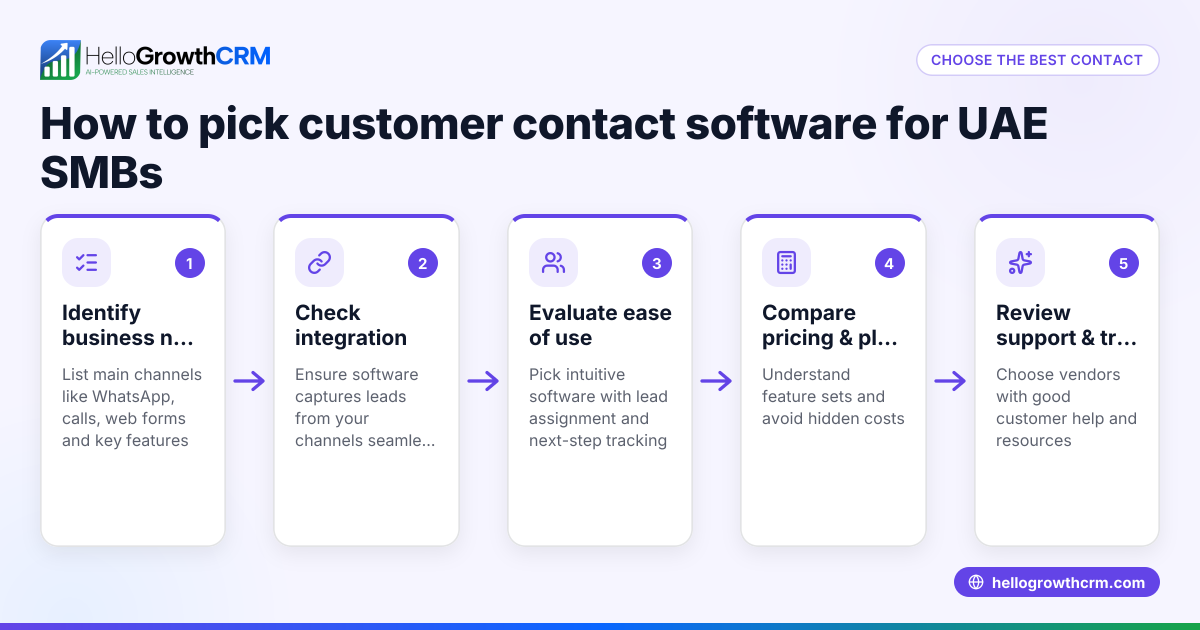
- Identify your calling needs: Determine if you need local dialer, power dialer, or AI-assisted calling features. Check if the CRM supports call logging automatically.
- Check communication channels: Confirm if the CRM supports WhatsApp and SMS messaging alongside calling, as many leads prefer messaging apps.
- Evaluate AI capabilities: See if the CRM offers AI agents that help draft follow-ups after calls to save sales rep time.
- Review integration options: Ensure the CRM can capture leads from your existing web forms or integrations.
- Test usability: The CRM must be easy for your team to adopt, with call outcomes and messages logged seamlessly.
- Compare pricing and plans: Look for plans that include built-in dialers and messaging without hidden fees. Visit CRM pricing in the United States for detailed pricing info.
- Review reporting and forecasting: Confirm if the CRM provides sales pipeline visibility and forecasting to measure the impact of calling.
- Check support and scalability: Make sure the CRM can grow with your team and offers reliable support.
Example (fictional figures)
A plumbing company in Austin, Texas, wants to improve sales follow-up. They handle about 300 leads monthly and want to use a CRM with built-in calling.
- Monthly leads: 300
- Average call duration: 5 minutes
- Calls per rep per day: 40
- Number of reps: 2
If each rep works 20 days a month:
Calls per month = 40 calls/day × 20 days × 2 reps = 1,600 calls
Assuming the CRM improves call logging and follow-up efficiency, reducing lost leads by 20%, and each lead is worth $500 on average:
Leads saved = 300 leads × 20% = 60 leads
Additional revenue = 60 leads × $500 = $30,000
This example shows how a CRM with built-in calling and automated follow-up can directly impact revenue by improving lead conversion.
Common mistakes
- Ignoring call logging features: Without automatic logging, calls made outside the CRM waste valuable data. Always verify call outcomes are recorded.
- Choosing a CRM without messaging support: Many leads prefer WhatsApp or SMS. Select a CRM that integrates these channels to keep conversations in one place.
- Overlooking AI assistance: Manual follow-ups can slow reps down. Using AI agents to draft follow-ups saves time and improves consistency.
- Not testing usability with your team: A complicated CRM leads to low adoption. Involve sales reps in trials to ensure ease of use.
- Focusing only on price: The cheapest CRM may lack essential calling or messaging features. Compare features alongside cost by using compare CRMs.
- Neglecting future growth: Pick a CRM that scales with your team size and sales process complexity.
Doing this in HelloGrowthCRM
HelloGrowthCRM offers a built-in dialer that lets telecallers work through lead lists inside the CRM while logging each call’s outcome directly on the lead record. It supports WhatsApp and SMS messaging, with all conversations logged on the lead record and follow-ups sent as messages. Additionally, AI agents in HelloGrowthCRM draft follow-up messages after calls, so reps only need to review and send. These features help US small businesses speed up follow-up, keep communication organized, and boost sales team productivity. Learn more about the built-in CRM dialer.
Frequently asked questions
What is the average cost of a CRM with built-in calling in the United States? CRM pricing varies widely depending on features and plans. Many CRMs charge per user monthly fees, with built-in dialer features often available on mid-tier plans. Check detailed pricing at CRM pricing in the United States to compare options.
Are there alternatives to CRMs with built-in calling? Yes, some businesses use standalone calling software integrated with their CRM or manage calls manually. However, these approaches risk data silos and slower follow-up. Using a CRM with built-in calling centralizes communication and saves time. See a side-by-side compare CRMs for alternatives.
Can I use WhatsApp and SMS in CRMs with built-in calling? Some CRMs, including HelloGrowthCRM, support WhatsApp and SMS messaging alongside calling. This allows sales teams to engage leads on their preferred channels while keeping all records in one place.
How do AI agents help in CRMs with built-in calling? AI agents can draft follow-up messages after calls, update records, and automate workflow steps. This reduces manual work for sales reps and ensures timely, consistent follow-up.
Key takeaways
- The best CRM with built-in calling integrates calling, messaging, and call outcome logging in one platform.
- Evaluate calling features, messaging channels, AI assistance, and usability before choosing.
- Avoid common mistakes like ignoring call logging or neglecting messaging support.
- HelloGrowthCRM offers a built-in dialer, WhatsApp/SMS messaging, and AI agents to streamline sales communication.
- Check pricing and feature comparisons carefully to find the best fit for your US small business.
Choosing the right CRM with built-in calling can transform your sales process by speeding up follow-up and improving lead management. For detailed US pricing and plans, visit See US pricing.
Ready to put this into practice?
Set up your pipeline, WhatsApp follow-ups, and AI lead scoring in minutes — free, no credit card.
Try HelloGrowthCRM freeGet CRM tips in your inbox
Join thousands of sales professionals who get weekly insights on CRM strategy, AI automation, and pipeline optimization.

The HelloGrowthCRM team publishes guides on CRM strategy, AI sales tools, and revenue operations for small business sales teams.