HelloGrowthCRM software
Built for real small-business sales teams
HelloGrowthCRM helps reps qualify faster, follow up on time, and close more deals—with practical automation in one place.
- AI lead scoring and pipeline visibility
- Built-in dialer, WhatsApp, and email automation
- Sales forecasting and RevOps-ready reporting
Choosing the best CRM with business integrations in Canada is essential for small and mid-sized businesses that want to avoid losing leads and streamline sales processes. A CRM with strong integrations can pull in leads from web forms, marketplaces, and other platforms, while messaging features keep communication fast and organised.
Why this comes up / what goes wrong
Many Canadian small-business owners run sales processes using spreadsheets, email, and text messages. This scattered approach causes slow follow-up and lost leads. When evaluating CRMs, business owners want a system that integrates well with their existing tools, automates lead capture, and supports communication channels like WhatsApp and SMS. Without these integrations, manual data entry wastes time and increases errors, making it harder to keep up with leads and close sales.
Step-by-step
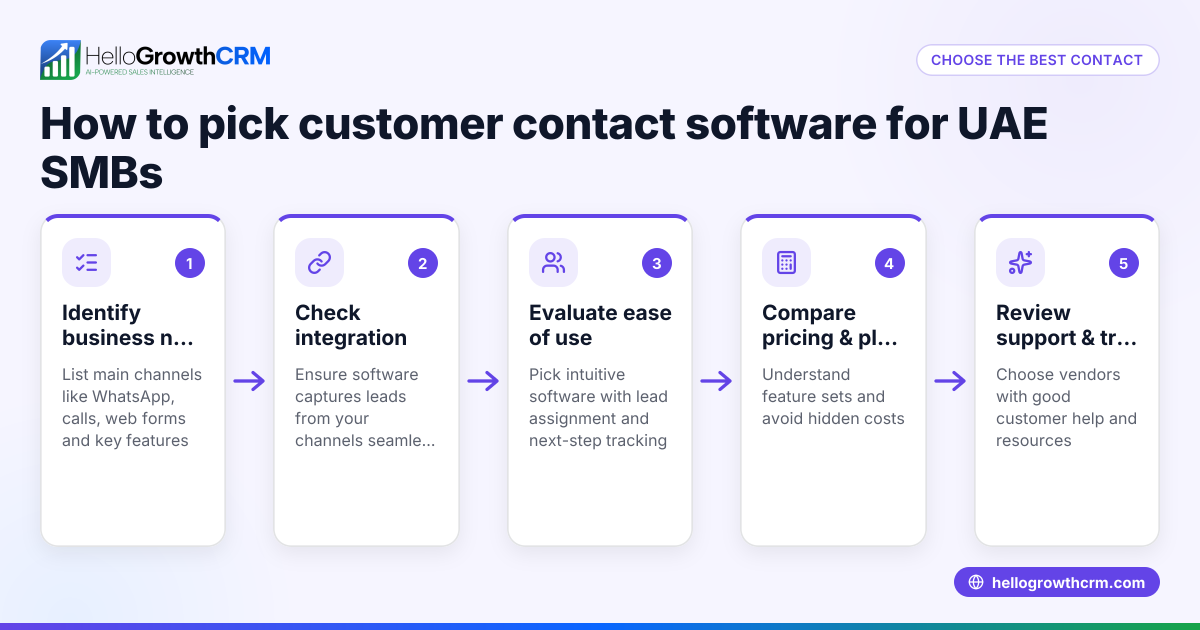
- Identify your key business systems to integrate: List tools you use for lead generation, customer communication, accounting, and marketing. Check if the CRM supports these integrations or has an API for custom connections.
- Check lead capture capabilities: Confirm the CRM can automatically capture leads from your website forms and popular platforms relevant in Canada. This reduces manual entry and speeds up follow-up.
- Evaluate messaging and follow-up features: Look for CRM support for WhatsApp, SMS, and email sequences to reach leads on their preferred channels and keep conversations logged.
- Assess pipeline and task management: Ensure the CRM offers visual pipelines and task boards that your sales team will actually use, improving organisation and accountability.
- Review AI and automation options: Some CRMs offer AI agents to draft follow-ups or update records, reducing manual work and keeping the sales process moving smoothly.
- Consider reporting and forecasting: Reliable sales forecasting and reporting help you track progress and make informed decisions about your sales strategy.
- Compare pricing and plans: Look at what features come with each plan and whether they fit your budget. See our CRM pricing in Canada for guidance.
- Request demos and trials: Test shortlisted CRMs with your team to see which one fits your workflow best and ensures user adoption.
Example (fictional figures)
A mortgage brokerage in Mississauga, Ontario, wants a CRM that integrates with their website lead form and WhatsApp for quick follow-ups. They receive about 200 leads monthly.
- Monthly leads: 200
- Conversion rate goal: 15%
- Average mortgage value: C$350,000
They choose a CRM that captures leads automatically and supports WhatsApp messaging.
Leads converted = 200 × 15% = 30
Total mortgage value from CRM leads = 30 × C$350,000 = C$10,500,000
By automating lead capture and follow-ups, they aim to increase conversion by 5%:
Improved conversion rate = 15% + 5% = 20%
New leads converted = 200 × 20% = 40
New total mortgage value = 40 × C$350,000 = C$14,000,000
This shows how a CRM with integrations and messaging can boost sales efficiency and revenue.
Common mistakes
- Choosing a CRM without needed integrations: Prevent by listing your must-have integrations first and verifying support before deciding.
- Ignoring mobile messaging channels: Prevent by selecting a CRM with WhatsApp and SMS capabilities to reach leads where they respond and keep conversations logged.
- Overlooking user adoption: Prevent by involving your sales team in trials and choosing a CRM with intuitive pipeline and task boards that they will actually use.
- Neglecting automation and AI: Prevent by exploring AI features that draft follow-ups and reduce manual updates, saving time and improving consistency.
- Focusing only on price: Prevent by balancing cost with features and support. Use a compare CRMs tool to weigh options effectively.
Doing this in HelloGrowthCRM
HelloGrowthCRM supports key business integrations including IndiaMART and JustDial, allowing enquiries from these platforms to arrive directly as leads. It is a WhatsApp-native CRM that logs WhatsApp conversations on lead records and enables follow-ups via WhatsApp and SMS messages. Additionally, its AI agents (in beta) draft follow-up messages after calls, so sales reps only need to review and send. Learn more about its integrations and messaging features.
Frequently asked questions
What CRM integrations are most useful for Canadian small businesses? Integrations with lead sources like web forms, marketplaces, and communication tools like WhatsApp and SMS are vital. Accounting and marketing tool integrations can also streamline workflows. Prioritize integrations that reduce manual data entry and speed up lead follow-up.
How does pricing vary for CRMs with business integrations in Canada? Pricing depends on features, number of users, and included integrations. Some CRMs charge more for advanced automation or AI features. Review detailed pricing and compare plans at CRM pricing in Canada.
What are alternatives to HelloGrowthCRM for business integrations? Alternatives include CRMs that focus on email marketing, sales pipeline management, or specific integrations. Use a compare CRMs resource to evaluate options based on your business needs.
Can AI agents in CRMs improve sales follow-up? Yes, AI agents can draft follow-up messages and update records automatically, saving time and improving consistency. HelloGrowthCRM offers AI agents in beta that assist with these tasks.
How important is WhatsApp integration for Canadian businesses? WhatsApp is widely used for business communication. Integrating it into your CRM helps keep conversations logged and enables quick follow-ups via a familiar channel, improving customer engagement.
Key takeaways
- The best CRM with business integrations connects your lead sources and communication channels seamlessly.
- Verify your must-have integrations and messaging capabilities before choosing.
- Automations and AI features can reduce manual work and speed up follow-ups.
- Involve your sales team early to ensure the CRM fits their workflow.
- Balance features and pricing using comparison tools and Canadian pricing guides.
Choosing the right CRM is critical to improving lead management and sales efficiency. Explore HelloGrowthCRM’s features and see Canadian pricing at See Canadian pricing.
Ready to put this into practice?
Set up your pipeline, WhatsApp follow-ups, and AI lead scoring in minutes — free, no credit card.
Try HelloGrowthCRM freeGet CRM tips in your inbox
Join thousands of sales professionals who get weekly insights on CRM strategy, AI automation, and pipeline optimization.

The HelloGrowthCRM team publishes guides on CRM strategy, AI sales tools, and revenue operations for small business sales teams.