HelloGrowthCRM software
Built for real small-business sales teams
HelloGrowthCRM helps reps qualify faster, follow up on time, and close more deals—with practical automation in one place.
- AI lead scoring and pipeline visibility
- Built-in dialer, WhatsApp, and email automation
- Sales forecasting and RevOps-ready reporting
Birthday email examples are personalized messages sent to customers on their birthdays to build goodwill and encourage repeat business. These emails typically include greetings, special offers, or discounts. This article explains why birthday emails matter for small businesses, provides step-by-step instructions to create them, a detailed fictional example, common mistakes to avoid, and how to automate your email campaigns efficiently.
Why this comes up / what goes wrong
Small-business owners want to send birthday emails to customers to strengthen relationships and increase sales. However, many manage customer data across spreadsheets, email, and text messages, which makes it difficult to track birthdays and send timely emails. Without automation, birthday emails can be forgotten or sent late, missing the chance to engage customers when they are most receptive. Poorly written or generic birthday emails also fail to motivate customers to redeem offers or visit the business.
Step-by-step
- Collect Customer Birthdays
- Ask for birth dates during sign-up, purchase, or customer surveys.
- Store this data securely and centrally, avoiding scattered spreadsheets.
- Segment Your Email List
- Group customers with upcoming birthdays.
- Use filters to exclude invalid or missing birth dates.
- Write Your Birthday Email Content
- Start with a warm greeting such as “Happy Birthday, [Name]!”
- Include a special offer or discount as a birthday gift.
- Add a clear call to action, for example, “Use code BDAY20 to save 20%.”
- Keep the tone friendly and personal, avoiding generic phrases.
- Set Up Automated Delivery
- Schedule the email to send on the customer’s birthday or a day before.
- Test the automation to ensure correct timing and formatting.
- Monitor Engagement
- Track open rates, click-throughs, and offer redemptions.
- Adjust your offers or messaging based on customer responses.
- Follow Up If Needed
- Send a gentle reminder a few days after the birthday if the offer is unused.
- Stop follow-ups immediately once the customer responds.
Using email automation and sequences can help manage this process efficiently. For more details, see email automation and sequences.
Example (fictional figures)
Green Thumb Landscaping, a landscaping contractor in Charlotte, North Carolina, wants to send birthday emails offering a $20 discount to customers.
- Customer: Jane Smith
- Birthday: 07/15/2026
- Offer: $20 off any service over $100
Steps:
- Jane’s birthday is 07/15/2026.
- Green Thumb schedules an email to send on 07/15/2026.
- Email content includes: “Happy Birthday, Jane! Enjoy $20 off your next landscaping service over $100. Use code BDAY20.”
- Jane books a service costing $150.
- Discount applied: $20
- Jane pays: $150 - $20 = $130
This targeted birthday email helps Green Thumb increase customer loyalty and revenue.
Common mistakes
- Not collecting birthdays upfront: Prevent this by adding a birthday field in your sign-up or checkout process.
- Sending generic emails: Personalize emails with the customer’s name and a relevant offer.
- Forgetting to automate: Use email sequences to schedule and send emails automatically.
- Ignoring follow-up: Set up a short follow-up sequence to remind customers who haven’t responded.
- Overloading customers with too many emails: Limit birthday campaigns to one or two messages per birthday.
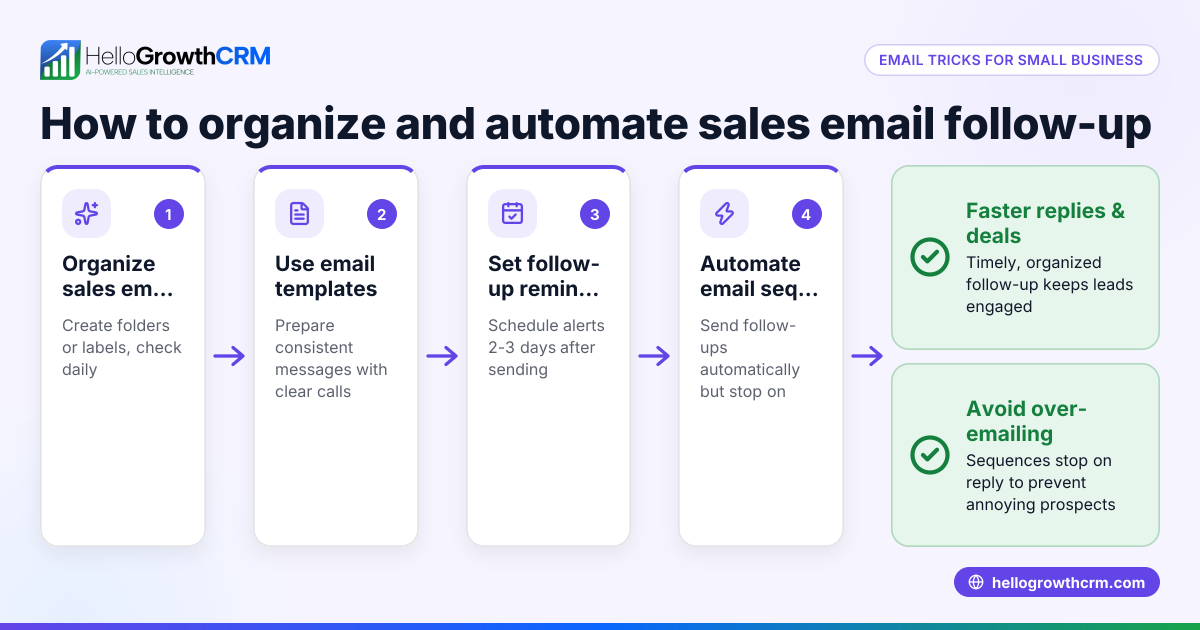
Automation tools with sequences can prevent these errors by running follow-ups over two weeks and stopping when the customer replies. See also how WhatsApp and SMS CRM supports multi-channel engagement.
Doing this with HelloGrowthCRM
HelloMail is a shared inbox inside the CRM that lets your team manage inbound email from leads and customers without switching to a separate email client. Replies to birthday emails are visible to the whole team on the deal, keeping communication aligned. You can also set up sequences and campaigns to automate birthday email delivery and follow-ups. For example, create a five-step follow-up over two weeks that stops automatically when the customer replies. This automation reduces manual work and ensures timely customer engagement. Learn more about email automation and sequences.
Frequently asked questions
What should I include in a birthday email? Include a friendly greeting, the customer’s name, a special birthday offer or discount, and a clear call to action. Personalizing the message makes it more engaging and encourages response.
When should I send a birthday email? Send it on the customer’s birthday or a day or two before to catch their attention. Some businesses also send a follow-up reminder a few days after the birthday to increase redemption chances.
How do I collect customer birthdays? Add a birthday field to your sign-up forms, checkout pages, or ask customers directly during interactions. Store this data securely and centrally to use it effectively.
Can I automate birthday emails? Yes, automation tools like sequences allow you to schedule birthday emails and follow-up sequences that run automatically and stop when the customer replies, saving time and improving consistency.
How often should I send birthday emails? Typically, one email on the birthday and one gentle reminder if needed is enough. Avoid sending too many messages to prevent customer annoyance and unsubscribes.
Key takeaways
- Collect and store customer birthdays in a central, secure place.
- Personalize birthday emails with greetings and relevant offers.
- Automate sending and follow-ups using email sequences to save time.
- Monitor engagement and adjust your campaigns based on results.
- Avoid common mistakes like generic messages or lack of automation.
- Use HelloMail shared inbox and sequences to streamline birthday email campaigns and team collaboration.
Start sending effective birthday emails to engage your customers and boost sales. Start on the Free Forever plan (200 leads, no credit card).
Ready to put this into practice?
Set up your pipeline, WhatsApp follow-ups, and AI lead scoring in minutes — free, no credit card.
Try HelloGrowthCRM freeGet CRM tips in your inbox
Join thousands of sales professionals who get weekly insights on CRM strategy, AI automation, and pipeline optimization.

The HelloGrowthCRM team publishes guides on CRM strategy, AI sales tools, and revenue operations for small business sales teams.