WhatsApp CRM and SMS CRM for Sales Follow-Up
Centralize conversations. Send follow-ups on schedule. Measure replies and conversions inside your CRM. Built for teams comparing WhatsApp CRM, CRM with SMS, and multi-channel messaging workflows.
By Rushabh Shah, Founder, HelloGrowthCRM · Reviewed by HelloGrowthCRM RevOps Team, Revenue Operations · Last updated July 2026
Key takeaways
- A WhatsApp and SMS CRM sends and receives messages inside the CRM, so every reply logs against the lead record next to calls, emails, and deal history.
- WhatsApp needs opted-in contacts and pre-approved templates for outbound; SMS reaches any phone with no app but is governed by opt-out rules like TCPA.
- Automated sequences with merge fields keep follow-up consistent, while a human still owns tone and any commitments made in the thread.
- Keeping messaging in the CRM prevents the context loss that happens when reps use personal WhatsApp and handoffs lose the earlier thread.
- Two-way WhatsApp and SMS are included in HelloGrowthCRM from $12/user/month; SMS carrier fees (for example, via Twilio) are separate.
Try WhatsApp and SMS CRM - message contacts, use templates, and broadcast
Why teams evaluate whatsapp + sms crm
WhatsApp + SMS CRM usually becomes important when a repeated part of the revenue workflow is creating too much manual work, too little visibility, or too much tool-switching. Teams are rarely shopping for a feature in isolation. They are usually trying to make one meaningful workflow cleaner, faster, and easier to inspect.
That is why buyers usually look beyond the headline capability and inspect the surrounding details: Unified inbox for WhatsApp + SMS + email, Automated follow-up sequences with scheduling, Template messages with dynamic merge fields, Reply tracking and conversation threading. Those details determine whether the feature actually improves day-to-day execution or simply adds another surface area to manage.
Where whatsapp + sms crm fits in the workflow
Most teams adopt this capability as part of practical motions such as sales follow-up, lead nurturing, appointment reminders. The value tends to show up fastest when the workflow is tied to a clear owner, a clear next action, and a visible outcome that managers can review later.
It also matters how this page connects to the rest of the stack. For many teams, tools such as WhatsApp, Twilio, Google Calendar, Slack are what make the feature operational instead of theoretical because they keep data, communication, and handoffs in sync.
What a strong rollout looks like for whatsapp + sms crm
The best rollout usually starts small: one high-value workflow, one clear ownership model, and one review rhythm for adoption. Once the team is consistently using the feature, managers can expand into deeper automation, reporting, or cross-functional handoffs without rebuilding the foundation.
In practice, that means evaluating not only what the feature can do, but also whether the team can maintain the process around it. Ease of use, reporting trust, and manager visibility matter just as much as the feature checklist itself.
- Use it first for sales follow-up if that is the workflow creating the most friction today.
- Use it first for lead nurturing if that is the workflow creating the most friction today.
- Use it first for appointment reminders if that is the workflow creating the most friction today.
- Use it first for customer updates if that is the workflow creating the most friction today.
How It Works
Get started in three simple steps
Key Features
Use Cases
Sales Follow-Up
Send timely WhatsApp or SMS follow-ups after calls or demos.
What teams care about
- Fast adoption with less manual cleanup for managers and reps.
- Clear visibility into workflow execution, outcomes, and accountability.
- Reliable handoffs into the CRM record so downstream teams keep full context.
Deep dive
Open the sections that matter most instead of scrolling through a long uninterrupted text block.
What Is a WhatsApp and SMS CRM?
A WhatsApp and SMS CRM lets sales teams send and receive text-message conversations directly from their CRM instead of a separate phone or messaging app. Every WhatsApp thread and SMS is logged against the lead record, so reps see the full history next to call notes, emails, and deal data in one place.
The problem it solves is context loss. When reps message prospects from personal WhatsApp or a standalone SMS tool, those conversations live outside the pipeline: a manager cannot see them, a colleague covering for someone on leave has no idea what was said, and reporting is impossible. Bringing messaging into the CRM keeps the whole team aligned and the whole conversation on the record.
HelloGrowthCRM includes two-way WhatsApp (via the WhatsApp Business API) and SMS (via a provider like Twilio) so a rep can pick the right channel per lead, or combine both in one automated sequence, without leaving the CRM.
| Attribute | WhatsApp Business | SMS |
|---|---|---|
| App required | Yes, on the contact's phone | No — works on any phone |
| Rich media | Images, PDFs, video | Plain text (links only) |
| Outbound rules | Opt-in + approved templates | Consent + honor opt-outs (TCPA) |
| Read receipts | Yes | No |
| Best for | Two-way conversation and nurture | Time-critical reminders and reach |
Why Messaging Channels Suit Sales Follow-Up
Text messaging tends to reach people faster than email. Commonly cited industry figures put SMS open rates around 98% and WhatsApp read rates far above typical email opens, which sit in the 20–30% range. Exact numbers vary by market and list, but the direction is consistent: a message a buyer sees quickly beats one that waits in an inbox.
For teams selling in regions where WhatsApp is the default business channel — much of India, Southeast Asia, Latin America, the Middle East, and parts of Europe — meeting buyers on the channel they already use is not optional. The worked example below shows how a short multi-channel cadence might be sequenced around a demo.
| Timing | Channel | Message purpose |
|---|---|---|
| Same day | Thank-you and recap of what was discussed | |
| Day 2 | Send proposal or pricing details | |
| Day 4 | SMS | Short nudge referencing the proposal |
| Day 7 | Answer questions and suggest next step |
Built-In Messaging vs. Bolt-On Tools
The common alternative is a separate WhatsApp or SMS tool wired into the CRM through an integration. It works, but the messages often sync back as incomplete records, context lags, and reps end up switching apps mid-conversation. When messaging is native, the thread is part of the lead record from the first message.
| Dimension | Separate tool + integration | HelloGrowthCRM built-in |
|---|---|---|
| Where threads live | In the tool, synced later | On the lead record instantly |
| App switching | Frequent | None — one inbox |
| Handoff / coverage | Context often lost | Full thread visible to the team |
| Compliance tracking | Separate system | Opt-in/opt-out in the CRM |
| Reporting | Split across tools | Reply and conversion data in one place |
Best Practices for WhatsApp and SMS Follow-Up
Messaging channels are powerful because they are personal — which means they punish spammy use quickly. The teams that get results treat WhatsApp and SMS as permission-based conversation channels, not broadcast megaphones.
Collect a clear opt-in before the first outbound message and keep a record of it on the contact.
Match the channel to the message: WhatsApp for conversation and media, SMS for short time-critical reminders.
Keep messages short and specific — a text that reads like an email will be ignored.
Let automation start conversations but hand every genuine reply to a human immediately.
Honor opt-outs instantly and make opting out easy, which protects deliverability and your sender reputation.
Use appointment reminders to cut no-shows, one of the highest-ROI messaging use cases.
Common WhatsApp and SMS CRM Mistakes
Most messaging problems come from treating these channels like bulk email. WhatsApp and SMS have stricter rules and less patience from recipients.
Sending WhatsApp broadcasts to contacts who never opted in, risking a quality-rating drop or account block.
Using unapproved templates for outbound WhatsApp, which simply will not send.
Ignoring TCPA and local consent rules on SMS, which carries real legal and financial risk.
Automating so heavily that replies get talked over by the next scheduled message.
Writing long, formal messages that feel out of place in a chat thread.
Letting reps use personal WhatsApp on the side, so those conversations never reach the CRM.
Drawbacks and Limits (an Honest View)
WhatsApp is a governed platform, not an open channel. Business-initiated messages require opt-in and pre-approved templates, WhatsApp tracks a quality rating that can throttle or suspend a poorly behaved number, and pricing is billed per conversation by country and category. These guardrails protect recipients, but they mean you cannot simply upload a list and blast it — setup, approval, and compliance are ongoing work, not a one-time switch.
SMS is simpler to start but has its own limits: it is plain text with no read receipts, per-message carrier fees add up at volume, and consent rules like TCPA in the US carry genuine penalties for getting it wrong. Neither channel replaces email or calls; each is one tool in a follow-up mix. The honest position is that WhatsApp and SMS deliver strong reach and reply rates when used with permission and restraint, and become a liability when used as a spam channel.
Why Fast Follow-Up on These Channels Matters
The reason to fold WhatsApp and SMS into the CRM is speed and consistency of follow-up. Buyers reward the team that responds first and keeps the conversation coherent, and messaging channels are where many buyers now expect to be reached.
78% — of buyers buy from the company that responds first or most helpfully — messaging channels get replies in front of a rep fast. (Source: HubSpot)
~60x — more likely to reach a decision-maker when you contact within an hour versus waiting 24 hours, which quick WhatsApp and SMS replies make achievable. (Source: Harvard Business Review, The Short Life of Online Sales Leads)
~28% — of the work week reps lose to manual data entry — logging messages automatically against the lead record gives some of that time back. (Source: Salesforce, State of Sales)
Getting Started With WhatsApp and SMS CRM
Two-way WhatsApp and SMS are included in HelloGrowthCRM from $12/user/month. Connect your WhatsApp Business number and SMS provider during onboarding, get your first templates approved, and start with one simple post-demo cadence.
Connect the WhatsApp Business API and your SMS provider in one onboarding flow.
Get outbound templates approved and collect opt-ins before your first send.
Build a scheduled, merge-field cadence that pauses when a contact replies.
Track delivery, read, and reply rates and tie conversations to won deals.
Pair with /product/smart-inbox to keep every channel's replies in one prioritized feed.
A WhatsApp and SMS CRM lets sales teams send and receive text-message conversations directly from their CRM instead of a separate phone or messaging app. Every WhatsApp thread and SMS is logged against the lead record, so reps see the full history next to call notes, emails, and deal data in one place.
The problem it solves is context loss. When reps message prospects from personal WhatsApp or a standalone SMS tool, those conversations live outside the pipeline: a manager cannot see them, a colleague covering for someone on leave has no idea what was said, and reporting is impossible. Bringing messaging into the CRM keeps the whole team aligned and the whole conversation on the record.
HelloGrowthCRM includes two-way WhatsApp (via the WhatsApp Business API) and SMS (via a provider like Twilio) so a rep can pick the right channel per lead, or combine both in one automated sequence, without leaving the CRM.
WhatsApp vs. SMS for sales messaging
| Attribute | WhatsApp Business | SMS |
|---|---|---|
| App required | Yes, on the contact's phone | No — works on any phone |
| Rich media | Images, PDFs, video | Plain text (links only) |
| Outbound rules | Opt-in + approved templates | Consent + honor opt-outs (TCPA) |
| Read receipts | Yes | No |
| Best for | Two-way conversation and nurture | Time-critical reminders and reach |
Buyer playbook
Compare, launch, and govern the workflow with an interactive overview instead of four long generic essays.
How teams evaluate whatsapp + sms crm
The best pages help buyers understand fit quickly instead of forcing them through long walls of copy.
Check whether the product covers the capabilities you actually care about, such as Unified inbox for WhatsApp + SMS + email, Automated follow-up sequences with scheduling, Template messages with dynamic merge fields, Reply tracking and conversation threading.
Test if it supports real execution scenarios like Sales Follow-Up, Lead Nurturing, Appointment Reminders.
Confirm the workflow stays connected to WhatsApp, Twilio, Google Calendar, Slack so reporting and handoffs remain reliable.
Frequently Asked Questions
Explore More
Related Articles
Related Products
Free Tools & Calculators
Watch: WhatsApp Messaging Etiquette
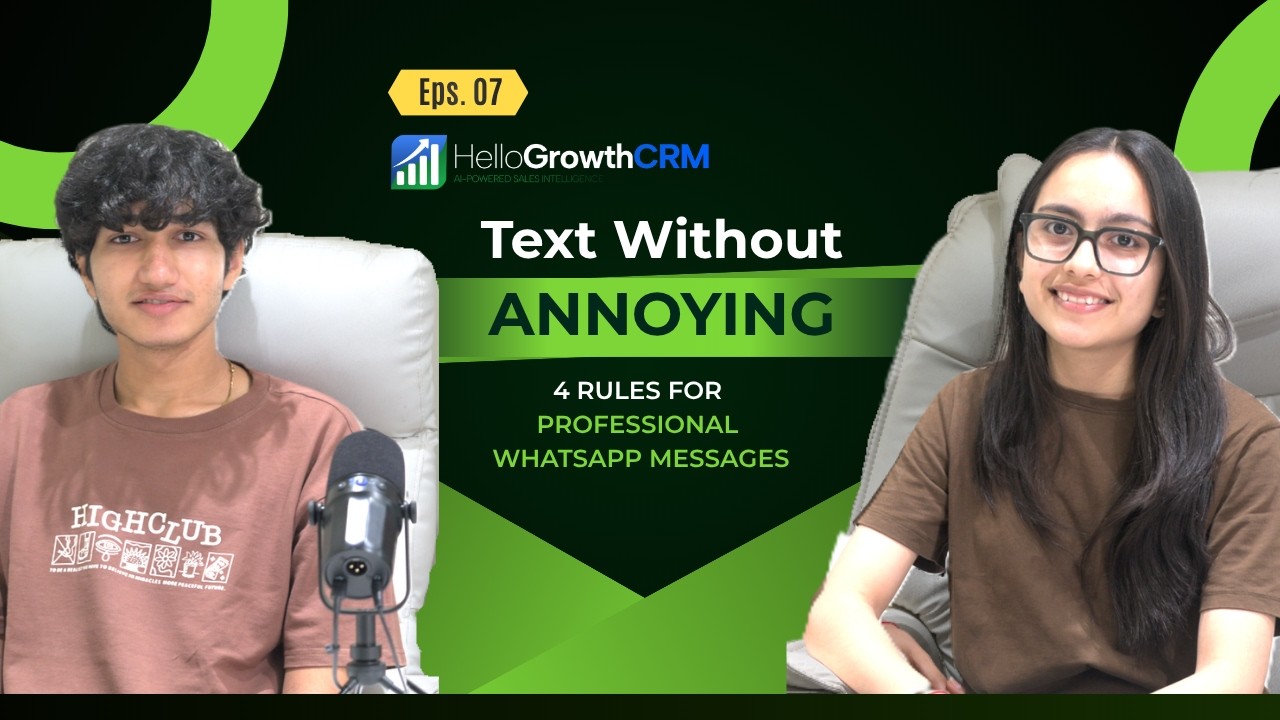
Key takeaways from this video
- Message during business hours and respect reply cadence — WhatsApp is personal space, not an email inbox.
- Keep messages short and specific; long pitches read as broadcasts and get ignored or blocked.
- Personalise with the prospect's context (their enquiry, their industry) rather than generic templates.
- Always honour opt-outs immediately — suppression lists protect both deliverability and reputation.
WhatsApp CRM & SMS CRM for Indian Sales Teams
HelloGrowthCRM embeds two-way WhatsApp and SMS messaging directly inside your sales pipeline, so your team never has to switch between a personal phone, WhatsApp Web, and a spreadsheet again. Every conversation is logged against the right lead record the moment it happens. For small and mid-size businesses in India where WhatsApp is the primary sales channel, this means faster follow-ups, fewer dropped leads, and a complete conversation history every sales manager can review.
Unlike bolt-on integrations that rely on Zapier webhooks and fragile API glue, HelloGrowthCRM connects directly to the WhatsApp Business API. You get delivery receipts, read receipts, and reply routing in real time, all visible inside the deal card. SMS via Twilio is available for markets and contacts where WhatsApp is not the preferred channel, giving your team a single inbox for both.
How WhatsApp CRM Works — Three Steps
- Connect your WhatsApp Business account. During onboarding, HelloGrowthCRM walks you through linking your WhatsApp Business API account. No additional developer work is required. Your existing number works; if you need a new number, the setup wizard handles verification. The same screen connects your Twilio SMS account for outbound texts.
- Import or create message templates. WhatsApp requires pre-approved message templates for the first contact with a lead. Upload your existing templates or build new ones in the template editor, submit them for Meta approval (typically 24 hours), and they appear in your CRM sequence builder. For ongoing conversations, free-form messaging is unrestricted.
- Send, receive, and automate from the deal card. Every outbound WhatsApp or SMS message is sent directly from the lead or deal record. Replies appear in the same thread. Automated sequences trigger based on deal stage changes, lead score thresholds, or elapsed time — no manual scheduling needed. Your team gets a desktop and mobile notification the moment a lead replies, so response time drops from hours to minutes.
Key Capabilities
- Two-Way Messaging from the Deal Card. Sales reps send WhatsApp and SMS messages without leaving the CRM. Every incoming reply is threaded against the correct lead automatically. Managers see the full conversation history alongside notes, tasks, and call logs — giving complete context before any follow-up call.
- Approved Template Library.Store and reuse WhatsApp Business API-approved templates for initial outreach, appointment reminders, payment follow-ups, and post-sale check-ins. Templates support dynamic variables like {{first_name}}, {{company}}, and {{deal_amount}} so every message feels personal even when sent at scale.
- Multi-Step Messaging Sequences. Build automated drip sequences that mix WhatsApp, SMS, and email steps. For example: WhatsApp Day 1 → email Day 3 → SMS Day 7 if no reply. Each step fires automatically based on lead activity or elapsed time. Sequences pause as soon as a lead replies, preventing over-messaging.
- Broadcast to Segments. Send template-based WhatsApp broadcasts to filtered lead segments — by city, industry, deal stage, or custom tag. Broadcast analytics show delivery rate, read rate, and reply rate per message, so you can optimise messaging over time. Meta's anti-spam rules are enforced automatically.
- Click-to-WhatsApp Ad Tracking. Run Click-to-WhatsApp ads on Facebook or Instagram? HelloGrowthCRM captures the incoming lead from the ad, creates a contact record, and opens a pre-filled conversation thread automatically. You see which ad campaign generated each conversation, closing the attribution loop.
- Shared Team Inbox. A single shared inbox shows all incoming WhatsApp and SMS conversations across the team. Conversations are assigned to reps manually or by round-robin rules. Unassigned conversations are flagged so nothing goes unanswered. Mobile push notifications ensure no reply is missed even when reps are out of the office.
- Read Receipts and Delivery Status. See whether a WhatsApp message was delivered and read, directly on the message timeline. Use read-receipt data in automation rules — for example, trigger a follow-up call task if a message is delivered but not read within 24 hours.
- Media and Document Sharing. Send PDFs, images, voice notes, and product catalogues through WhatsApp directly from the deal card. Shared documents are linked to the lead record so the full document trail is visible alongside the conversation. Useful for sending proposals, rate cards, and onboarding guides without switching to email.
- SMS Fallback. When a contact is outside India or does not use WhatsApp, SMS via Twilio is available as a fallback channel. The CRM automatically routes to SMS if WhatsApp delivery fails after a configurable timeout, ensuring no message is silently lost.
- Conversation Analytics. Track average response time, reply rates by template, messages sent per rep, and conversion rates from conversation to deal won. Use these metrics in the weekly sales review to identify which messaging approaches close the most deals.
Industry Use Cases
| Industry | How WhatsApp CRM is Used |
|---|---|
| Real Estate | Property brokers send site visit confirmations, property brochure PDFs, and payment schedule reminders via WhatsApp. Automated follow-up sequences re-engage cold enquiries from property portals after 3, 7, and 14 days. |
| Education & Coaching | Coaching institutes send batch schedules, fee reminders, and admit cards through WhatsApp templates. Counsellors use two-way messaging to answer admission queries in real time without leaving the lead dashboard. |
| Insurance | Insurance agents share policy documents, premium due reminders, and renewal notices on WhatsApp. Reply data feeds back into the CRM deal stage, automatically advancing leads from "quote sent" to "under consideration." |
| Healthcare & Diagnostics | Diagnostic centres confirm appointments and send test report links over WhatsApp. Patient follow-up sequences remind them to book annual health packages, driving repeat revenue without manual outreach. |
| Manufacturing & B2B Trade | Distributors and resellers receive order confirmations, dispatch updates, and invoice PDFs via WhatsApp. Sales managers broadcast new product announcements to dealer segments in a single click using approved templates. |
Frequently Asked Questions
- Do I need a separate WhatsApp Business account to use this feature?
- Yes. HelloGrowthCRM connects to the WhatsApp Business API, which requires a verified WhatsApp Business account. You can use your existing Business account or register a new number. Our onboarding team guides you through the Meta Business Verification and WhatsApp API setup at no extra cost. Most teams are live within one to two business days.
- How much does SMS messaging cost?
- HelloGrowthCRM does not add a markup on message costs. SMS is delivered through your Twilio account at standard Twilio rates — typically around ₹0.65 per SMS in India. WhatsApp Business API message costs depend on the conversation category (marketing, utility, authentication) and are set by Meta. We display an estimated cost before you launch any broadcast campaign.
- Can I send bulk WhatsApp messages to all my leads at once?
- You can send template-based messages to filtered segments. WhatsApp prohibits cold bulk marketing to contacts who have not opted in, and HelloGrowthCRM enforces these limits automatically. For opted-in contacts, there is no hard cap on broadcast size — we send in batches to stay within Meta rate limits. Always use approved templates for first contact to avoid account restrictions.
- What happens when a lead replies to an automated sequence?
- The sequence pauses immediately. The reply is routed to the assigned rep's inbox and a task is created in the CRM to follow up. This prevents your automation from sending a scheduled "Day 5 follow-up" to someone who has already replied and is mid-conversation. You can also set keyword-based routing — for example, if a lead replies "interested," automatically advance the deal to the next stage.
- Is HelloGrowthCRM's WhatsApp integration compliant with India's data protection rules?
- Yes. All message data is stored within your HelloGrowthCRM account database, subject to our standard data processing terms. We do not share message content with third parties. For businesses governed by DPDPA 2023, you can configure consent collection before sending the first WhatsApp message to a new lead, and we log the consent timestamp against the contact record.
Ready to Sell on WhatsApp?
HelloGrowthCRM's WhatsApp CRM is available on all paid plans starting at ₹899 per user per month. A free trial lets you test two-way messaging, templates, and sequences before you commit. No credit card required.
Explore related features: Automated Follow-Up Sequences, Smart Inbox, and Cold Outreach Campaigns. See how Indian real estate teams use it on the Real Estate CRM page.