HelloGrowthCRM software
Built for real small-business sales teams
HelloGrowthCRM helps reps qualify faster, follow up on time, and close more deals—with practical automation in one place.
- AI lead scoring and pipeline visibility
- Built-in dialer, WhatsApp, and email automation
- Sales forecasting and RevOps-ready reporting
Call management means organizing and tracking your business phone calls so you never miss a lead or lose track of customer conversations. It involves handling incoming and outgoing calls efficiently, logging call outcomes, and scheduling follow-ups to turn inquiries into sales. This article covers why call management is critical for small businesses, how to improve it step-by-step, common pitfalls to avoid, a realistic example, and how HelloGrowthCRM supports call management.
Why this comes up / what goes wrong
Many small business owners rely on calls for sales and customer support but struggle with managing them well. Without a system, calls get missed or forgotten, notes go into notebooks or spreadsheets, and follow-ups slip through the cracks. Sales teams often juggle phone calls, texts, emails, and manual lists, which leads to slow responses and lost leads. This problem grows as the business expands and call volume increases. Efficient call management helps ensure every call is logged, tracked, and acted on quickly.
Step-by-step
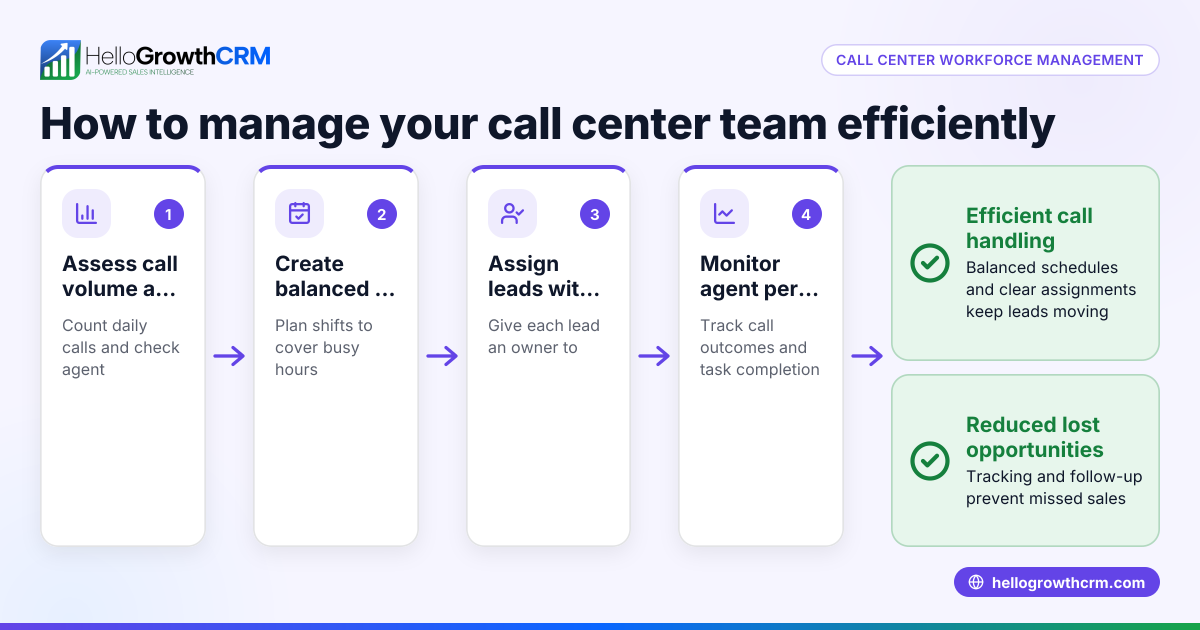
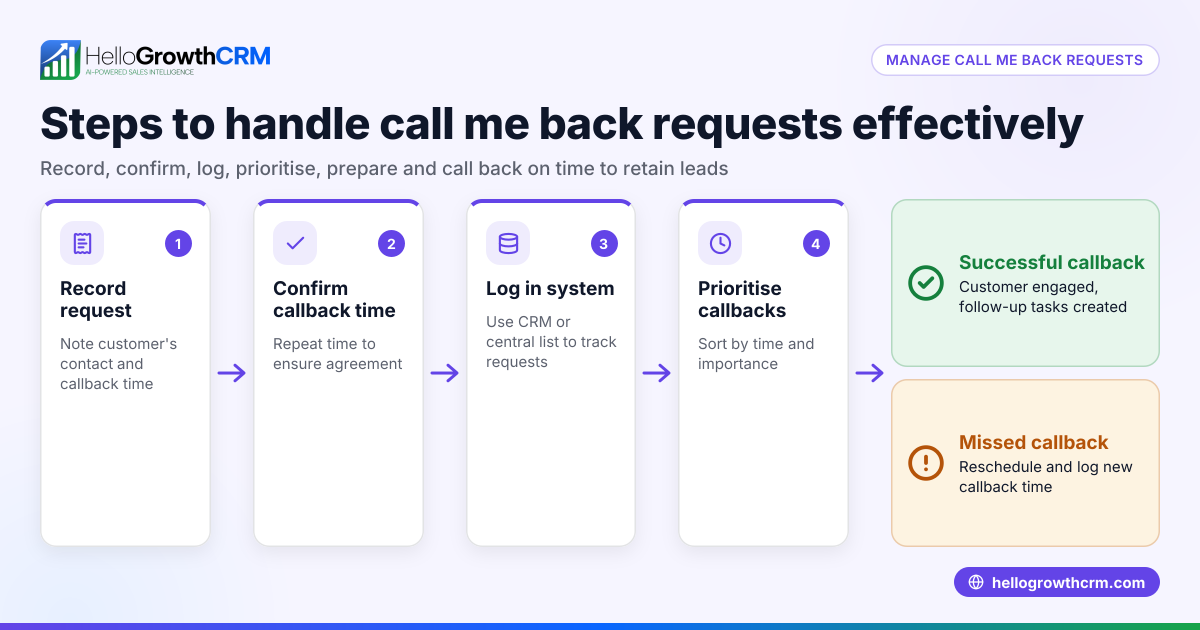
- Set up a call tracking system: Use a tool or method to log every incoming and outgoing call with caller details and call outcomes. Check that calls are linked to specific leads or customers.
- Assign ownership: Make sure each lead or customer has an owner responsible for follow-up calls. Check that ownership is clear and updated.
- Schedule next steps: After each call, set a clear next action, such as a follow-up call, sending information, or closing the deal. Verify that next steps have deadlines.
- Prioritize call lists: Organize calls by priority or lead score so your team calls the hottest leads first. Check that call lists are refreshed regularly.
- Use a built-in dialer if possible: Calling directly from your CRM saves time and automatically logs call results. Confirm that call outcomes are recorded immediately.
- Review call history and outcomes regularly: Monitor call success rates, follow-up completion, and adjust your approach based on data.
Example (fictional figures)
A B2B software reseller in Denver, Colorado, receives 100 new leads monthly. They aim to call each lead within 24 hours and follow up twice if no answer.
- Leads per month = 100
- Calls per lead (initial + 2 follow-ups) = 3
- Total calls = 100 × 3 = 300 calls/month
If each call takes 5 minutes on average:
- Total call time = 300 calls × 5 minutes = 1,500 minutes = 25 hours/month
By using a call management system with a built-in dialer, the team reduces call logging time by 2 minutes per call:
- Time saved = 300 calls × 2 minutes = 600 minutes = 10 hours/month saved
This frees up time for more calls or other sales activities.
Common mistakes
- Not logging calls immediately: Leads to lost information and missed follow-ups. Prevent by using a CRM with automatic call logging or logging calls right after.
- No clear call ownership: Calls and follow-ups fall through gaps. Assign specific owners to each lead.
- Ignoring call prioritization: Calling low-priority leads first wastes time. Use lead scoring and prioritize call lists.
- Failing to schedule next steps: Without next steps, calls don’t convert. Always set a next action with a deadline.
- Using separate tools for calls and lead tracking: Causes data silos and inefficiency. Use integrated tools like a CRM with a built-in dialer.
Doing this in HelloGrowthCRM
HelloGrowthCRM offers a built-in dialer that lets your sales reps call leads directly from the CRM. Each call outcome is logged on the lead record, keeping your call history organized and accessible. Every inquiry from forms, calls, or WhatsApp lands as a lead with an owner and a next step, so nothing gets lost in notebooks or spreadsheets. This integration helps small businesses manage calls and leads efficiently. Learn more about the built-in CRM dialer and how HelloGrowthCRM for the United States supports your sales process. Also, explore the WhatsApp and SMS CRM features for multi-channel communication.
Frequently asked questions
What is call management in sales? Call management in sales means organizing and tracking all business calls to leads and customers. It ensures timely follow-ups, records call outcomes, and helps convert calls into sales. Effective call management improves response times and customer experience.
How can I improve call management in a small business? Start by using a system to log calls and assign ownership. Prioritize your call lists, schedule next steps after each call, and review call outcomes regularly. Using a CRM with a built-in dialer can streamline these tasks.
Why is call management important for small businesses? Small businesses often rely on personal communication to win sales. Poor call management leads to missed opportunities, slow follow-up, and lost leads. Good call management helps maintain customer relationships and grow revenue.
What tools help with call management? CRMs with built-in dialers and lead tracking are ideal. They let you call from the system, log calls automatically, and keep leads organized. HelloGrowthCRM offers these features tailored for small and mid-sized businesses.
How does a built-in dialer help call management? A built-in dialer lets reps call directly from the CRM, saving time switching apps. It logs call outcomes immediately, keeping your data accurate and up to date. This reduces errors and speeds up follow-ups.
Key takeaways
- Call management organizes and tracks business calls to improve follow-up and sales.
- Assign clear ownership and next steps for every call to avoid missed opportunities.
- Prioritize calls using lead scoring or urgency to maximize sales efforts.
- Use integrated tools like HelloGrowthCRM’s built-in dialer to log calls and outcomes automatically.
- Avoid common mistakes like poor logging, unclear ownership, and no next steps.
Start managing your calls better today with HelloGrowthCRM. Start on the Free Forever plan (200 leads, no credit card) and see how built-in call tools and lead management help your sales team stay organized and responsive.
Ready to put this into practice?
Set up your pipeline, WhatsApp follow-ups, and AI lead scoring in minutes — free, no credit card.
Try HelloGrowthCRM freeGet CRM tips in your inbox
Join thousands of sales professionals who get weekly insights on CRM strategy, AI automation, and pipeline optimization.

The HelloGrowthCRM team publishes guides on CRM strategy, AI sales tools, and revenue operations for small business sales teams.