HelloGrowthCRM software
Built for real small-business sales teams
HelloGrowthCRM helps reps qualify faster, follow up on time, and close more deals—with practical automation in one place.
- AI lead scoring and pipeline visibility
- Built-in dialer, WhatsApp, and email automation
- Sales forecasting and RevOps-ready reporting
Capsule CRM’s Office 365 integration lets you sync contacts, calendar events, and emails between Capsule CRM and Microsoft Office 365 apps. This integration helps small businesses keep customer data consistent and manage communications more efficiently. Evaluating and setting up this integration requires understanding your business needs, the setup process, and potential challenges.
Why this comes up / what goes wrong
Many Indian small business owners currently manage sales using WhatsApp or Excel spreadsheets and want to move to a CRM for better lead and customer management. Capsule CRM’s Office 365 integration is attractive because many teams already use Microsoft Outlook, Teams, and other Office 365 apps. The integration promises to reduce manual data entry and keep emails and calendar events linked to customer records.
However, small teams often find the setup confusing or limited by how Capsule CRM syncs data. Common issues include partial syncing, delays, or missing information. Without proper evaluation, businesses may invest time and money only to find the integration does not fully fit their workflows or India-specific lead sources like IndiaMART or JustDial.
Step-by-step
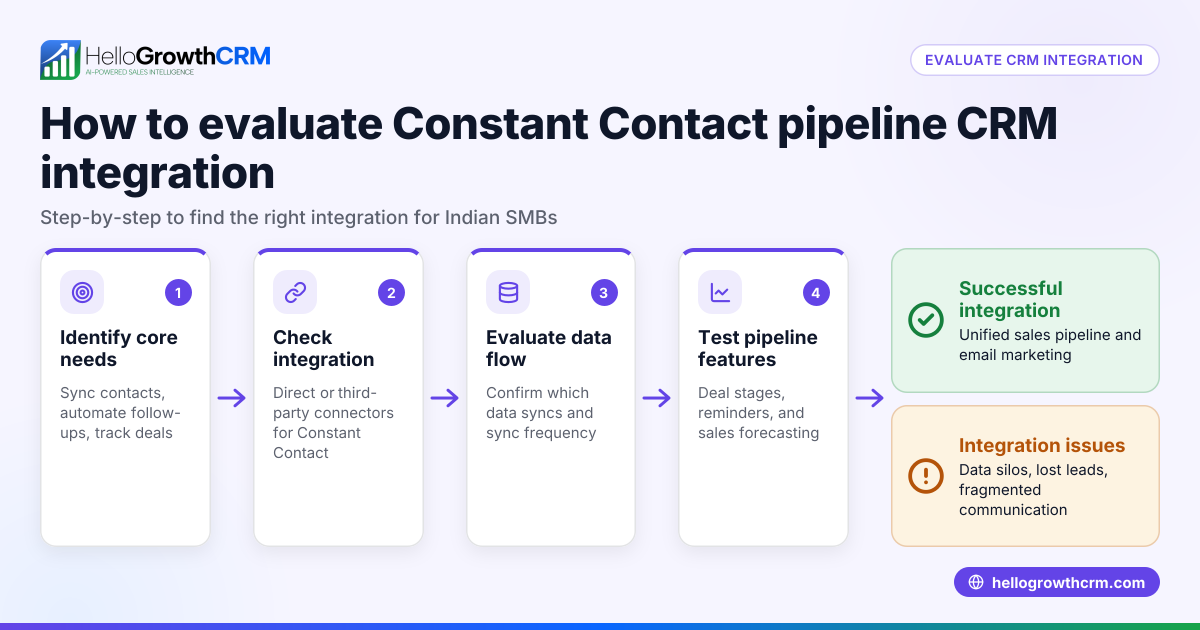
- Assess your business needs: Identify if your sales and communication rely heavily on Office 365 apps such as Outlook and Teams. Decide which data you want to sync—contacts, calendar events, emails.
- Check Capsule CRM plan compatibility: Verify that your Capsule CRM subscription supports Office 365 integration, as some features may require higher-tier plans.
- Prepare your Office 365 account: Ensure you have admin access and the necessary permissions to allow Capsule CRM to connect to your Office 365 tenant.
- Connect Capsule CRM to Office 365: Follow Capsule CRM’s official instructions to authorize and configure the integration.
- Configure sync settings: Choose which contacts, calendars, and email folders to sync. Decide between one-way or two-way sync based on your workflow.
- Test the integration: Sync a small set of records and verify that data appears correctly in both Capsule CRM and Office 365 apps.
- Train your team: Ensure sales and telecalling teams understand how the integration affects their workflows.
- Monitor and troubleshoot: Regularly check sync logs and gather user feedback to catch errors or delays early.
Example (fictional figures)
Rajesh runs a small electronics parts supplier in Pune with 15 sales reps. He pays ₹1,00,000 monthly for Office 365 licenses and ₹15,000 for Capsule CRM. He wants to sync contacts and calendar events to reduce duplicate data entry and missed follow-ups.
- Office 365 license cost: ₹1,00,000
- Capsule CRM monthly cost: ₹15,000
- Estimated time saved per rep per month by syncing (2 hours × 15 reps): 30 hours
- Cost of rep time per hour: ₹500
Time saved value = 30 hours × ₹500 = ₹15,000
Net monthly cost = ₹1,00,000 + ₹15,000 - ₹15,000 = ₹1,00,000
Rajesh needs to decide if the ₹1,00,000 monthly cost is justified by improved sales efficiency and fewer lost leads.
Common mistakes
- Not verifying plan compatibility: Prevent this by checking Capsule CRM plan details before starting integration.
- Ignoring permission requirements: Ensure Office 365 admin access is available to avoid setup delays.
- Skipping testing phase: Always test with a small dataset before full rollout to catch issues early.
- Not training users: Provide clear instructions and support to sales teams to ensure smooth adoption.
- Assuming two-way sync is automatic: Confirm sync direction and settings explicitly to avoid duplicate or missing data.
- Overlooking India-specific lead sources: Capsule CRM’s Office 365 integration does not cover leads from IndiaMART or JustDial; consider this if your business depends on those platforms.
Doing this in HelloGrowthCRM
HelloGrowthCRM offers API and integrations that bring IndiaMART and JustDial enquiries directly into the CRM as leads, designed for Indian SMBs. It is WhatsApp-native, logging WhatsApp conversations on lead records and enabling follow-ups via WhatsApp and SMS messages. AI agents (in Beta) draft follow-up messages after calls so your sales reps only review and send. These features help Indian teams manage leads and communication without relying solely on Office 365 integration. Learn more about HelloGrowthCRM’s integrations (WhatsApp, Tally, IndiaMART) and WhatsApp and SMS CRM.
Frequently asked questions
Can Capsule CRM sync emails from Office 365 automatically? Yes, Capsule CRM can sync emails from your Office 365 Outlook account to customer records. Sync frequency and folder options depend on your plan and settings.
Does Office 365 integration include syncing calendar events both ways? You can configure one-way or two-way calendar sync, but it requires careful setup to avoid duplicate events or conflicts.
Is Capsule CRM Office 365 integration suitable for small Indian businesses? It can be, especially if your team uses Microsoft apps extensively. However, if your leads come from Indian platforms like IndiaMART or JustDial, you may want to explore CRM options with native integrations for those sources.
How does HelloGrowthCRM support Indian SMB sales teams differently? HelloGrowthCRM integrates IndiaMART and JustDial enquiries as leads, logs WhatsApp conversations, and offers AI-drafted follow-ups, tailored for Indian SMB sales teams who rely on mobile messaging and local lead sources. See HelloGrowthCRM for India.
Do I need technical support to set up Capsule CRM Office 365 integration? Some technical familiarity helps, especially with Office 365 admin permissions and syncing settings. Capsule CRM provides guides, but you may need IT support for complex setups.
Key takeaways
- Capsule CRM Office 365 integration syncs contacts, emails, and calendars to improve sales workflows.
- Confirm plan compatibility, permissions, and sync settings before starting.
- Test thoroughly and train your team to avoid common pitfalls.
- Consider if your business relies on India-specific lead sources not covered by Office 365 integration.
- HelloGrowthCRM offers India-focused integrations and WhatsApp-native CRM features suited for Indian SMBs.
Start managing your leads better today. Start on the Free Forever plan (200 leads, no credit card).
Ready to put this into practice?
Set up your pipeline, WhatsApp follow-ups, and AI lead scoring in minutes — free, no credit card.
Try HelloGrowthCRM freeGet CRM tips in your inbox
Join thousands of sales professionals who get weekly insights on CRM strategy, AI automation, and pipeline optimization.

The HelloGrowthCRM team publishes guides on CRM strategy, AI sales tools, and revenue operations for small business sales teams.