HelloGrowthCRM software
Built for real small-business sales teams
HelloGrowthCRM helps reps qualify faster, follow up on time, and close more deals—with practical automation in one place.
- AI lead scoring and pipeline visibility
- Built-in dialer, WhatsApp, and email automation
- Sales forecasting and RevOps-ready reporting
CRM mobile app development means building or choosing a mobile application that helps your sales and telecalling teams track leads, follow up promptly, and manage sales pipelines from their smartphones. This is critical for Indian small and mid-sized businesses that often lose leads due to slow follow-up or rely on WhatsApp and spreadsheets.
Why this comes up / what goes wrong
Many Indian small-business owners run sales manually using WhatsApp chats and Excel sheets. This leads to lost or delayed follow-ups, scattered customer information, and no clear sales visibility. As teams grow beyond 5-10 people, managing leads on mobile devices becomes a challenge without a dedicated CRM app. Owners search for "crm mobile app development" because they want either to build a custom app or choose a ready-made solution that fits their unique workflows, especially with WhatsApp integration and mobile-first design.
Step-by-step
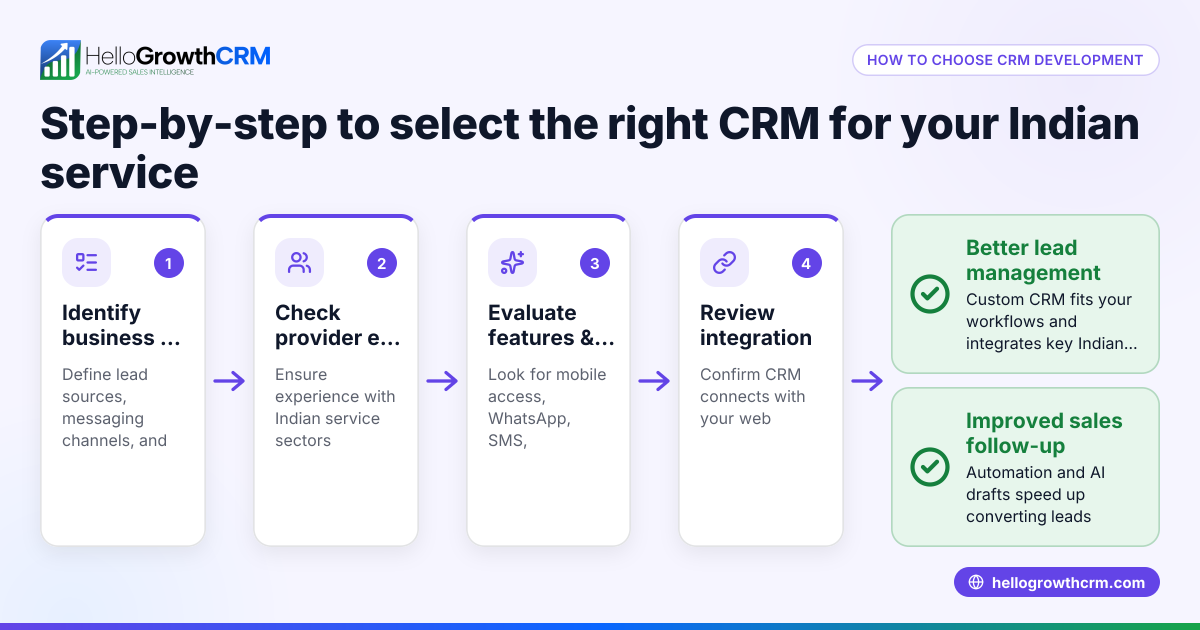
- Identify your business needs: List what your sales or telecalling team requires on mobile — lead capture, follow-up reminders, WhatsApp messaging, pipeline views, and reporting.
- Decide between custom development or ready-made CRM: Custom apps offer flexibility but cost more and take longer. Ready-made CRMs are quicker to deploy and often include proven features.
- Check WhatsApp integration: Since Indian SMBs use WhatsApp heavily, ensure the app supports WhatsApp conversations logged on lead records and allows sending follow-ups via WhatsApp.
- Evaluate AI features: AI agents that draft follow-up messages after calls can save time and improve consistency. Confirm if the CRM offers such automation.
- Assess user experience: The app must be easy for your sales team to adopt on mobile, with clear task and pipeline views.
- Consider offline capabilities: Mobile networks can be unstable; offline access to leads and notes is a plus.
- Review pricing and plans: Understand what features are included at each price point and if a free plan or trial is available.
- Test integrations: Check if the app can capture leads from IndiaMART, JustDial, or web forms.
- Plan for scalability: The CRM should grow with your team, supporting more users and advanced features.
- Security and data privacy: Verify compliance with Indian data protection norms and secure messaging.
Example (fictional figures)
An Indian SME, "ABC Traders," with 10 sales reps, wants a CRM mobile app by 01/07/2024. They estimate:
- Custom app development cost: ₹5,00,000
- Monthly ready-made CRM subscription: ₹5,000
- Time for custom app delivery: 4 months
- Time to onboard ready-made CRM: 1 week
Calculation: ₹5,00,000 ÷ 12 months = ₹41,667 per month (custom app cost spread over a year)
Total monthly cost comparison: Custom app: ₹41,667 Ready-made CRM: ₹5,000
ABC Traders decides to start with a ready-made CRM to save ₹36,667 monthly and begin using mobile CRM features immediately while planning custom features later.
Common mistakes
- Ignoring mobile user experience: Choose or build an app that is hard to navigate on phones. Prevent by testing the app on actual devices with your team.
- Skipping WhatsApp integration: Not supporting WhatsApp messaging leads to fragmented communication. Prevent by confirming WhatsApp features like logging conversations and sending follow-ups.
- Overlooking training: Assuming sales reps will figure out the app causes poor adoption. Prevent by scheduling training sessions.
- Neglecting offline access: Without offline mode, sales reps lose data access in poor network areas. Prevent by choosing apps with offline capabilities.
- Underestimating costs: Ignoring ongoing subscription or maintenance fees can strain budgets. Prevent by calculating total cost of ownership.
- Not verifying lead capture sources: Missing integration with IndiaMART or JustDial means lost leads. Prevent by checking integrations.
Doing this in HelloGrowthCRM
HelloGrowthCRM offers a WhatsApp-native CRM that logs WhatsApp conversations on lead records and lets your team send follow-ups as WhatsApp or SMS messages. Its AI agents draft follow-up messages after calls so reps only review and send, reducing manual work. For small teams up to two users, the Free Forever plan lets you run your sales pipeline at no cost until you need calling or WhatsApp automation. Learn more about WhatsApp and SMS CRM and the built-in CRM dialer. See HelloGrowthCRM for India for Indian SMB-focused features.
Frequently asked questions
What is CRM mobile app development? CRM mobile app development is creating or selecting a software application optimized for mobile devices that helps sales teams manage leads, communications, and sales pipelines on the go.
Can I integrate WhatsApp into my CRM mobile app? Yes. Many CRMs, including HelloGrowthCRM, support WhatsApp integration where conversations are logged on lead records and follow-ups can be sent directly as WhatsApp messages.
Should I build a custom CRM app or use a ready-made one? Custom apps offer tailored features but cost more and take longer. Ready-made CRMs are quicker to deploy and often include tested features like AI follow-ups and WhatsApp integration, suitable for most SMBs.
Does HelloGrowthCRM support AI in mobile CRM? Yes. HelloGrowthCRM’s AI agents draft follow-up messages after calls so sales reps only need to review and send, saving time and improving consistency.
Is there a free CRM mobile app option for small teams? HelloGrowthCRM offers a Free Forever plan for two-person teams to manage pipelines without cost until advanced calling or WhatsApp automation is needed.
How do I ensure my CRM app works well with lead sources like IndiaMART? Check if the CRM supports lead capture from platforms like IndiaMART, JustDial, and web forms to avoid losing potential customers.
Key takeaways
- A CRM mobile app helps Indian SMB sales teams manage leads and follow-ups efficiently on phones.
- Prioritize WhatsApp integration and AI-assisted follow-ups for better communication.
- Evaluate build vs. buy options based on cost, time, and features.
- Avoid common mistakes like poor mobile UX and skipping training.
- HelloGrowthCRM offers WhatsApp-native CRM features and AI agents with a Free Forever plan for small teams.
Start managing your leads better today with HelloGrowthCRM. Start on the Free Forever plan (200 leads, no credit card).
Ready to put this into practice?
Set up your pipeline, WhatsApp follow-ups, and AI lead scoring in minutes — free, no credit card.
Try HelloGrowthCRM freeGet CRM tips in your inbox
Join thousands of sales professionals who get weekly insights on CRM strategy, AI automation, and pipeline optimization.

The HelloGrowthCRM team publishes guides on CRM strategy, AI sales tools, and revenue operations for small business sales teams.