HelloGrowthCRM software
Built for real small-business sales teams
HelloGrowthCRM helps reps qualify faster, follow up on time, and close more deals—with practical automation in one place.
- AI lead scoring and pipeline visibility
- Built-in dialer, WhatsApp, and email automation
- Sales forecasting and RevOps-ready reporting
A CRM needs assessment helps small and mid-sized businesses find software that fits their sales processes and team communication. It prevents buying systems that are too complex, too simple, or misaligned. This article explains why to assess, how to do it step-by-step, a fictional example, common pitfalls, and how HelloGrowthCRM’s lead capture, AI lead scoring, and pipeline tools can help.
Why this comes up / what goes wrong
Many small-business owners start looking for a CRM after losing leads due to slow follow-up or juggling sales on email, text messages, and spreadsheets. They realize their current tools don’t capture leads automatically or track conversations consistently. Without a clear needs assessment, businesses risk choosing a CRM that their team won’t actually use or that lacks key features like mobile messaging or AI assistance. This leads to wasted time, frustrated sales reps, and lost revenue.
Step-by-step
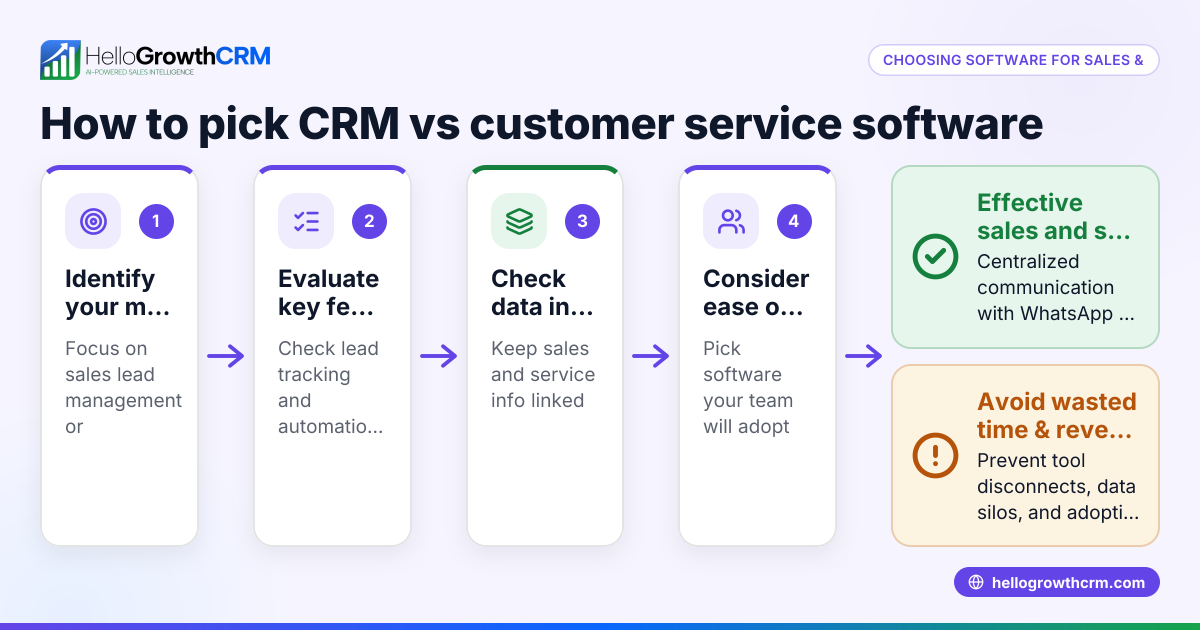
- Map your current sales process: Write down each step your leads go through, from first contact to closing a sale. Note how your team communicates (phone, email, WhatsApp, SMS) and where delays happen.
- Identify pain points and goals: List what’s slowing your team down or causing lost leads. Examples: slow follow-up, no lead capture from web forms, difficulty tracking conversations.
- Decide must-have features: Based on your process and pain points, decide which CRM features are essential. Examples: lead capture, WhatsApp and SMS messaging, AI follow-up drafts, pipeline boards.
- Consider team size and growth plans: Determine how many users need access now and in the future. Check if the CRM scales with your team and sales volume.
- Evaluate integration needs: Check if the CRM can connect with your existing tools like web forms or email marketing.
- Set a budget and trial period: Know how much you can spend and test CRMs with free plans or demos.
- Prepare questions for vendors: Ask about mobile messaging capabilities, AI assistance, ease of use, and support.
- Compare shortlisted CRMs: Use a comparison table or checklist to score each CRM against your must-haves.
- Involve your sales team: Get feedback from reps who will use the CRM daily to ensure adoption.
- Plan for onboarding and training: Consider how much time and resources you’ll need to implement and train your team.
Example (fictional figures)
A residential real-estate team in Phoenix, Arizona, wants a CRM to avoid losing leads from slow follow-up and scattered communication.
- Current annual leads: 1,200
- Average deal size: $350,000
- Conversion rate: 15%
- Goal: Increase conversion by 5% with faster follow-up and better messaging
Calculations:
Current annual sales volume: 1,200 leads × 15% conversion = 180 deals 180 deals × $350,000 = $63,000,000
Target sales volume with 20% conversion: 1,200 leads × 20% conversion = 240 deals 240 deals × $350,000 = $84,000,000
Potential revenue increase: $84,000,000 - $63,000,000 = $21,000,000
The team’s needs assessment finds they must have:
- Automated lead capture from web forms
- WhatsApp and SMS messaging logged on lead records
- AI agents to draft follow-up messages after calls
- Pipeline and task boards for managing deals
They shortlist CRMs with these features and trial HelloGrowthCRM’s Free Forever plan to manage their pipeline before scaling up.
Common mistakes
- Skipping process mapping: Without a clear sales process map, you may choose a CRM that doesn’t match how your team works. Prevent this by documenting every sales step.
- Ignoring team input: Not involving sales reps leads to poor adoption. Prevent by getting feedback early and often.
- Overlooking communication channels: Choosing a CRM without WhatsApp or SMS integration can cause missed follow-ups. Prevent by confirming mobile messaging features, like those in HelloGrowthCRM’s WhatsApp and SMS CRM (/product/whatsapp-sms-crm).
- Underestimating training needs: Buying a complex CRM without planning for training wastes time. Prevent by assessing onboarding resources.
- Focusing only on price: The cheapest CRM may lack essential features. Prevent by balancing cost with capabilities.
- Not testing with real data: Trialing a CRM without your actual leads and workflows can hide usability issues. Prevent by using real scenarios during trials.
Doing this in HelloGrowthCRM
HelloGrowthCRM offers several features that support a thorough CRM needs assessment and meet common small business requirements:
- WhatsApp and SMS: Conversations with leads are logged on the lead record, and follow-ups can be sent as messages, helping teams engage on familiar channels (/product/whatsapp-sms-crm).
- AI agents: In Beta on the Growth plan, AI agents draft follow-up messages after calls for reps to review and send, saving time (/product/ai-crm).
- Free Forever plan: Two-person teams can run their entire pipeline at no cost until they need calling or WhatsApp automation (/free-crm).
These features let small teams test workflows and communication before scaling.
Frequently asked questions
What is a CRM needs assessment? A CRM needs assessment evaluates your sales process, communication channels, team size, pain points, and goals to identify the CRM features essential for your business. It guides you to choose software that fits your workflows and improves sales efficiency.
How do I know which CRM features are must-haves? Start by mapping your sales process and identifying bottlenecks. Features like automated lead capture, mobile messaging (WhatsApp and SMS), AI assistance, and pipeline management are common must-haves for small businesses. Prioritize based on your team’s communication habits and growth plans.
Can I try a CRM before buying? Yes, many CRMs offer free plans or trial periods. For example, HelloGrowthCRM’s Free Forever plan lets two-person teams manage pipelines with no cost, helping you test features before upgrading (/free-crm).
Why is involving my sales team important in a CRM needs assessment? Your sales reps will use the CRM daily. Their input ensures the software matches their workflow and increases adoption. Ignoring their feedback often leads to unused or underused systems.
How does HelloGrowthCRM support small businesses with CRM needs? HelloGrowthCRM supports WhatsApp and SMS messaging logged on lead records, AI agents that draft follow-ups after calls, and a Free Forever plan for small teams to run pipelines at no cost. These features address common pain points like slow follow-up and scattered communication (/product/whatsapp-sms-crm, /product/ai-crm, /free-crm).
What should I ask CRM vendors during evaluation? Ask about lead capture, AI lead scoring, mobile messaging, ease of use, integration options, and training resources. Confirm if the CRM fits your team size and sales volume.
Key takeaways
- A CRM needs assessment maps your sales process, pain points, and must-have features.
- Involve your sales team early to ensure adoption and usability.
- Prioritize CRMs with mobile messaging like WhatsApp and SMS for faster follow-up.
- Use free plans or trials to test CRMs with real leads and workflows.
- Avoid common mistakes like skipping process mapping or focusing only on price.
- HelloGrowthCRM offers WhatsApp and SMS logging, AI follow-ups, and a Free Forever plan for small teams.
Choosing the right CRM starts with a clear needs assessment. To try a CRM that supports WhatsApp and SMS messaging, AI follow-ups, and lets you run a pipeline for free, start on the Free Forever plan (200 leads, no credit card).
Ready to put this into practice?
Set up your pipeline, WhatsApp follow-ups, and AI lead scoring in minutes — free, no credit card.
Try HelloGrowthCRM freeGet CRM tips in your inbox
Join thousands of sales professionals who get weekly insights on CRM strategy, AI automation, and pipeline optimization.

The HelloGrowthCRM team publishes guides on CRM strategy, AI sales tools, and revenue operations for small business sales teams.