HelloGrowthCRM software
Built for real small-business sales teams
HelloGrowthCRM helps reps qualify faster, follow up on time, and close more deals—with practical automation in one place.
- AI lead scoring and pipeline visibility
- Built-in dialer, WhatsApp, and email automation
- Sales forecasting and RevOps-ready reporting
A CRM setup consultant helps freelancers and solo professionals organize client data, track leads, and automate follow-ups efficiently. This article covers the exact steps to set up a CRM tailored for consultants, including what to do at each stage, common mistakes to avoid, and a practical example with Indian rupees.
Why this comes up / what goes wrong
Consultants, freelancers, and solo professionals in India often struggle with managing their client leads and projects using WhatsApp, Excel sheets, or scattered notes. They lose leads due to slow follow-ups or miss opportunities because their sales process is not structured. Accountants or consultant business owners want a CRM that fits their small team size and daily workflow without overwhelming complexity. They need clear guidance on what fields to create, how to capture leads, and how to track client communication and tasks.
Step-by-step
- Identify your key client information fields
- Create fields for client name, contact number, email, company, and lead source.
- Add project details like service requested, budget, and expected start date.
- Check that all fields are mandatory where needed to avoid incomplete records.
- Set up lead capture methods
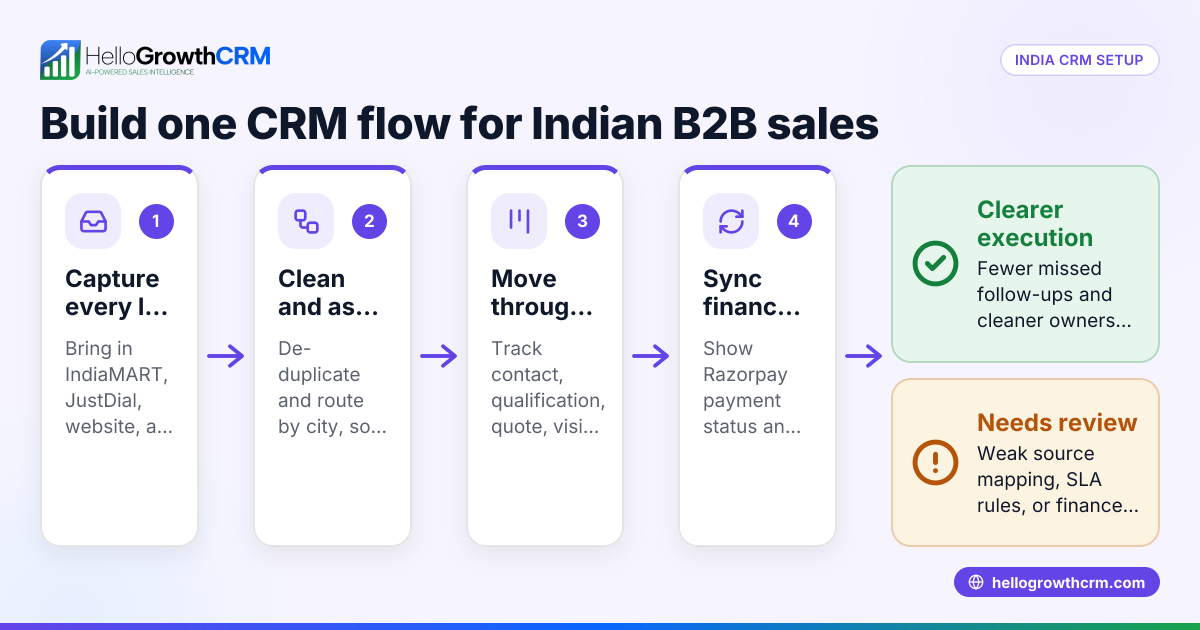
- Use web forms or import leads from platforms like IndiaMART or JustDial.
- Verify that new leads automatically populate your CRM without manual entry.
- Create a sales pipeline with stages
- Define stages such as New Lead, Contacted, Proposal Sent, Negotiation, and Closed.
- Ensure each lead moves through these stages with date and notes logged.
- Assign tasks and reminders
- For each lead, set follow-up tasks with due dates.
- Confirm notifications are enabled to remind you or your team.
- Automate communication where possible
- Use WhatsApp or SMS sequences for follow-ups.
- Check that message templates are approved and personalized.
- Track and review your pipeline regularly
- Run weekly reviews to update lead status and check pending tasks.
- Adjust pipeline stages or fields if you find missing information.
- Train your team or yourself on CRM usage
- Share simple usage guidelines.
- Use the help center for troubleshooting and best practices.
Example (fictional figures)
Rajesh is a freelance graphic designer in Bengaluru billing foreign clients. He wants to track leads and projects efficiently.
- Rajesh creates these fields:
- Client Name
- Contact Number
- Project Type
- Budget (₹)
- Lead Source
- He captures a lead from a web form on 15/05/2024:
- Client Name: Anna Smith
- Contact Number: +91 98765 43210
- Email: anna@example.com
- Project Type: Logo Design
- Budget: ₹1,50,000
- Lead Source: Website
- Rajesh sets the sales pipeline stages and moves Anna's lead to “Contacted” on 16/05/2024.
- He schedules a follow-up task for 18/05/2024 to send a proposal.
- Rajesh sends a WhatsApp message draft via AI after a call, reviews it, and sends.
- On 20/05/2024, Anna approves the proposal; Rajesh moves the lead to “Closed Won.”
This workflow helps Rajesh track his ₹1,50,000 project clearly and follow up on time.
Common mistakes
- Not defining clear pipeline stages: Leads get stuck or lost. Prevent by mapping your sales process before setup.
- Skipping mandatory fields: Leads missing contact info cause follow-up failures. Make key fields mandatory.
- Ignoring task reminders: Follow-ups get delayed. Enable notifications and review tasks daily.
- Overcomplicating fields: Too many fields confuse users. Keep only essential fields.
- Failing to train users: CRM remains unused or incorrectly used. Provide simple, clear training and use the help center.
- Not reviewing pipeline regularly: Leads stagnate unnoticed. Schedule weekly pipeline reviews.
Doing this in HelloGrowthCRM
HelloGrowthCRM offers a Free Forever plan ideal for freelancers and small teams to run a sales pipeline with up to 200 leads and 50 accounts at no cost. WhatsApp conversations with leads are logged automatically on their records, and follow-ups can be sent as WhatsApp or SMS messages. The AI agents feature (in Beta on Growth plan) drafts follow-up messages after calls, so you only need to review and send them. This setup saves time and keeps your client communication organized. Learn more about HelloGrowthCRM for India at HelloGrowthCRM for India.
Frequently asked questions
What fields are essential for a consultant CRM setup? Essential fields include client name, contact details, lead source, project description, budget, and follow-up dates. Keeping fields relevant and mandatory helps maintain complete records.
How can I capture leads automatically? Use web forms linked to your CRM or import leads from platforms like IndiaMART and JustDial. Automation avoids manual entry errors and saves time.
How do I ensure timely follow-ups? Set tasks with due dates and enable notifications. Using WhatsApp or SMS sequences can automate reminders and messages to leads.
Can a small team use CRM without extra costs? Yes, HelloGrowthCRM’s Free Forever plan supports up to 200 leads and 50 accounts, letting small teams manage pipelines without paying until advanced features are needed.
How do AI agents help in CRM follow-ups? AI agents draft follow-up messages after calls, reducing manual effort. You review and send these drafts, speeding up communication.
Where can I get help setting up my CRM? Visit the help center for detailed guides and support tailored for freelancers and consultants.
Key takeaways
- Define essential fields and mandatory data to keep client info complete.
- Use automated lead capture from web forms and platforms.
- Create clear sales pipeline stages and assign follow-up tasks.
- Enable notifications to avoid missing deadlines.
- Use WhatsApp and SMS sequences for efficient communication.
- Regularly review your pipeline and train your team.
Start managing your leads better today with the Free Forever plan for freelancers and solo professionals at Freelancers and solo professionals.
Ready to put this into practice?
Set up your pipeline, WhatsApp follow-ups, and AI lead scoring in minutes — free, no credit card.
Try HelloGrowthCRM freeGet CRM tips in your inbox
Join thousands of sales professionals who get weekly insights on CRM strategy, AI automation, and pipeline optimization.

The HelloGrowthCRM team publishes guides on CRM strategy, AI sales tools, and revenue operations for small business sales teams.