HelloGrowthCRM software
Built for real small-business sales teams
HelloGrowthCRM helps reps qualify faster, follow up on time, and close more deals—with practical automation in one place.
- AI lead scoring and pipeline visibility
- Built-in dialer, WhatsApp, and email automation
- Sales forecasting and RevOps-ready reporting
A CRM with email integration is essential for email-focused sales teams in Singapore to streamline communication, centralise lead information, and improve sales follow-up. Managing inbound and outbound emails linked directly to deals and contacts helps avoid juggling separate email clients and spreadsheets. This article covers why this need arises, detailed steps to evaluate CRM options, a worked example using Singapore business figures, common mistakes to avoid, and how HelloGrowthCRM supports email integration.
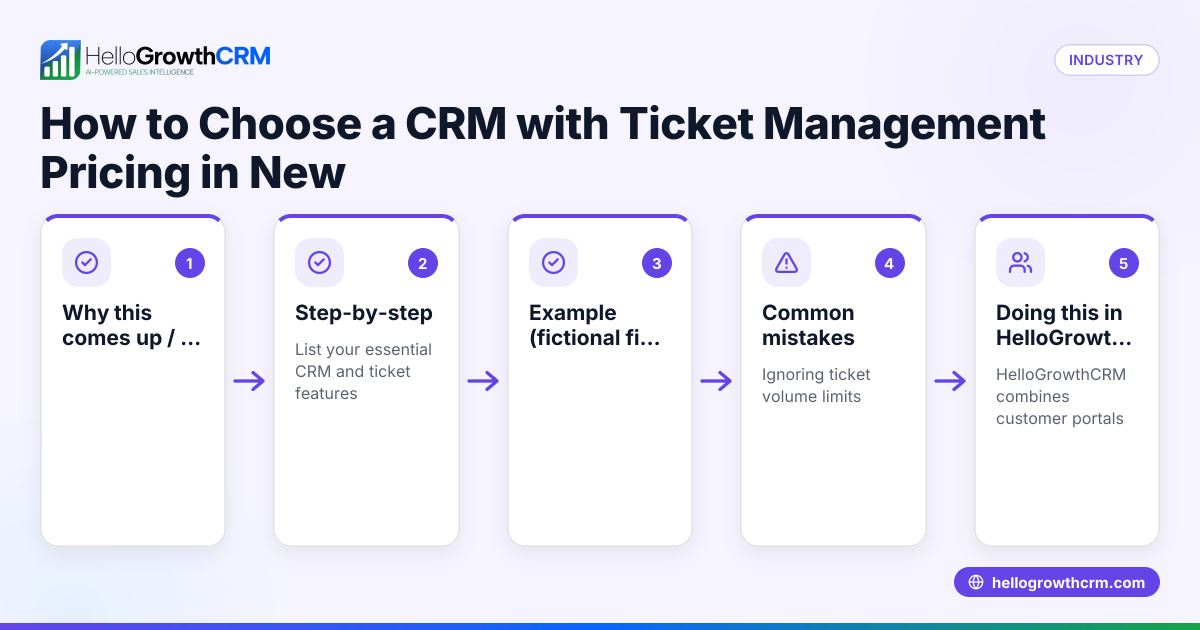
Why this comes up / what goes wrong
Many small and mid-sized businesses in Singapore rely heavily on email for sales communication because it is formal, traceable, and preferred by many clients. However, using standalone email clients alongside spreadsheets or WhatsApp for sales tracking causes delays and lost leads. Without email integration, sales teams waste time switching between tools and risk missing replies or duplicating work. This leads to slower follow-up, poor team visibility on customer conversations, and lost sales opportunities.
Business owners searching for a "CRM with email integration for email-focused sales teams Singapore" typically want to:
- Capture and track all email conversations in one system.
- Share email replies among team members to avoid duplicated responses.
- Automate follow-ups and reminders based on email activity.
- Integrate email with lead capture and pipeline management.
Step-by-step
- Identify your sales email workflow requirements
- List how your team uses email: do they send quotations, follow up on leads, or handle support queries?
- Check if you need shared inboxes where multiple team members see replies.
- Check for native email integration features
- Confirm if the CRM supports managing emails inside the platform without switching apps.
- Look for shared inbox capabilities so replies to quotation emails are visible to the whole team on the deal.
- Evaluate automation and sequencing options
- Determine if the CRM can send email sequences or reminders automatically.
- See if it supports email templates tailored for sales stages.
- Assess integrations with lead sources
- Verify if the CRM can import leads automatically from your web forms or other platforms.
- Consider if it integrates with popular enquiry platforms relevant to Singapore businesses.
- Consider operational support and managed services
- Check if the CRM provider offers managed revenue operations support to keep your sales follow-up consistent.
- Test the user experience and team adoption
- Trial the CRM with your sales team to ensure the email integration is intuitive and improves productivity.
- Review pricing and plan features
- Match your budget with the CRM plans that include email integration and automation.
Example (fictional figures)
An interior design studio in Tanjong Pagar receives about 50 email enquiries monthly. They want to track these leads and follow up promptly to improve conversion.
- Monthly sales leads: 50
- Average deal size: S$15,000
- Current conversion rate: 20% (10 deals per month)
By improving follow-up with a CRM email integration, they aim to increase their conversion rate to 30%.
- New deals per month: 50 × 30% = 15
- Additional deals: 15 - 10 = 5
- Additional monthly revenue: 5 × S$15,000 = S$75,000
This example shows how better email integration and follow-up can potentially increase sales revenue significantly.
Common mistakes
- Choosing a CRM without shared inbox features
- Prevent by confirming the CRM supports team visibility on email replies to avoid duplicated or missed responses.
- Ignoring automation capabilities
- Prevent by testing email sequencing and reminders to reduce manual follow-up work.
- Overlooking integrations with lead sources
- Prevent by checking if enquiries from platforms like IndiaMART and JustDial can be imported automatically.
- Selecting a CRM that is hard to use
- Prevent by involving your sales team in trials to ensure the email interface is user-friendly.
- Not planning for ongoing sales operations support
- Prevent by considering managed RevOps services to maintain pipeline hygiene and follow-up discipline.
Doing this in HelloGrowthCRM
HelloGrowthCRM supports email-focused sales teams with HelloMail, a shared inbox inside the CRM where replies to quotation emails are visible to the whole team on the deal. This eliminates switching between email apps and keeps everyone updated. The CRM also offers API and integrations so enquiries from IndiaMART and JustDial arrive directly as leads in the system. For founders without a sales manager, Managed RevOps services ensure someone works the follow-up queue every week to keep sales moving. Learn more about HelloMail and email automation and sequences at email automation and sequences, and explore the available integrations. HelloGrowthCRM is tailored for businesses in Singapore; see details at HelloGrowthCRM for Singapore.
Frequently asked questions
What is the benefit of a CRM with email integration for a sales team? A CRM with email integration centralises all email communications related to leads and deals, improving team visibility and reducing the chance of lost or delayed responses. It helps automate follow-ups and keeps sales processes organised.
How does a shared inbox in a CRM help sales teams? A shared inbox allows multiple team members to see and respond to emails linked to a deal, preventing duplicated efforts and ensuring timely replies. It also creates a transparent communication history.
Can email integration help with lead capture? Yes, many CRMs can automatically import leads from email enquiries or other platforms, so your sales team can act quickly without manual data entry.
What should I check about CRM email automation? Look for features like email sequences, templates, and reminders that trigger based on lead status or time delays to keep prospects engaged.
Is ongoing support important when using a CRM for email sales? Yes, managed RevOps or similar services help maintain pipeline hygiene, ensure follow-ups happen regularly, and provide strategic insights.
Key takeaways
- Email integration in a CRM centralises communication and improves team collaboration.
- Shared inboxes prevent missed or duplicated email replies.
- Automation features reduce manual follow-up work.
- Integrations with lead sources streamline lead capture.
- Managed RevOps support maintains consistent sales follow-up.
- Testing usability with your team ensures better adoption.
Start improving your sales email management by trying HelloGrowthCRM’s shared inbox and integrations. Start on the Free Forever plan (200 leads, no credit card).
Ready to put this into practice?
Set up your pipeline, WhatsApp follow-ups, and AI lead scoring in minutes — free, no credit card.
Try HelloGrowthCRM freeGet CRM tips in your inbox
Join thousands of sales professionals who get weekly insights on CRM strategy, AI automation, and pipeline optimization.

The HelloGrowthCRM team publishes guides on CRM strategy, AI sales tools, and revenue operations for small business sales teams.