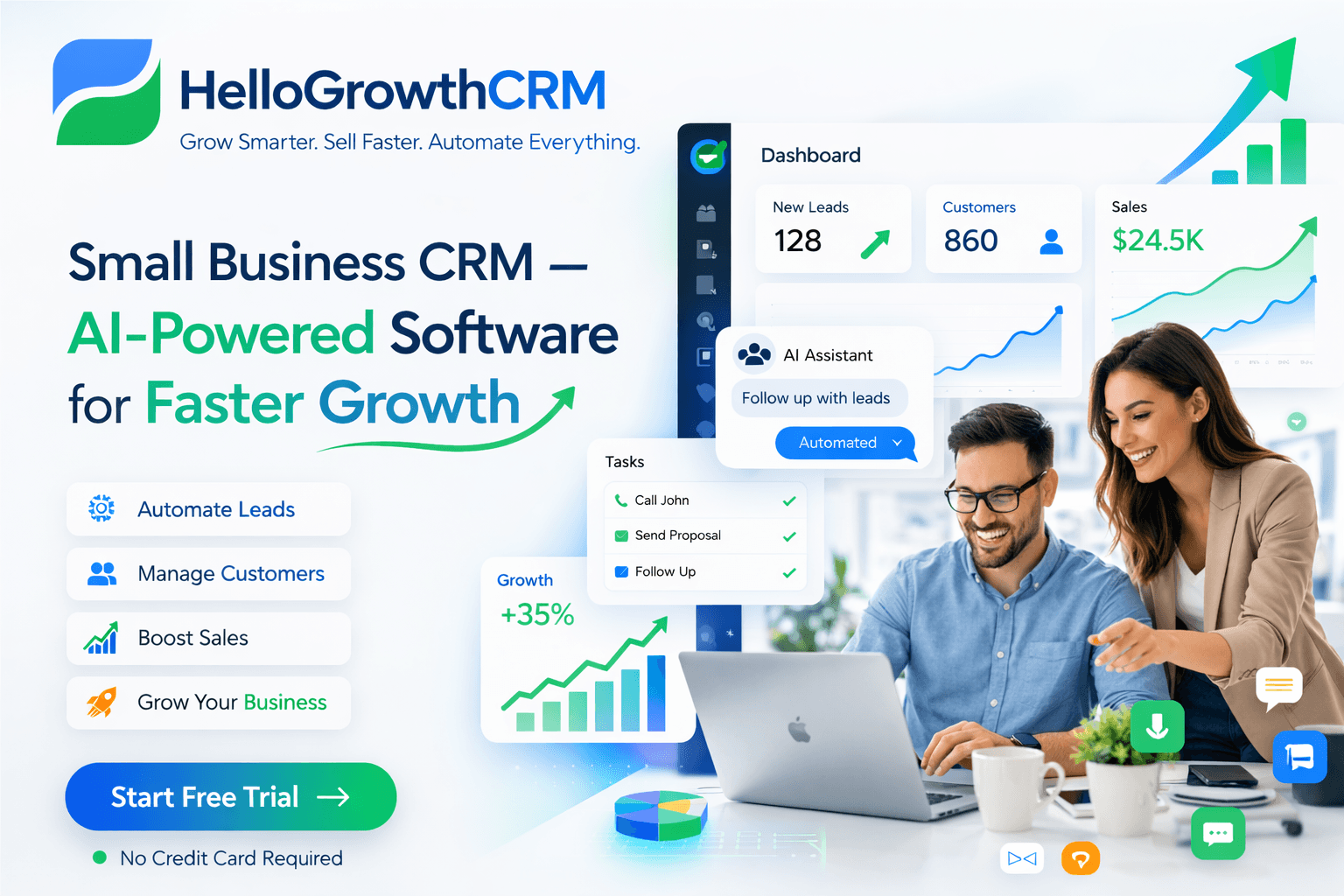
CRM Software: The Complete Guide Every Small Business Needs in 2026

Co-Founder, HelloGrowthCRM · March 22, 2026 · 17 min read
Quick Answer
CRM software centralises contacts, deal stages, calls, and follow-ups in one system so nothing falls through the cracks. In 2026, the best CRMs add AI that scores leads, predicts close dates, and coaches reps automatically. Small businesses without a CRM lose an estimated 3–5 qualified leads per week to slow or missed follow-up.
HelloGrowthCRM software
Built for real small-business sales teams
HelloGrowthCRM helps reps qualify faster, follow up on time, and close more deals—with practical automation in one place.
- AI lead scoring and pipeline visibility
- Built-in dialer, WhatsApp, and email automation
- Sales forecasting and RevOps-ready reporting
What Is CRM Software? Definition, History, and Modern AI CRM
CRM software (Customer Relationship Management) centralizes every customer interaction — contacts, deal stages, emails, calls, and follow-ups — in one searchable system. In 2026, the best CRM tools layer AI that automatically scores leads, predicts close probability, and coaches reps during calls.
Without a CRM, most small business teams lose 3–5 qualified leads per week to slow or missed follow-up.
CRM software stands for Customer Relationship Management — a platform designed to help teams organize, track, and nurture every interaction with customers and prospects. At its core, a CRM is a database that stores contact information, conversation history, deal stage, and next actions all in one searchable system.
Decades ago, CRM meant Rolodex cards and spreadsheets. Then came Salesforce in the late 1990s, bringing the first cloud-based CRM that teams could access from anywhere. Today, modern CRM software has evolved far beyond contact storage. AI-powered CRMs now score leads automatically, predict close dates, coach reps on call quality, and surface which deals are at risk before problems emerge.
A practical CRM does three things: it centralizes customer data so nothing falls through cracks, it automates routine follow-up so reps focus on selling, and it gives managers the visibility to forecast accurately and course-correct quickly. The best CRM software does all three without requiring a PhD to set up or use.
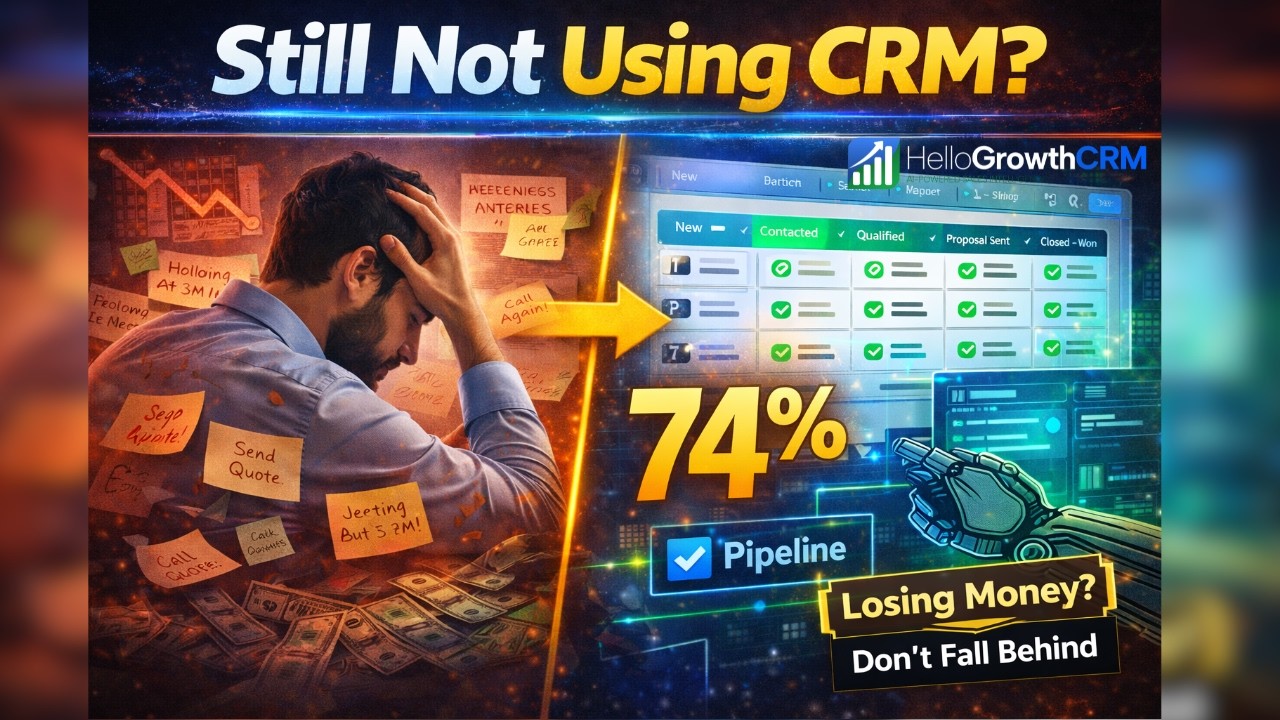
Why Small Businesses Need CRM: The Cost of Not Having One
Without a CRM, small business teams rely on spreadsheets, email, and memory. This creates immediate problems: leads get lost in overflowing inboxes, follow-ups get forgotten, and no one knows which opportunities are closest to closing. Reps waste time searching for contact info instead of selling. Managers have no visibility into the pipeline and cannot forecast revenue confidently.
Spreadsheet chaos also creates data inconsistency — different reps use different formats, fields get mixed up, and duplicate contacts clutter the system. When a key salesperson leaves, institutional knowledge walks out the door with them. Customer history becomes fragmented across email, messages, and brain cells.
The cost of this inefficiency is real: slower sales cycles, missed renewals, poor customer retention, and revenue unpredictability.
Small teams especially feel the pain because they have fewer resources to recover from dropped leads or service gaps. A CRM solves these problems by creating one source of truth, automating reminders so nothing falls through cracks, and giving leadership the insight needed to grow predictably. This is why even lean teams find CRM adoption directly increases revenue and reduces wasted admin time.
Core CRM Features Every Team Needs: Pipeline, Contacts, Activities, Reporting
Every CRM has a few essential building blocks. First is contact management — a searchable, organized database of every customer and prospect with their email, phone, company, role, and custom fields relevant to your business. Second is the sales pipeline — visual stages (Prospect, Qualified, Proposal, Negotiation, Won/Lost) that show deal progression at a glance and help teams prioritize follow-up.
Third is activity logging — when did you last email someone? What was said on the call? What's the next action? These details live in the CRM so any team member can pick up a deal without losing context. Fourth is reporting and dashboards — how much pipeline do you have by stage?
How long does a deal typically stay in each stage? What's your win rate? These metrics matter because you cannot improve what you don't measure.
Beyond these basics, effective CRMs add workflow automation (automatic task creation when a deal moves stage), email integration (so your CRM sees all email threads), and mobile access (so reps can update deals on the road). The best ones layer in AI lead scoring so reps work on high-probability deals first. Without these core features, a CRM feels like busy-work instead of a productivity tool.
AI Features That Change the Game: Lead Scoring, Call Coaching, Smart Compose
AI in modern CRM software transforms how teams work. Lead scoring is the most impactful — instead of manually assessing which prospects are ready to buy, machine learning models predict fit and intent by analyzing firmographics (company size, industry), behavior (website visits, email opens, demo requests), and historical win patterns.
High-scoring leads float to the top of each rep's queue, dramatically improving speed-to-lead and conversion rates.
Call coaching AI listens to recorded calls and provides real-time feedback on rep performance: Did you ask discovery questions? Did you handle objections? Did you confirm next steps? Reps improve faster with specific, immediate feedback instead of waiting weeks for a manager review.
Some systems even offer live coaching during calls, suggesting talking points or flagging when the conversation goes off track.
Smart compose uses historical email data to suggest next messages — personalized, contextual, and ready to send with one click. Reps spend less time writing boilerplate emails and more time on activities that move deals forward. AI pipelines summarize calls, flag stale deals that need attention, and even predict revenue more accurately than gut feel.
These features compound: faster deal progression, better rep performance, and more predictable forecasts.
CRM for Sales Teams: How Reps Use It Daily From Lead to Close
A sales rep's day in a modern CRM starts with opening the morning dashboard. Lead scoring has already ranked new prospects by likelihood to convert, so the rep knows exactly who to call first. When a prospect answers, the rep clicks their contact record and sees the full conversation history, email threads, and any notes from previous team members.
Nothing surprises the rep; everything is right there.
After the call, the rep logs the activity (call, demo, proposal sent) and moves the deal to the next stage. The system automatically creates a follow-up task for three days later. Email sequences run automatically in the background — if the prospect doesn't respond in two days, an automated email goes out.
The rep doesn't have to remember to send it. At deal close, the rep marks the opportunity Won, the CRM updates forecasting, and success teams are automatically notified to set up onboarding.
During slower selling days, the rep can review the pipeline, pull up stale deals (stuck more than two weeks in a stage), and prioritize. Call recordings are transcribed and summarized so coaching feedback is available immediately. Unlike old spreadsheet-based sales, every action creates a record that helps the team and the company improve.
Reps spend less time on admin and more time on high-impact selling activities.
CRM for Marketing: Campaigns, WhatsApp, Email Sequences, Attribution
CRM software is not just for sales — marketing teams use it to run campaigns, manage lead nurturing, and understand which marketing efforts actually drive revenue. Marketing creates email sequences that move prospects from awareness to consideration, segments audiences by company size or industry, and runs A/B tests to improve open rates and click-through rates.
WhatsApp and SMS marketing through a CRM allows teams to reach prospects on channels they actually monitor. Open rates for WhatsApp hover around 98% — far higher than email — and conversations feel more personal and direct. Marketing can launch broadcast campaigns (same message to many) or trigger-based sequences (e.g., send a follow-up message 24 hours after someone visits a pricing page).
Attribution is where marketing's CRM value really shines. Which campaign sources the most revenue? Which nurturing sequence converts best? Marketing can track a prospect's journey from first touch to closed deal, proving ROI and optimizing budget. This visibility aligns marketing and sales around common metrics instead of siloed targets.
Marketing focuses on lead quality, not just quantity. Sales understands where qualified leads come from and gives feedback to improve marketing efforts.
CRM for Customer Success: Health Scores, Renewals, Upsell
After the sale closes, the CRM becomes the success team's command center. Customer health scoring tracks whether an account is thriving or at risk. Are they using the product? Engaging with support? Expanding usage? The health score updates automatically based on these signals, so success managers know exactly which customers need immediate attention.
Renewal workflows are built into the CRM — when a contract is due to expire in 90 days, success managers are automatically notified and a renewal task appears on their queue. They have all customer data, usage analytics, and past communications right there to craft a renewal proposal.
Upsell opportunities are surfaced the same way — if a customer is using 80% of their seat license, that's a signal to expand. A good CRM makes these expansion conversations natural, not salesy.
Success teams use reporting to track their own metrics: time to full adoption, customer health score trends, renewal rates, and NPS. They can spot patterns — e.g., customers who skip onboarding have lower retention — and adjust processes to improve outcomes. CRM for success is about turning customers from transactions into long-term relationships.
How to Choose a CRM: The 7-Question Buying Framework
Choosing a CRM without a framework wastes time and money. Ask these seven questions: (1) Does it fit your sales motion? (outbound, inbound, enterprise, SMB?) (2) Does it support all your communication channels? (email, phone, WhatsApp, SMS?) (3) Are the AI features actually useful or just marketing? (lead scoring, forecasting, call coaching?) (4) How easy is it to set up and maintain? (do you need an admin or can reps manage it?) (5) Does reporting give you the insights that matter to your business? (can you measure what actually drives revenue?) (6) Can it integrate with your existing tools? (payment systems, marketing automation, accounting?) (7) What's the total cost of ownership? (software, implementation, training, ongoing admin?)
The right CRM is not the fanciest or the cheapest — it's the one that fits your team's actual workflow and grows with you. A startup might love HelloGrowthCRM's simplicity and AI-first approach. A large enterprise might need Salesforce's customization.
The key is honest evaluation: talk to references, run a pilot, and involve the actual reps and managers who will use it daily. Their feedback matters more than any sales pitch.
CRM Migration: How to Switch Without Losing Data or Momentum
Switching CRM platforms is risky — companies worry about data loss, rep adoption, and pipeline chaos during the transition. The key is methodical planning. Start with a data audit: clean your current CRM, remove duplicates, and standardize fields. This is harder than it sounds because data is messy. A 500-contact CRM might have 100 duplicates and 50 incomplete records.
Then map fields — which fields in your old CRM map to which fields in the new one? Some fields don't transfer directly; you may need to combine or split them. Test the import with a small batch first (50 contacts) before migrating your entire database.
Verify the data looks correct in the new system. Next, set up workflows and automations in the new CRM to match your old process — reps should not notice any slowdown on day one.
Train your team before cutover. A 30-minute overview is not enough. Run hands-on workshops: "Here's how to log a call. Here's how to move a deal. Here's how the new reporting works." Have champions on each team who become experts and support peers. Finally, run parallel systems for 2-3 weeks so sales doesn't stop while everyone learns.
Most migrations take 2-4 weeks to land smoothly. Plan accordingly, and you'll keep momentum while gaining the benefits of your new platform.
CRM Pricing Guide: Free vs Paid vs Enterprise (Comparative Analysis)
CRM pricing varies wildly. Free CRMs like HelloGrowthCRM's free tier cost nothing and support a single user with limited leads — good for testing or very small teams. Per-user pricing ($50-200/user/month) scales with team size, so a 10-person team might spend $500-2000/month. Enterprise pricing is negotiated, often in the hundreds of thousands per year for large organizations.
When evaluating price, look beyond the seat fee. Add-ons like calling, SMS, advanced analytics, and managed services can double or triple the monthly bill. Implementation and training costs money too, especially for complex setups. A "cheap" CRM might cost more over time if it requires a consultant to set up and an admin to maintain.
Some vendors quote you $500/month but expect $100k in year-one consulting fees.
Total cost of ownership (TCO) is what matters. Compare three-year costs: software licenses, implementation, training, ongoing support, and the admin time your team invests. A slightly more expensive CRM that your team loves and maintains easily often wins vs a cheaper system that reps resent and skip.
Free trials let you test before committing — use them, involve your team, and make sure the choice fits your budget and workflow.
CRM Success: Adoption, Metrics, and Continuous Improvement
Buying a CRM is only the beginning. Success depends on adoption — if reps don't use it, it's just an expensive database. The best companies treat CRM rollout like a change management project. They involve users in setup, celebrate early wins, and measure adoption metrics: How many reps log activities daily? What percentage of deals have clear next steps? Is forecast accuracy improving?
Pick one or two key metrics that matter to your business and track them monthly. For a sales team, metrics might be speed-to-lead (how quickly do you respond to new leads?) or pipeline ratio (how much pipeline do you need to hit quota?). For a success team, it's renewal rate or net retention.
For marketing, it's cost-per-acquisition and attribution. The CRM should help you improve these metrics month over month.
Finally, iterate. After three months, ask users: What's working? What's frustrating? What features are we not using? Then refine. Turn off unused automation, add fields that reps need, or adjust training. CRM is not a "set it and forget it" tool. Continuously improving your process inside the CRM drives compounding returns on your investment.
Implementation checklist for CRM Software — The Complete Guide for Small Business Teams (2026)
CRM Software — The Complete Guide for Small Business Teams (2026) creates the most value when the team turns it into a repeatable operating rhythm instead of treating it like a one-time idea. That means defining ownership, documenting the workflow, and making sure the CRM captures the information required to move work forward consistently.
For teams in the CRM & Sales category, the real gain usually comes from clarity. Reps should know what triggers the next step, managers should know what to inspect weekly, and leadership should know which metrics indicate that the workflow is improving execution rather than just creating extra activity.
A practical implementation checklist should also explain what happens before launch and what happens after launch. Before rollout, the team should agree on definitions, entry criteria, ownership rules, and the small set of data points that matter most.
After rollout, the team should review real records, measure whether the workflow is actually being used, and tighten the process when a stage, task, or handoff is still too ambiguous.
This is where many CRM initiatives lose momentum. Teams buy the feature or copy the framework, but they never translate it into a weekly operating habit. The stronger path is to keep the workflow simple, connect it to visible manager review points, and make sure the next action is obvious enough that reps do not need to guess what to do next.
What strong teams standardize after adopting CRM Software — The Complete Guide for Small Business Teams (2026)
The strongest teams usually standardize stage rules, ownership, response expectations, and the minimum fields required for reporting. They also make sure follow-up tasks, communication history, and manager review points are visible in one system instead of being scattered across spreadsheets and inboxes.
That consistency is especially important for HelloGrowthCRM readers because the platform is designed to connect lead management, communication, pipeline control, and reporting in one place. When those pieces stay aligned, teams spend less time cleaning up process gaps and more time improving conversion quality.
Standardization does not mean forcing the whole company into unnecessary complexity. It means choosing the handful of rules that make execution more reliable. That might include one definition of a qualified lead, one owner for each stage transition, one agreed list of required fields, and one review cadence for deals or accounts that are going stale.
Those rules make automation and dashboards more trustworthy because everyone is working from the same operating model.
It also helps new hires ramp faster. When a process is written down clearly and reflected in the CRM itself, reps can understand how work moves without relying on tribal knowledge. That reduces friction, shortens onboarding time, and makes the system easier to improve later because the baseline workflow is already visible and testable.
Metrics to review when evaluating CRM Software — The Complete Guide for Small Business Teams (2026)
A useful workflow should change measurable outcomes. The exact metrics vary by topic, but most teams should review conversion rate, stage velocity, follow-up completion, response time, pipeline aging, and forecast confidence. Looking at both activity metrics and quality metrics gives a more reliable picture than tracking volume alone.
If the workflow is not improving those signals, the issue is often not effort but design. The team may be tracking too much, automating too early, or failing to define the next action clearly enough for reps and managers to trust the process.
It is also worth separating leading indicators from lagging indicators. Leading indicators show whether the team is doing the right things now, such as responding quickly, completing follow-up tasks, or moving records forward with the right context. Lagging indicators show whether those habits ultimately improve outcomes, such as more meetings booked, better conversion between stages, higher win rates, or more accurate forecasts.
Teams need both views if they want to improve the system instead of reacting only after performance slips.
For HelloGrowthCRM buyers, this matters because the platform is meant to reduce the gap between activity and insight. A strong CRM should help teams see what changed, why it changed, and which part of the workflow needs attention next. When those metrics are reviewed consistently, the blog topic becomes more than educational content.
It becomes a practical operating standard that guides better day-to-day decisions.
How HelloGrowthCRM readers should apply CRM Software — The Complete Guide for Small Business Teams (2026)
The best next step after reading this guide is to connect the topic to a real operating problem in your funnel. That could be slow lead response, unclear qualification, poor pipeline hygiene, weak forecasting, or disconnected communication. Once the problem is specific, it becomes easier to decide which features, tools, or service paths inside HelloGrowthCRM will actually help.
That practical lens is what turns educational blog content into a useful buying and implementation resource. It helps teams compare options more clearly, reduce CRM complexity, and make better process decisions with less trial and error.
A useful way to apply the guide is to identify one workflow your team already struggles with, then map the current steps from start to finish. Where does work stall? Which fields are missing? Which manager review points are inconsistent? Which channels are disconnected from the CRM?
Answering those questions creates a direct path from educational content to implementation priorities, which is much more valuable than collecting ideas without acting on them.
From there, teams can use HelloGrowthCRM in stages. Some will start with software only and implement the workflow internally. Others will pair the software with managed RevOps support so follow-up, reporting, and process discipline improve faster. In both cases, the strongest outcome comes from using the blog guidance as a bridge between diagnosis and execution, not as a standalone article that never changes how the team works.
Frequently Asked Questions
Ready to put this into practice?
Set up your pipeline, WhatsApp follow-ups, and AI lead scoring in minutes — free, no credit card.
Try HelloGrowthCRM freeGet CRM tips in your inbox
Join thousands of sales professionals who get weekly insights on CRM strategy, AI automation, and pipeline optimization.
Rushabh Shah is co-founder of Soor LLC and leads product strategy at HelloGrowthCRM. He has worked with hundreds of small business sales teams to design CRM workflows that improve pipeline predictability and reduce operational overhead.