HelloGrowthCRM software
Built for real small-business sales teams
HelloGrowthCRM helps reps qualify faster, follow up on time, and close more deals—with practical automation in one place.
- AI lead scoring and pipeline visibility
- Built-in dialer, WhatsApp, and email automation
- Sales forecasting and RevOps-ready reporting
CRM with ticket management pricing is a key consideration for US small and mid-sized businesses aiming to streamline customer support and sales tracking. Prices differ based on the depth of ticketing features, number of users, integrations, and communication channels supported.
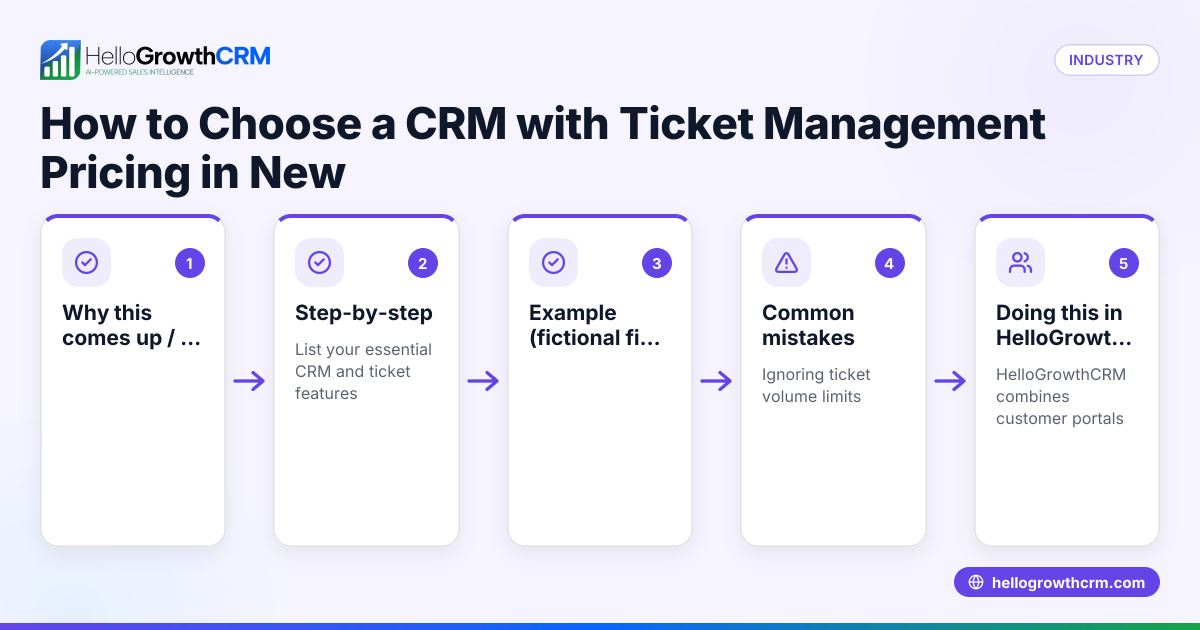
Why this comes up / what goes wrong
Many small-business owners look for CRM solutions that combine sales pipelines with customer support ticket management to avoid juggling multiple tools. They often find pricing confusing because vendors package features differently: some include ticketing only in higher-priced plans, others charge extra per user or per ticket volume. Without clear guidance, businesses risk paying for unused features or buying software that doesn't fit their workflow. Slow ticket resolution or lost support requests can also result when CRM and ticketing are not integrated well.
Step-by-step
- List your essential features: Decide if you need a customer portal, ticket tracking, SLA policies, knowledge base, and multi-channel messaging like WhatsApp or SMS.
- Check pricing tiers carefully: Compare which plans include ticket management and if there are limits on tickets, users, or storage.
- Ask about user licenses and scalability: Confirm how many users are included and the cost to add more.
- Evaluate integration with lead and sales management: Ensure tickets stay linked to customer records and deals to keep support and sales aligned.
- Test communication channels: Verify if WhatsApp and SMS messaging are included or cost extra, as these improve customer engagement.
- Review support and SLA options: Understand if the CRM offers SLA policies and how they impact pricing.
- Request demos or trials: Use them to see if the ticket system is intuitive and matches your support team's workflow.
- Compare total cost of ownership: Consider setup fees, training, and any add-ons beyond the base price.
For a side-by-side feature comparison, see our compare CRMs page.
Example (fictional figures)
A two-location dental practice in Columbus, Ohio, needs a CRM with ticket management for patient support and appointment follow-ups. They have 8 staff members needing access.
- Growth plan with ticket management: $40 per user/month
- Number of users: 8
- Monthly cost: $40 × 8 = $320
- Annual cost: $320 × 12 = $3,840
They also want WhatsApp and SMS messaging included, which comes with the Growth plan. They estimate saving $200 monthly by consolidating support and sales communications.
This example shows how to calculate annual CRM costs including ticket management and messaging features.
Common mistakes
- Choosing a CRM without integrated ticket management: Leads to fragmented customer records. Prevent by verifying ticketing is on the same customer record as deals.
- Ignoring user and ticket limits: Can cause unexpected fees. Prevent by clarifying limits before purchase.
- Overpaying for unused features: Avoid by listing must-haves and comparing plans closely.
- Not testing communication channels: Missed opportunity for faster follow-up. Prevent by trialing WhatsApp and SMS functions.
- Neglecting SLA policies: Can cause slow response times. Prevent by selecting plans with SLA support if needed.
The customer health score feature can help monitor ongoing support effectiveness.
Doing this in HelloGrowthCRM
HelloGrowthCRM offers ticket management as part of its Growth and higher plans, keeping service requests on the same customer record as the deal. It includes a branded self-service customer portal, referral tracking, and a knowledge base to empower customers and reduce support load. Every lead from forms, calls, or WhatsApp is captured with an owner and next step, preventing lost inquiries. WhatsApp and SMS conversations are logged on lead records, enabling timely follow-ups without switching apps. This integration helps small and mid-sized businesses unify sales and support workflows. Learn more about these capabilities at HelloGrowthCRM for the United States.
Frequently asked questions
What are the typical price ranges for CRM with ticket management in the US? Prices vary widely but often start from free or low-cost plans with basic lead management, rising to $30–$50 per user per month for plans including ticketing, customer portals, and messaging. Additional fees may apply for more users or premium features. Always check vendor pricing details carefully.
Are there CRM alternatives with ticket management for support managers? Yes, many CRMs offer ticketing as part of their service, but features and pricing differ. Some focus on sales pipelines only, while others integrate support deeply. Compare options on our compare CRMs page to find one tailored to support managers’ needs.
How does ticket management help support managers? Ticket management centralizes customer issues, tracks resolution status, and prioritizes cases. It improves response times and customer satisfaction by organizing support workflows and providing visibility into open requests.
Can I use WhatsApp for customer support within a CRM? Yes, some CRMs, including HelloGrowthCRM, integrate WhatsApp messaging directly. This allows support teams to communicate on a channel customers prefer, with conversations logged on customer records for continuity.
What should I ask vendors about ticket management pricing? Inquire about user limits, ticket volume caps, included support channels, SLA options, setup fees, and upgrade costs. Also ask if tickets link to sales records to maintain a unified customer view.
Key takeaways
- CRM pricing with ticket management varies by features, users, and communication channels.
- List your must-have features and check pricing tiers for ticketing inclusion.
- Avoid surprises by confirming user and ticket limits and SLA policies.
- Integrated WhatsApp and SMS messaging improve customer engagement.
- HelloGrowthCRM combines ticketing, leads, and messaging on customer records in one platform.
Choosing the right CRM with ticket management requires careful comparison of features and costs to fit your business size and support needs.
See detailed US pricing and plans at See US pricing.
Ready to put this into practice?
Set up your pipeline, WhatsApp follow-ups, and AI lead scoring in minutes — free, no credit card.
Try HelloGrowthCRM freeGet CRM tips in your inbox
Join thousands of sales professionals who get weekly insights on CRM strategy, AI automation, and pipeline optimization.

The HelloGrowthCRM team publishes guides on CRM strategy, AI sales tools, and revenue operations for small business sales teams.