HelloGrowthCRM software
Built for real small-business sales teams
HelloGrowthCRM helps reps qualify faster, follow up on time, and close more deals—with practical automation in one place.
- AI lead scoring and pipeline visibility
- Built-in dialer, WhatsApp, and email automation
- Sales forecasting and RevOps-ready reporting
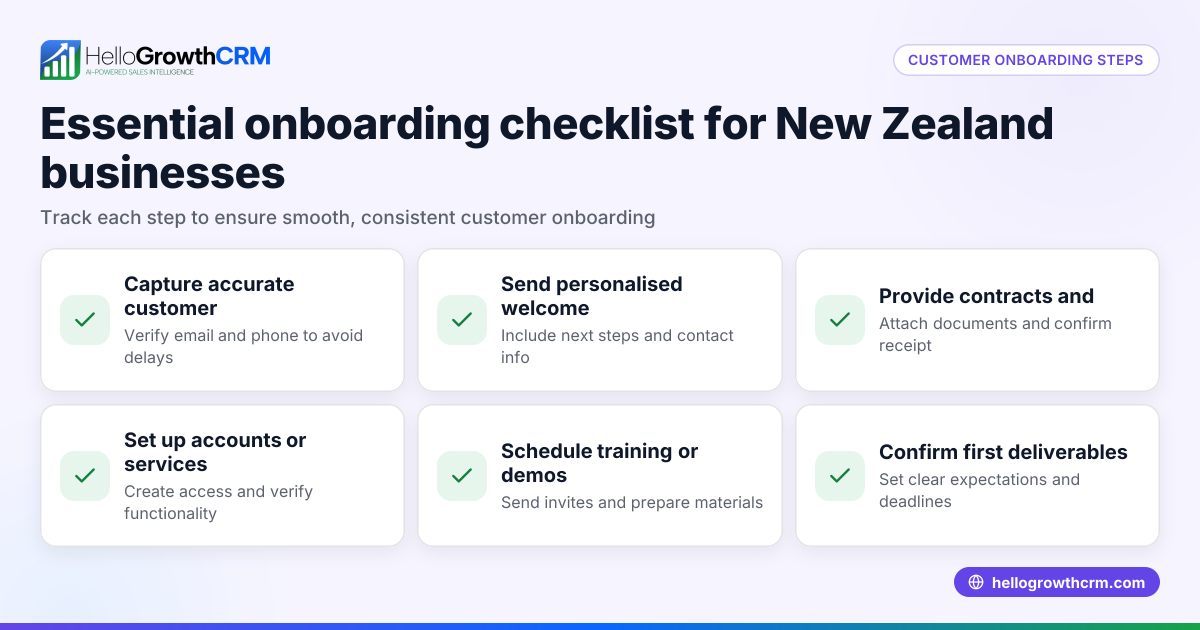
A customer onboarding checklist template for Canada is a practical tool that helps small businesses ensure every essential step is completed when bringing new customers on board. This structured approach prevents missed tasks, improves customer satisfaction, and streamlines internal processes. This article covers why onboarding checklists are vital, provides a detailed step-by-step template, shares a realistic example with Canadian figures, points out common mistakes with prevention tips, and describes how HelloGrowthCRM’s free tools can help.
Why this comes up / what goes wrong
Many small and mid-sized Canadian businesses onboard customers using informal methods like emails, text messages, or spreadsheets. This can cause inconsistent follow-up, missed information, or delays in service delivery. Without a checklist, key steps such as verifying customer details, clarifying expectations, and scheduling follow-ups may be overlooked. These gaps lead to customer frustration, lost sales opportunities, and extra work fixing errors. A checklist template ensures a reliable, repeatable process that supports growth and customer retention.
Step-by-step
Use this numbered checklist to onboard customers effectively:
- Collect and verify customer information
- Gather full legal name, business name (if applicable), phone number, email, and billing address.
- Double-check for accuracy to prevent billing or communication errors.
- Confirm customer requirements and expectations
- Clarify the products or services purchased.
- Confirm delivery dates, payment terms, and any special instructions.
- Set up customer account in your system
- Enter verified information into your CRM or sales tracking tool.
- Assign a unique customer ID or account number.
- Provide onboarding materials
- Send a welcome email with user guides, access credentials, or FAQs.
- Include links to your knowledge base or support resources.
- Schedule a kickoff call or meeting
- Discuss next steps, answer any questions, and build rapport.
- Set reminders for follow-up tasks
- Use task boards or calendar alerts to track check-ins and deadlines.
- Confirm payment setup
- Verify payment method and schedule.
- Send invoice or receipt as applicable.
- Log service requests and support tickets
- Record any initial issues or requests and assign responsibility.
- Request feedback after the initial period
- Follow up to confirm satisfaction and address concerns.
- Document referral opportunities
- Ask satisfied customers for referrals or reviews.
For ready-to-use sales templates such as follow-up cadence and pipeline management, visit the free sales tools and calculators.
Example (fictional figures)
A bilingual insurance agency in Laval, Quebec, onboarded a new client on 2024-04-15.
- Customer details collected: Jean Tremblay, Tremblay Insurance Inc., 514-555-1234, 123 Rue Saint-Paul, Laval, QC.
- Confirmed service: Commercial insurance package worth C$48,000 annually.
- Account setup in CRM with ID #TI20240415.
- Welcome email sent with French and English guides.
- Kickoff call scheduled for 2024-04-17.
- Payment method: Pre-authorized debit set up.
- Invoice sent for first payment: C$12,000 (quarterly).
Calculation:
C$48,000 × 25% = C$12,000 (quarterly payment)
- Support ticket created for policy questions.
- Feedback requested after 30 days.
This example shows a clear, documented onboarding process that ensures no step is missed, with proper follow-up and payment tracking.
Common mistakes
- Skipping customer information verification: Leads to billing errors and communication issues. Prevent by double-checking details before account setup.
- Not providing onboarding materials promptly: Customers feel lost or unsupported. Prevent by automating welcome emails with guides and FAQs.
- Failing to schedule follow-ups: Missed opportunities to resolve issues early. Prevent by setting calendar reminders or task board alerts.
- Mixing sales and support records: Causes confusion and lost information. Prevent by logging service requests on the same customer record, as enabled in HelloGrowthCRM for Canada.
- Ignoring referral opportunities: Lose potential new customers and growth. Prevent by asking for referrals during follow-up communications.
Doing this in HelloGrowthCRM
HelloGrowthCRM offers free sales tools, templates and calculators that you can download without signing up, including follow-up cadence and pipeline templates to help organise your onboarding process. After the sale, service requests, tickets and knowledge base entries stay linked to the same customer record as the deal, making it easier to track ongoing support and referrals. Explore these features at free sales tools and calculators and learn more about managing customers at HelloGrowthCRM for Canada.
Frequently asked questions
What should a customer onboarding checklist include? A checklist should include steps to collect and verify customer info, confirm expectations, set up accounts, provide onboarding materials, schedule follow-ups, confirm payment, log support requests, and request feedback.
How can I customise a checklist for my Canadian small business? Tailor your checklist by including local language needs (English/French), payment methods commonly used in Canada, and compliance checks relevant to your industry. Use templates available in sales tools to adapt quickly.
Why is it important to keep service requests on the same customer record? Keeping all information together prevents lost details, improves communication, and speeds up support resolution. It also helps track referral opportunities and overall customer health, which you can learn about at customer health score.
Can I use a checklist without CRM software? Yes, a checklist can be maintained in spreadsheets or printed forms. However, using CRM tools with templates and task boards improves consistency and team collaboration.
How often should I update my onboarding checklist? Review your checklist periodically, at least annually or when you introduce new products or services, to ensure it reflects current processes and customer needs.
Key takeaways
- Use a structured checklist to avoid missing onboarding steps.
- Verify customer information and expectations early.
- Provide clear onboarding materials and schedule follow-ups.
- Log all service requests on the same customer record.
- Use free sales templates and tools to streamline onboarding.
- Regularly update your checklist to stay relevant.
Start your customer onboarding with confidence by using a ready checklist and free templates. To try a CRM that supports onboarding and customer management, start on the Free Forever plan (200 leads, no credit card).
Ready to put this into practice?
Set up your pipeline, WhatsApp follow-ups, and AI lead scoring in minutes — free, no credit card.
Try HelloGrowthCRM freeGet CRM tips in your inbox
Join thousands of sales professionals who get weekly insights on CRM strategy, AI automation, and pipeline optimization.

The HelloGrowthCRM team publishes guides on CRM strategy, AI sales tools, and revenue operations for small business sales teams.