HelloGrowthCRM software
Built for real small-business sales teams
HelloGrowthCRM helps reps qualify faster, follow up on time, and close more deals—with practical automation in one place.
- AI lead scoring and pipeline visibility
- Built-in dialer, WhatsApp, and email automation
- Sales forecasting and RevOps-ready reporting
Customer service through social media means using platforms like Facebook, Instagram, Twitter, or WhatsApp to respond promptly to customer questions, resolve issues, and manage service requests. This article covers why social media customer service is important for small businesses, provides step-by-step guidance, shares a detailed example with USD figures, highlights common mistakes, and explains how HelloGrowthCRM can help organize your service efforts.
Why this comes up / what goes wrong
Many small-business owners notice customers reaching out on social media because it is fast and convenient. For example, a local retail store may receive questions or complaints via Facebook messages or Instagram comments. However, without a clear system, managing these requests can become chaotic. Messages might be missed, responses delayed, or issues forgotten. Sales and service teams often juggle multiple communication channels like text messages, emails, spreadsheets, and social media DMs, which causes inconsistent follow-up and unhappy customers. This confusion can lead to lost sales and damaged reputation. Therefore, understanding how to handle customer service through social media effectively is essential for small and mid-sized businesses.
Step-by-step
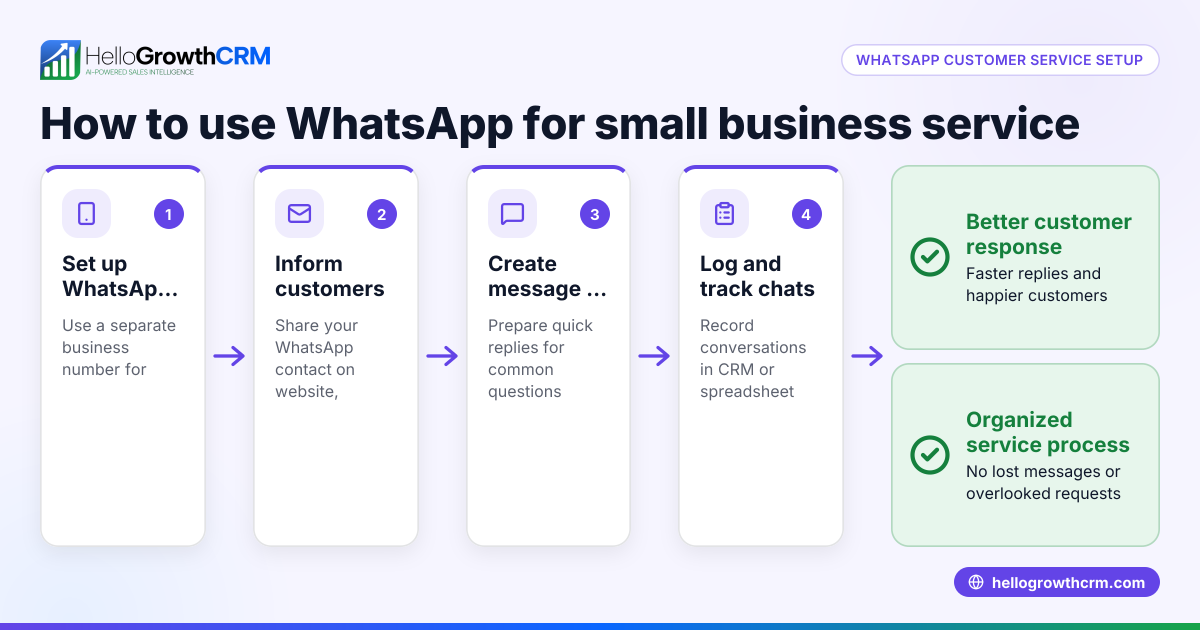
- Identify your customers’ preferred social media platforms. Focus on the ones where your customers are most active, such as Facebook, Instagram, Twitter, or WhatsApp.
- Create dedicated customer service accounts or inboxes. Keep support messages separate from marketing posts to avoid missing or mixing requests.
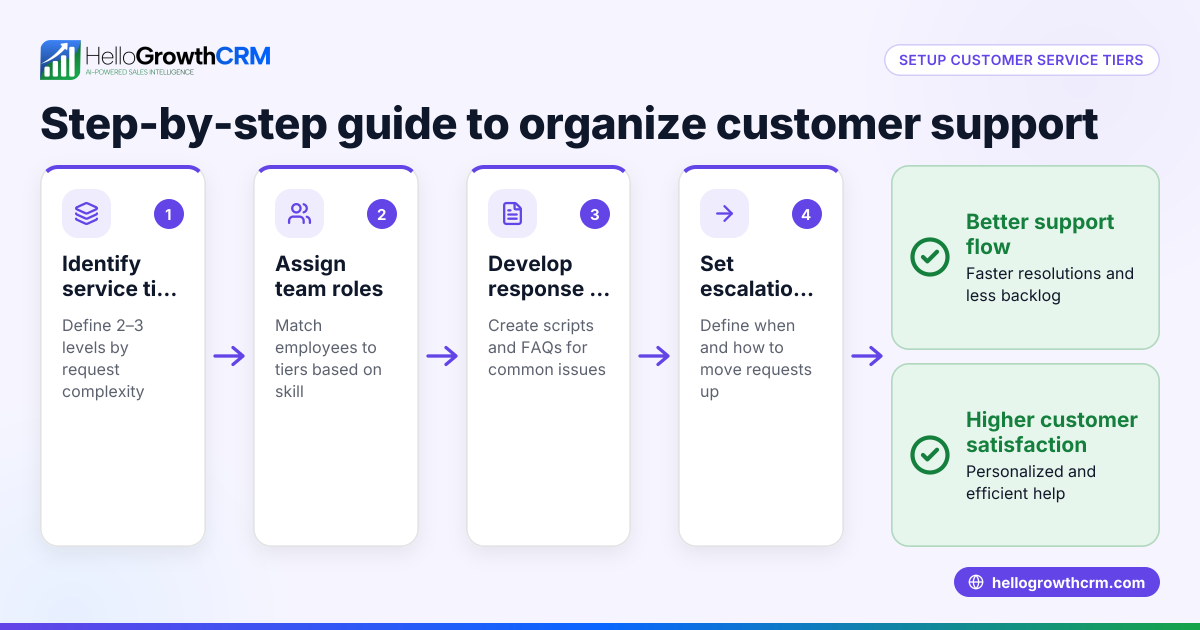
- Assign team members to monitor social media inboxes regularly. Check messages multiple times daily to ensure quick responses.
- Respond quickly and clearly. Acknowledge every customer message within a few hours and provide helpful answers or clear next steps.
- Log all service requests in one system. Use a CRM or ticketing tool to track each inquiry and its progress without losing context.
- Prepare response templates and a knowledge base. Use these to provide consistent, fast answers to common questions.
- Follow up after resolving issues. Confirm with customers that their problem is solved and invite feedback to improve service.
- Analyze service metrics regularly. Review response times, resolution rates, and customer satisfaction to identify areas for improvement.
Example (fictional figures)
A two-location dental practice in Columbus, Ohio, began receiving 20 service requests weekly through Facebook and Instagram messages. Before organizing, their average resolution time was 48 hours. They aimed to reduce it to 24 hours by using a ticket system in their CRM and assigning one staff member to check messages twice daily.
- Weekly service requests: 20
- Average resolution time before: 48 hours
- Target resolution time: 24 hours
They implemented pre-written replies for common questions, which sped up responses.
Calculation of improvement:
48 hours - 24 hours = 24 hours saved per request
Assuming each request requires 1 hour of staff time, the time saved weekly is:
20 requests × 24 hours saved = 480 hours saved (spread across the team)
Their patient satisfaction scores increased, and follow-up appointments rose by 10% over three months, showing the benefit of organized social media customer service.
Common mistakes
- Ignoring or delaying responses. Prevent this by setting strict monitoring schedules and response time goals.
- Mixing personal and business accounts. Prevent by creating dedicated customer service accounts or inboxes.
- Not tracking requests systematically. Prevent by using a CRM or ticketing system to log and manage inquiries.
- Providing inconsistent or unclear answers. Prevent by using templates and a knowledge base.
- Failing to follow up after resolution. Prevent by scheduling follow-ups and asking for feedback.
- Ignoring social media analytics. Prevent by regularly reviewing performance metrics and adjusting strategies.
- Overloading team members without clear roles. Prevent by assigning specific team members to monitor and respond on each platform.
Doing this in HelloGrowthCRM
HelloGrowthCRM offers a customer portal, referrals, tickets, and a knowledge base to organize your service requests efficiently. After the sale, all service requests stay on the same customer record as the deal, keeping communication clear and accessible. This helps your team track social media messages alongside other channels without losing context. Learn more about how HelloGrowthCRM supports customer service through social media at customer health score and explore its WhatsApp and SMS CRM features at WhatsApp and SMS CRM. For US businesses, see HelloGrowthCRM for the United States.
Frequently asked questions
What social media platforms work best for customer service? Choose platforms where your customers are most active. Facebook, Instagram, Twitter, and WhatsApp are commonly used. Your choice depends on your audience and available resources.
How quickly should I respond to social media customer inquiries? Aim to acknowledge messages within a few hours and resolve issues as soon as possible. Fast responses improve customer satisfaction and reduce negative feedback.
Can I manage social media customer service without special software? Yes, but it can become complicated. Using a CRM or ticketing system helps track requests, assign tasks, and keep communication organized.
How do I handle social media service requests alongside email and phone support? Centralize all service requests in one system to avoid missing or duplicating efforts. HelloGrowthCRM keeps all communication on the same customer record.
Is a knowledge base necessary for social media customer service? Yes. A knowledge base helps provide consistent answers quickly, reducing response time and errors.
How can I measure the effectiveness of my social media customer service? Track metrics like response time, resolution rate, and customer satisfaction. Regularly review these to improve your service.
Key takeaways
- Use the social media platforms where your customers are active for service.
- Monitor and respond quickly to customer messages.
- Track all service requests in a CRM or ticket system.
- Use templates and a knowledge base to ensure consistent replies.
- Follow up after resolving issues to confirm customer satisfaction.
- Analyze your service metrics regularly to improve.
Start improving your customer service through social media today. Start on the Free Forever plan (200 leads, no credit card) with HelloGrowthCRM to organize your customer interactions and keep service requests in one place.
Ready to put this into practice?
Set up your pipeline, WhatsApp follow-ups, and AI lead scoring in minutes — free, no credit card.
Try HelloGrowthCRM freeGet CRM tips in your inbox
Join thousands of sales professionals who get weekly insights on CRM strategy, AI automation, and pipeline optimization.

The HelloGrowthCRM team publishes guides on CRM strategy, AI sales tools, and revenue operations for small business sales teams.