HelloGrowthCRM software
Built for real small-business sales teams
HelloGrowthCRM helps reps qualify faster, follow up on time, and close more deals—with practical automation in one place.
- AI lead scoring and pipeline visibility
- Built-in dialer, WhatsApp, and email automation
- Sales forecasting and RevOps-ready reporting
Email productivity tools help small businesses manage, automate, and streamline email communication to save time and improve follow-up with leads and customers. This article explains why small business owners search for these tools, steps to evaluate them, a practical example, common mistakes to avoid, and how HelloGrowthCRM supports email productivity with shared inboxes and automated sequences.
Why this comes up / what goes wrong
Small-business owners often find themselves overwhelmed by the volume of sales and customer emails. They may rely on separate email clients, spreadsheets, or text messages to track conversations and follow-ups, which leads to missed replies, slow responses, and lost sales opportunities. Without a centralized system, it is hard for sales teams to collaborate or maintain visibility on email threads. As a result, leads can slip through the cracks, and follow-up efforts become inconsistent. This search for "email productivity tools" arises from the need to automate routine tasks, improve team coordination, and ensure timely responses.
Step-by-step
- Identify your email volume and team size: Determine how many emails your sales or support team handles daily and how many people need access to shared communications. This helps decide if you need a simple tool or a more robust shared inbox solution.
- Check integration capabilities: Ensure the tool integrates with your current CRM, web forms, or other lead capture methods. Integration avoids manual data entry and keeps your sales pipeline updated.
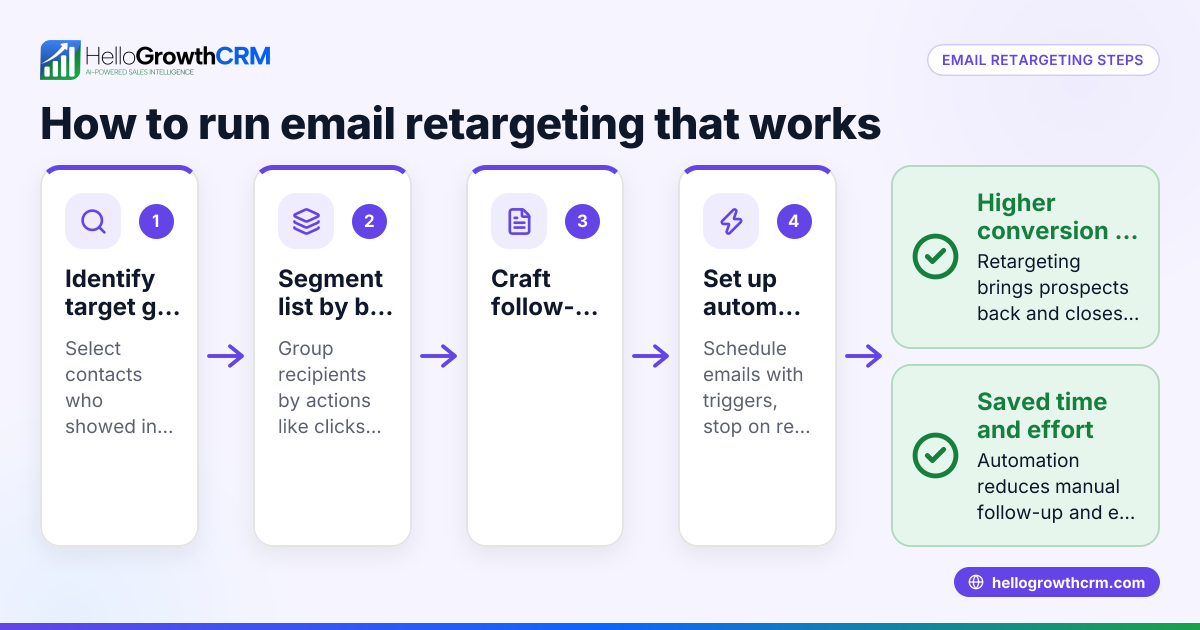
- Evaluate automation features: Look for tools that support email sequences or campaigns to automate follow-ups over days or weeks. Confirm if the automation stops when a prospect replies to avoid spamming.
- Assess team collaboration options: Choose tools that allow multiple team members to view and reply to emails in a shared inbox, so no message is missed and everyone stays informed.
- Consider ease of use and onboarding: The tool should be easy to adopt without extensive training, so your team actually uses it consistently.
- Review reporting and tracking: Check if the tool provides insights on email opens, replies, and campaign performance to improve your outreach.
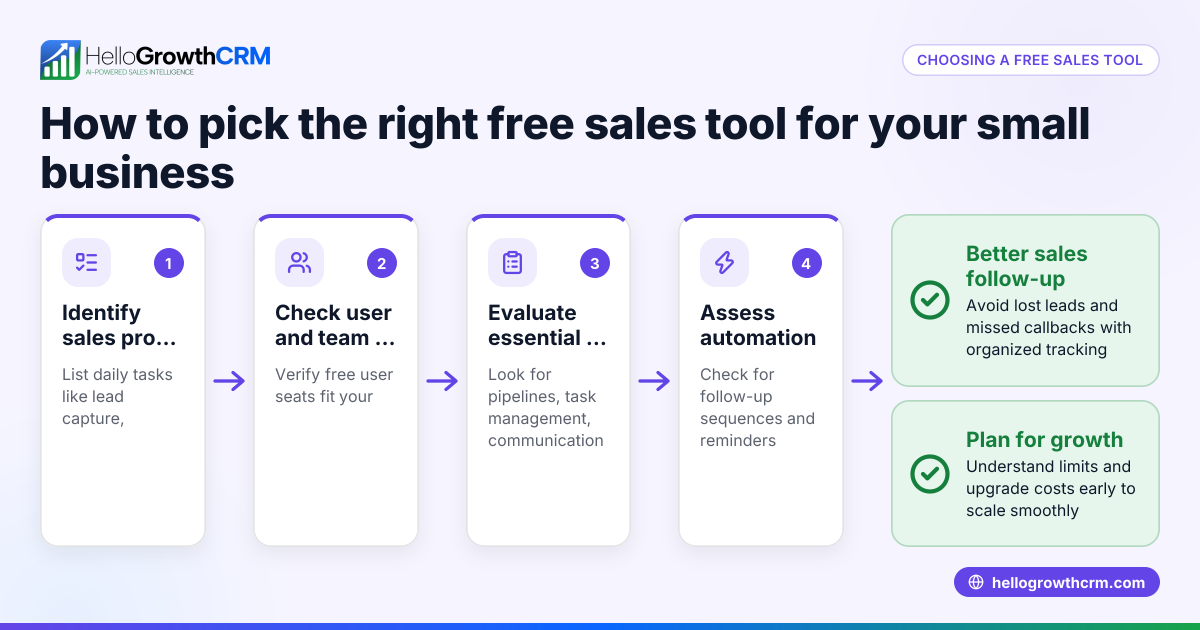
- Try free tools and templates: Download free sales tools, templates, and calculators to plan your email follow-up cadence and pipeline management without commitment. HelloGrowthCRM offers such resources at free sales tools and calculators.
- Compare pricing and plans: Finally, compare costs and features across options to find one that fits your budget and needs.
Example (fictional figures)
A two-location dental practice in Columbus, Ohio, handles about 60 new patient inquiry emails per week. The practice has a three-person sales team that currently manages emails via individual Gmail accounts and a shared spreadsheet to track follow-ups. They estimate losing some leads due to slow or missed responses.
They consider an email productivity tool with a shared inbox and automated sequences to improve follow-up.
- Weekly inquiry emails: 60
- Average revenue per new patient: $1,200
If the tool helps recover 6 leads per week by improving follow-up, the recovered revenue per week is:
- 6 × $1,200 = $7,200
Annual recovered revenue (assuming 50 working weeks):
- $7,200 × 50 = $360,000
This shows investing in email productivity tools could significantly boost revenue by improving follow-up efficiency.
Common mistakes
- Choosing tools without team collaboration features: Prevent this by ensuring the tool offers a shared inbox so all team members see replies and updates.
- Ignoring automation limits: Avoid tools that continue sending follow-ups after a prospect replies; look for sequences that stop automatically to prevent annoying contacts.
- Overcomplicating setup: Select tools that are easy to use and integrate with your existing systems to encourage adoption.
- Not testing before committing: Use free trials or free sales tools and templates to test workflows before purchasing.
- Neglecting reporting features: Choose tools that provide clear metrics on email performance to optimize your outreach.
- Failing to align with your sales process: Customize sequences and follow-ups to match your sales cycle rather than using generic templates.
Doing this in HelloGrowthCRM
HelloGrowthCRM offers a HelloMail shared inbox where replies to quotation emails are visible to the whole team on the deal, improving collaboration without switching apps. Its sequences and campaigns feature enables automated five-step follow-ups over two weeks that stop immediately when a prospect replies, preventing over-contacting. Additionally, HelloGrowthCRM provides free sales tools, templates, and calculators, including follow-up cadence and pipeline templates, available without an account at free sales tools and calculators. Learn more about these capabilities on the email automation and sequences page.
Frequently asked questions
What are email productivity tools? Email productivity tools are software solutions designed to help businesses manage, automate, and organize email communications. They often include shared inboxes, automated follow-up sequences, templates, and reporting to save time and improve response rates.
How do automated email sequences improve sales follow-up? Automated sequences send scheduled emails to prospects over days or weeks, ensuring consistent follow-up without manual effort. They stop automatically when a prospect replies, preventing unnecessary contact and increasing engagement.
Can small teams benefit from shared inboxes? Yes. Shared inboxes allow multiple team members to access and respond to emails in one place, improving visibility and preventing missed messages. This is especially useful for teams handling leads or customer support.
Are there free tools to help plan email follow-up? Many providers, including HelloGrowthCRM, offer free sales tools and templates such as follow-up cadences and pipeline templates that you can download and use without signing up. These help you organize your outreach before investing in software.
How do I choose the right email productivity tool for my business? Start by assessing your email volume, team size, and integration needs. Then evaluate automation, collaboration, and reporting features. Test free trials and tools to ensure ease of use and fit with your sales process. Finally, compare pricing and support options.
Key takeaways
- Email productivity tools centralize and automate email communication to save time and reduce lost leads.
- Look for shared inboxes and automated sequences that stop on reply to improve team collaboration and customer experience.
- Use free sales tools and templates to plan your follow-up cadence before committing to software.
- Avoid tools that are complex to set up or lack reporting and integration with your CRM.
- Testing and aligning tools with your sales process ensures better adoption and results.
Start improving your email follow-up today. You can Start on the Free Forever plan (200 leads, no credit card) with HelloGrowthCRM to try shared inboxes, sequences, and free sales tools designed for small businesses in the United States.
Ready to put this into practice?
Set up your pipeline, WhatsApp follow-ups, and AI lead scoring in minutes — free, no credit card.
Try HelloGrowthCRM freeGet CRM tips in your inbox
Join thousands of sales professionals who get weekly insights on CRM strategy, AI automation, and pipeline optimization.

The HelloGrowthCRM team publishes guides on CRM strategy, AI sales tools, and revenue operations for small business sales teams.