HelloGrowthCRM software
Built for real small-business sales teams
HelloGrowthCRM helps reps qualify faster, follow up on time, and close more deals—with practical automation in one place.
- AI lead scoring and pipeline visibility
- Built-in dialer, WhatsApp, and email automation
- Sales forecasting and RevOps-ready reporting
Integrating your CRM with your website means linking your website's lead capture forms or contact methods directly to your CRM system. This ensures that when a visitor submits their information, it enters your CRM automatically, so you can follow up quickly and never lose a lead.
Why this comes up / what goes wrong
Many small-business owners rely on manual processes like copying leads from web forms or emails into spreadsheets or CRM software. This wastes time and causes delays, leading to lost leads and missed sales. Without integration, your sales team might not get notified immediately, or lead data might be incomplete or inconsistent. Integrating the CRM with your website fixes these issues by automating lead capture and ensuring data accuracy.
Step-by-step
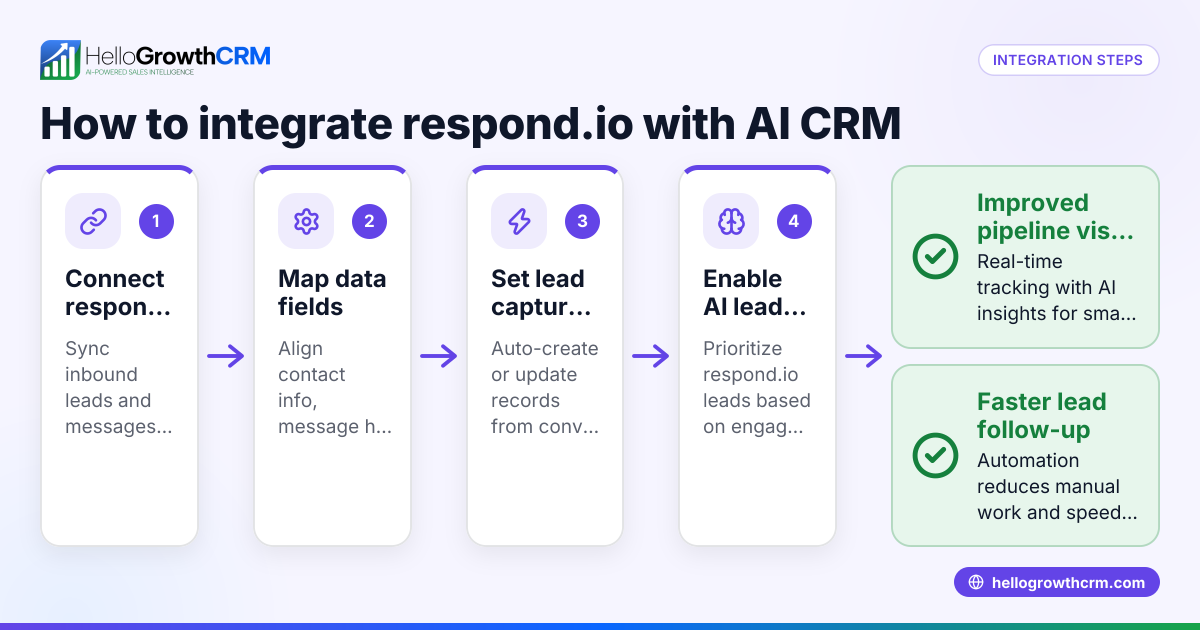
- Choose your CRM and verify integration options
- Check if your CRM supports direct website form integration or if it requires third-party tools like Zapier.
- Confirm what data fields (name, email, phone, message) are supported.
- Create or identify your website lead capture form
- Use your website builder's form tool or a third-party form service.
- Make sure the form fields match the CRM's lead fields exactly.
- Set up the integration connection
- If your CRM provides a plugin or direct integration, install and activate it on your website.
- If using third-party automation, create a workflow to send form data to the CRM.
- Map form fields to CRM fields
- In the integration settings, assign each form field to the correct CRM lead field.
- Double-check required fields are included.
- Configure lead capture triggers and notifications
- Set the CRM to create a new lead record when a form is submitted.
- Enable email or in-app notifications for your sales team.
- Test the integration
- Submit test leads through your website form.
- Verify the leads appear correctly in the CRM with all data intact.
- Check notifications are received.
- Monitor and optimize
- Regularly review lead flow and fix any errors.
- Adjust form fields or CRM settings as needed.
Example (fictional figures)
A B2B software reseller in Denver, Colorado, wants to integrate their website contact form with their CRM on 06/15/2026.
- They have a form with fields: Name, Email, Phone, Company, and Message.
- Their CRM requires Name, Email, and Phone as mandatory fields.
Steps:
- They verify their CRM supports direct form integration.
- They create a matching form on their website.
- They install the CRM's integration plugin.
- They map form fields:
- Name → Lead Name
- Email → Lead Email
- Phone → Lead Phone
- Company → Lead Company
- Message → Lead Notes
- They set notifications to alert sales reps immediately.
- They test by submitting a lead:
- Test lead data: Name = "John Smith", Email = "john@example.com", Phone = "303-555-0100", Company = "Acme Corp", Message = "Interested in software options."
- They confirm the lead appears in the CRM with all details and notification sent.
This setup helps the reseller capture leads worth $1,000,000 in potential sales faster and more reliably.
Common mistakes
- Mismatch of form and CRM fields: Prevent by carefully mapping each field; test thoroughly.
- Not testing the integration: Always submit test leads and verify data flow.
- Ignoring notifications: Set up alerts so sales reps act quickly.
- Overcomplicating forms: Keep forms simple to increase submissions and reduce errors.
- Not updating integration after website or CRM changes: Review integrations after updates.
Doing this in HelloGrowthCRM
HelloGrowthCRM supports WhatsApp and SMS messaging where WhatsApp conversations with leads are logged on the lead record, and follow-ups can be sent as messages. Its AI agents can draft follow-up messages after calls for reps to review and send. The Free Forever plan allows a two-person team to manage their pipeline at no cost until they need calling or WhatsApp automation. Learn more about WhatsApp and SMS CRM and the built-in CRM dialer for managing communications efficiently. For US businesses, see HelloGrowthCRM for the United States.
Frequently asked questions
How do I know if my CRM supports website integration? Check the CRM's documentation or support site for website form integration options or APIs. Many CRMs offer plugins or third-party automation tools like Zapier to connect your website forms.
Can I integrate multiple forms from different pages? Yes. You can set up each form to send data to your CRM, often mapping them to different pipelines or lead sources to track performance.
What if my website builder doesn’t support CRM plugins? Use third-party automation tools that connect your form service to the CRM via API, or export/import leads manually until you automate.
How do I ensure data privacy when integrating forms? Make sure your website and CRM comply with data protection laws. Use secure connections (HTTPS) and inform users about data use in your privacy policy.
Can integration improve sales follow-up? Yes. Automated lead capture speeds up follow-up, reducing lost leads. Using HelloGrowthCRM’s AI agents can further streamline follow-up messaging.
Key takeaways
- Integrate your website forms directly with your CRM to automate lead capture.
- Match form fields carefully to CRM fields and test the connection.
- Set notifications to alert your sales team immediately.
- Avoid common mistakes like mismatched fields and lack of testing.
- HelloGrowthCRM supports WhatsApp and SMS messaging logged on lead records and AI-assisted follow-up.
- Small teams can start free with HelloGrowthCRM’s Free Forever plan.
Integrating your CRM with your website is a straightforward way to capture leads faster and keep your sales process efficient. To get started without cost, try the Free Forever plan for up to two users and 200 leads at Start on the Free Forever plan (200 leads, no credit card).
Ready to put this into practice?
Set up your pipeline, WhatsApp follow-ups, and AI lead scoring in minutes — free, no credit card.
Try HelloGrowthCRM freeGet CRM tips in your inbox
Join thousands of sales professionals who get weekly insights on CRM strategy, AI automation, and pipeline optimization.

The HelloGrowthCRM team publishes guides on CRM strategy, AI sales tools, and revenue operations for small business sales teams.