HelloGrowthCRM software
Built for real small-business sales teams
HelloGrowthCRM helps reps qualify faster, follow up on time, and close more deals—with practical automation in one place.
- AI lead scoring and pipeline visibility
- Built-in dialer, WhatsApp, and email automation
- Sales forecasting and RevOps-ready reporting
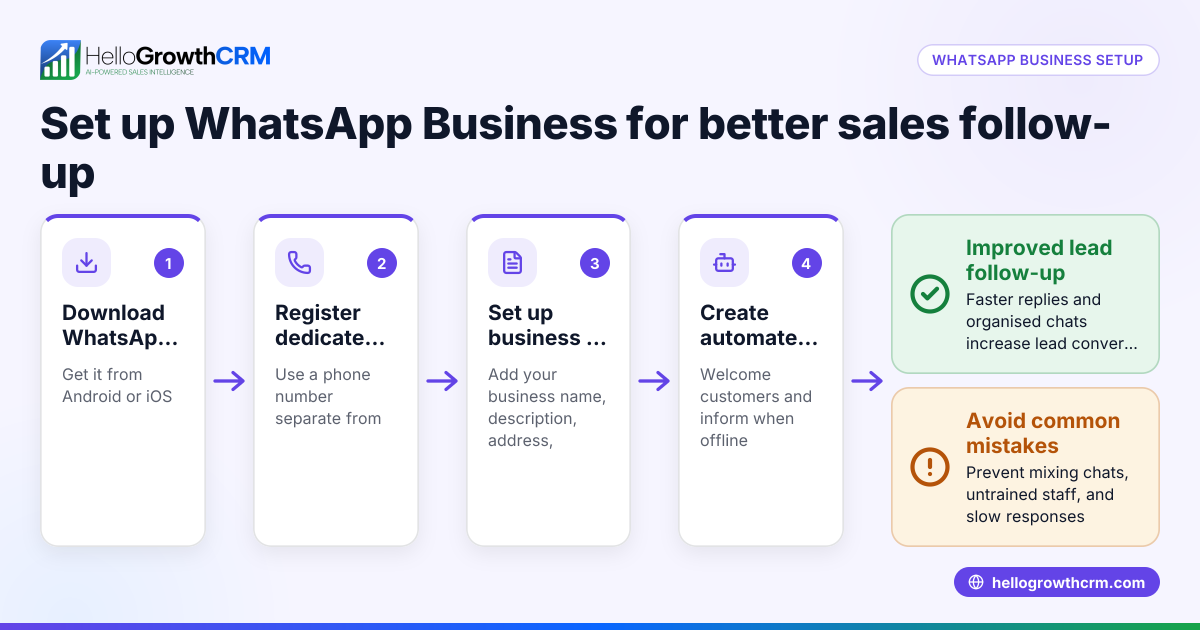
To use WhatsApp Business for sales in the USA, begin by downloading the WhatsApp Business app from your smartphone’s app store. Set up a detailed business profile including your company name, description, address, business hours, email, and website to build trust with prospects. Import or add contacts manually or from your existing customer lists. Organize these contacts using labels such as "New Lead," "Interested," or "Follow-Up" to prioritize your outreach. Use quick replies to respond instantly to common questions and send personalized messages to engage leads. Track all conversations and set reminders for follow-ups to ensure no lead is forgotten.
Why this comes up / what goes wrong
Many small-business owners in the USA use WhatsApp Business because it provides a familiar, direct communication channel with customers. However, without a structured approach, important leads can get lost in chat threads. Slow follow-ups and manual tracking using spreadsheets or notes often cause missed sales opportunities. Business owners struggle to manage sales effectively when juggling WhatsApp messages, emails, and calls without a unified system.
Step-by-step
- Download and install WhatsApp Business: Find the app in your phone’s app store and register using your business phone number.
- Create your business profile: Add your business name, description, address, hours, email, and website to present a professional image.
- Import or add contacts: Add existing customer phone numbers or capture new leads from your website or social media.
- Label your contacts: Use labels like “New Lead,” “Interested,” and “Follow-Up” to organize and filter contacts efficiently.
- Set up quick replies: Create message templates for common questions or greetings to save time and maintain consistency.
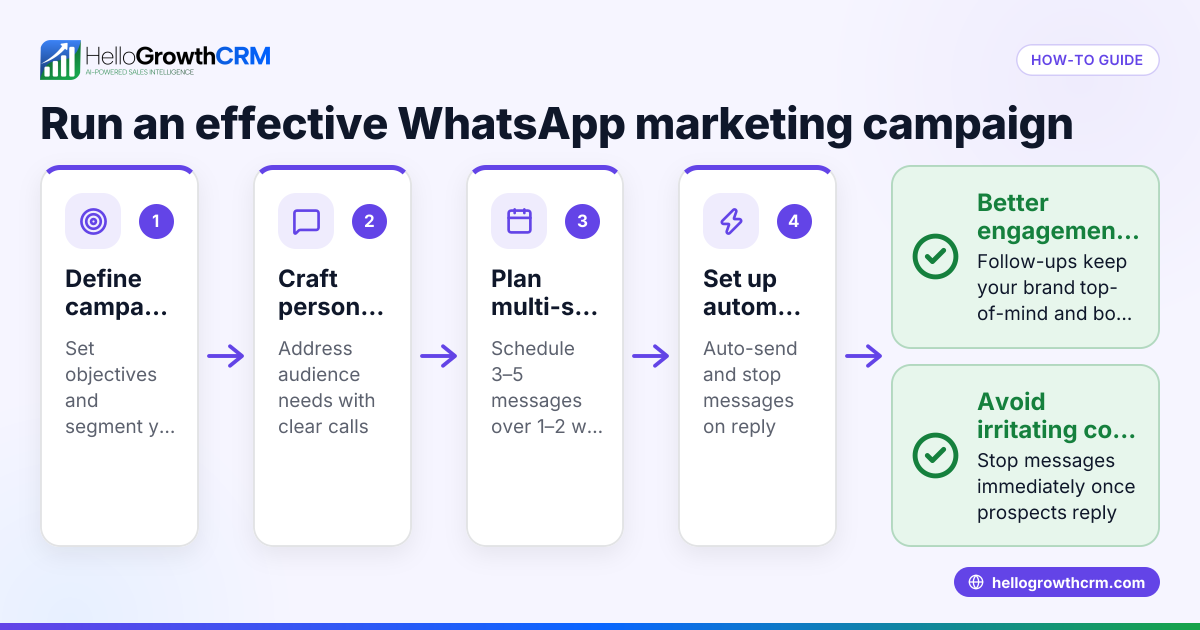
- Engage leads with personalized messages: Use WhatsApp’s chat features to send offers, answer questions, and share product information.
- Track conversations and set follow-up reminders: Use WhatsApp’s starred messages or integrate with a CRM to log conversations and schedule callbacks.
- Review sales progress regularly: Check which leads have responded, which need follow-ups, and adjust your outreach strategy accordingly.
Example (fictional figures)
Phoenix Residential Realty, a real estate team in Phoenix, Arizona, uses WhatsApp Business to manage sales. On 05/01/2024, they sent a property quote to a lead via WhatsApp.
- Quote price: $350,000
- Follow-up scheduled: 05/05/2024
On 05/05/2024, the agent sends a follow-up message using a quick reply template.
- Lead responds positively and schedules a property viewing.
- Agent logs the conversation and updates the lead status to “Interested.”
This process helps Phoenix Residential Realty avoid losing the lead and speeds up closing.
Arithmetic for follow-up scheduling
05/01/2024 + 4 days = 05/05/2024 (follow-up date)
Tracking deal value
Initial quote: $350,000 Potential commission (assumed 3%): $350,000 × 3% = $10,500
This example shows how scheduling follow-ups and tracking deal value can help prioritize sales efforts.
Common mistakes
- Not labeling contacts: Leads get lost in the chat list. Prevent by consistently using labels to organize contacts.
- Ignoring follow-ups: Leads go cold without reminders. Prevent by setting follow-up reminders or using a CRM to automate them.
- Using generic messages: Leads feel unvalued. Prevent by personalizing messages even when using templates.
- Mixing personal and business chats: Causes confusion and missed messages. Prevent by keeping a separate business number and WhatsApp Business app.
- Failing to track conversations outside WhatsApp: Leads slip through cracks. Prevent by integrating WhatsApp with a CRM or logging chats manually.
- Overlooking sales progress review: Without regular checks, leads stall. Prevent by setting weekly reviews of your sales pipeline.
For more detailed guidance, visit our help center.
Doing this in HelloGrowthCRM
HelloGrowthCRM supports WhatsApp and SMS by logging all WhatsApp conversations on the lead record, making it easy to see the full communication history. Follow-ups can be sent as WhatsApp messages directly from the CRM, ensuring no lead is forgotten. For founders without sales managers, the Managed RevOps service assigns someone to work the follow-up queue every week, keeping sales moving. Deals (pipeline) track quotations sent, such as a quote last week appearing at the "quote sent" stage with a follow-up date, so you never miss a chance to close. Learn more about WhatsApp and SMS CRM and HelloGrowthCRM for the United States.
Frequently asked questions
Can I use WhatsApp Business on multiple devices? WhatsApp Business primarily supports one phone per account, but you can use WhatsApp Web or Desktop to access chats on a computer. For multiple users, consider a CRM that integrates WhatsApp messages.
How do I keep sales organized using WhatsApp Business? Use contact labels and quick replies to manage leads. For better tracking, log conversations and set reminders manually or use a CRM designed to capture WhatsApp chats.
Is WhatsApp Business free to use for sales? Yes, the WhatsApp Business app is free to download and use. However, there may be costs if you use WhatsApp Business API through third parties. NEEDS EXPERT REVIEW
How do I avoid mixing personal and business communications? Keep a dedicated phone number and device for WhatsApp Business. This separation helps maintain professionalism and reduces missed messages.
Can I automate messages in WhatsApp Business? WhatsApp Business allows setting up quick replies and greeting messages, but full automation requires integration with third-party tools or CRMs.
For more details, see our help center.
Key takeaways
- Download WhatsApp Business and create a professional profile with complete business details.
- Organize contacts using labels and use quick replies to save time.
- Track conversations and set follow-up reminders to avoid losing leads.
- Keep personal and business chats separate by using a dedicated business number.
- Use a CRM like HelloGrowthCRM to log WhatsApp conversations and manage deals efficiently.
- Review your sales pipeline regularly to keep leads moving toward closing.
Start using WhatsApp Business for sales today, and manage your leads better with HelloGrowthCRM. Start on the Free Forever plan (200 leads, no credit card).
Ready to put this into practice?
Set up your pipeline, WhatsApp follow-ups, and AI lead scoring in minutes — free, no credit card.
Try HelloGrowthCRM freeGet CRM tips in your inbox
Join thousands of sales professionals who get weekly insights on CRM strategy, AI automation, and pipeline optimization.

The HelloGrowthCRM team publishes guides on CRM strategy, AI sales tools, and revenue operations for small business sales teams.