HelloGrowthCRM software
Built for real small-business sales teams
HelloGrowthCRM helps reps qualify faster, follow up on time, and close more deals—with practical automation in one place.
- AI lead scoring and pipeline visibility
- Built-in dialer, WhatsApp, and email automation
- Sales forecasting and RevOps-ready reporting
A less annoying CRM power dialer is designed to speed up outbound calling without disrupting your sales process or frustrating your team. It should integrate tightly with your CRM so call outcomes and histories are logged automatically, support follow-ups via WhatsApp and SMS, and offer AI features to ease follow-up messaging. This article covers why Singapore small businesses look for less annoying dialers, how to evaluate them step-by-step, a worked example with realistic figures, common pitfalls, and how HelloGrowthCRM supports these needs.
Why this comes up / what goes wrong
Small and mid-sized businesses in Singapore often lose leads because their sales teams follow up too slowly or manage calls using multiple disconnected tools like WhatsApp, email, and spreadsheets. Traditional power dialers can be intrusive, complicated, or poorly integrated with CRM data, causing reps to feel overwhelmed or frustrated. This leads to missed opportunities, poor call logging, and messy records. Business owners searching for a "less annoying CRM power dialer" want a system that streamlines calls, logs outcomes automatically, and fits naturally into their sales process without extra hassle.
Step-by-step
- Identify your sales calling needs: Determine how many calls your team makes daily, whether they need to call leads from web forms or lists, and if follow-ups are done by phone, WhatsApp, or SMS.
- Check CRM integration: Ensure the dialer works inside your CRM so call outcomes and histories are logged automatically. Avoid dialers that require switching apps or manual data entry.
- Evaluate ease of use: Test if the dialer interface is simple for your reps to use. Features like click-to-call from lead records and automatic call outcome logging reduce frustration.
- Look for multi-channel follow-up options: A dialer that supports WhatsApp and SMS follow-ups directly from the CRM can save time and keep communication consistent.
- Consider AI assistance: Some dialers offer AI agents that draft follow-up messages after calls for reps to review and send, reducing workload.
- Assess reporting and tracking: The dialer should provide clear call logs and help forecast sales pipeline health.
- Trial before buying: Use free trials or demos to see how the dialer fits your team’s workflow and gather feedback.
- Review pricing and scalability: Ensure the dialer plan matches your team size and growth plans without hidden costs.
For more on integrated calling, see the built-in CRM dialer.
Example (fictional figures)
A property agency in Novena has 3 sales reps making 50 calls each daily to leads captured from their website. They want to reduce manual logging and speed up follow-ups.
- Each rep makes 50 calls/day × 3 reps = 150 calls/day
- Each call takes about 3 minutes including dialing and logging manually = 150 × 3 = 450 minutes = 7.5 hours/day
Switching to a power dialer integrated with CRM:
- Automated dialing and logging cut call handling time by 30% = 7.5 hours × 70% = 5.25 hours/day
- Time saved per day = 7.5 - 5.25 = 2.25 hours
- At S$20/hour cost per rep, daily savings = 2.25 hours × S$20 = S$45/day
- Monthly savings (22 working days) = S$45 × 22 = S$990
This time can be used for better lead engagement or closing deals.
Common mistakes
- Choosing dialers without CRM integration: Leads to double data entry and lost call records. Prevent by verifying CRM connection.
- Ignoring user experience: Complex dialers frustrate reps. Prevent by trialling the dialer with your team.
- Overlooking multi-channel follow-ups: Missing out on WhatsApp or SMS options wastes chances. Prevent by choosing dialers with these features like the WhatsApp and SMS CRM.
- Not testing AI features: AI agents can save time but may be in beta or limited. Prevent by understanding the AI capabilities offered.
- Failing to review scalability: A dialer that fits today’s team but not future growth causes costly changes. Prevent by planning ahead.
Doing this in HelloGrowthCRM
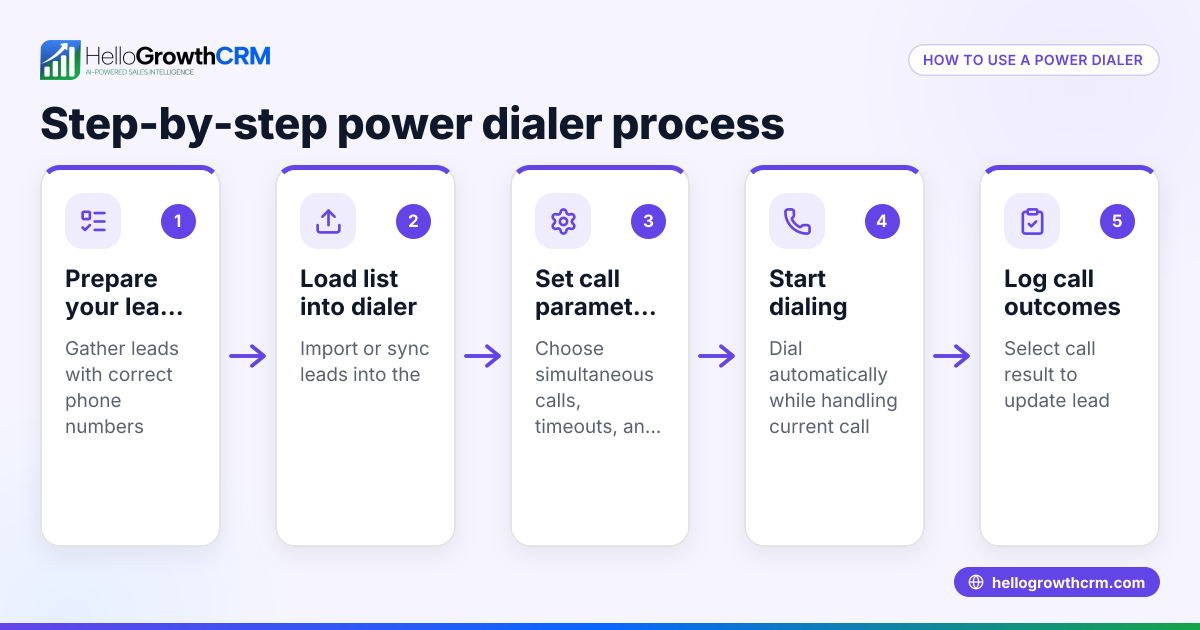
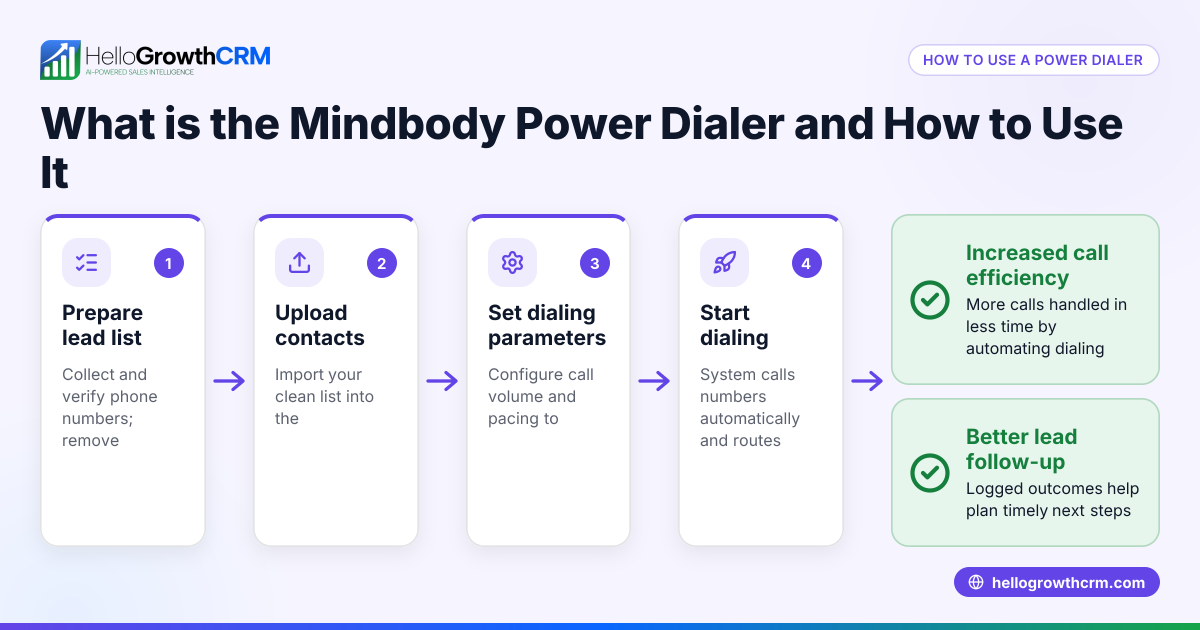
HelloGrowthCRM includes a built-in dialer that lets telecallers work a list from inside the CRM, logging the outcome of each call on the lead record. WhatsApp conversations with leads are logged on the lead record, and follow-ups can be sent as WhatsApp or SMS messages. AI agents (in beta on Growth plans) draft follow-up messages after calls so reps only review and send, reducing manual effort. Learn more about the built-in CRM dialer and WhatsApp and SMS CRM.
Frequently asked questions
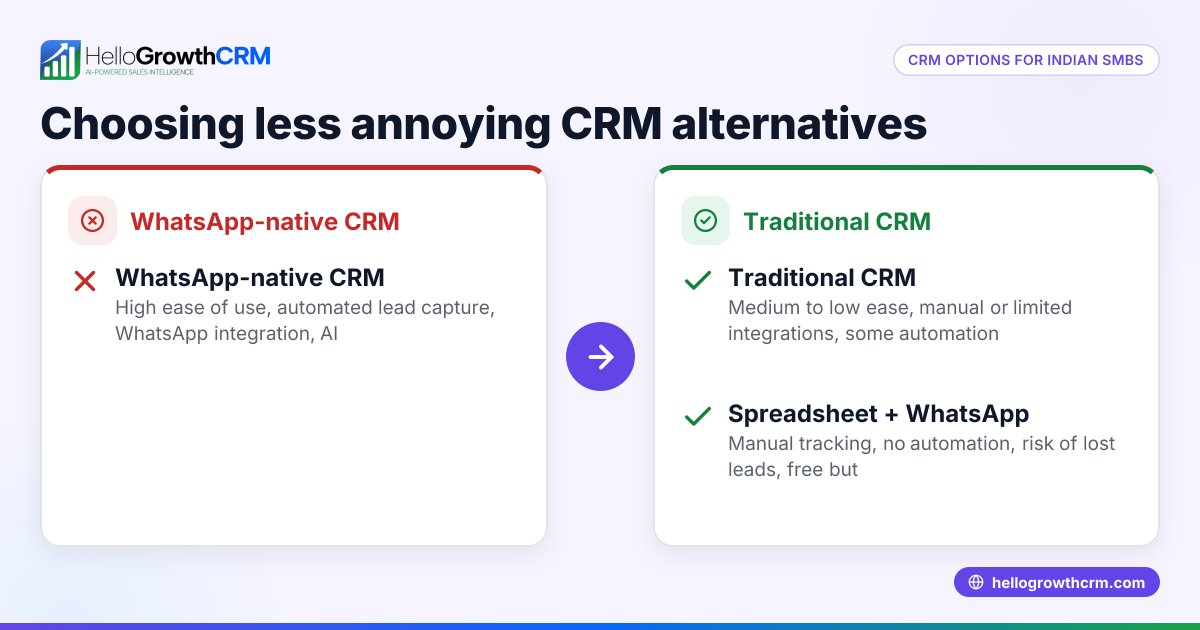
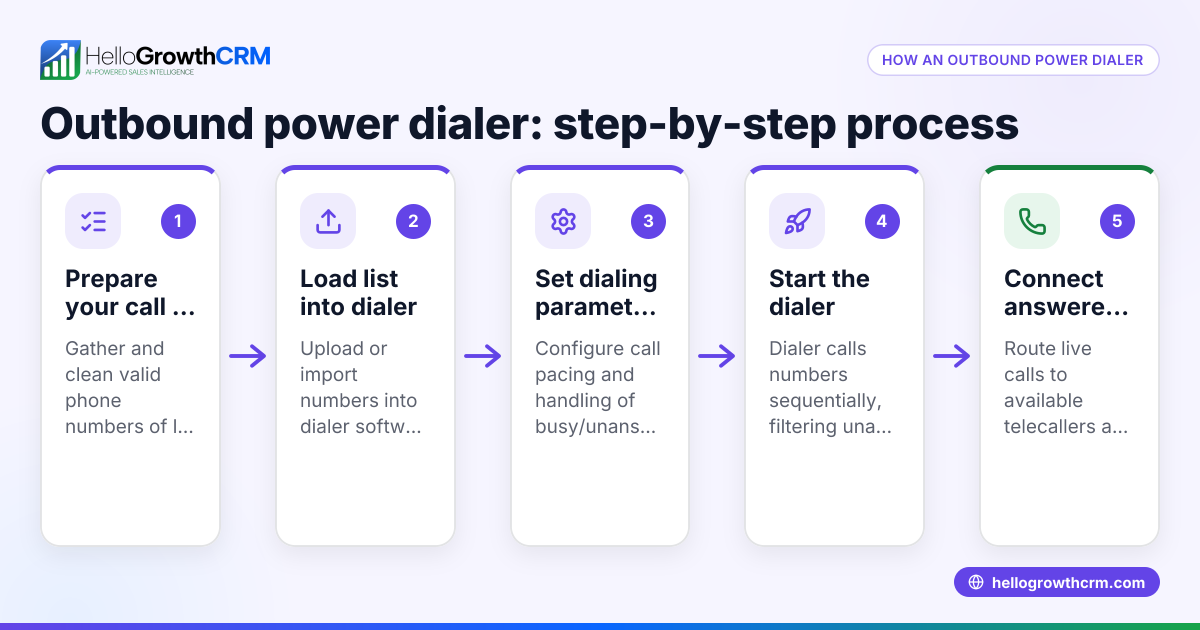
What is the difference between a power dialer and a predictive dialer? A power dialer calls leads one after another automatically but waits for reps to be ready before connecting. A predictive dialer dials multiple numbers simultaneously, connecting reps only when someone answers. Predictive dialers can be more complex and intrusive, so small businesses often prefer power dialers for better control.
How can I make a CRM sales dialer less annoying for my team? Choose a dialer integrated with your CRM to avoid switching apps, ensure call outcomes log automatically, and support channels like WhatsApp and SMS. Simplicity and AI assistance in drafting follow-ups also reduce workload, making the dialer less annoying.
Are AI agents in CRM dialers reliable for follow-ups? AI agents can draft follow-up messages to save time, but they usually require review by sales reps to ensure accuracy and tone. In HelloGrowthCRM, AI agents are in beta and help speed up follow-ups without replacing human judgement.
Can a CRM power dialer work with WhatsApp messaging? The dialer itself handles calls, while WhatsApp and SMS follow-ups are managed within the same CRM system, keeping all communication logged on lead records.
Is it better to use a CRM dialer or WhatsApp for sales calls? A CRM dialer streamlines calling and logging, while WhatsApp is useful for messaging and follow-ups. Using both together in a CRM like HelloGrowthCRM helps manage calls and messages efficiently without losing track.
Key takeaways
- A less annoying CRM power dialer integrates fully with your CRM to log calls automatically.
- Ease of use and multi-channel follow-ups, including WhatsApp and SMS, reduce sales team frustration.
- AI agents can draft follow-up messages to save time but need rep review.
- Testing dialer usability and scalability before purchase avoids costly mistakes.
- HelloGrowthCRM offers a built-in dialer with WhatsApp and SMS support and AI follow-up drafting.
Choosing the right dialer can improve your sales team's productivity and lead management. Start on the Free Forever plan (200 leads, no credit card) at HelloGrowthCRM to try these features yourself.
Ready to put this into practice?
Set up your pipeline, WhatsApp follow-ups, and AI lead scoring in minutes — free, no credit card.
Try HelloGrowthCRM freeGet CRM tips in your inbox
Join thousands of sales professionals who get weekly insights on CRM strategy, AI automation, and pipeline optimization.

The HelloGrowthCRM team publishes guides on CRM strategy, AI sales tools, and revenue operations for small business sales teams.