HelloGrowthCRM software
Built for real small-business sales teams
HelloGrowthCRM helps reps qualify faster, follow up on time, and close more deals—with practical automation in one place.
- AI lead scoring and pipeline visibility
- Built-in dialer, WhatsApp, and email automation
- Sales forecasting and RevOps-ready reporting
A pipeline CRM sales dialer combines two essential sales functions: managing your sales pipeline and making calls directly from the CRM system. It tracks each lead or deal through stages such as prospecting, quote sent, and closing, while letting sales reps call contacts without switching apps. Each call’s result is logged automatically, keeping your sales data accurate and up to date.
Why this comes up / what goes wrong
Many Singapore small-business owners and sales leaders run into problems managing leads spread across WhatsApp, email, and spreadsheets. Without a clear pipeline view, deals slip through the cracks. Calling leads from separate phone apps means call outcomes aren’t logged properly, leading to lost follow-ups and wasted effort. Owners searching for a "pipeline CRM sales dialer" want a single tool to organise leads, track deal progress, and call prospects efficiently.
Step-by-step
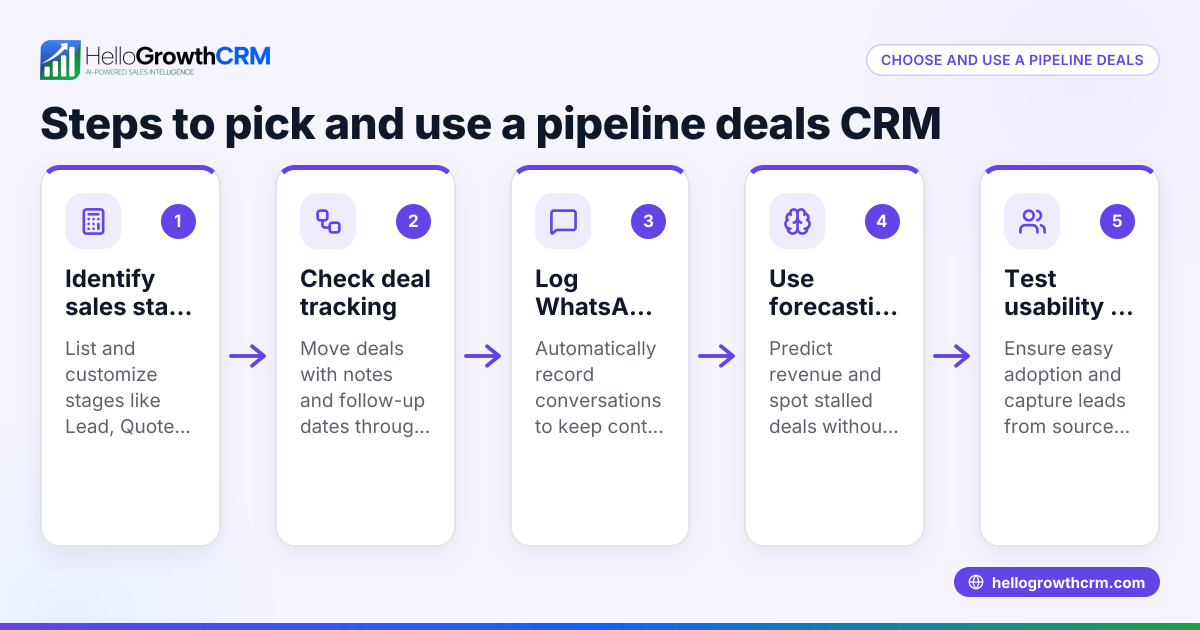
- Define your sales pipeline stages: List the key steps your sales process follows, for example: New Lead, Contacted, Quote Sent, Negotiation, Closed Won/Lost. Check that the CRM lets you customise these stages.
- Check for pipeline visibility: Ensure the CRM provides a clear visual pipeline or kanban board showing deals by stage, with probabilities and expected values visible. This helps forecast sales and prioritise follow-ups.
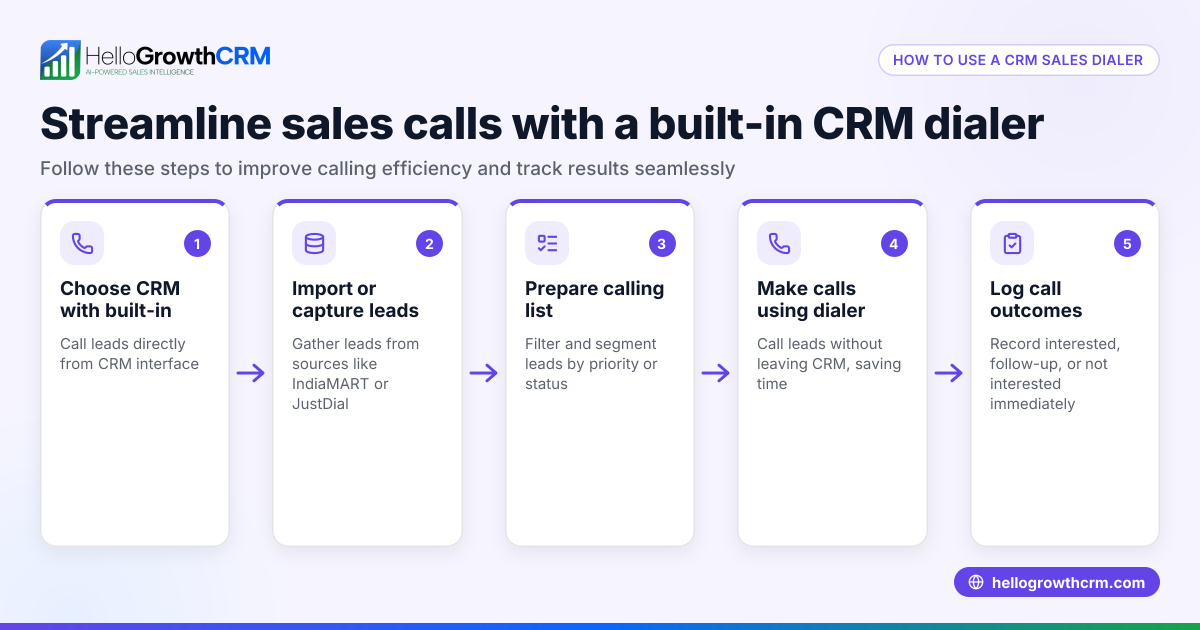
- Evaluate the dialer features: Confirm the CRM includes a built-in dialer that lets your sales team call leads directly within the system. Check if call outcomes can be logged immediately and linked to the lead’s record.
- Look for messaging integrations: If your sales involve WhatsApp or SMS, see if the CRM logs conversations and allows follow-up messages from the platform. This keeps communication history in one place.
- Test ease of use: A CRM that your team finds intuitive will get used. Request demos or trials to see how quickly your sales reps can adopt the pipeline and dialer.
- Consider reporting and forecasting: Sales forecasting tools that use pipeline data help plan your business growth. Verify the CRM offers reports on deal stages, call activity, and expected revenue.
- Assess pricing and scalability: Check if the CRM’s pricing suits your current team size and if it can scale as you grow.
Example (fictional figures)
An interior-design studio in Tanjong Pagar wants to improve its sales follow-up. It has 100 leads and sends quotations worth an average of S$15,000 each.
- They create a pipeline with stages: New Lead, Contacted, Quote Sent, Negotiation, Closed.
- On 01/06/2024, they have 10 deals at "Quote Sent" stage, each valued at S$15,000.
- They set follow-up reminders for these deals.
- The sales rep uses the built-in dialer to call all 10 leads.
- After calls, 6 deals move to "Negotiation" and 4 remain at "Quote Sent".
Calculation of expected value:
6 deals × S$15,000 = S$90,000 (Negotiation stage) 4 deals × S$15,000 = S$60,000 (Quote Sent stage)
If probabilities are 70% for Negotiation and 40% for Quote Sent:
S$90,000 × 70% = S$63,000 S$60,000 × 40% = S$24,000
Total expected value = S$63,000 + S$24,000 = S$87,000
This clear pipeline view and dialer use help the studio forecast revenue and focus on promising deals.
Common mistakes
- Not customising pipeline stages: Using generic stages can confuse your team. Prevent this by defining stages that match your actual sales process.
- Using separate apps for calling: Calling leads outside the CRM means call results aren’t logged. Avoid this by choosing a CRM with a built-in dialer.
- Ignoring messaging channels: If your customers prefer WhatsApp or SMS, not integrating these leads to lost conversations. Use a CRM that logs WhatsApp chats and supports messaging follow-ups.
- Overcomplicating the system: Complex CRMs can discourage use. Select one that balances features with simplicity.
- Skipping sales forecasting: Without forecasting, it’s hard to plan growth. Use pipeline data to generate forecasts regularly.
- Failing to train the team: Even the best CRM fails without user adoption. Provide training and support to your sales reps.
Doing this in HelloGrowthCRM
HelloGrowthCRM offers Deals (pipeline) to track open opportunities from first contact through close. For example, a quotation sent last week appears as a deal at the "quote sent" stage with a follow-up date, so it is not forgotten. The built-in dialer lets telecallers work a list from inside the CRM and logs the outcome of each call on the lead record. WhatsApp conversations with leads are logged on the lead record too, and follow-ups can be sent as WhatsApp or SMS messages. Learn more about the built-in CRM dialer and AI CRM features.
Frequently asked questions
What is a custom CRM sales dialer? A custom CRM sales dialer is tailored to fit your business’s unique sales process and calling needs. It allows you to define pipeline stages and call workflows specific to your team. Customisation helps improve adoption and efficiency.
Can I use an onsite CRM sales dialer in Singapore? Onsite CRM dialers are installed on your company’s local servers rather than cloud-based. While they offer control over data, they may require more IT support and lack remote access. Many Singapore SMBs prefer cloud CRM dialers for flexibility.
How does a built-in dialer improve sales follow-up? A built-in dialer lets sales reps call leads directly inside the CRM, logging call outcomes automatically. This eliminates manual data entry, reduces missed follow-ups, and keeps the sales pipeline accurate.
Is WhatsApp integration important for a sales CRM? Yes, especially in Singapore where WhatsApp is widely used. Integrating WhatsApp conversations into the CRM keeps all communication in one place and enables automated follow-ups via messages.
How does pipeline management help with sales forecasting? Pipeline management tracks deals through stages with probabilities and expected values. This data helps forecast sales revenue more accurately, enabling better business planning.
Key takeaways
- A pipeline CRM sales dialer combines deal tracking and calling to streamline sales.
- Define and customise pipeline stages to match your sales process.
- Use a built-in dialer to call leads from the CRM and log outcomes automatically.
- Integrate WhatsApp and SMS messaging for complete communication history.
- Regularly use pipeline data for sales forecasting and prioritising deals.
- Choose a CRM that balances features with ease of use to ensure team adoption.
Start managing your sales pipeline and calls efficiently with HelloGrowthCRM. Start on the Free Forever plan (200 leads, no credit card).
Ready to put this into practice?
Set up your pipeline, WhatsApp follow-ups, and AI lead scoring in minutes — free, no credit card.
Try HelloGrowthCRM freeGet CRM tips in your inbox
Join thousands of sales professionals who get weekly insights on CRM strategy, AI automation, and pipeline optimization.

The HelloGrowthCRM team publishes guides on CRM strategy, AI sales tools, and revenue operations for small business sales teams.