HelloGrowthCRM software
Built for real small-business sales teams
HelloGrowthCRM helps reps qualify faster, follow up on time, and close more deals—with practical automation in one place.
- AI lead scoring and pipeline visibility
- Built-in dialer, WhatsApp, and email automation
- Sales forecasting and RevOps-ready reporting
A CRM sales pipeline visual organises your sales leads into clear stages such as new lead, contacted, quote sent, negotiation, and won or lost. This visual helps you quickly see which deals are progressing and which need follow-up, so you don’t lose leads due to slow responses or confusion. It is especially useful for small and mid-sized businesses in Singapore that handle sales across multiple channels like WhatsApp, email, and spreadsheets.
Why this comes up / what goes wrong
Small-business owners often struggle to keep track of their sales leads and follow-ups when using scattered tools like WhatsApp chats, emails, and Excel sheets. Without a visual pipeline, leads can fall through the cracks, deals stall unnoticed, and sales forecasting becomes guesswork. A visual sales pipeline in a CRM centralises deal tracking, making it easier to prioritise activities and forecast revenue.
Step-by-step
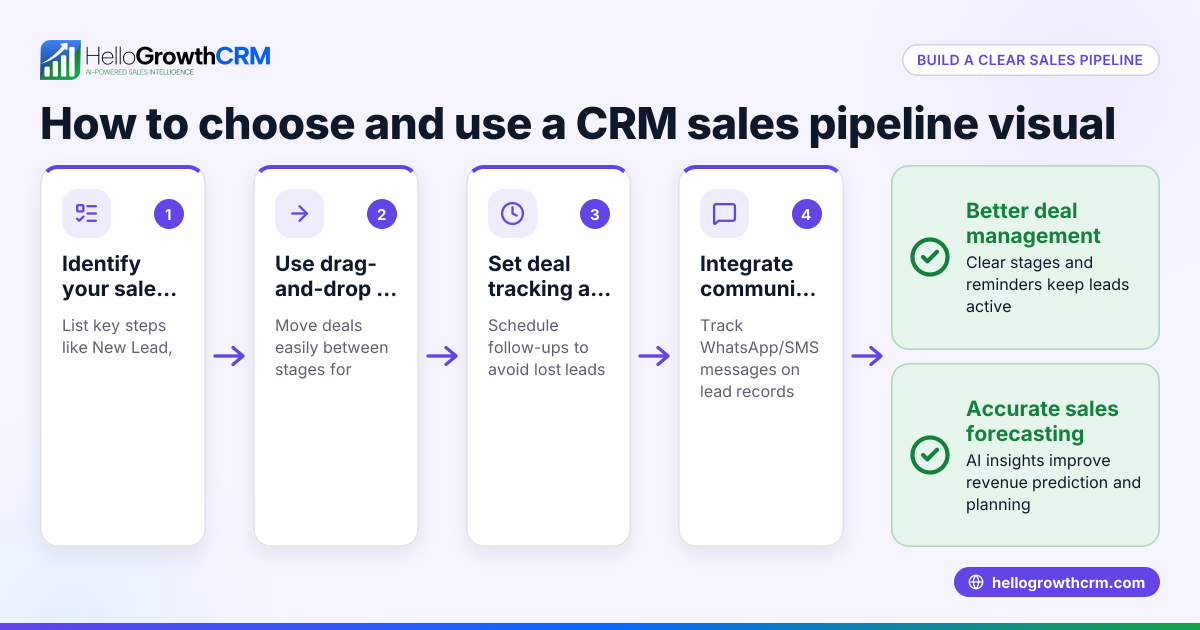
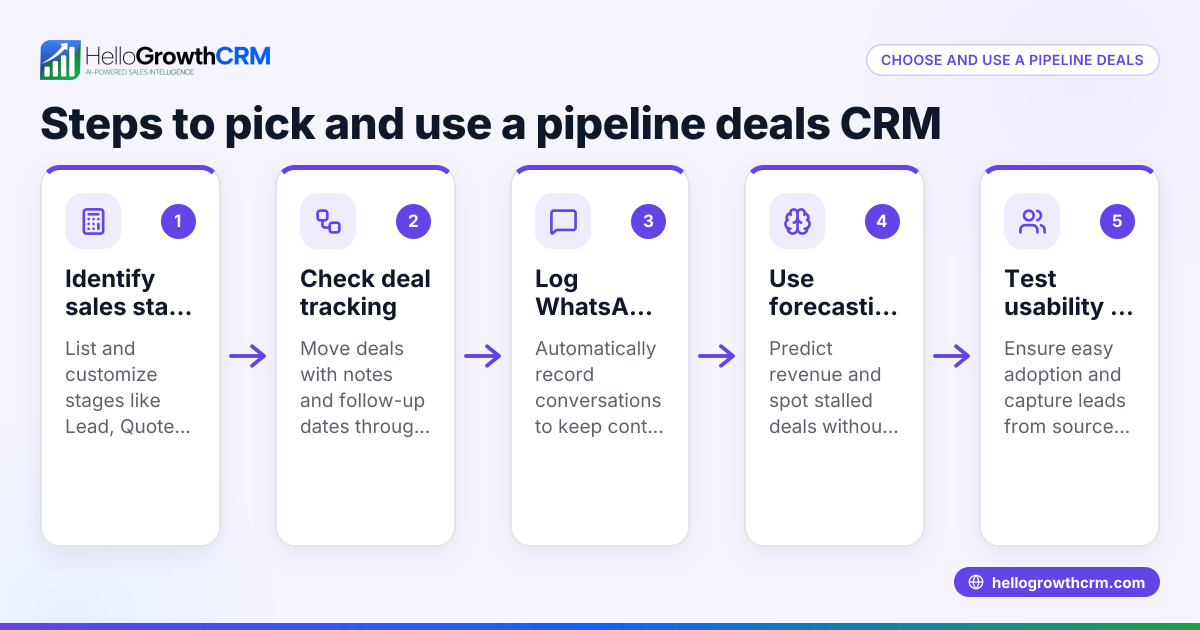
- Identify your sales stages clearly. Define your typical sales process stages (e.g., New Lead, Contacted, Quote Sent, Negotiation, Closed Won/Lost). Check that the CRM lets you customise these stages to fit your business.
- Look for a visual pipeline board. Choose a CRM that displays deals as cards or items moving through stages on a board or list. This visual format helps you spot bottlenecks and overdue follow-ups at a glance.
- Check for deal tracking features. Ensure the CRM allows you to add deal details like expected value, probability, and follow-up dates. This helps you prioritise high-value or urgent deals.
- Verify communication logging. The CRM should log your WhatsApp, SMS, and email conversations with leads automatically, so you have full context on every deal.
- Explore forecasting and AI insights. Advanced CRMs offer pipeline forecasting and AI analysis that highlight stalled deals and predict revenue based on your pipeline data.
- Test ease of use with your team. Make sure the CRM interface is simple enough for your sales team to update deals regularly; a visual pipeline only works if it’s kept current.
- Check integration options. Confirm the CRM can capture leads from your website forms or other apps you use.
See more about AI CRM features at AI CRM.
Example (fictional figures)
An F&B supplier in Woodlands tracks their sales pipeline with these stages: New Lead, Contacted, Quote Sent, Negotiation, Closed Won/Lost.
On 15/04/2024, they have these deals:
- Deal A at Quote Sent stage, expected value S$48,000, follow-up date 20/04/2024.
- Deal B at Negotiation, expected value S$72,000.
- Deal C at Contacted, expected value S$36,000.
They calculate forecasted revenue by summing expected values weighted by probability (assumed probabilities: Quote Sent 60%, Negotiation 80%, Contacted 40%):
S$48,000 × 60% = S$28,800
S$72,000 × 80% = S$57,600
S$36,000 × 40% = S$14,400
Total forecast = S$28,800 + S$57,600 + S$14,400 = S$100,800
This forecast helps them plan cash flow and prioritise follow-ups.
Common mistakes
- Not updating the pipeline regularly. Prevent by setting reminders and making pipeline updates part of daily routine.
- Overcomplicating stages. Use simple, meaningful stages to avoid confusion.
- Ignoring communication logs. Always link WhatsApp and SMS chats to deals to keep context.
- Failing to prioritise deals. Use deal values and probabilities to focus on high-impact opportunities.
- Not using forecasting tools. Leverage AI or built-in forecasting to avoid guesswork.
More on sales forecasting features at sales forecasting.
Doing this in HelloGrowthCRM
HelloGrowthCRM offers a Deals (pipeline) feature where a quotation sent last week appears as a deal at the 'quote sent' stage with a follow-up date, ensuring no deal is forgotten. WhatsApp conversations with leads are logged on the lead record and follow-ups can be sent as WhatsApp or SMS messages. The pipeline forecast and AI insights show which deals are stalling without needing to build spreadsheets, helping you manage your sales process efficiently. Learn more about HelloGrowthCRM’s capabilities designed for HelloGrowthCRM for Singapore.
Frequently asked questions
What is a CRM sales pipeline visual? It is a graphical representation of your sales process stages showing where each deal currently stands. It helps sales teams track progress and identify stalled deals.
How does a visual pipeline improve sales follow-up? By showing deals as cards in stages, it reminds salespeople when to follow up and ensures no lead is forgotten, reducing lost opportunities.
Can I track WhatsApp conversations in a CRM pipeline? Yes, WhatsApp conversations can be logged on lead records in some CRMs, so all communication is in one place and linked to the deal.
What should I look for in a sales pipeline CRM for a small business? Look for easy customisation of stages, visual deal tracking, communication logging, and forecasting features that fit your team’s workflow.
How can AI help with pipeline management? AI can highlight stalled deals, forecast revenue based on historical data, and analyse sales rep performance, helping you make data-driven decisions.
Key takeaways
- A CRM sales pipeline visual organises deals by stages to track progress clearly.
- Choose a CRM with easy stage customisation, visual boards, and deal prioritisation.
- Logging WhatsApp and SMS conversations on lead records improves follow-up.
- Use forecasting and AI insights to spot stalled deals and predict revenue.
- Regular pipeline updates and simple stages prevent common mistakes.
- HelloGrowthCRM supports visual pipeline management with deals, messaging, and AI forecast features.
Start managing your sales pipeline visually today. Start on the Free Forever plan (200 leads, no credit card).
Ready to put this into practice?
Set up your pipeline, WhatsApp follow-ups, and AI lead scoring in minutes — free, no credit card.
Try HelloGrowthCRM freeGet CRM tips in your inbox
Join thousands of sales professionals who get weekly insights on CRM strategy, AI automation, and pipeline optimization.

The HelloGrowthCRM team publishes guides on CRM strategy, AI sales tools, and revenue operations for small business sales teams.