HelloGrowthCRM software
Built for real small-business sales teams
HelloGrowthCRM helps reps qualify faster, follow up on time, and close more deals—with practical automation in one place.
- AI lead scoring and pipeline visibility
- Built-in dialer, WhatsApp, and email automation
- Sales forecasting and RevOps-ready reporting
The top CRM-linked power dialers for outbound sales productivity combine automatic dialing with CRM integration to increase call volume, track leads, and improve follow-up efficiency. These tools help UAE small businesses reduce manual dialing and lost leads. This article covers why power dialers matter, how to choose one, a practical example with AED figures, common mistakes, and how HelloGrowthCRM supports outbound sales with its built-in dialer.
Why this comes up / what goes wrong
Small and mid-sized businesses in the UAE often struggle with outbound sales because sales teams manually dial numbers from spreadsheets or WhatsApp contacts. This slows lead follow-up and wastes opportunities. Without a CRM-linked power dialer, sales reps make fewer calls per hour, and tracking call outcomes is difficult. This results in lost leads, inconsistent follow-up, and no clear sales pipeline visibility. Business owners need a solution that integrates calling with their CRM to increase daily call volume and automatically log calls.
Step-by-step
- Identify your sales workflow needs: Assess how your team manages leads and calls. Confirm if your CRM supports pipeline tracking and call logging.
- Check for CRM integration: Ensure the power dialer integrates seamlessly with your CRM to avoid duplicate data entry and capture call outcomes automatically.
- Look for built-in dialing features: Choose a power dialer that supports automatic dialing from lead lists with minimal manual input to boost call volume.
- Evaluate call outcome tracking: Verify the dialer logs call results linked to each lead, enabling follow-up tasks and pipeline updates.
- Assess usability for your team size: Pick a dialer suitable for your team size (5-200 employees) and sales process without complex setup.
- Consider additional features: Features like AI lead scoring, task boards, and messaging sequences can enhance productivity.
- Test with a free trial or demo: Try the dialer with your CRM data before committing to ensure it fits your workflow.
Example (fictional figures)
A business-setup consultancy in Business Bay, Dubai, wants to increase outbound calls to leads captured from their website. They currently manually dial 50 leads daily, converting 5 into meetings.
- Current calls/day: 50
- Conversion rate: 10% (5 meetings/day)
They adopt a CRM-linked power dialer that automatically dials 150 leads daily, logging outcomes directly into the CRM.
- New calls/day: 150
- Conversion rate: 10%
Expected meetings/day = 150 × 10% = 15 meetings
This triples their meetings without extra calling time, improving sales pipeline velocity and lead engagement.
Common mistakes
- Not integrating the dialer with the CRM: Leads to double data entry and missed call logs. Prevent by confirming integration before purchase.
- Ignoring call outcome tracking: Without logging results, follow-up tasks are missed. Choose dialers that automatically record call results.
- Choosing a dialer too complex for the team: Overly complicated tools reduce adoption. Select user-friendly dialers that match team skills.
- Failing to test with real data: Skipping trials can lead to workflow mismatches. Always test the dialer with your actual lead lists.
- Overlooking support for multiple communication channels: Some dialers only support calls. Consider options that also handle WhatsApp and SMS sequences for broader outreach (WhatsApp and SMS CRM).
Doing this in HelloGrowthCRM
HelloGrowthCRM offers a built-in dialer that lets your telecallers work a lead list directly inside the CRM and log each call outcome on the lead record. Its Deals (pipeline) feature tracks opportunities from first contact through to close, with follow-up dates ensuring no quotation or lead is forgotten. For founders without a sales manager, the Managed RevOps service provides weekly follow-up queue management, so leads are worked consistently. Learn more about the built-in CRM dialer and how HelloGrowthCRM supports UAE businesses at HelloGrowthCRM for the United Arab Emirates.
Frequently asked questions
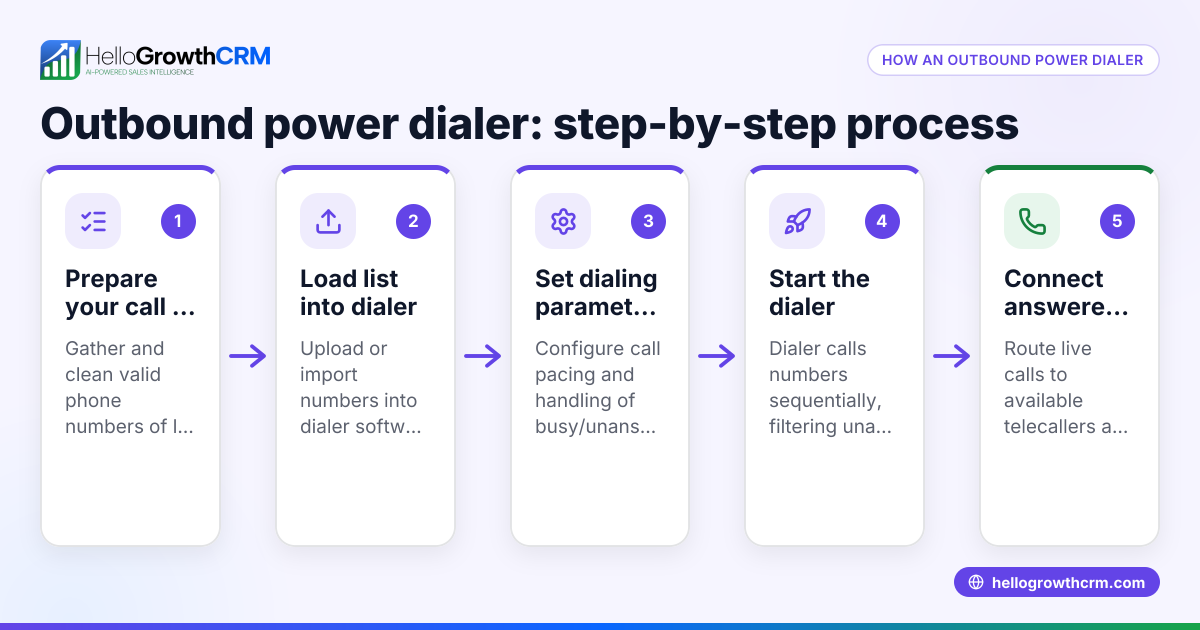
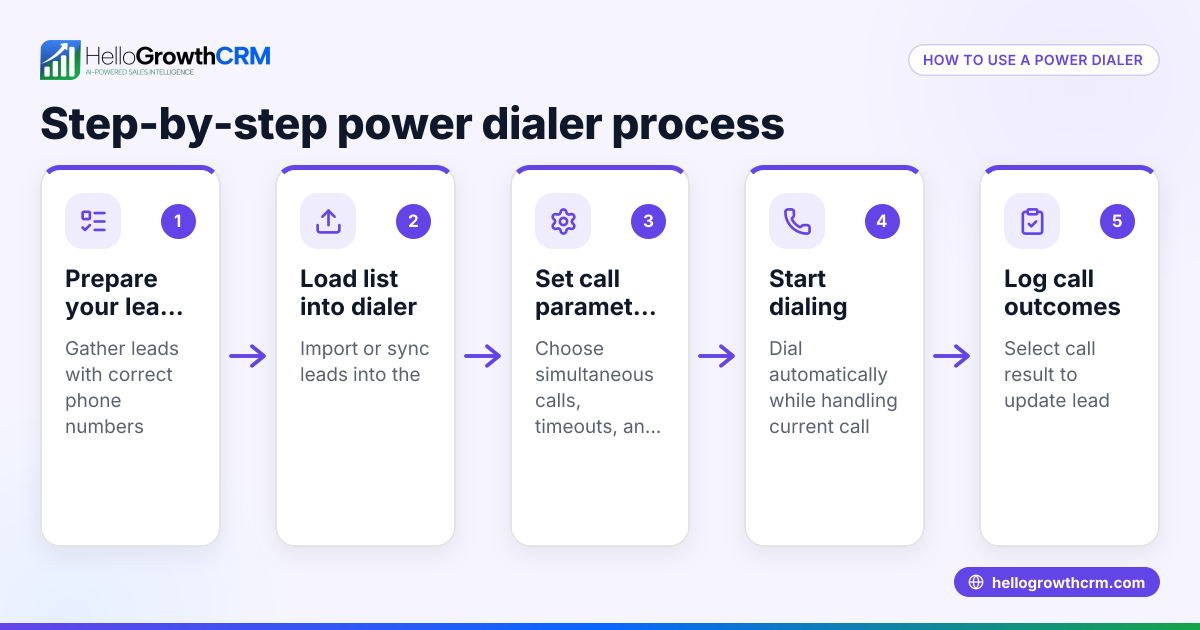
What is a power dialer and how does it differ from a regular dialer? A power dialer automatically calls numbers from a list one after another, reducing manual dialing time. Unlike regular dialers, it can pause or skip unanswered calls to increase talk time, improving outbound sales productivity.
Can a power dialer integrate with my existing CRM? Yes, top power dialers are designed to integrate with CRMs to sync call data, update lead status, and schedule follow-ups automatically. This integration saves time and improves data accuracy.
How does a CRM-linked power dialer improve sales follow-up? By logging call outcomes directly into the CRM, it ensures every lead is tracked and followed up on schedule. This reduces lost leads due to missed calls or forgotten callbacks.
Are there power dialers that support WhatsApp and SMS outreach? Some dialers support multi-channel outreach including WhatsApp and SMS messaging sequences, allowing broader engagement from one platform. You can explore options like WhatsApp and SMS CRM for this.
What should I consider when choosing a power dialer for a small UAE business? Look for ease of use, CRM integration, multi-channel support, and features like lead scoring and pipeline management. Also, consider local support and compliance with UAE business practices.
Key takeaways
- CRM-linked power dialers automate outbound calls, increasing call volume and efficiency.
- Integration with CRM ensures call outcomes and follow-ups are tracked without extra work.
- Choose dialers that fit your team size and sales workflow to ensure adoption.
- Multi-channel outreach (calls, WhatsApp, SMS) enhances lead engagement.
- Testing dialers with your data before purchase prevents workflow issues.
- HelloGrowthCRM offers a built-in dialer, pipeline tracking, and Managed RevOps support for UAE SMBs.
To start improving your outbound sales productivity, try HelloGrowthCRM’s built-in dialer and pipeline features. You can Start on the Free Forever plan (200 leads, no credit card) today.
Ready to put this into practice?
Set up your pipeline, WhatsApp follow-ups, and AI lead scoring in minutes — free, no credit card.
Try HelloGrowthCRM freeGet CRM tips in your inbox
Join thousands of sales professionals who get weekly insights on CRM strategy, AI automation, and pipeline optimization.

The HelloGrowthCRM team publishes guides on CRM strategy, AI sales tools, and revenue operations for small business sales teams.