HelloGrowthCRM software
Built for real small-business sales teams
HelloGrowthCRM helps reps qualify faster, follow up on time, and close more deals—with practical automation in one place.
- AI lead scoring and pipeline visibility
- Built-in dialer, WhatsApp, and email automation
- Sales forecasting and RevOps-ready reporting
Your call gets forwarded to voicemail when your phone line is busy, you don't answer in time, your phone is off or out of coverage, or when call forwarding settings automatically send calls to voicemail. Understanding these reasons helps you take action to ensure you don't miss important calls.
Why this comes up / what goes wrong
Small business owners often find calls going to voicemail unexpectedly, which can lead to missed sales opportunities or customer frustration. This happens when:
- The phone is busy with another call.
- The call isn’t answered within the set number of rings.
- The phone is turned off or has no signal.
- Call forwarding rules are set to send calls to voicemail.
- Do Not Disturb or silent modes are enabled.
If your business relies on quick call responses, understanding why calls go to voicemail is crucial to improving customer experience and sales follow-up.
Step-by-step
- Check if your phone is busy or off
- Make sure your phone is on and has signal.
- If you’re on another call, calls may go to voicemail automatically.
- Review your call forwarding settings
- On your phone or carrier account, check if calls are set to forward to voicemail after a certain number of rings or immediately.
- Disable or adjust these settings if necessary.
- Check Do Not Disturb or silent modes
- Ensure Do Not Disturb is off.
- Silent mode may still forward calls to voicemail depending on your device.
- Test your voicemail settings
- Call your number from another phone to see how many rings before voicemail picks up.
- Adjust ring time settings if possible.
- Contact your phone service provider
- If settings look correct but calls still go to voicemail, ask if there are network issues or carrier-level forwarding.
- Use a CRM with a built-in dialer
- Manage your calls and follow-ups effectively with tools like HelloGrowthCRM’s built-in dialer, which logs call outcomes and keeps your call history organized.
Example (fictional figures)
Mary runs a landscaping business in Charlotte, North Carolina. She noticed she missed several client calls last week because they went to voicemail too quickly.
She tested by calling her number from a friend’s phone:
- The call rang twice, then went to voicemail.
Mary wants calls to ring 6 times before voicemail. She checks her phone settings and sees it’s set to 2 rings.
She changes the ring time setting to 30 seconds (approximately 6 rings):
- 5 seconds per ring × 6 rings = 30 seconds
After updating, she tests again:
- The call rings 6 times before voicemail picks up.
Mary also disables call forwarding that was set to send calls to voicemail immediately when busy.
Now, Mary answers more calls live and improves customer contact.
Common mistakes
- Setting ring time too short: Leads to calls going to voicemail too quickly. Prevent by setting ring time to at least 20-30 seconds.
- Leaving call forwarding enabled unintentionally: Disable unnecessary forwarding rules to avoid missed calls.
- Ignoring Do Not Disturb mode: Check and turn off DND during business hours.
- Not testing from another phone: Always test your phone number from a different device to see how calls behave.
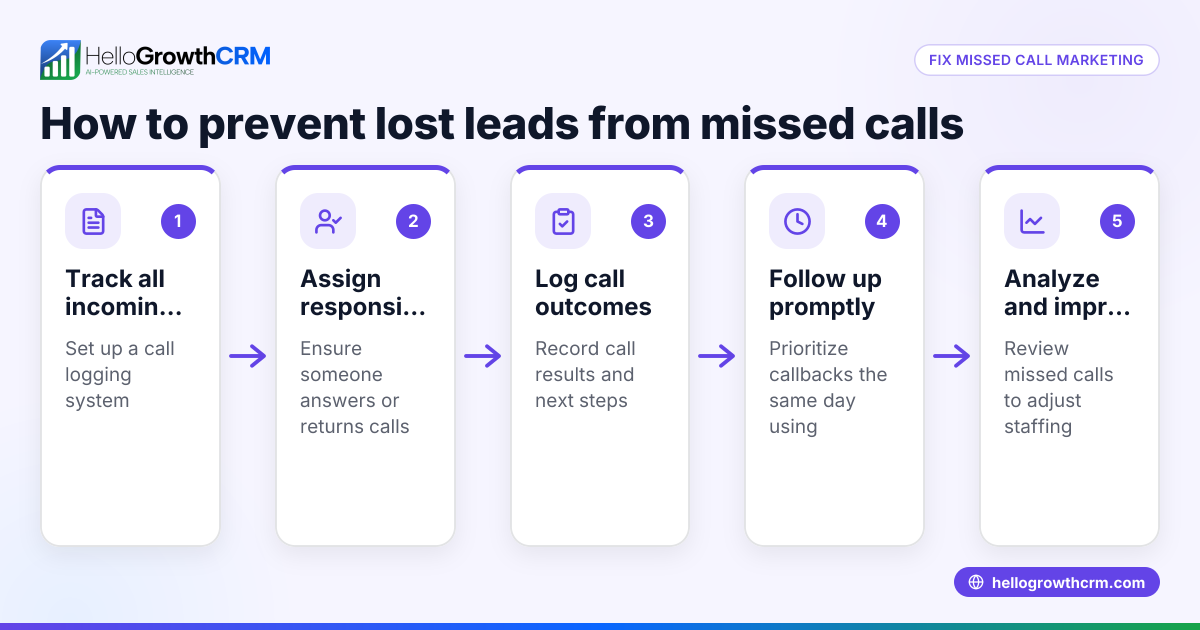
- Relying on manual call logs: Use a CRM with a built-in dialer to log calls and outcomes automatically.
Doing this in HelloGrowthCRM
HelloGrowthCRM includes a built-in dialer that lets your sales team call directly from the CRM. Each call outcome is logged automatically on the lead, helping you track who you reached and who you need to follow up with. This reduces missed calls and improves your sales process. Learn more about the built-in CRM dialer.
Frequently asked questions
Why does my phone send calls to voicemail immediately? This usually happens if call forwarding is set to send calls to voicemail without ringing, or if Do Not Disturb mode is enabled. Check your phone settings and carrier forwarding rules.
How long does my phone ring before voicemail picks up? Typically, phones ring for several seconds (several rings) before voicemail answers. You can adjust this ring time in your phone or carrier settings.
Can I stop calls from going to voicemail when I’m on another call? Most phones forward calls to voicemail if you’re busy. Some carriers offer call waiting or simultaneous ring features to handle multiple calls. Contact your provider for options.
How can I track missed calls and follow up efficiently? Using a CRM with a built-in dialer helps you log call outcomes and schedule follow-ups. HelloGrowthCRM’s dialer integrates calling and logging to streamline this process. See HelloGrowthCRM for the United States.
Will silent mode send calls to voicemail? Silent mode usually only silences the ringtone but still allows calls to ring and be answered. However, some phone models or settings may send calls to voicemail when silent. Test your device to confirm.
Key takeaways
- Calls go to voicemail when busy, unanswered, off, or forwarded.
- Check phone and carrier call forwarding and ring time settings.
- Disable Do Not Disturb during business hours.
- Test your number from another phone to verify call behavior.
- Use a CRM with a built-in dialer to log calls and improve follow-up.
Take control of your calls today and reduce missed opportunities.
Start managing your calls better with HelloGrowthCRM. Start on the Free Forever plan (200 leads, no credit card).
Ready to put this into practice?
Set up your pipeline, WhatsApp follow-ups, and AI lead scoring in minutes — free, no credit card.
Try HelloGrowthCRM freeGet CRM tips in your inbox
Join thousands of sales professionals who get weekly insights on CRM strategy, AI automation, and pipeline optimization.

The HelloGrowthCRM team publishes guides on CRM strategy, AI sales tools, and revenue operations for small business sales teams.