What automation specialist does
The Automation Specialist is a named human resource on the RevOps Partner plan whose job is to build and continuously refine the automation layer of your CRM — routing rules, sequences, field logic, workflow triggers, and integration flows. Instead of your team learning workflow builders on the side, you hand over requirements like route enterprise leads to senior reps or chase unsigned proposals after three days, and the specialist designs, builds, tests, and maintains it.
Without dedicated ownership, automation in most CRMs is built once during setup and never touched again. Rules rot as the team changes, sequences keep firing at the wrong moments, and workarounds accumulate until nobody remembers why a workflow exists. The result is either automation people distrust and disable, or manual work that automation should have absorbed. The specialist exists so the system keeps fitting the business as it changes.
How it works in HelloGrowthCRM
The specialist works directly inside your HelloGrowthCRM workspace, using Workflows, Lead Routing, Sequences, validation rules, and the 259+ integrations. Requests come in through your operating cadence — strategy calls, ad-hoc asks, or issues surfaced by the weekly report — and get scoped, built in a controlled way, tested against real records, and documented before going live.
The role compounds with the rest of the managed stack: hygiene work reveals where process breaks, the funnel review sets automation priorities, and scoring tuning often lands as routing changes the specialist implements.
See it in action
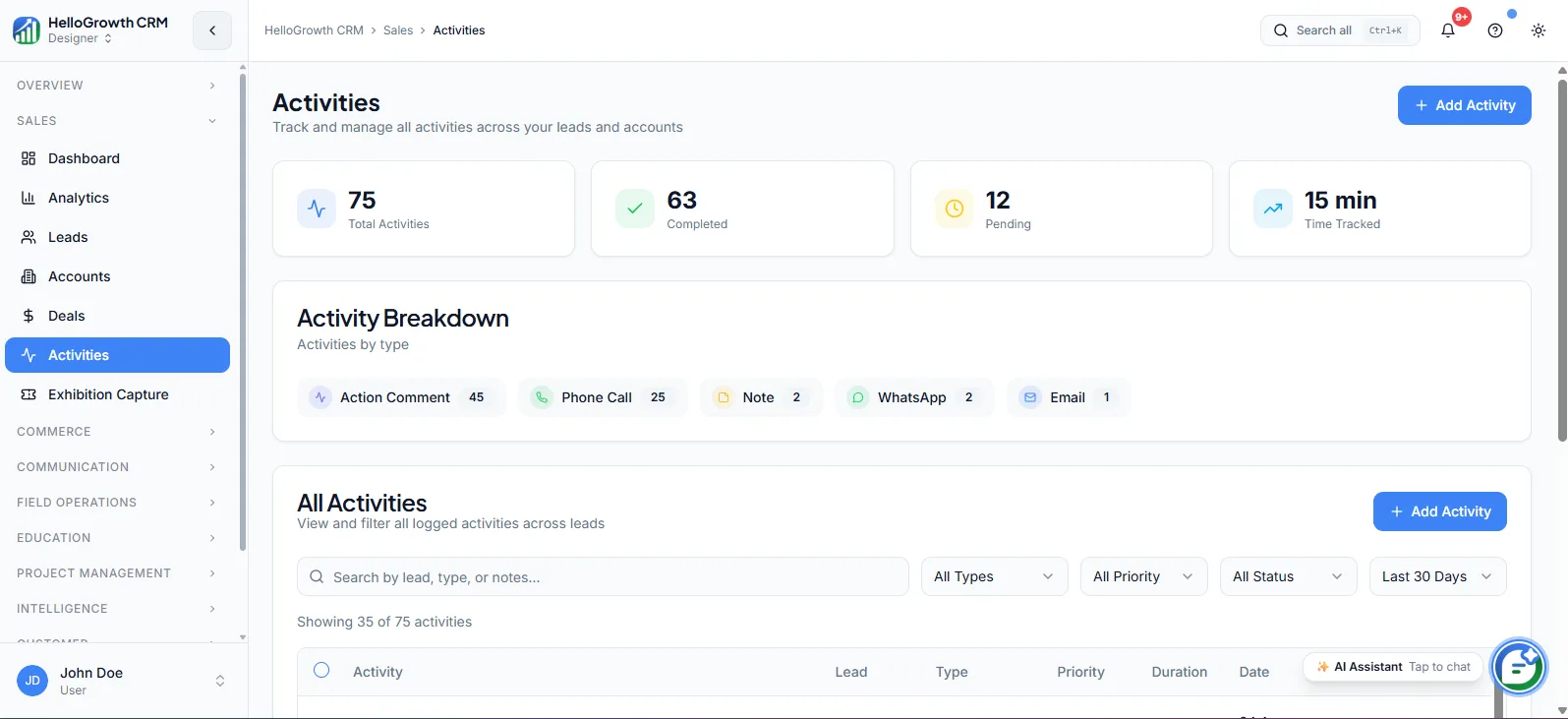
How this capability is packaged by plan
| Plan | Availability |
|---|---|
| Free Forever | |
| Software Only | |
| Growth Engine | |
| RevOps Partner |
Setting it up — step by step
- 1
Walk through your current process
The specialist maps how leads, deals, and handoffs actually flow today, including the manual steps and workarounds.
- 2
Inventory existing automations
Every current rule, sequence, and integration gets documented so nothing fires unexpectedly during rebuilds.
- 3
Prioritise the backlog
Agree together which automations deliver the most relief first — usually routing, follow-up chasers, and handoff triggers.
- 4
Agree a change process
Define how new automation requests are raised, tested, and approved so changes never surprise your reps mid-deal.
- 5
Schedule recurring reviews
Set a rhythm for auditing what is running, retiring stale rules, and adjusting logic as the team evolves.
Who uses automation specialist
RevOps lead
Treats the specialist as a build partner — they define the process intent, the specialist implements and maintains it, freeing them from being the only person who knows how the workflow builder works.
Founder/owner
Raises plain-language requests like nobody should have to remember to send the contract reminder, and gets working automation back without hiring an ops person or learning the tooling themselves.
Sales manager
Flags friction from the floor — leads routed to the wrong region, sequences messaging customers mid-negotiation — and works with the specialist to fix logic instead of training reps around broken rules.
Automation Specialist in practice — industry examples
Logistics
A freight forwarder gets quote requests across lanes and cargo types. The specialist builds routing that sends each inquiry to the right lane desk, auto-creates rate-quote tasks with deadlines, and chases unanswered quotes after 48 hours — replacing a dispatcher's manual triage spreadsheet.
Financial advisors
An advisory firm must contact clients on review anniversaries and after specific life events. The specialist automates review-date task creation, assigns them by advisor book, and builds a compliance-friendly follow-up sequence, so no client review lapses because a calendar reminder was missed.
Healthcare
A clinic group manages inquiry-to-consultation pipelines across locations. The specialist wires web and phone inquiries into location-based routing, automates appointment confirmations and no-show rebooking tasks, and keeps front-desk workflows consistent as new branches come online.
Common mistakes to avoid
Automating a broken process as-is, which just delivers the wrong outcome faster; process fixes should precede automation builds.
Building everything in month one, overwhelming reps with triggers and tasks until they tune the whole system out.
Bypassing the agreed change process for quick tweaks, producing undocumented rules that break silently when something upstream changes.
Never retiring old automations, so retired campaigns and departed reps leave ghost workflows firing at confused customers.
What teams usually care about here
Useful when the CRM needs deeper optimization than day-to-day execution support alone
Helps turn rough processes into cleaner, more repeatable operating systems
Especially valuable for growing teams with multiple funnels, motions, or handoff points
How this fits the buying decision
Buyers usually do not evaluate automation specialist in isolation. They want to know whether it improves execution, reporting, handoffs, and accountability inside the broader CRM workflow. That is why this capability matters most when it is connected to records, ownership, activity history, and manager review rather than living in a separate point tool.
The real decision is often less about whether a box is checked and more about how much depth the team needs. Lower tiers may be enough when the workflow is simple or the volume is small. Higher tiers become more valuable when teams need governance, faster response expectations, specialist execution, or a repeatable operating cadence around the process.
If this capability is important to your rollout, compare it in the context of the whole plan. That includes related workflows, support level, reporting expectations, and whether your team will manage the motion itself or rely on managed RevOps help to keep it consistent.
Frequently asked questions
Which plan includes the Automation Specialist?
RevOps Partner only. Growth Engine includes managed execution and basic workflows, but the dedicated automation resource — someone continuously building and refining routing, sequences, and system logic — is a RevOps Partner capability. Software Only customers configure their own automations using the built-in tools.
How does the specialist get set up with my team?
Onboarding starts with a process walkthrough and an inventory of any existing automations, then a prioritised backlog is agreed. You also define a change process together — how requests are raised, tested, and approved — so automation changes never surprise your reps.
Can the specialist work across WhatsApp, the dialer, and email?
Yes. Automations can trigger WhatsApp templates, create dialer call tasks, enrol records in email sequences, and combine channels — for example a WhatsApp nudge two days after an unanswered call. The specialist builds these flows using the channels already in your plan.
Do I need technical staff on my side?
No. Requests can be raised in plain language during your operating cadence, and the specialist handles design, build, and testing. It helps to nominate one person — often the founder or sales manager — as the approver so changes have a clear yes.
What happens to automations if we change our sales process?
That is exactly what the role is for. Process changes go to the specialist, who updates routing, sequences, and workflow logic to match, tests against real records, and retires rules that no longer apply — so the system tracks the business instead of lagging it.
Related Pricing Capabilities
Validation Rules
Field-level data validation rules that enforce required inputs and data quality standards before records can be saved or moved.
Workflows
Automated workflow builder for triggering actions — task creation, field updates, notifications, stage moves — based on CRM events.
Territories
Territory definition and ownership tools that assign accounts, leads, and deals to reps based on geography, industry, or custom rules.
Commissions
Commission tracking inside the CRM that links deal outcomes to rep incentive calculations without exporting to spreadsheets.
Field Operations
Tools for managing field sales teams — check-ins, visit logs, route planning, and on-site activity capture from mobile.
Named Revenue Specialist
A dedicated operator who manages follow-up, pipeline discipline, and day-to-day revenue workflow reliability inside your CRM.