What field operations does
Field Operations brings the outside-sales day into the CRM. Reps check in at customer locations from mobile, log visit outcomes on the spot, plan multi-stop routes, and capture orders, photos, and notes while standing in the customer's premises — so the record of a visit exists the moment it ends, not whenever the rep next opens a laptop.
Without it, field activity is invisible. Managers learn what happened on Friday's visits from Monday's memory, visit notes live in pocket notebooks, and coverage gaps — accounts nobody has visited in months — surface only when the customer orders from a competitor. Evening data entry either eats the rep's night or simply does not happen.
How it works in HelloGrowthCRM
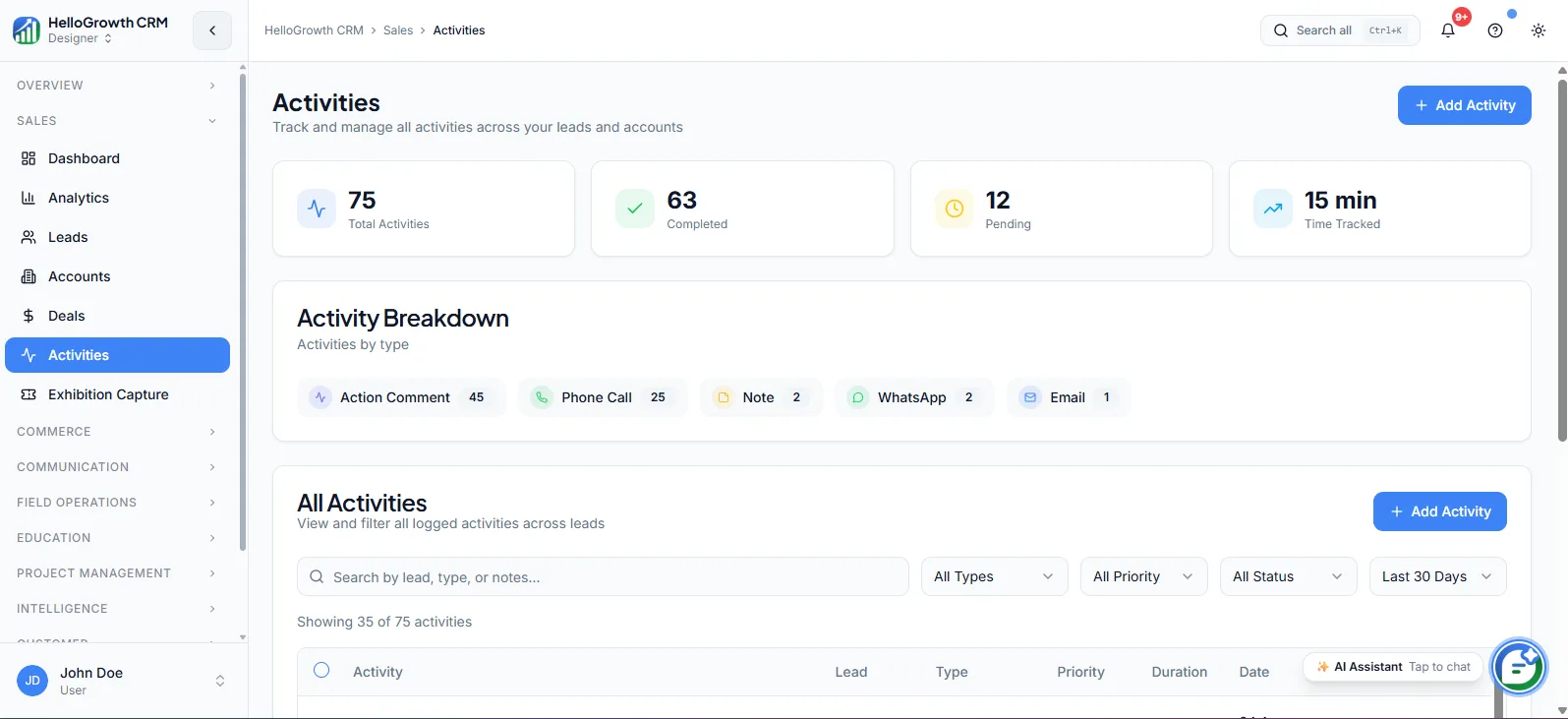
Field Operations lives in the mobile experience: reps see their day's planned visits, check in on arrival, and log the outcome as an activity tied to the account or deal. Visit logs, check-ins, and on-site notes flow into the same activity timeline as calls and emails, so managers review field work in the CRM like any other pipeline activity.
It pairs with territories for coverage planning, the dialer for pre-visit confirmation calls, and activity reporting so visit frequency per account becomes a managed number.
See it in action
How this capability is packaged by plan
| Plan | Availability |
|---|---|
| Free Forever | |
| Software Only | |
| Growth Engine | |
| RevOps Partner |
Setting it up — step by step
- 1
Define visit types and outcomes
Agree the visit categories and the outcome fields reps must log, keeping the mobile form short.
- 2
Load the account universe
Ensure every visitable account exists in the CRM with accurate addresses and territory ownership.
- 3
Set coverage expectations
Decide target visit frequency per account tier so route plans have a standard to meet.
- 4
Train reps on mobile logging
Walk the team through check-in and outcome capture during real visits in the first week.
- 5
Review field data weekly
Build the visits-per-rep and accounts-not-visited views into the weekly management rhythm.
Who uses field operations
Field sales rep
Starts the day with a planned route, checks in at each stop, logs outcomes in under a minute on mobile, and ends the day with zero backlog data entry waiting at home.
Sales manager
Reviews visit volume, outcomes, and coverage gaps from the CRM instead of Friday phone catch-ups, and coaches on which accounts get visited rather than only on what happened during visits.
Founder/owner
Sees whether the expensive field motion actually reaches the accounts that matter — visit history per key account, territory coverage, and the link between visit frequency and order volume in one place.
Field Operations in practice — industry examples
Distributors
A consumer goods distributor runs weekly beat plans: each rep's route covers a set of retail outlets, check-ins timestamp every stop, and order and stock notes log against the outlet record. The sales head sees which outlets missed their weekly visit before the gap becomes a lost shelf.
Construction
A building materials supplier has reps visiting active project sites. Site-visit logs capture project stage, decision-makers met, and photos of requirements, all tied to the project deal — so when a rep changes territory, the successor inherits the full visit history rather than starting from a business card.
Exporters
An exporter's country managers visit overseas buyers and trade fairs. Visit outcomes, sample feedback, and next steps are logged from mobile between meetings, so the head office sees the trip's pipeline impact during the trip, not in a trip report written a week after the flight home.
Common mistakes to avoid
Making the mobile visit form too long, so reps skip logging entirely and the field data stays blank.
Tracking check-ins without outcomes, producing attendance data that says where reps went but nothing about what happened.
Ignoring the not-visited view, so coverage gaps persist invisibly while managers review only the visits that occurred.
Rolling out to the field without territory cleanup, so reps log visits against duplicated or wrongly owned accounts.
What teams usually care about here
Keeps field rep activity logged in the CRM even when visits happen away from a desk
Useful for teams with outside sales, on-site demos, or territory-based coverage models
Pairs with territories, dialer, and activity tracking for full field visibility
How this fits the buying decision
Buyers usually do not evaluate field operations in isolation. They want to know whether it improves execution, reporting, handoffs, and accountability inside the broader CRM workflow. That is why this capability matters most when it is connected to records, ownership, activity history, and manager review rather than living in a separate point tool.
The real decision is often less about whether a box is checked and more about how much depth the team needs. Lower tiers may be enough when the workflow is simple or the volume is small. Higher tiers become more valuable when teams need governance, faster response expectations, specialist execution, or a repeatable operating cadence around the process.
If this capability is important to your rollout, compare it in the context of the whole plan. That includes related workflows, support level, reporting expectations, and whether your team will manage the motion itself or rely on managed RevOps help to keep it consistent.
Frequently asked questions
Which plans include field operations?
Field Operations is available on the Growth Engine and RevOps Partner plans. It is not part of Free Forever or Software Only. Teams that also want map-based territory visualisation for route planning get that on RevOps Partner.
How long does it take to get a field team live?
The configuration — visit types, outcome fields, account addresses — is typically a few days of work. The real rollout effort is the first two weeks of habit-building with reps; keep the mobile form under a minute to complete and review the data publicly each week.
Does it work with the dialer and WhatsApp?
Yes. Reps commonly confirm appointments by call or WhatsApp before setting out, and both touchpoints log to the same account timeline as the visit itself. After a visit, follow-up tasks and messages can be triggered so the on-site conversation turns into a next step.
Can reps log visits without internet coverage?
Field capture is built for mobile-first use on the move, but connectivity at remote sites varies. Have reps complete the check-in when signal allows and treat same-day logging as the standard — the discipline that matters is capturing the outcome before the day ends.
How do managers use the field data day-to-day?
Two views do most of the work: visits and outcomes per rep for the weekly review, and accounts with no recent visit for coverage. Paired with territories, this turns field management from anecdote into a routine inspection of volume, coverage, and results.
Related Pricing Capabilities
Automation Specialist
A dedicated automation resource for refining routing, sequences, field logic, and system workflows as the team scales.
Quarterly Funnel Review
A strategic review of conversion, leakage, stage design, and operating performance at the funnel level.
Lead Scoring Tuning
Periodic refinement of scoring logic so the model better reflects the signals that actually correlate with qualified pipeline.
Monthly Strategy Call
A recurring planning and review session focused on pipeline health, priorities, and revenue-operations decisions for the next cycle.
Support
Plan-based support coverage that ranges from community help to priority queues and a dedicated managed-service contact with strategic guidance — matched to how central the CRM is to your revenue.
API & Integrations
Connectivity tooling for syncing data, triggering workflows, and fitting the CRM into the rest of the operating stack.