What named revenue specialist does
A Named Revenue Specialist is a specific person — not a rotating queue — who works inside your HelloGrowthCRM account every week. They manage follow-up queues, keep pipeline data disciplined, chase stalled records, and run the operating rhythm that busy sales teams intend to run but rarely sustain. This is a managed service: a human doing the work, not a software module.
Without one, revenue operations falls to whoever has spare time — usually the founder at 11pm. Follow-up slips when the week gets busy, pipeline hygiene decays, and the CRM slowly becomes a record of good intentions. Hiring an in-house RevOps person fixes this but costs a full salary before the pipeline justifies it.
How it works in HelloGrowthCRM
Your specialist works directly inside your CRM account on a weekly cadence: reviewing new leads and their routing, working follow-up queues, flagging deals with no next step, cleaning mis-staged records, and preparing the numbers for your weekly review. You see their work as completed activities, updated records, and a queue that is actually current.
They operate the features around them — routing, workflows, task boards, sequences — so the software's automation and the specialist's judgement cover each other's gaps.
See it in action
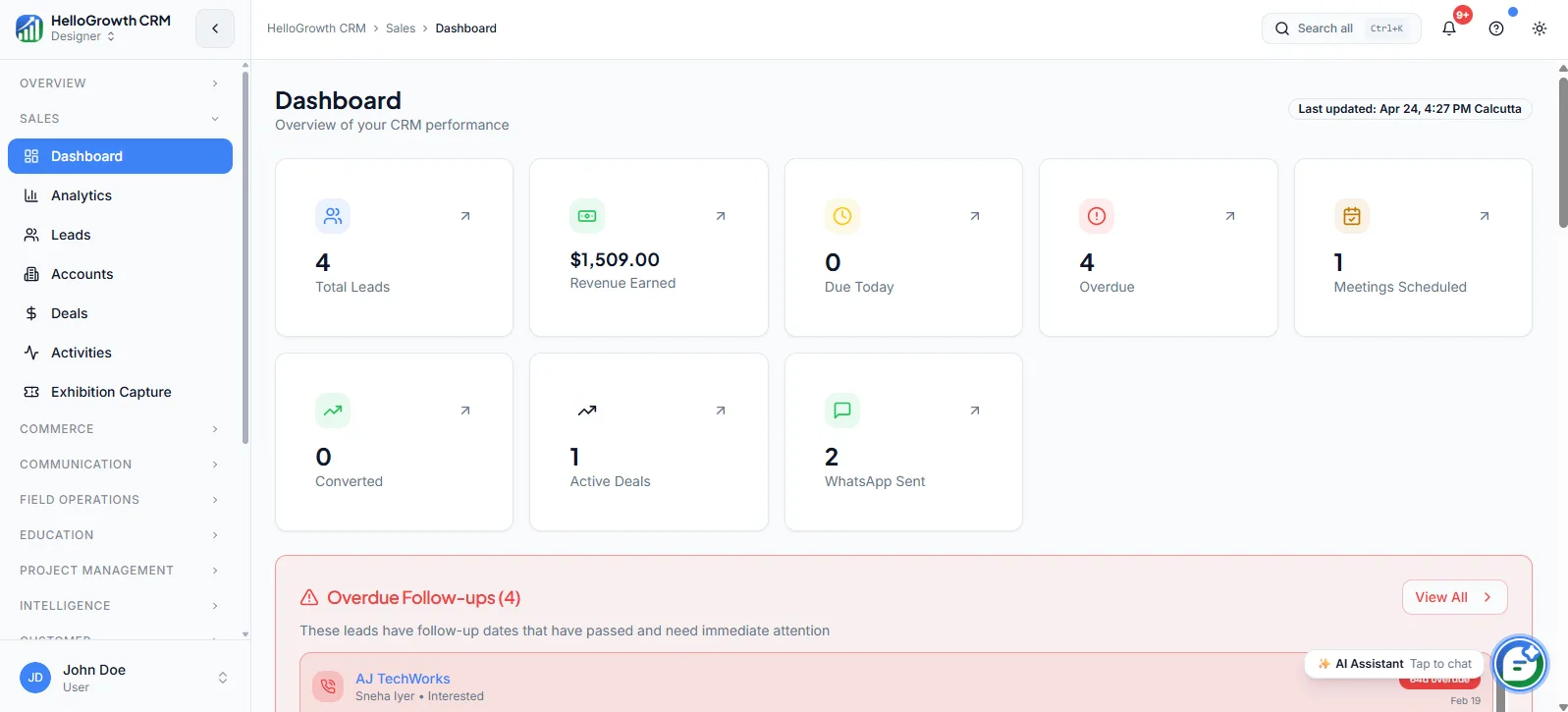
How this capability is packaged by plan
| Plan | Availability |
|---|---|
| Free Forever | |
| Software Only | |
| Growth Engine | |
| RevOps Partner |
Setting it up — step by step
- 1
Meet your specialist
An onboarding call introduces your named specialist and maps your sales process, tools, and current pain points.
- 2
Grant working access
The specialist gets CRM access and agrees which records, queues, and views they will own.
- 3
Agree the operating rules
Define follow-up standards, escalation triggers, and what the specialist handles versus hands to your reps.
- 4
Set the weekly cadence
Fix the recurring rhythm: which days queues are worked, when reports land, and how you communicate.
- 5
Review the first month
Inspect the first weeks' output together and tighten the rules based on what surfaced.
Who uses named revenue specialist
Founder/owner
Delegates the operational grind — queue management, record hygiene, follow-up chasing — to a named person they can message directly, and gets their evenings back without hiring a full-time ops employee.
Sales manager
Walks into pipeline reviews with data already cleaned and exceptions already flagged by the specialist, so meeting time goes to coaching decisions instead of asking whose deal is actually still alive.
Sales rep
Receives a maintained queue with clear next steps instead of a swamp of stale records, and hands administrative loose ends — missing fields, mis-staged deals — to the specialist rather than losing selling hours to them.
Named Revenue Specialist in practice — industry examples
Startups
A seed-stage startup with two founder-sellers gets a specialist who works their inbound queue daily, keeps trial-stage deals moving with flagged next steps, and preps Monday's pipeline snapshot — so the founders sell and fundraise instead of doing CRM administration between investor calls.
Agencies
A marketing agency whose account directors sell between client deliveries relies on the specialist to chase proposal follow-ups during delivery crunches. When a director disappears into a campaign launch for two weeks, their open deals keep receiving scheduled touches instead of going silent.
Interior designers
A design studio wins work through consultations that founders squeeze between site visits. The specialist keeps every consultation inquiry answered, follows up on sent design proposals at agreed intervals, and flags quotes going cold — so the studio stops losing projects to simple silence.
Common mistakes to avoid
Treating the specialist as a data-entry clerk instead of an operator, wasting the role's pipeline-discipline value.
Never agreeing escalation rules, so the specialist either interrupts constantly or sits on issues that needed attention.
Letting reps bypass the operating rules the specialist maintains, recreating the chaos the service was bought to end.
Skipping the weekly review, losing the feedback loop that turns the specialist's observations into process fixes.
What teams usually care about here
Useful for founders or lean teams that do not want to hire a full in-house RevOps function yet
Creates accountability around lead handling, cleanup, and weekly operating rhythm
Included in managed service tiers where execution support matters as much as software access
How this fits the buying decision
Buyers usually do not evaluate named revenue specialist in isolation. They want to know whether it improves execution, reporting, handoffs, and accountability inside the broader CRM workflow. That is why this capability matters most when it is connected to records, ownership, activity history, and manager review rather than living in a separate point tool.
The real decision is often less about whether a box is checked and more about how much depth the team needs. Lower tiers may be enough when the workflow is simple or the volume is small. Higher tiers become more valuable when teams need governance, faster response expectations, specialist execution, or a repeatable operating cadence around the process.
If this capability is important to your rollout, compare it in the context of the whole plan. That includes related workflows, support level, reporting expectations, and whether your team will manage the motion itself or rely on managed RevOps help to keep it consistent.
Frequently asked questions
Which plans include a Named Revenue Specialist?
The Growth Engine and RevOps Partner plans both include a named specialist as part of their managed services. Free Forever and Software Only are software-only plans without managed execution support.
Is this a real person or an AI agent?
A real person — a named operator you can contact directly, who works inside your CRM account on a fixed weekly cadence. They use the platform's automation and AI features as tools, but the accountability, judgement, and communication are human.
How does onboarding work and how fast is it?
Onboarding starts with a call to map your sales process and pain points, followed by access setup and agreeing operating rules and cadence. Most teams see the specialist actively working queues within the first week or two, with the rhythm tightening over the first month.
What exactly does the specialist do each week?
They work follow-up queues, review new lead handling, flag deals with no next step, clean mis-staged and incomplete records, and prepare your weekly numbers. The precise scope is agreed at onboarding and adjusted in your regular reviews as priorities shift.
Will the specialist contact our customers directly?
That is your call, agreed during onboarding. Some teams have the specialist manage internal operations only — queues, hygiene, reporting — while reps handle all customer contact; others delegate defined follow-up touches. The operating rules document draws that line explicitly.
Related Pricing Capabilities
Quarterly Funnel Review
A strategic review of conversion, leakage, stage design, and operating performance at the funnel level.
Lead Scoring Tuning
Periodic refinement of scoring logic so the model better reflects the signals that actually correlate with qualified pipeline.
Monthly Strategy Call
A recurring planning and review session focused on pipeline health, priorities, and revenue-operations decisions for the next cycle.
Support
Plan-based support coverage that ranges from community help to priority queues and a dedicated managed-service contact with strategic guidance — matched to how central the CRM is to your revenue.
API & Integrations
Connectivity tooling for syncing data, triggering workflows, and fitting the CRM into the rest of the operating stack.
Lead Routing
Automated lead assignment rules that distribute new inquiries to the right rep based on territory, source, score, or round-robin logic.