

Skip to content
WhatsApp Shared Inbox CRM

WhatsApp Shared Inbox CRM for Sales Teams

Every WhatsApp lead goes to your team inbox — not a personal phone. Assign ownership, track response times, set SLAs, and manage a full pipeline from the same screen.

Free Forever • No Credit Card Required

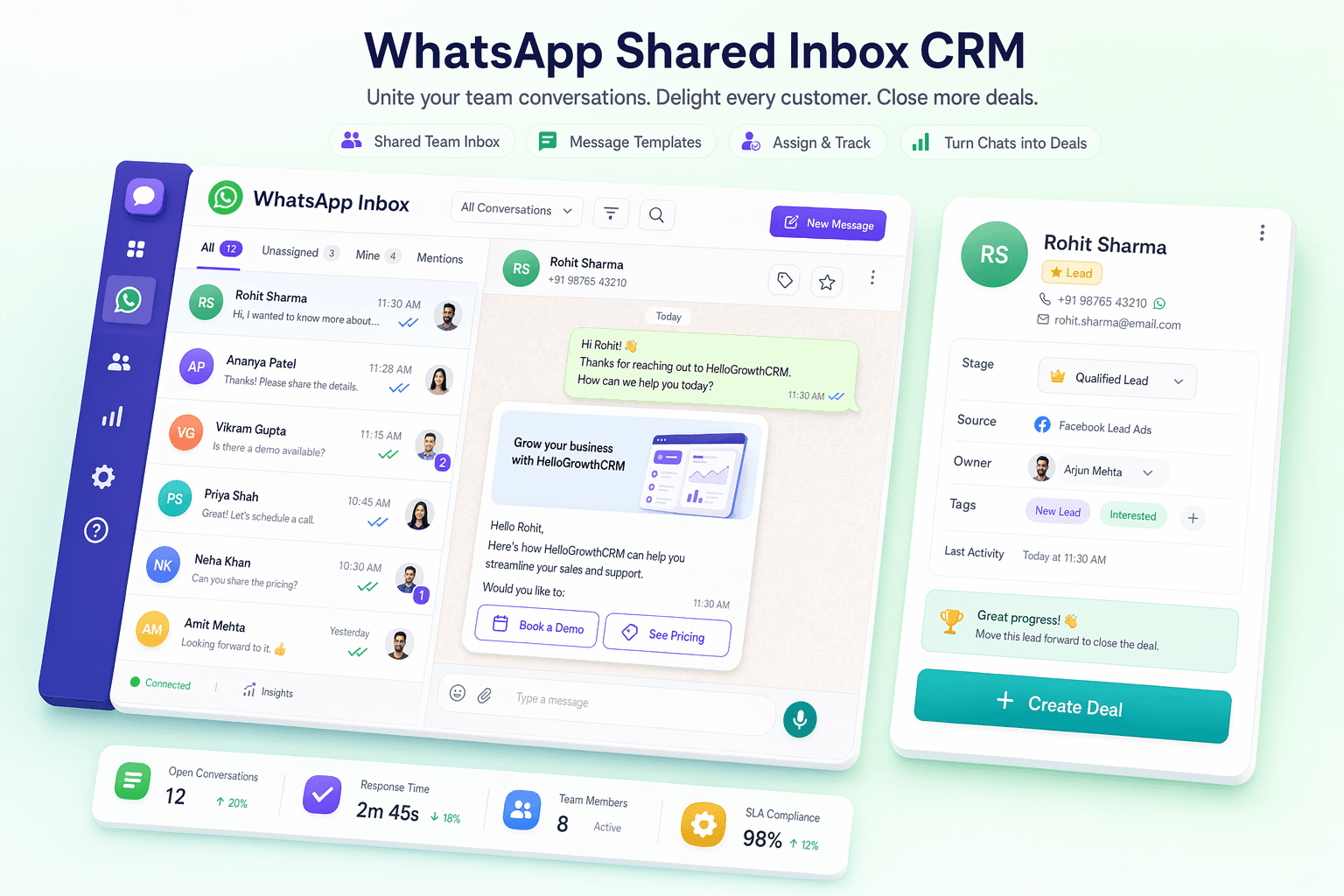
WhatsApp Shared Inbox CRM — team inbox with lead cards, assignment queue, and pipeline

Quick answer

Is HelloGrowthCRM right for WhatsApp Shared Inbox CRM?

Yes. HelloGrowthCRM gives WhatsApp Shared Inbox CRM a single system to capture every lead, automate follow-up across phone, WhatsApp, and email, prioritise leads with AI scoring, and forecast revenue — with calling and messaging built in instead of sold as add-ons.
  • Team inbox: all inbound WhatsApp messages from leads land in a shared queue visible to the whole team — no lead is trapped on one person's phone
  • Lead ownership assignment: assign any WhatsApp conversation to a specific rep with one click — or set auto-assignment rules by geography, product, or round-robin rotation
  • SLA alerts: get notified when a WhatsApp lead hasn't received a response within your team's agreed response time — typically 5 or 15 minutes for Indian buyers

See pricingBook a demo

01

Why personal phones kill team WhatsApp sales

Most small Indian sales teams start by managing WhatsApp leads on personal phones. One rep handles manufacturing leads, another handles retail, and a third handles referrals — all on separate devices. The problem becomes obvious fast: when a rep is on leave, their leads are unreachable. When a manager asks how many WhatsApp enquiries came in this week, there is no answer. When a rep leaves the company, all their conversations leave with them.

A shared inbox fixes all of this. Every inbound WhatsApp message from a prospect goes to a team queue that any authorised rep can see and respond to. Leads are never stuck on one person's phone. Managers see every conversation in real time. And when a rep leaves, their conversations stay in the CRM, assigned to whoever takes over.

02

How a shared inbox CRM changes team performance

The biggest driver of WhatsApp conversion is response time. Research consistently shows that responding within 5 minutes is 21x more likely to result in a connection than responding after an hour. In a team without a shared inbox, response time depends on which rep happens to see the message first — and often that means waiting 30–60 minutes. With HelloGrowthCRM's shared inbox, every new WhatsApp message triggers an instant automated response and is assigned to a rep within seconds based on your routing rules.

Team performance dashboards show you first-response time per rep, leads handled, and conversion rate — so you can coach underperformers with data rather than guesses. See how this compares to standalone messaging tools in our Wati vs HelloGrowthCRM comparison.

03

Shared inbox vs. WhatsApp for Teams

WhatsApp's official multi-device feature allows one account on up to four devices, but it is not a team inbox — there is no assignment, no SLA tracking, no pipeline context, and no analytics. Tools like Wati or Interakt do provide team inbox features for WhatsApp, but they are messaging-first tools without a full sales CRM behind them. You end up needing a WhatsApp inbox tool AND a separate CRM, doubling your costs and your integration work. HelloGrowthCRM is both in one: shared inbox, pipeline, AI scoring, dialer, and reporting — all at one flat price.

04

Pricing: one number, your whole team

HelloGrowthCRM's shared inbox is included in paid plans from Rs.899 per user per month on the annual plan (Rs.1,099 billed monthly). For a five-person sales team, that is Rs.4,495/month for a full CRM with WhatsApp shared inbox, dialer, and AI — compared to paying Rs.3,000–6,000/month for a dedicated WhatsApp team inbox tool and another Rs.2,000–5,000/month for a separate CRM. WhatsApp lead management and CRM for small business India are both included in the same plan.

05

Shared inbox in practice: three team scenarios

A four-agent travel agency in Delhi receives enquiries for domestic packages, international packages, and visa services on one number. Keyword routing sends each enquiry to the right specialist, and the owner watches the SLA board during peak season to catch anything waiting more than ten minutes. A building materials supplier in Coimbatore has two inside-sales reps and three field reps. Inside sales answers the shared inbox and books site measurements; field reps see the full conversation history on the mobile app before every visit, so customers never repeat themselves.

A diagnostics lab chain uses the shared inbox for appointment enquiries across five branches. Auto-assignment routes by branch keyword, internal notes flag corporate accounts for priority handling, and the manager's dashboard shows response time per branch each week. In all three cases the shift is the same: WhatsApp stops being five private phones and becomes one accountable queue with owners, timers, and history the whole team can see.

06

Setting up a team inbox in under 30 minutes

Connect your WhatsApp Business number through Meta's official Cloud API from the settings screen — the guided flow handles number verification. Add your team members as users and decide your assignment rule: round-robin is the right default for most teams, with keyword or geography routing added later once volume justifies it. Write your automated first response so every new enquiry gets an instant acknowledgement while a rep is assigned. Finally, agree on one SLA as a team — for Indian buyers, 5 to 15 minutes during business hours is a realistic starting target — and switch on the overdue alert at that threshold. Most teams complete this in a single sitting of 15 to 30 minutes and handle live conversations the same day, with the iOS and Android apps covering reps who work away from a desk.

07

What to check before choosing a shared inbox tool

Ask three questions. Does the inbox connect to a real pipeline? If conversations are not linked to deal records, reps still copy details into a second tool and the inbox becomes another silo. Is the WhatsApp connection official? Grey-market multi-device hacks risk number bans; an official Meta Cloud API connection protects the number your customers have saved. And can you measure the team? Response time per rep, leads handled, and conversion by owner are the numbers that turn inbox management into coaching. HelloGrowthCRM answers all three in one product — see the WhatsApp CRM India overview for the full platform, or the WhatsApp CRM pricing breakdown to compare total costs against running separate inbox and CRM tools.

What you get

Why teams choose HelloGrowthCRM

AI-powered CRM with the features you need to close more deals.

  • Team inbox: all inbound WhatsApp messages from leads land in a shared queue visible to the whole team — no lead is trapped on one person's phone
  • Lead ownership assignment: assign any WhatsApp conversation to a specific rep with one click — or set auto-assignment rules by geography, product, or round-robin rotation
  • SLA alerts: get notified when a WhatsApp lead hasn't received a response within your team's agreed response time — typically 5 or 15 minutes for Indian buyers
  • Response time tracking: measure average first-response time per rep, per week — the single most predictive metric for WhatsApp lead conversion
  • Conversation takeover: senior reps or managers can read and take over any WhatsApp conversation in the team inbox without needing access to someone else's phone
  • Pipeline integration: every inbox conversation is linked to a deal card — so team members see the lead's pipeline stage, score, and history alongside the chat
  • Internal notes: add private notes visible to the team but not sent to the lead — coordinate handoffs without the prospect seeing internal discussion
  • Automated first response: when a new WhatsApp message arrives, an instant automated reply fires while the lead is assigned to the right rep
  • Read and unread status: see at a glance which team inbox conversations have been actioned and which are still waiting for a first response
  • Team performance dashboard: see total inbox volume, response time, leads handled, and conversion rate per team member — all in one report

HelloGrowthCRM by the numbers

$12
per user/month list price — $10/user/mo on annual billing, ₹899/user/mo in India
$0
free forever starter plan — no credit card required
14-day
trial included on paid plans
259+
live integrations, from WhatsApp to Tally and QuickBooks
500+
teams worldwide run their pipeline on HelloGrowthCRM

Frequently Asked Questions

Common questions about using HelloGrowthCRM in your industry.

Ready to grow?

Join small businesses that close more deals with HelloGrowthCRM.

Free Forever • No Credit Card Required

Take the next step

Free Forever • No Credit Card Required

Prefer email? Write to sales@hellogrowthcrm.com