HelloGrowthCRM software
Built for real small-business sales teams
HelloGrowthCRM helps reps qualify faster, follow up on time, and close more deals—with practical automation in one place.
- AI lead scoring and pipeline visibility
- Built-in dialer, WhatsApp, and email automation
- Sales forecasting and RevOps-ready reporting
Auto logging calls in a CRM means your calls with leads or customers are automatically recorded in the system without manual entry. This saves time, reduces errors, and keeps your sales data complete. This article explains why Indian small businesses seek auto call logging, step-by-step how to set it up, common pitfalls to avoid, and how HelloGrowthCRM supports automatic call logging with its built-in dialer and messaging features.
Why this comes up / what goes wrong
Indian small and mid-sized businesses (SMBs) often rely on phone calls to close sales or provide support. However, many still track calls manually using spreadsheets or WhatsApp messages, which leads to lost data, slow follow-up, and missed sales opportunities. Telecalling teams juggling hundreds of leads find manual logging tedious and error-prone. Without automatic call logging, managers lack visibility into call outcomes and team productivity. This causes delays in next steps and inconsistent customer experiences.
Auto logging calls in a CRM addresses these issues by capturing call details and outcomes instantly, saving time and improving accuracy. It also helps sales leaders monitor performance and forecast better.
Step-by-step
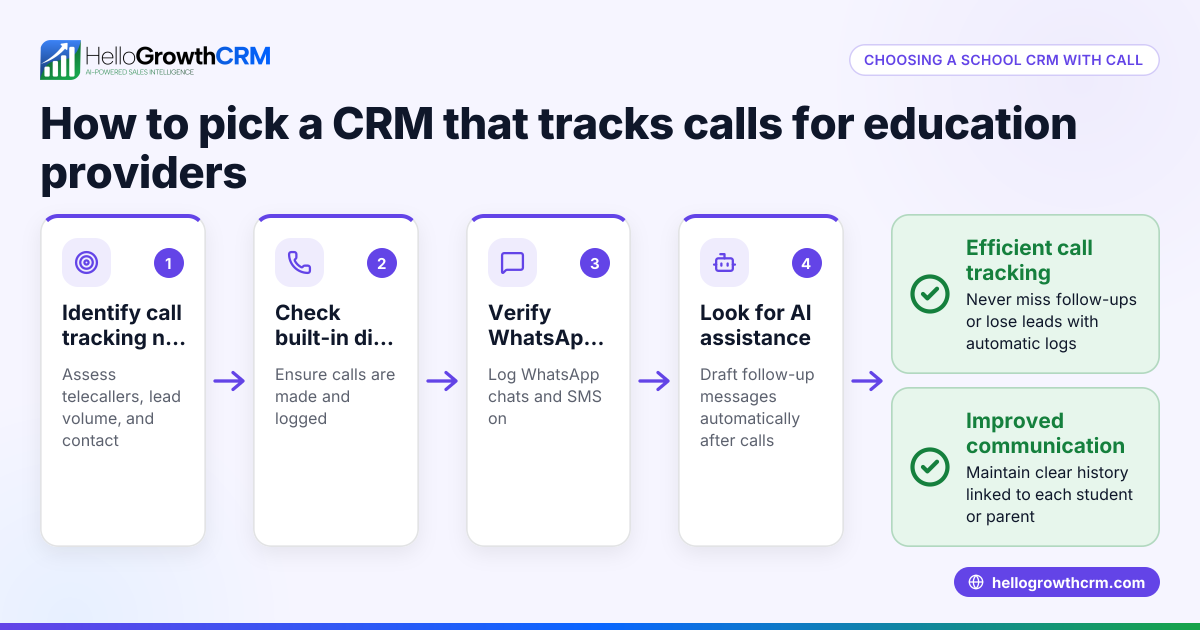
- Choose a CRM with built-in call logging features. Check if the CRM offers a dialer integrated with call outcome logging. Avoid CRMs that require manual entry after calls.
- Set up the phone dialer inside the CRM. Configure your telecalling team’s phones or softphones to work with the CRM dialer. Verify call connectivity and permissions.
- Define call outcome categories. Examples include Connected, No Answer, Voicemail, Wrong Number, Interested, Not Interested. This standardizes logging.
- Train your team on using the dialer and logging calls. Emphasize the importance of selecting the correct call outcome.
- Enable automatic call logging. Activate features that log call start time, duration, and outcome automatically without manual input.
- Integrate messaging channels if available. If the CRM supports WhatsApp and SMS, ensure conversations are linked to the lead for full context.
- Set up follow-up workflows. Use AI or templates to draft follow-up messages after calls, saving reps time.
- Monitor call logs and outcomes regularly. Use reports and dashboards to track team performance and lead progress.
- Ensure data privacy and compliance. Confirm your call logging respects customer consent and legal restrictions (NEEDS EXPERT REVIEW).
Example (fictional figures)
An Indian SMB called "Sharma Electronics" has 3 telecallers making calls to 500 leads monthly. Each call lasts an average of 5 minutes.
- Total calling time = 500 calls × 5 minutes = 2,500 minutes = 41.67 hours
- Without auto logging, each call takes an extra 1 minute to manually log, adding 500 minutes = 8.33 hours
- Total time spent = 41.67 + 8.33 = 50 hours
By auto logging calls,
- Time saved on logging = 8.33 hours
- If telecallers are paid ₹15,000 per month for 160 hours,
Cost per hour = ₹15,000 ÷ 160 = ₹93.75
Savings per month = 8.33 × ₹93.75 = ₹780.94
This time saving lets the team make more calls or focus on closing deals.
Common mistakes
- Using a CRM without integrated dialer or call logging. Leads to manual entry and errors. Prevent by selecting a CRM with a built-in dialer like HelloGrowthCRM’s built-in CRM dialer.
- Not defining clear call outcomes. Causes inconsistent data. Prevent by standardizing call result categories.
- Ignoring WhatsApp and SMS integration. Misses valuable conversation history. Prevent by choosing a CRM that logs WhatsApp chats on lead records, such as HelloGrowthCRM’s WhatsApp and SMS CRM.
- Failing to train telecallers on CRM usage. Results in incorrect logging and lost data. Prevent by regular training and monitoring.
- Not reviewing call logs regularly. Misses trends and coaching opportunities. Prevent by setting up routine performance reviews.
- Overlooking legal compliance for call recording and logging. Prevent by consulting legal experts (NEEDS EXPERT REVIEW).
Doing this in HelloGrowthCRM
HelloGrowthCRM offers a built-in dialer that lets telecallers call directly from the CRM and automatically logs the outcome of each call on the lead record. WhatsApp conversations are also logged on the lead, and follow-ups can be sent as WhatsApp or SMS messages using the WhatsApp and SMS CRM features. Additionally, AI agents (Beta) draft follow-up messages after calls so reps only need to review and send, saving time and improving consistency.
Frequently asked questions
Can calls be logged automatically without using the CRM dialer? Typically, automatic call logging requires using the CRM’s built-in dialer or integration with your phone system. Manual calls made outside the CRM usually need manual logging.
How does WhatsApp integration help with call logging? WhatsApp conversations linked to a lead are logged automatically, providing a complete communication history alongside call logs. This helps sales teams track all interactions in one place.
Is call recording included with auto logging? Auto logging records call details and outcomes but may not include call recording unless explicitly supported. Confirm with your CRM vendor.
What are the legal considerations for auto logging calls in India? Call logging must comply with data privacy laws and telecom regulations. Businesses should ensure customer consent and restrict logging to permissible hours (NEEDS EXPERT REVIEW).
Can AI help with follow-ups after calls? Yes, some CRMs like HelloGrowthCRM have AI agents that draft follow-up messages after calls, reducing manual work for sales reps.
Does HelloGrowthCRM support power dialing? HelloGrowthCRM offers a local dialer on Starter plans and a power dialer on Growth plans, enhancing calling efficiency.
Key takeaways
- Auto logging calls saves time and reduces errors compared to manual entry.
- Use a CRM with a built-in dialer and defined call outcome categories.
- Integrate WhatsApp and SMS conversations for complete lead communication history.
- Train your team and monitor call logs regularly to maintain data quality.
- Check legal compliance for call logging and recording in India (NEEDS EXPERT REVIEW).
- HelloGrowthCRM supports auto call logging with its built-in dialer, WhatsApp logging, and AI follow-up drafting.
Start automating your call logging and follow-ups today with HelloGrowthCRM. Start on the Free Forever plan (200 leads, no credit card).
Ready to put this into practice?
Set up your pipeline, WhatsApp follow-ups, and AI lead scoring in minutes — free, no credit card.
Try HelloGrowthCRM freeGet CRM tips in your inbox
Join thousands of sales professionals who get weekly insights on CRM strategy, AI automation, and pipeline optimization.

The HelloGrowthCRM team publishes guides on CRM strategy, AI sales tools, and revenue operations for small business sales teams.