HelloGrowthCRM software
Built for real small-business sales teams
HelloGrowthCRM helps reps qualify faster, follow up on time, and close more deals—with practical automation in one place.
- AI lead scoring and pipeline visibility
- Built-in dialer, WhatsApp, and email automation
- Sales forecasting and RevOps-ready reporting
The best CRM with business integrations in the United States depends on your small or mid-sized business needs, focusing on ease of integration, communication channels, and automation. This article covers how to evaluate CRMs for integrations, a step-by-step selection guide, common pitfalls, a practical example, and how HelloGrowthCRM supports business integrations.
Why this comes up / what goes wrong
Small and mid-sized business owners often search for the best CRM with business integrations because managing leads, contacts, and sales activities across multiple tools like email, messaging apps, and spreadsheets leads to lost opportunities and slow follow-up. Without smooth integration, teams waste time switching between apps or manually entering data, causing delays and errors. Operations managers need a CRM that fits into their existing software stack to streamline workflows and keep the sales pipeline moving efficiently.
Often, businesses start with simple tools like spreadsheets and email but quickly find these insufficient as customer interactions grow. They need a CRM that integrates well with their lead sources, communication channels, and accounting or marketplace platforms to avoid data silos and improve team collaboration.
Step-by-step
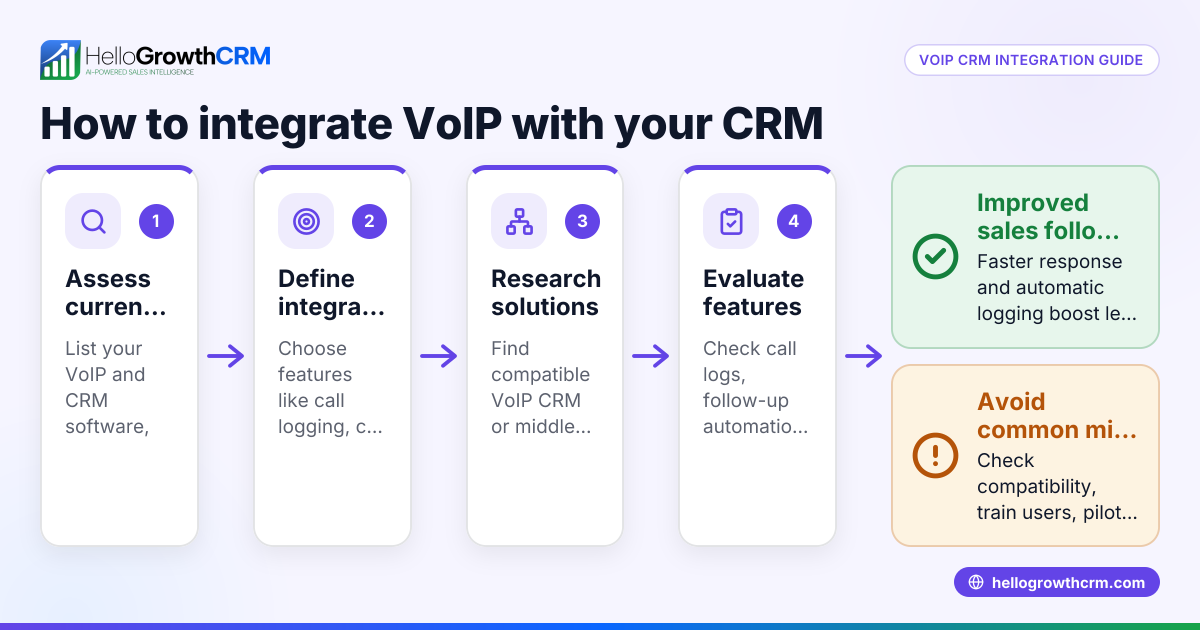
- Identify your key business systems to integrate: Make a list of all software and platforms you use daily, such as your website lead forms, messaging platforms like WhatsApp or SMS, accounting software, marketplaces, and any other tools critical to your workflow. Check if the CRM supports these integrations directly or via API.
- Evaluate integration depth and automation: Determine if the CRM only syncs data or also automates workflows like lead capture, follow-ups, task assignments, and notifications. Automation can save time and reduce errors.
- Check communication channel support: Confirm the CRM supports your main customer contact methods, such as WhatsApp and SMS, and whether it logs conversations automatically for easy tracking and follow-up.
- Assess AI and automation features: Look for CRMs offering AI agents or automation that can draft follow-up messages, update records, or execute workflow steps without manual intervention. This reduces the workload on your sales team.
- Review ease of use and adoption potential: Choose a CRM that your team can learn quickly and will actively use. Avoid complex setups or interfaces that might cause resistance or low adoption.
- Compare pricing and plans: Consider your budget and whether the CRM charges extra for integrations, messaging features, or AI automation. Review pricing details carefully on the CRM pricing in the United States page.
- Test with a trial or demo: Use trial periods or demos to verify that integrations work smoothly and that the CRM fits your business needs before committing.
Example (fictional figures)
A residential real-estate team in Phoenix, Arizona, plans to implement a CRM that integrates their website lead form, WhatsApp conversations, and accounting software by 07/01/2024.
- They expect 1,200 new leads per year.
- They want to automate lead capture and WhatsApp follow-ups.
- Their accounting software subscription costs $50 per month.
Costs to compare:
CRM monthly cost = $200 Accounting software = $50 Total monthly cost = $200 + $50 = $250
If automation saves 10 hours monthly at $25 per hour:
Labor savings = 10 × $25 = $250
Net monthly benefit = Labor savings - CRM cost = $250 - $200 = $50
This example shows the CRM pays for itself by saving labor costs while integrating key business tools, improving efficiency and responsiveness.
Common mistakes
- Ignoring integration compatibility: Not verifying if the CRM supports your exact tools leads to manual data entry and errors. Prevent this by listing your software and checking CRM integration details carefully.
- Overlooking communication channels: If your team uses WhatsApp or SMS for sales or support, ensure the CRM logs and automates these messages. Missing this can cause lost conversations and slow follow-up.
- Choosing complex CRMs: Selecting a CRM with a steep learning curve can result in low adoption by your team. Choose one with an intuitive interface and provide training.
- Neglecting trial testing: Skipping trials can lead to surprises about integration glitches or missing features. Always test integrations and workflows during a trial period.
- Focusing only on price: Opting for the cheapest CRM might mean missing critical integrations or automation, costing more in time and lost sales. Balance cost with features and usability.
Prevent these mistakes by following the step-by-step evaluation and using resources like the compare CRMs page to see options side-by-side.
Doing this in HelloGrowthCRM
HelloGrowthCRM supports business integrations with an API and connectivity tooling that syncs data and triggers workflows, including enquiries from IndiaMART and JustDial arriving as leads. It is a WhatsApp-native CRM where WhatsApp conversations with leads are logged on the lead record, and follow-ups can be sent as messages. Additionally, AI agents (in beta on Growth plans) draft follow-up messages after calls for reps to review and send, reducing manual work. Learn more about its integrations, WhatsApp and SMS features, and AI agents.
Frequently asked questions
What are the typical pricing considerations for CRMs with business integrations in the United States? Pricing depends on features like the number of integrations, messaging channels supported, and AI automation. Some CRMs include integrations in their base plans, while others charge extra. Check detailed pricing on the CRM pricing in the United States page to compare plans.
What are good alternatives if a CRM lacks certain business integrations? If a CRM does not support your needed integrations, consider middleware tools that connect apps or choose a CRM with native support. Using the compare CRMs resource can help identify options with the right integration mix.
How can operations managers ensure the CRM fits their team’s workflow? Operations managers should involve sales and support teams in testing, confirm the CRM supports communication channels like WhatsApp and SMS, and verify automation features. Trial periods and demos help ensure smooth adoption.
Can AI agents in CRMs improve sales follow-up efficiency? Yes, AI agents can draft follow-up messages automatically after calls or meetings, allowing sales reps to review and send quickly. This reduces manual work and speeds up lead engagement.
How important is it for a CRM to log WhatsApp conversations? Logging WhatsApp conversations in the CRM ensures all customer interactions are recorded and accessible to the team. This prevents lost messages and helps maintain consistent communication.
Key takeaways
- Identify your essential business tools and check CRM integration support.
- Prioritize CRMs that automate lead capture and communication workflows.
- Test CRMs thoroughly to avoid adoption and integration issues.
- Consider communication channels like WhatsApp and SMS for customer engagement.
- Evaluate AI automation features to reduce manual follow-up work.
- Balance pricing with features and usability to find the best fit.
Choosing the best CRM with business integrations can streamline your sales and operations. For detailed pricing options, see CRM pricing in the United States.
Ready to put this into practice?
Set up your pipeline, WhatsApp follow-ups, and AI lead scoring in minutes — free, no credit card.
Try HelloGrowthCRM freeGet CRM tips in your inbox
Join thousands of sales professionals who get weekly insights on CRM strategy, AI automation, and pipeline optimization.

The HelloGrowthCRM team publishes guides on CRM strategy, AI sales tools, and revenue operations for small business sales teams.