HelloGrowthCRM software
Built for real small-business sales teams
HelloGrowthCRM helps reps qualify faster, follow up on time, and close more deals—with practical automation in one place.
- AI lead scoring and pipeline visibility
- Built-in dialer, WhatsApp, and email automation
- Sales forecasting and RevOps-ready reporting
The best CRM with email integration in India for small and mid-sized businesses combines seamless email management, lead capture, and team collaboration. HelloGrowthCRM offers these features with integrations from IndiaMART and JustDial, a shared email inbox, and WhatsApp messaging. This article covers how to evaluate CRMs with email integration, key steps to choose the right one, common mistakes to avoid, and how HelloGrowthCRM supports your sales process.
Why this comes up / what goes wrong
Small business owners in India often start managing sales with WhatsApp, Excel sheets, or basic email accounts. As leads grow, tracking email replies, quotations, and follow-ups becomes difficult. Important emails get lost or seen by only one person, leading to slow responses and lost sales. Without email integration in a CRM, teams waste time switching between email clients and sales tools. This search arises because business owners want a CRM that unifies email communication with lead management, improving speed and teamwork.
Step-by-step
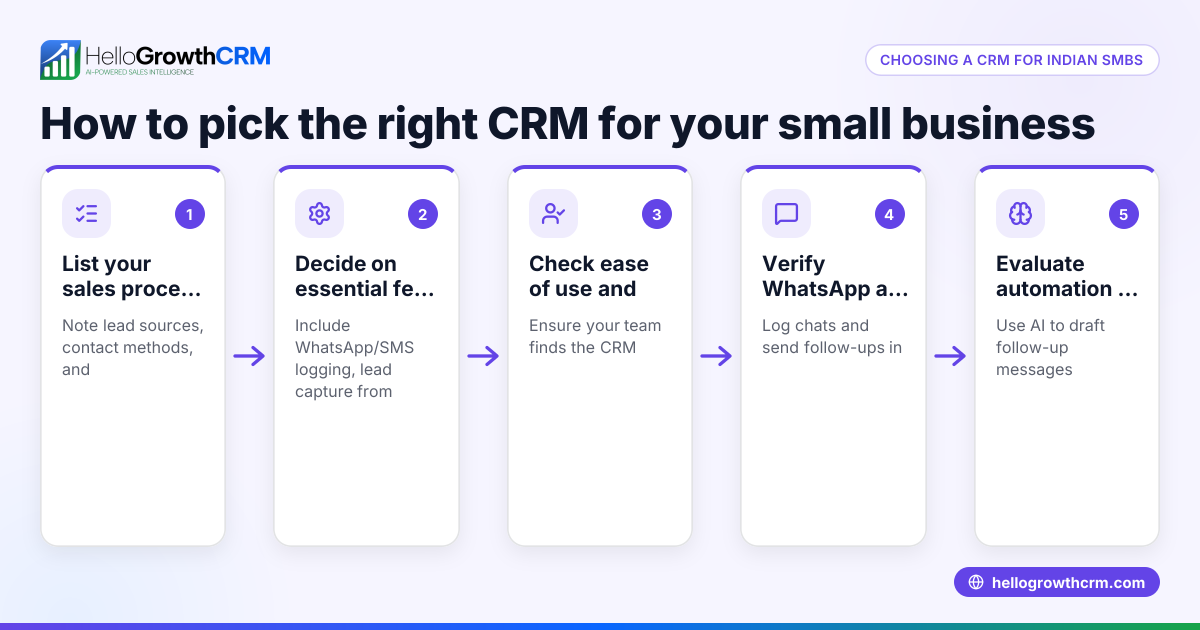
- List your must-have email features: Decide if you need a shared inbox, email templates, automatic logging of replies, or email sequences. Check if the CRM supports these.
- Check integration with lead sources: If you get leads from platforms like IndiaMART or JustDial, ensure the CRM imports these leads automatically to avoid manual entry.
- Evaluate team collaboration tools: Look for shared email inboxes or ways all team members can see email conversations on the deal record.
- Assess messaging channels beyond email: WhatsApp and SMS integration can improve follow-ups. Verify if the CRM logs these conversations alongside emails.
- Review reporting and forecasting features: Email integration should support pipeline visibility and sales forecasting by capturing communication data.
- Compare pricing and plans carefully: Some CRMs charge extra for email automation or integrations. Review pricing details on the CRM’s India-specific pricing page.
- Test user experience and adoption: Choose a CRM that your sales team finds easy to use daily, reducing the chance of data gaps.
- Check integration capabilities: If you use other tools like Tally for accounting or Razorpay for payments, verify if the CRM supports these integrations.
Example (fictional figures)
A Delhi-based SME sells industrial supplies and gets 200 leads monthly from IndiaMART and JustDial. They want to track email quotations and WhatsApp follow-ups in one place.
- Monthly leads: 200
- Average deal size: ₹1,00,000
- Conversion rate without CRM: 5% (leads lost due to slow follow-up)
- Expected conversion rate with CRM: 10%
Calculation:
Leads converted without CRM = 200 × 5% = 10 deals
Revenue without CRM = 10 × ₹1,00,000 = ₹10,00,000
Leads converted with CRM = 200 × 10% = 20 deals
Revenue with CRM = 20 × ₹1,00,000 = ₹20,00,000
Revenue increase = ₹20,00,000 - ₹10,00,000 = ₹10,00,000
This doubling of conversion is achievable by faster email follow-ups and team visibility of communication.
Common mistakes
- Not verifying email integration depth: Some CRMs only allow sending emails but don’t log replies or share inboxes. Prevent by testing the shared inbox feature.
- Ignoring lead source integration: Manually entering leads wastes time and risks errors. Avoid by choosing a CRM with IndiaMART and JustDial lead capture.
- Overlooking multi-channel communication: Relying only on email misses customers who prefer WhatsApp or SMS. Choose CRMs that log these conversations.
- Choosing CRM without team visibility: If only one person sees email replies, others may duplicate work or miss follow-ups. Use CRMs with shared inboxes.
- Underestimating pricing complexity: Some CRMs charge separately for email automation or integrations. Review pricing carefully on the CRM pricing in India page.
- Skipping user training and adoption: Even the best CRM fails if the team doesn’t use it properly. Plan training and monitor usage.
Doing this in HelloGrowthCRM
HelloGrowthCRM supports email integration with its HelloMail shared inbox, allowing your entire sales team to see replies to quotation emails directly on the deal record. Leads from IndiaMART and JustDial arrive automatically via API integrations, removing manual entry. WhatsApp and SMS conversations are logged on each lead, enabling follow-ups on preferred channels without losing context. Learn more about these features at integrations (WhatsApp, Tally, IndiaMART) and email automation and sequences.
Frequently asked questions
What is the typical pricing for CRMs with email integration in India? Pricing varies widely depending on features and user count. Many CRMs offer tiered plans with email integration starting from basic tiers, but advanced features like shared inboxes or multi-channel messaging may cost extra. Check detailed pricing on the CRM pricing in India page before deciding.
Are there good alternatives to CRMs with email integration? Alternatives include standalone email management tools combined with spreadsheets or WhatsApp for sales. However, these approaches lack unified tracking and automation, increasing the risk of lost leads. Using a CRM with integrated email and messaging channels improves efficiency.
Can I integrate my existing email account with a CRM? Most CRMs support integration with popular email providers like Gmail or Outlook. However, integration depth varies—some only send emails, others sync replies and allow shared inboxes. Confirm the integration capabilities before switching.
How does WhatsApp integration help alongside email? WhatsApp is widely used in India for quick communication. CRMs that log WhatsApp conversations alongside emails help maintain full context and speed up follow-ups. HelloGrowthCRM offers WhatsApp and SMS integration for this purpose.
What should I look for in a CRM’s email integration feature? Look for automatic logging of sent and received emails, shared inbox access for teams, email templates, and support for email sequences. These features reduce manual work and improve team collaboration.
Key takeaways
- Choose a CRM that offers a shared email inbox so the whole team can track replies.
- Ensure the CRM integrates lead sources like IndiaMART and JustDial to automate lead capture.
- Multi-channel communication including WhatsApp and SMS improves follow-up success.
- Review pricing carefully for email automation and integrations on the CRM’s India pricing page.
- Avoid manual lead entry and isolated email management to reduce lost leads.
- Prioritise user-friendly CRMs to encourage team adoption and consistent usage.
To explore pricing and plans suited for Indian businesses, see India pricing.
Ready to put this into practice?
Set up your pipeline, WhatsApp follow-ups, and AI lead scoring in minutes — free, no credit card.
Try HelloGrowthCRM freeGet CRM tips in your inbox
Join thousands of sales professionals who get weekly insights on CRM strategy, AI automation, and pipeline optimization.

The HelloGrowthCRM team publishes guides on CRM strategy, AI sales tools, and revenue operations for small business sales teams.