HelloGrowthCRM software
Built for real small-business sales teams
HelloGrowthCRM helps reps qualify faster, follow up on time, and close more deals—with practical automation in one place.
- AI lead scoring and pipeline visibility
- Built-in dialer, WhatsApp, and email automation
- Sales forecasting and RevOps-ready reporting
Choosing the right CRM for an insurance agency in Canada is crucial because it directly impacts how you manage leads, follow up with prospects, and maintain customer relationships. Insurance agencies often struggle with slow follow-up, fragmented communications across email and text, and disorganized pipelines. This guide helps you identify the best CRM by focusing on what matters most for your business.
Why this comes up / what goes wrong
Insurance agency owners and accountants in Canada face unique challenges: leads come from multiple sources like referrals, web forms, and events; communication happens over email, phone, SMS, and increasingly WhatsApp; and managing policies and renewals requires timely follow-ups. Without a CRM tailored to these needs, leads slip through cracks, sales slow down, and customer satisfaction drops. Many agencies start with spreadsheets or generic CRMs that don’t integrate messaging channels or automate follow-ups, leading to inefficiency.
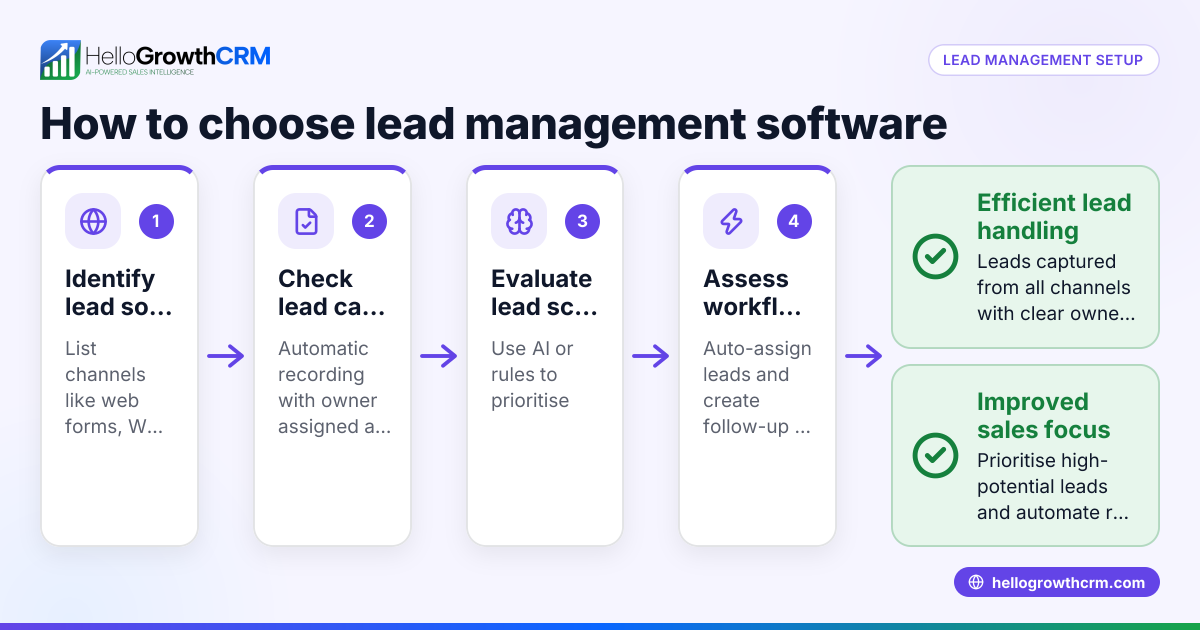
Step-by-step
- Identify Your Agency’s Needs:
- List must-have features such as lead capture, pipeline management, multi-channel messaging (including WhatsApp/SMS), and task reminders.
- Consider whether AI features for follow-up drafting or lead scoring are important.
- Check for Canadian Compliance and Support:
- Ensure the CRM supports Canadian data privacy standards.
- Look for local support or resources specific to Canadian insurance agencies.
- Evaluate Communication Channels:
- Confirm the CRM supports WhatsApp and SMS messaging since many Canadian customers prefer these.
- Make sure conversations are logged on lead records for context.
- Assess Automation and AI Capabilities:
- Look for AI agents that can draft follow-up messages after calls to save time.
- Automation should reduce manual data entry and speed up response times.
- Consider Pricing and Plans:
- Review pricing tiers and what features are included.
- Check for free or trial plans suitable for small teams.
- Test User Experience:
- Use demos or free plans to see if your team will actually use the CRM.
- Evaluate ease of use for inside sales and agents.
- Compare with Industry-Specific Solutions:
- Look at CRMs designed for insurance agencies or financial services for tailored features.
- Review Integration Options:
- Ensure the CRM can connect with your website forms and other tools.
- Review Reporting and Forecasting:
- Confirm it provides sales forecasting and performance reports essential for growth.
- Make a Shortlist and Ask for References:
- Narrow down to 2-3 options and seek feedback from similar Canadian agencies.
For more detailed comparisons, see compare CRMs and explore specific offerings for Insurance agents, NBFCs and financial services.
Example (fictional figures)
Consider "Northern Shield Insurance" based in Halifax, Nova Scotia. They handle 1,200 leads annually, with an average policy value of C$1,500.
- Current lead follow-up rate: 70%
- Average conversion rate: 20%
- Goal: Improve follow-up to 90% to increase sales
Calculations:
Leads followed up currently = 1,200 × 70% = 840 Conversions currently = 840 × 20% = 168 policies
If follow-up improves to 90%:
Leads followed up = 1,200 × 90% = 1,080 Conversions = 1,080 × 20% = 216 policies
Additional policies = 216 − 168 = 48
Additional revenue = 48 × C$1,500 = C$72,000
This shows that improving follow-up with a CRM that automates messaging and reminders can increase annual revenue by C$72,000.
Common mistakes
- Choosing a CRM without multi-channel messaging: Leads prefer WhatsApp or SMS; ignoring these channels leads to missed connections. Prevent by verifying support for these messaging methods.
- Ignoring team adoption: A complex CRM that agents avoid slows sales. Prevent by testing usability with your team before buying.
- Overlooking automation: Manual follow-ups cause delays. Prevent by selecting a CRM with AI agents or automation features.
- Not considering Canadian-specific needs: Some CRMs lack local support or compliance. Prevent by checking for Canadian-focused features and support.
- Failing to integrate with existing tools: Disconnected systems waste time. Prevent by confirming integrations with your web forms and communication tools.
- Focusing only on price: The cheapest CRM might lack essential features. Prevent by balancing cost with functionality and scalability.
Doing this in HelloGrowthCRM
HelloGrowthCRM supports insurance agencies in Canada with WhatsApp and SMS messaging, logging all conversations on lead records for easy follow-up. Its AI agents (in Beta on Growth plans) draft follow-up messages after calls, allowing reps to review and send quickly, saving time. For small teams, the Free Forever plan lets a two-person team run a pipeline at no cost until calling or WhatsApp automation is needed. Learn more about these features at HelloGrowthCRM for Canada.
Frequently asked questions
What is the typical pricing for insurance agency CRMs in Canada? Pricing varies widely depending on features and team size. Many CRMs offer tiered plans, with basic options starting free or low-cost for small teams, and advanced plans adding automation and messaging. It's important to compare pricing alongside features to get the best value. See CRM pricing in Canada for guidance.
Are there insurance-specific CRM alternatives in Canada? Yes, some CRMs target insurance agencies with features like policy tracking and commission management. However, many general CRMs now include multi-channel messaging and automation useful for insurance sales. Comparing these options against your specific needs is key.
Can I use WhatsApp and SMS within an insurance CRM? Yes, WhatsApp and SMS are increasingly important for customer communication. A CRM that logs these conversations and automates follow-ups improves responsiveness and lead conversion.
How important is AI in an insurance CRM? AI can help by drafting follow-up messages and automating routine tasks, freeing agents to focus on selling. While not essential, AI features can boost efficiency and reduce delays.
What should I ask vendors before choosing a CRM? Ask about support for WhatsApp/SMS, automation capabilities, Canadian data compliance, integrations with your existing tools, user adoption support, and pricing details. Trial periods or demos are valuable for testing.
Key takeaways
- The best insurance agency CRM in Canada supports WhatsApp and SMS messaging logged on lead records.
- AI agents can draft follow-up messages to speed up sales workflows.
- Testing usability and team adoption is critical before committing.
- Consider Canadian-specific support and compliance.
- Avoid common mistakes like ignoring automation or multi-channel communication.
- Use the Free Forever plan to start small and scale as needed.
Choosing the right CRM can improve lead follow-up, increase conversions, and grow your insurance agency’s revenue. For a detailed look at pricing and plans suited to Canadian businesses, see Canadian pricing.
Ready to put this into practice?
Set up your pipeline, WhatsApp follow-ups, and AI lead scoring in minutes — free, no credit card.
Try HelloGrowthCRM freeGet CRM tips in your inbox
Join thousands of sales professionals who get weekly insights on CRM strategy, AI automation, and pipeline optimization.

The HelloGrowthCRM team publishes guides on CRM strategy, AI sales tools, and revenue operations for small business sales teams.