HelloGrowthCRM software
Built for real small-business sales teams
HelloGrowthCRM helps reps qualify faster, follow up on time, and close more deals—with practical automation in one place.
- AI lead scoring and pipeline visibility
- Built-in dialer, WhatsApp, and email automation
- Sales forecasting and RevOps-ready reporting
A browse abandonment email targets potential customers who browsed your website but left without buying or adding items to their cart. It reminds them about their interest and motivates them to return and complete a purchase or inquiry. This type of email helps small businesses recover leads that might otherwise be lost.
Why this comes up / what goes wrong
Small-business owners often notice many visitors checking their products or services but leaving without engaging further. Unlike cart abandonment, where a visitor adds items to a cart but doesn’t buy, browse abandonment captures an earlier stage — just browsing. Without follow-up, these visitors often disappear, representing lost sales opportunities. Owners want a way to reconnect without annoying prospects or sending irrelevant messages.
Step-by-step
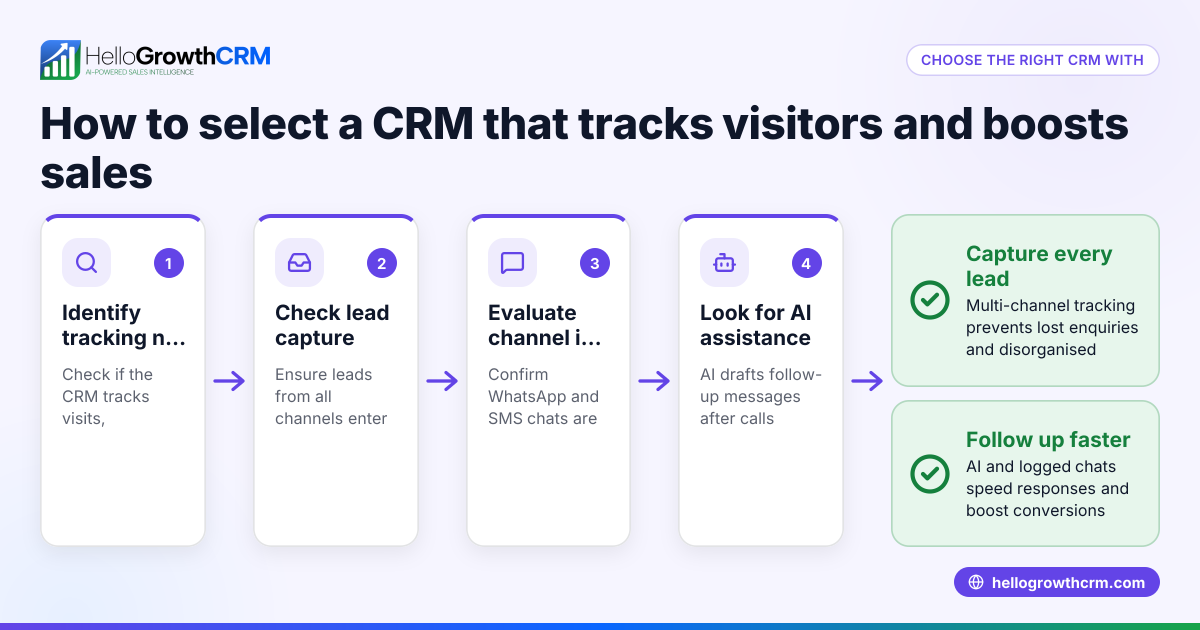
- Identify browsing behavior on your website. Set up tracking to know when visitors view product or service pages without adding to cart or contacting you.
- Collect visitor contact information. Use web forms, newsletter signups, or account registrations to capture emails or phone numbers.
- Segment these visitors for targeted messaging. Create a list of visitors who browsed specific categories or products but didn’t proceed.
- Write a clear, helpful browse abandonment email. Mention the product or service they viewed, offer assistance, or highlight benefits.
- Schedule the email to send shortly after browsing ends. Timing matters — typically within 24 hours to keep interest fresh.
- Include a call to action (CTA). Encourage a return visit, a reply, or a direct purchase link.
- Set up follow-up sequences. If there’s no reply, send gentle reminders or additional helpful information over days or weeks.
- Monitor responses and adjust content or timing. Track open rates, clicks, and replies to improve effectiveness.
Automating these steps can save time and ensure consistent follow-up. Learn more about email automation and sequences to run timed messages that stop when a prospect replies.
Example (fictional figures)
Imagine a B2B software reseller in Denver, Colorado, named MileHighTech. They notice 500 visitors browse a new CRM product page in one week, but only 50 request a demo or quote.
- Visitors browsing CRM page: 500
- Visitors who requested demo or quote: 50
MileHighTech sends a browse abandonment email to the remaining 450 visitors reminding them of the CRM features and offering a free consultation.
Assuming a 5% conversion rate from these emails:
- 450 × 5% = 22.5 → 23 new leads
If each lead is worth an average deal of $5,000:
- 23 × $5,000 = $115,000 potential revenue recovered
This example shows how a simple browse abandonment email can recover lost leads and increase sales.
Common mistakes
- Sending too many emails too soon. Prevent by spacing follow-ups over days and stopping once the prospect replies.
- Not segmenting visitors. Prevent by targeting emails based on the exact pages browsed or product interests.
- Ignoring timing. Prevent by sending the first email within 24 hours after browsing to keep relevance.
- Writing generic messages. Prevent by personalizing emails with product details and helpful info.
- Forgetting a clear CTA. Prevent by including direct links or contact options.
- Not tracking results. Prevent by monitoring open rates, clicks, and responses to improve future emails.
See more tips on avoiding these errors in email automation and sequences.
Doing this in HelloGrowthCRM
HelloGrowthCRM includes a HelloMail shared inbox so your team can manage inbound email from leads and customers without switching email clients. Replies to browse abandonment or quotation emails are visible to the whole team on the deal, helping avoid missed leads. You can also set up sequences and campaigns to automate a five-step follow-up over two weeks. These sequences run on their own and stop as soon as a prospect replies, ensuring timely and relevant communication with less manual work.
Frequently asked questions
What is the difference between browse abandonment and cart abandonment emails? Browse abandonment emails target visitors who viewed products but didn’t add them to a cart, while cart abandonment emails go to those who added items but didn’t buy. Browse abandonment is an earlier chance to engage potential customers.
How soon should I send a browse abandonment email? Ideally, within 24 hours after the visitor leaves your site to keep the product fresh in their mind. Delays reduce effectiveness.
Can I send browse abandonment emails if I don’t have visitor emails? No. You need to collect contact info through forms, newsletter signups, or account creation to send these emails.
How many follow-up emails are appropriate? A series of 3 to 5 emails spaced over one to two weeks is common. Stop sending once the prospect replies to avoid annoyance.
Are browse abandonment emails effective for all industries? They work best for businesses with products or services that benefit from reminders or additional information, such as B2B software, retail, or professional services.
Learn how to combine email with WhatsApp and SMS in HelloGrowthCRM’s WhatsApp and SMS CRM features.
Key takeaways
- Browse abandonment emails re-engage visitors who viewed products but didn’t act.
- Collect visitor contact info to send timely, personalized emails within 24 hours.
- Use clear CTAs and follow-up sequences to increase conversion chances.
- Avoid common mistakes like over-emailing, poor timing, and generic content.
- HelloGrowthCRM’s HelloMail shared inbox and automated sequences help manage and automate follow-up.
Start recovering lost leads and growing sales by sending browse abandonment emails. Start on the Free Forever plan (200 leads, no credit card) with HelloGrowthCRM today.
Ready to put this into practice?
Set up your pipeline, WhatsApp follow-ups, and AI lead scoring in minutes — free, no credit card.
Try HelloGrowthCRM freeGet CRM tips in your inbox
Join thousands of sales professionals who get weekly insights on CRM strategy, AI automation, and pipeline optimization.

The HelloGrowthCRM team publishes guides on CRM strategy, AI sales tools, and revenue operations for small business sales teams.