HelloGrowthCRM software
Built for real small-business sales teams
HelloGrowthCRM helps reps qualify faster, follow up on time, and close more deals—with practical automation in one place.
- AI lead scoring and pipeline visibility
- Built-in dialer, WhatsApp, and email automation
- Sales forecasting and RevOps-ready reporting
Business quotes are formal offers that specify the price and terms for products or services you plan to sell to a customer. They set clear expectations and create a reference point for both parties before work starts or goods are delivered.
Why this comes up / what goes wrong
Small-business owners often need to create and send quotes but face challenges like inconsistent formats, missing key details, or slow follow-up. These issues can cause lost sales, confusion, or disputes. For example, without clear payment terms or expiry dates, customers may delay decisions or misunderstand obligations. Many small teams rely on email, text messages, or spreadsheets, which do not provide a reliable way to track quotes or their status. This leads to missed opportunities and inefficient sales processes.
Step-by-step
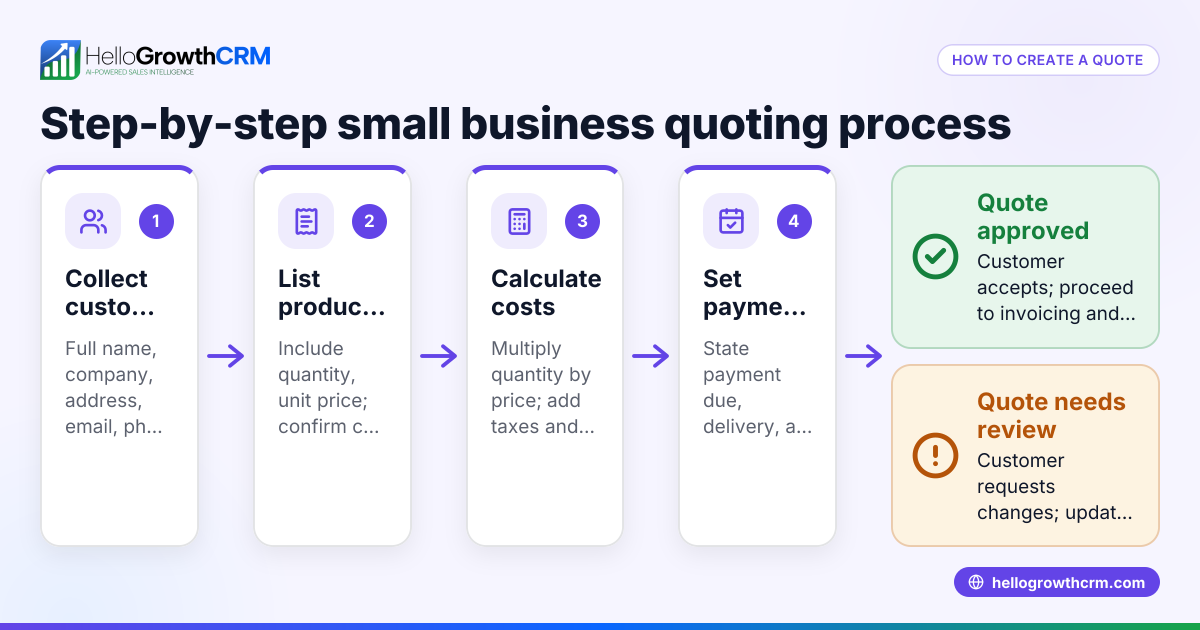
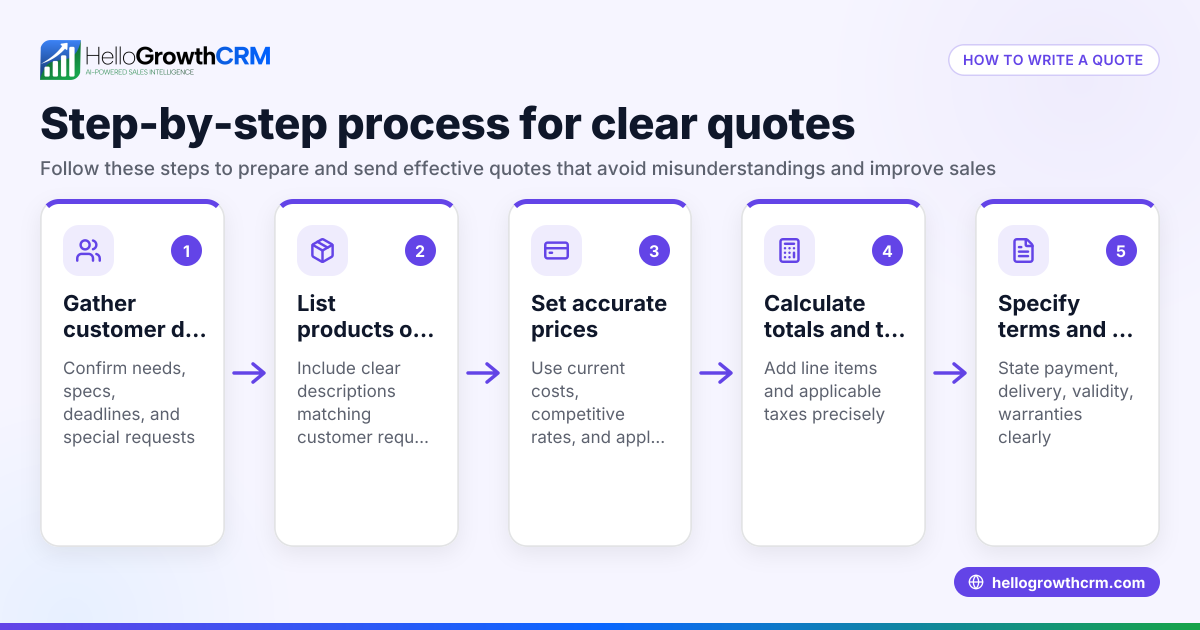
- Gather business and customer information: Include your company name, address, and contact details, plus the customer’s name and contact info. Check all details carefully to avoid errors.
- List products or services clearly: Describe each item or service, including quantities and unit prices. Confirm prices are up to date.
- Calculate totals and taxes: Multiply quantities by unit prices, add any applicable taxes or fees, then sum the total. Double-check calculations to prevent mistakes.
- Specify payment terms and conditions: State when payments are due, accepted payment methods, and any late fees. Make sure these terms comply with your policies.
- Set a validity period: Indicate how long the quote remains valid (e.g., 30 days). This encourages timely decisions and protects your pricing.
- Add any additional notes or disclaimers: Include important info such as delivery timelines, warranty details, or cancellation policies.
- Format the quote professionally: Use your business logo and consistent fonts. Proofread for spelling and clarity.
- Send the quote and track its status: Deliver it by email or the customer’s preferred method. Follow up promptly and confirm the customer received and reviewed the quote.
Example (fictional figures)
A landscaping contractor in Charlotte, North Carolina, sends a quote on 04/15/2026 for lawn care services:
- Lawn mowing (10 visits) at $75 each: $75 × 10 = $750
- Hedge trimming (2 visits) at $50 each: $50 × 2 = $100
- Mulching (one-time) at $200
Subtotal = $750 + $100 + $200 = $1,050 Assumed sales tax (7%) = $1,050 × 7% = $73.50 Total = $1,050 + $73.50 = $1,123.50
Payment terms: 50% deposit due upon acceptance, balance due within 15 days after service completion. Quote valid until 05/15/2026.
Common mistakes
- Omitting payment terms: Always include when and how payment is expected to avoid confusion and late payments.
- Not including a validity period: Without this, quotes can remain open indefinitely, making pricing unreliable.
- Using unclear descriptions: Be specific about products or services to prevent misunderstandings and disputes.
- Failing to follow up: Quotes left unattended risk losing the sale; track and follow up promptly.
- Manual tracking errors: Using spreadsheets or email threads to track quotes can lead to lost or outdated information. Consider a CRM with integrated quoting tools for better management.
Doing this in HelloGrowthCRM
HelloGrowthCRM includes a built-in quoting and proposal tool that lets you create, send, and track commercial documents directly from each deal record. You can generate quotes, proposals, invoices, and record payments all in one place. The quote’s status—whether sent, viewed, or accepted—is displayed on the same screen as your follow-up tasks, so you never miss a step. Explore more about the built-in CRM dialer and WhatsApp and SMS CRM features that help keep communication timely and organized.
Frequently asked questions
What should a business quote include? A business quote should contain your company and customer details, a clear description of the products or services offered, pricing including taxes, payment terms, a validity period, and any relevant notes or disclaimers.
How long is a typical quote valid? Most quotes are valid for around 30 days, but this can vary based on your business policies and market conditions. Including a validity period helps ensure pricing and terms stay current and encourages timely decisions.
Can I send quotes via WhatsApp or SMS? While HelloGrowthCRM supports communication via WhatsApp and SMS, the quoting tool itself is integrated into the deal record for sending and tracking quotes. Using these messaging channels alongside the CRM can improve your follow-up speed and customer engagement.
What if the customer wants to negotiate the quote? A quote is often a starting point for negotiation. Be clear about which terms are flexible and which are fixed. If changes are agreed upon, update the quote accordingly to avoid misunderstandings.
How do I keep track of quotes and their statuses? Tracking quotes manually can lead to errors. A CRM like HelloGrowthCRM shows if a quote has been sent, viewed, or accepted, and links follow-up tasks directly to the deal, helping you stay organized.
Key takeaways
- Business quotes formally communicate your offer’s price and terms before a sale.
- Include detailed company and customer info, product/service descriptions, pricing, payment terms, and a validity period.
- Use clear, professional formatting and double-check all calculations.
- Avoid common mistakes like missing payment terms, unclear descriptions, or not following up.
- HelloGrowthCRM’s quoting tool helps you create, send, and track quotes efficiently from one screen.
Start managing your sales process more effectively. Start on the Free Forever plan (200 leads, no credit card) and see how HelloGrowthCRM can help your team stay organized and responsive.
Ready to put this into practice?
Set up your pipeline, WhatsApp follow-ups, and AI lead scoring in minutes — free, no credit card.
Try HelloGrowthCRM freeGet CRM tips in your inbox
Join thousands of sales professionals who get weekly insights on CRM strategy, AI automation, and pipeline optimization.

The HelloGrowthCRM team publishes guides on CRM strategy, AI sales tools, and revenue operations for small business sales teams.