HelloGrowthCRM software
Built for real small-business sales teams
HelloGrowthCRM helps reps qualify faster, follow up on time, and close more deals—with practical automation in one place.
- AI lead scoring and pipeline visibility
- Built-in dialer, WhatsApp, and email automation
- Sales forecasting and RevOps-ready reporting
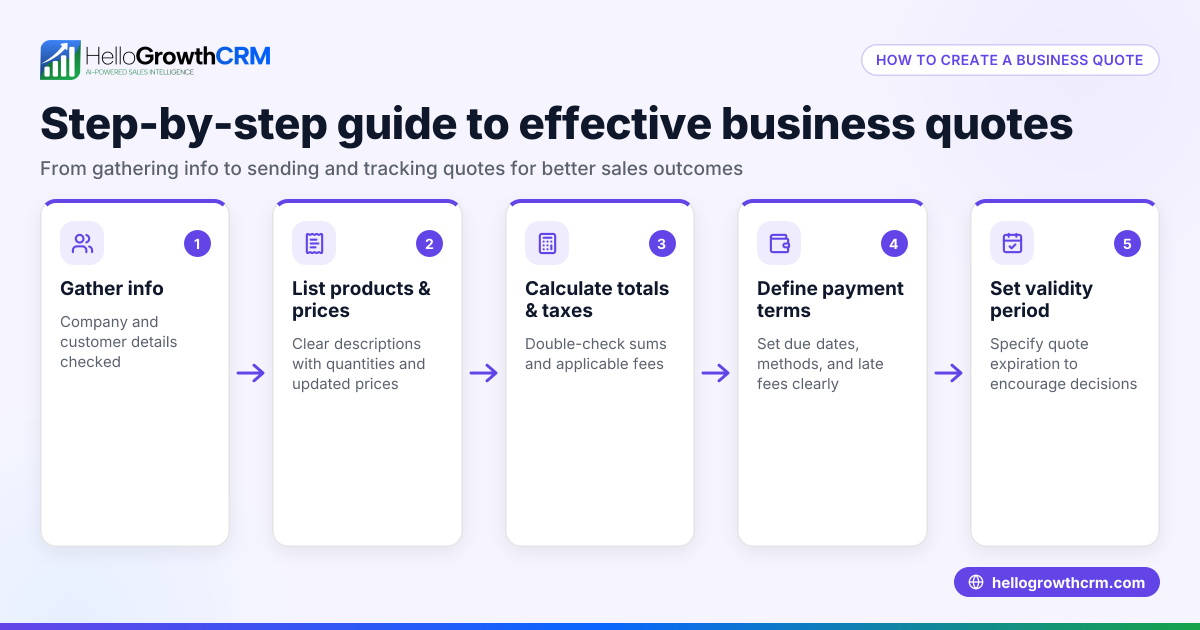
To create a quote, start by collecting your customer information, then itemize the products or services you plan to sell with their prices. Next, calculate the total cost including any taxes or discounts, and clearly state payment terms and the quote's validity period. Present this information professionally to your customer for approval.
Why this comes up / what goes wrong
Many small-business owners need to create quotes to offer prices to potential customers before a sale. Without clear instructions, they may miss key details like taxes, discounts, or terms, leading to confusion or lost sales. Slow or inaccurate quoting can cause delays, lost leads, or disputes. Business owners often struggle with managing quotes across emails, spreadsheets, or texts, making it hard to track status and follow-ups. This can result in missed opportunities or underpriced deals.
Step-by-step
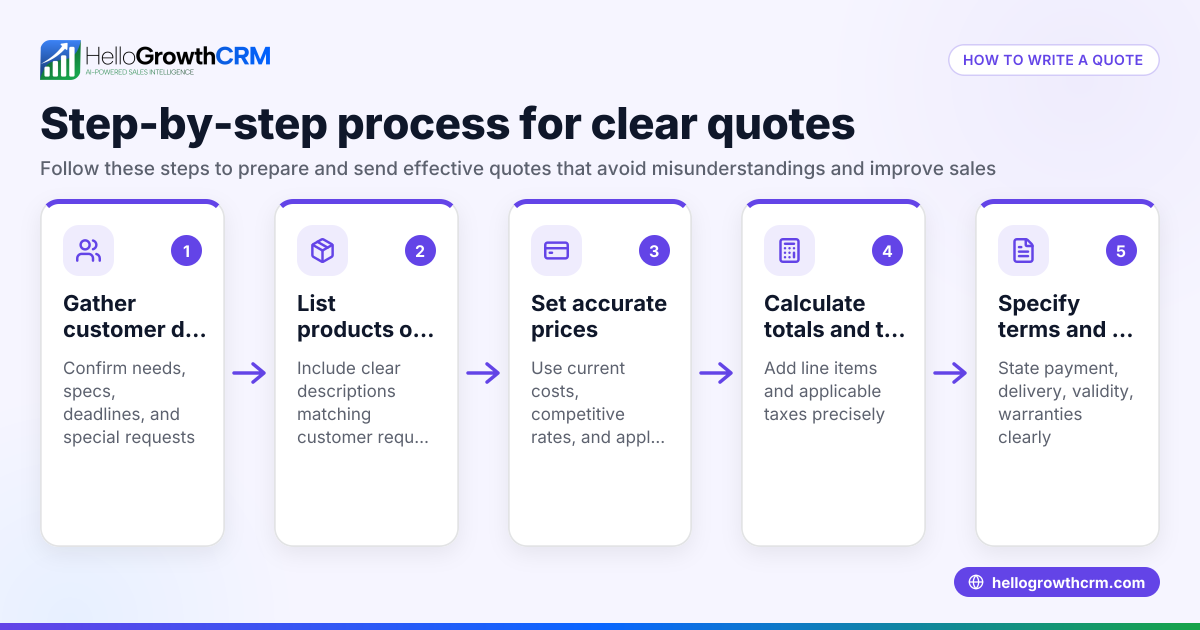
- Collect customer details: Get the customer’s full name, company name, address, email, and phone number. Double-check for accuracy to avoid communication errors.
- List products or services: Write each item or service you are quoting, including quantity and unit price. Confirm that prices are current and reflect any recent changes.
- Calculate subtotals: Multiply the quantity by the unit price for each line item to get the subtotal per item.
- Add taxes and discounts: Apply any applicable sales tax (use your local rate) or discounts. Calculate these amounts separately and clearly.
- Calculate the total: Add all subtotals, then add taxes, and subtract discounts to get the final quote total.
- Specify terms and conditions: Include payment terms (for example, payment due within 30 days), delivery timelines, and the quote expiry date to set clear expectations.
- Create a professional layout: Use clear headings, your company logo, consistent fonts, and spacing to make the quote easy to read.
- Review the quote: Check all figures, spelling, and terms carefully before sending. Confirm that all customer details and prices are correct.
- Send the quote: Email or deliver the quote promptly to the customer using a professional format.
- Track the quote status: Follow up to confirm receipt, answer questions, and note acceptance or rejection. Tracking helps avoid lost leads.
Using a CRM with quoting features can help you manage this process and avoid lost leads. See HelloGrowthCRM for the United States for tools that integrate quoting and follow-up efficiently.
Example (fictional figures)
A two-location dental practice in Columbus, Ohio, wants to quote a teeth whitening service to a new client.
- Service: Teeth Whitening
- Quantity: 1
- Unit price: $350
- Sales tax (assumed illustrative rate 7%) = $350 × 7% = $24.50
- Discount: $25 (special offer)
Calculations:
$350 × 1 = $350 (subtotal) $350 × 7% = $24.50 (sales tax) $350 + $24.50 = $374.50 (subtotal plus tax) $374.50 - $25 = $349.50 (final quote total)
The quote includes payment terms: payment due within 15 days of service, and is valid for 30 days from 06/01/2026.
Common mistakes
- Forgetting to include taxes or discounts: Prevent this by double-checking calculations and verifying local tax rules.
- Incorrect customer details: Verify customer info carefully to avoid delays or miscommunication.
- Unclear terms or expiry dates: Always state payment terms and quote expiry clearly to avoid misunderstandings.
- Messy or unprofessional formatting: Use templates or software to keep quotes readable and on brand.
- Not tracking quote status: Follow up promptly and record quote acceptance to avoid lost sales.
- Using multiple tools causing confusion: Consolidate quoting and communication in one platform like a CRM to keep everything organized.
Doing this in HelloGrowthCRM
HelloGrowthCRM provides a built-in quoting and proposal tool that lets you build, send, and track quotes directly from a deal record. You can see the quote’s status—whether sent, viewed, or accepted—on the same screen as your follow-up task, helping your sales team stay organized. It also supports invoice generation tied to closed deals and payment reconciliation, streamlining your sales process. Learn more about HelloGrowthCRM’s quoting features and its built-in CRM dialer and WhatsApp and SMS CRM capabilities.
Frequently asked questions
What should be included in a quote? A quote should include customer details, a list of products or services with quantities and prices, subtotal, taxes, discounts, total amount, payment terms, delivery timelines, and the quote’s expiry date.
How long is a quote valid? The validity period varies but typically ranges from 15 to 30 days. Always specify the expiry date on your quote to avoid confusion.
Can I update a quote after sending it? You can update a quote if the customer has not accepted it yet. Communicate changes clearly and resend the updated quote promptly.
What is the difference between a quote and an invoice? A quote is an offer of price before a sale, while an invoice is a request for payment after goods or services are delivered.
How can I track if a quote was viewed or accepted? Using a CRM like HelloGrowthCRM, you can track quote status (sent, viewed, accepted) on the same screen as your follow-up tasks, improving sales follow-up efficiency.
Key takeaways
- Gather accurate customer and product/service details before starting a quote.
- Calculate subtotals, taxes, discounts, and total carefully.
- Clearly state payment terms and quote expiry to avoid misunderstandings.
- Use professional formatting for clarity and branding.
- Track quote status and follow up promptly.
- HelloGrowthCRM integrates quoting, follow-up, and payment tracking in one platform.
Creating accurate, clear quotes helps you win more business and keeps your sales process organized. To try managing quotes and deals with HelloGrowthCRM, start on the Free Forever plan (200 leads, no credit card).
Ready to put this into practice?
Set up your pipeline, WhatsApp follow-ups, and AI lead scoring in minutes — free, no credit card.
Try HelloGrowthCRM freeGet CRM tips in your inbox
Join thousands of sales professionals who get weekly insights on CRM strategy, AI automation, and pipeline optimization.

The HelloGrowthCRM team publishes guides on CRM strategy, AI sales tools, and revenue operations for small business sales teams.