HelloGrowthCRM software
Built for real small-business sales teams
HelloGrowthCRM helps reps qualify faster, follow up on time, and close more deals—with practical automation in one place.
- AI lead scoring and pipeline visibility
- Built-in dialer, WhatsApp, and email automation
- Sales forecasting and RevOps-ready reporting
Call center phone systems are specialized software or services designed to manage both inbound and outbound calls for sales, customer support, or service teams. For small businesses, these systems help streamline call handling, track call outcomes automatically, and improve customer follow-up efficiency, reducing lost leads and increasing sales opportunities.
Why this comes up / what goes wrong
Small business owners often begin searching for call center phone systems when their current phone setups—typically a mix of mobile phones, landlines, or basic VoIP services—fail to keep up with growing call volume and team needs. Common problems include missed calls, no centralized call tracking, difficulty monitoring team performance, and slow response times that lead to lost sales or unhappy customers. Without a dedicated system, teams often juggle multiple tools like spreadsheets, texting apps, and phone logs, which creates inefficiencies and errors.
Step-by-step
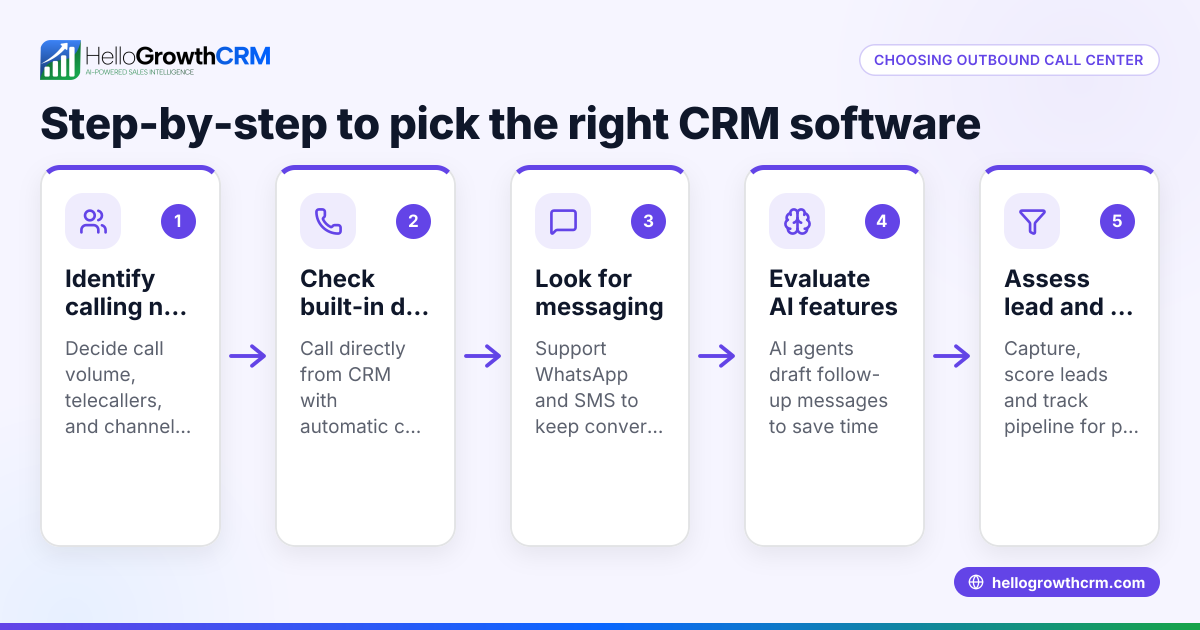
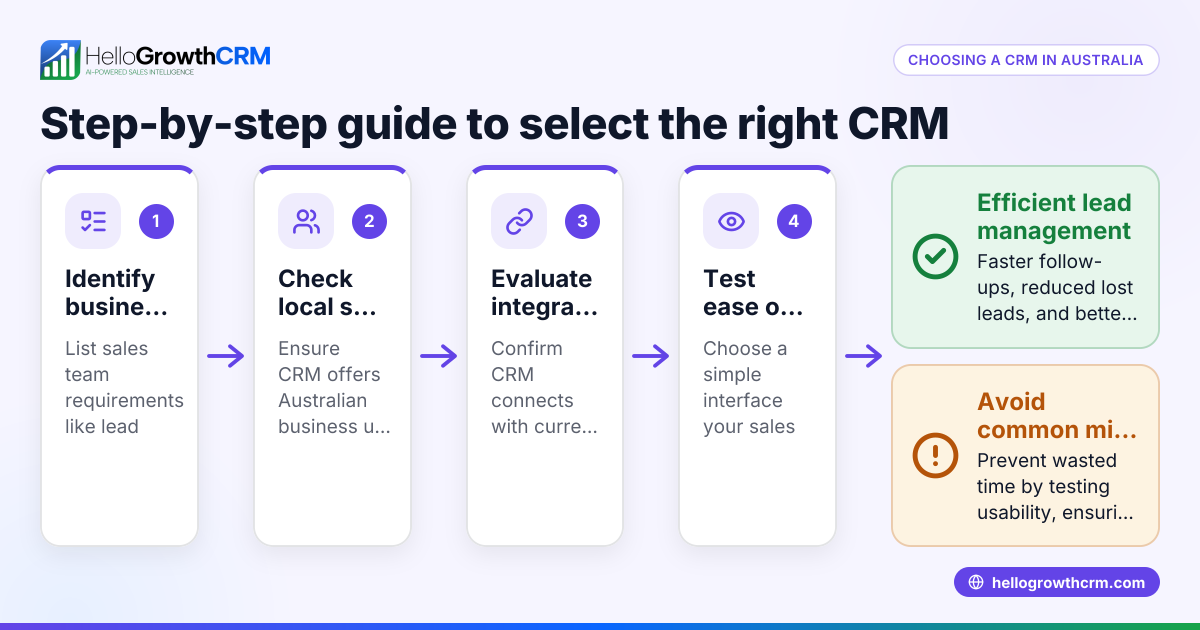
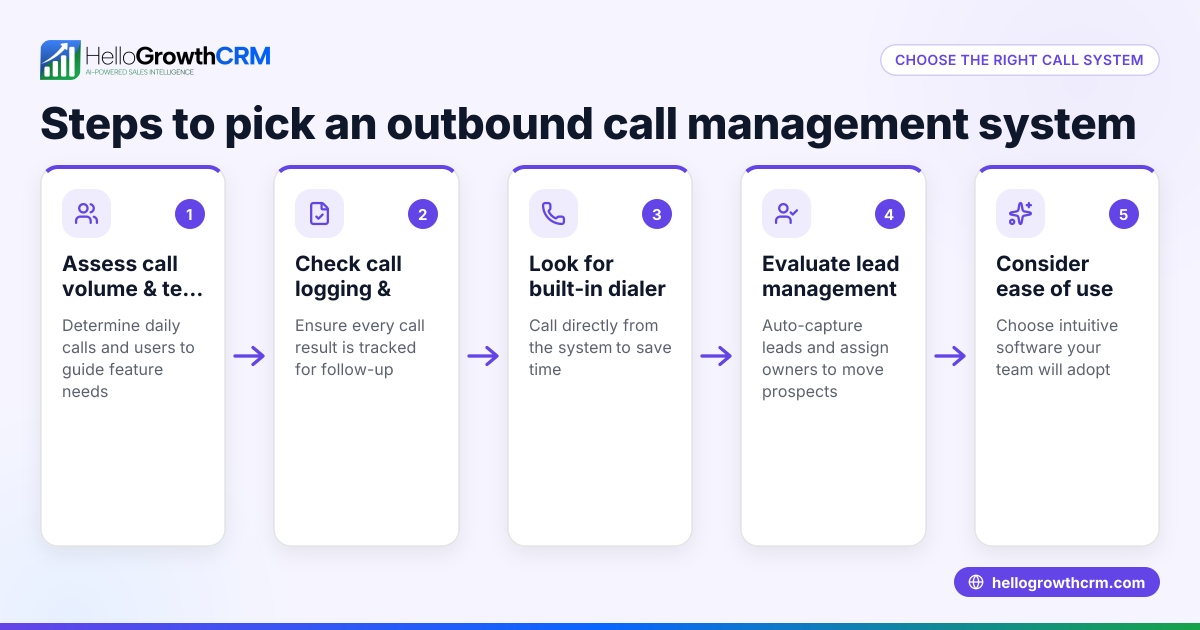
- Define Your Call Volume and Team Size
- Calculate how many calls your team handles daily and how many agents will use the system.
- This affects system capacity, features needed, and pricing.
- Identify Essential Features
- Look for call logging, outcome tracking, easy dialing, and integration with your CRM or lead management tools.
- Consider if you need advanced features like power dialing or AI call summaries.
- Assess Integration and Usability
- Confirm the system works smoothly with your existing CRM or sales tools.
- Test the user interface to ensure it is easy for your team to use.
- Check Pricing and Plans
- Compare costs based on features, number of users, and any extra charges.
- Avoid surprises by clarifying pricing details upfront.
- Request a Demo or Trial
- Use a trial period to test the system with your actual workflows.
- Check call quality, ease of use, and reporting features.
- Evaluate Support and Reliability
- Ensure the vendor offers responsive customer support and guarantees reliable uptime.
- Consider Compliance and Security
- Check if the system meets any industry-specific regulations or security requirements your business must follow.
Example (fictional figures)
A two-location dental practice in Columbus, Ohio, has 5 front-desk staff who handle about 40 calls daily related to appointments and billing.
- Current monthly phone costs: $300
- Lost leads due to missed calls: estimated 5 per week
- They choose a call center phone system with a built-in dialer priced at $50 per user monthly.
Calculations:
5 users × $50 = $250 monthly cost
Estimated recovered leads: 5 leads/week × 4 weeks = 20 leads/month
If each lead is worth $100 in revenue:
20 leads × $100 = $2,000 additional revenue/month
Net gain:
$2,000 - $250 = $1,750 monthly benefit
This example shows how investing in a call center phone system can quickly pay off by reducing missed opportunities and improving follow-up.
Common mistakes
- Ignoring integration needs: Choose a system that integrates with your CRM or lead management tools to avoid manual data entry and errors. HelloGrowthCRM’s built-in dialer logs call outcomes automatically to save time and keep data accurate (/product/crm-dialer).
- Overlooking team training: Without proper training, even the best system won’t be used effectively. Plan onboarding sessions to get your team up to speed.
- Choosing unnecessary features: Don’t pay for complex features your business doesn’t need. Focus on core capabilities like call logging and easy dialing.
- Not testing the system before buying: Skipping trials can lead to surprises in usability or reliability. Always request a demo or trial.
- Underestimating future call volume growth: Pick a scalable system to avoid switching platforms as your business grows.
- Neglecting multi-channel communication: Consider systems that also support WhatsApp and SMS for better customer reach. HelloGrowthCRM offers WhatsApp and SMS CRM features to complement calling (/product/whatsapp-sms-crm).
Doing this in HelloGrowthCRM
HelloGrowthCRM offers a built-in dialer that lets telecallers work through lead lists directly inside the CRM. Each call’s outcome is logged on the lead record automatically, keeping a full call history tied to contacts and deals. This eliminates the need to switch between phone and CRM apps, helping small businesses manage calls efficiently. Learn more about the built-in CRM dialer (/product/crm-dialer) and how HelloGrowthCRM supports US businesses (/usa).
Frequently asked questions
What is a call center phone system? It is software or a service that manages inbound and outbound calls for sales or support teams. Features often include automated dialing, call tracking, and integration with customer data.
How do I know if I need a call center phone system? If your business struggles with missed calls, manual call tracking, or slow follow-up, a call center phone system can help organize and automate these tasks.
Can I use a call center phone system with WhatsApp or SMS? Some systems integrate with messaging apps for multi-channel communication. HelloGrowthCRM offers WhatsApp and SMS CRM features to complement calling (/product/whatsapp-sms-crm).
What should I ask vendors when choosing a system? Ask about call capacity, integration options, user limits, pricing details, support availability, and trial/demo options.
Are call center phone systems expensive? Costs vary widely; small businesses can find affordable plans especially when only basic features are needed. Consider the return on investment from improved lead handling.
Key takeaways
- Define your call volume and team size before choosing a system.
- Prioritize features that match your business needs and integrate with your CRM.
- Test systems with a trial to ensure usability and reliability.
- Avoid paying for unnecessary features or ignoring team training.
- Consider multi-channel communication like WhatsApp and SMS alongside calls.
- A call center phone system can quickly improve lead follow-up and sales.
- HelloGrowthCRM’s built-in dialer helps small businesses manage calls efficiently within the CRM.
Start managing your calls better today. Start on the Free Forever plan (200 leads, no credit card).
Ready to put this into practice?
Set up your pipeline, WhatsApp follow-ups, and AI lead scoring in minutes — free, no credit card.
Try HelloGrowthCRM freeGet CRM tips in your inbox
Join thousands of sales professionals who get weekly insights on CRM strategy, AI automation, and pipeline optimization.

The HelloGrowthCRM team publishes guides on CRM strategy, AI sales tools, and revenue operations for small business sales teams.