HelloGrowthCRM software
Built for real small-business sales teams
HelloGrowthCRM helps reps qualify faster, follow up on time, and close more deals—with practical automation in one place.
- AI lead scoring and pipeline visibility
- Built-in dialer, WhatsApp, and email automation
- Sales forecasting and RevOps-ready reporting
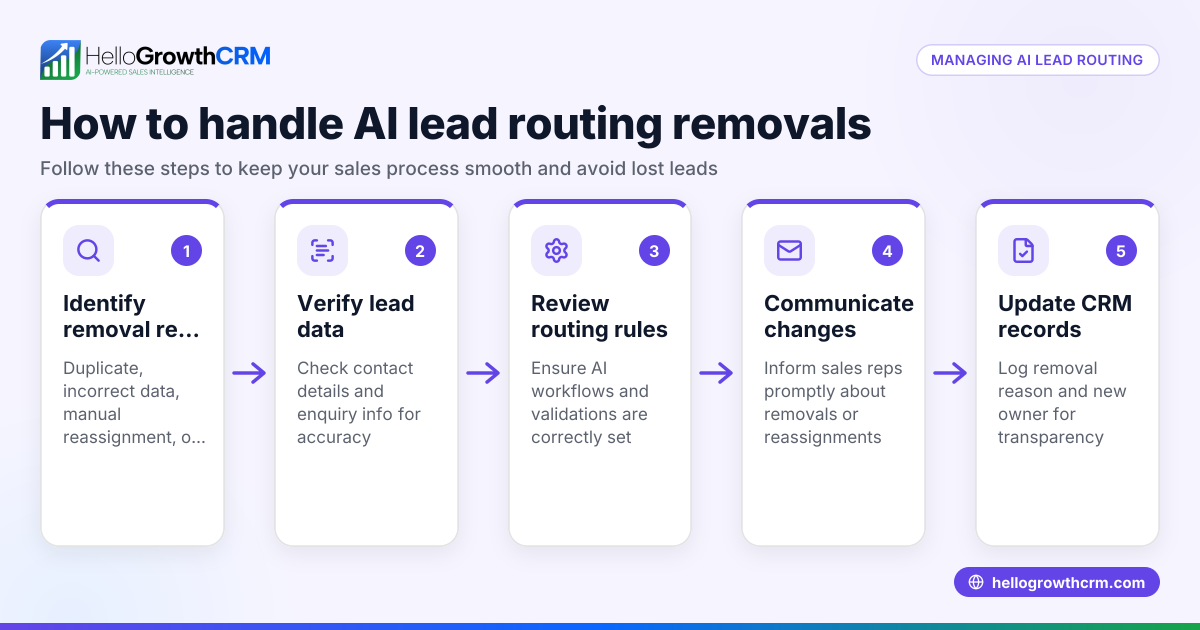
Yes, AI can manage lead routing inside your CRM by automatically capturing leads from multiple sources, assigning them to the appropriate sales rep based on predefined rules or AI scoring, and prioritizing follow-up actions to improve conversion rates. This article covers why AI lead routing is important for small and mid-sized businesses, the steps to implement it effectively, a detailed example with realistic USD figures, common mistakes to avoid, and how HelloGrowthCRM supports AI lead routing.
Why this comes up / what goes wrong
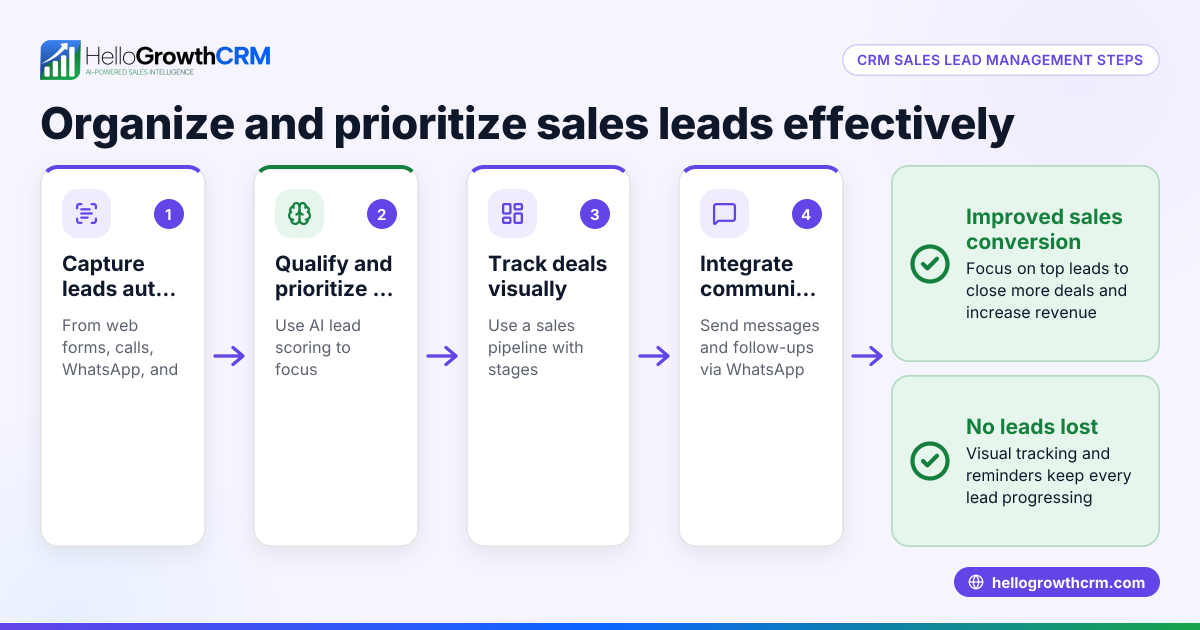
Small business owners often struggle with managing incoming leads efficiently. Leads come from various channels like web forms, calls, or WhatsApp messages, and without automation, they can get lost in notebooks, spreadsheets, or scattered email threads. This slow or inconsistent lead follow-up causes lost sales opportunities and frustrated sales teams. Manually assigning leads can be time-consuming and error-prone, especially as the volume grows. AI lead routing inside a CRM aims to solve these problems by automatically capturing, qualifying, and assigning leads to the right sales reps with clear next steps, ensuring faster and more organized follow-up.
Step-by-step
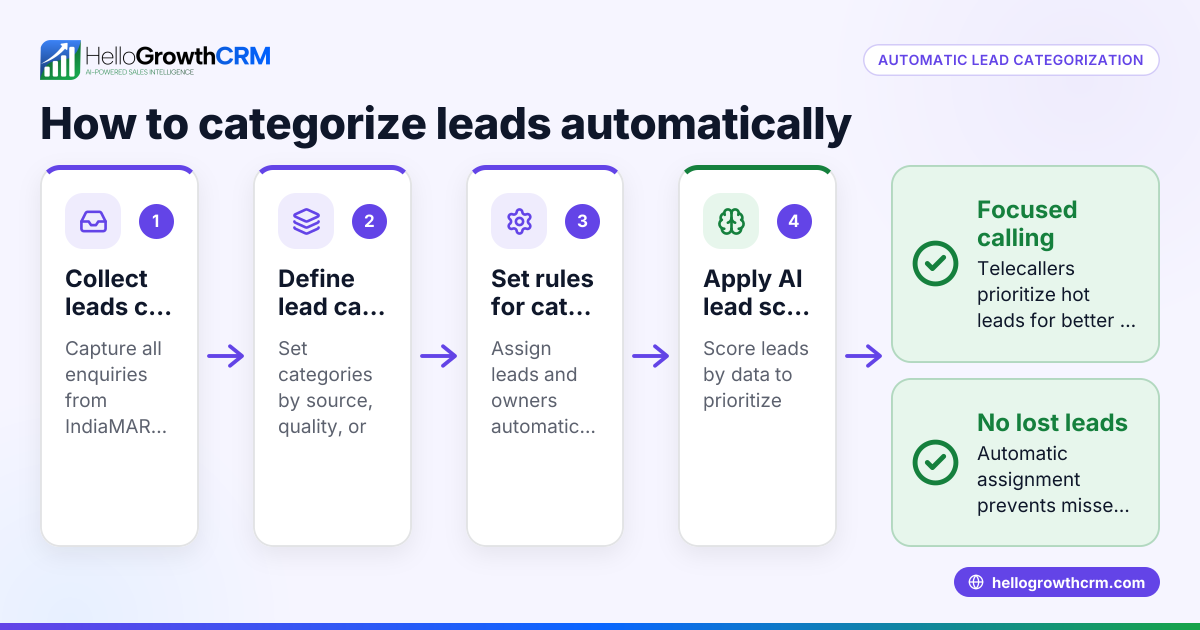
- Capture all leads in one place: Ensure your CRM can automatically collect leads from every channel you use, such as web forms, phone calls, and WhatsApp messages. Check that no leads remain in notebooks or spreadsheets.
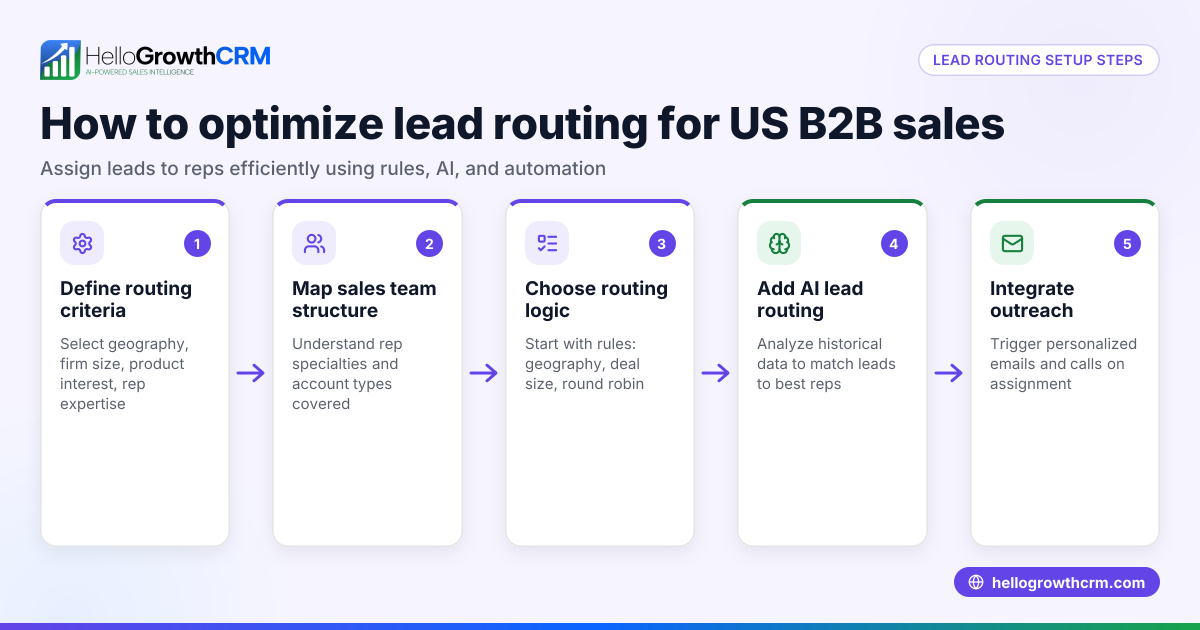
- Define routing rules or criteria: Decide how leads should be assigned—by geography, product interest, lead source, or rep availability. Confirm your CRM supports rule-based or AI-driven assignment.
- Implement AI lead scoring: Use AI to score leads based on likelihood to convert. This helps prioritize calls and follow-ups. Verify the CRM’s AI lead scoring feature is active and tuned to your business. Learn more about AI lead scoring.
- Assign leads to sales reps with clear next steps: Each lead should have an owner and a defined next action, such as a call or email. Confirm the CRM enforces this to avoid leads stalling.
- Use AI agents to assist reps: If available, enable AI agents that can draft follow-up messages after calls, reducing rep workload and speeding communication. See AI CRM for details.
- Monitor and adjust routing settings: Regularly review lead assignment and conversion data to tweak AI scoring and routing rules for better results.
- Train your team on the CRM workflow: Make sure all sales reps understand how leads are routed and next steps are tracked, so the system is used consistently.
Example (fictional figures)
A two-location dental practice in Columbus, Ohio, receives 300 new patient inquiries monthly via web forms, calls, and WhatsApp.
- Total monthly leads = 300
- Average conversion rate without AI routing = 10% = 30 new patients
They implement AI lead routing with these steps:
- AI lead scoring prioritizes leads likely to book an appointment.
- Leads are assigned by location and rep availability.
- AI agents draft follow-up WhatsApp messages after calls.
After implementation:
- Telecallers contact the top 50 scored leads first.
- Conversion rate improves to 15% = 45 new patients
Calculations:
300 × 10% = 30 new patients (before AI routing) 300 × 15% = 45 new patients (after AI routing) Increase in new patients = 45 - 30 = 15
This example shows how AI lead routing focuses effort on the best leads and automates follow-up, leading to more conversions.
Common mistakes
- Not capturing all leads in the CRM: Leads scattered in notebooks or spreadsheets cause missed opportunities. Prevent this by integrating all lead sources into your CRM.
- Ignoring lead assignment rules: Assigning leads randomly or manually leads to uneven workloads and delays. Use AI or clear rules to automate assignment.
- Overlooking lead prioritization: Treating all leads equally wastes time. Implement AI lead scoring to focus on high-potential leads first.
- Failing to define next steps: Leads without clear next actions stall in the pipeline. Always assign a next step when routing leads.
- Not training the sales team: Without proper training, reps may ignore or misuse the CRM features. Conduct regular training sessions.
- Neglecting ongoing monitoring: AI lead routing settings need review and adjustment based on performance data. Schedule regular check-ins.
Doing this in HelloGrowthCRM
HelloGrowthCRM supports AI lead routing with features designed for small and mid-sized businesses. Every enquiry from a form, call, or WhatsApp lands as a lead with an owner and a next step, keeping leads organized instead of lost in notebooks. AI lead scoring helps telecallers focus on leads most likely to convert first, improving efficiency. Additionally, AI agents (currently in beta on Growth plans) draft follow-up messages after calls so reps only review and send them, saving time. For more on these features, see AI lead scoring and AI CRM. For businesses in the US, visit HelloGrowthCRM for the United States for tailored features.
Frequently asked questions
Can AI lead routing improve my sales team's productivity? Yes. AI lead routing automates lead assignment and prioritization, reducing manual work and helping your sales reps focus on the most promising leads first, which increases productivity.
Do I need to set up complex rules to use AI lead routing? Not necessarily. Many CRMs offer AI lead scoring that automatically prioritizes leads. You can start with simple routing rules and refine them over time.
Will AI agents replace my sales reps? No. AI agents assist sales reps by drafting follow-up messages and automating routine tasks. Reps still review and send communications, maintaining personal contact.
How do I ensure leads don’t get lost after routing? Make sure each lead has an assigned owner and a clear next step in the CRM. Regularly monitor your pipeline and train reps to update lead statuses.
Can AI lead routing handle leads from WhatsApp and calls? Yes. Some CRMs capture leads from WhatsApp, calls, and web forms, routing them with AI lead scoring and assigning owners automatically. Check your CRM’s capabilities.
Key takeaways
- AI can manage lead routing by capturing, scoring, and assigning leads automatically.
- Prioritizing leads with AI lead scoring helps sales reps focus on high-potential prospects.
- Defining clear next steps for each lead prevents follow-up delays.
- Training your team and monitoring routing performance are essential for success.
- Some CRMs offer AI agents to assist follow-up by drafting messages.
Start managing your leads better today. Start on the Free Forever plan (200 leads, no credit card) and see how AI lead routing can improve your sales process.
Ready to put this into practice?
Set up your pipeline, WhatsApp follow-ups, and AI lead scoring in minutes — free, no credit card.
Try HelloGrowthCRM freeGet CRM tips in your inbox
Join thousands of sales professionals who get weekly insights on CRM strategy, AI automation, and pipeline optimization.

The HelloGrowthCRM team publishes guides on CRM strategy, AI sales tools, and revenue operations for small business sales teams.