HelloGrowthCRM software
Built for real small-business sales teams
HelloGrowthCRM helps reps qualify faster, follow up on time, and close more deals—with practical automation in one place.
- AI lead scoring and pipeline visibility
- Built-in dialer, WhatsApp, and email automation
- Sales forecasting and RevOps-ready reporting
A compliment email is a short, positive message that recognises someone's effort, achievement, or qualities. It is often used by small-business owners to nurture relationships with clients or partners, showing appreciation and encouraging goodwill. Sending such emails can improve customer loyalty and make future interactions smoother.
Why this comes up / what goes wrong
Small-business owners in Singapore often juggle multiple tasks, including sales follow-ups, client communications, and managing leads. They may want to send compliment emails to maintain good relations but struggle with timing, wording, or consistency. Without a clear approach, compliment emails can be forgotten, sound insincere, or miss the chance to strengthen a business relationship. Additionally, managing these emails across teams can be chaotic if done through personal inboxes or informal channels like WhatsApp or spreadsheets.
Step-by-step
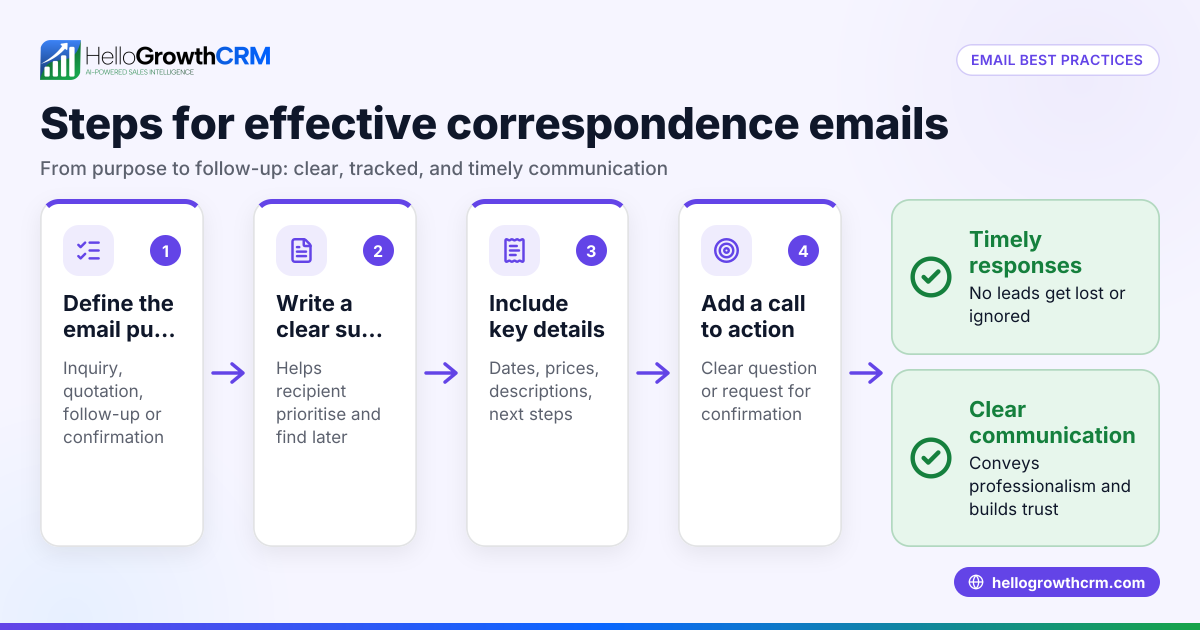
- Identify the recipient and purpose: Choose who to send the compliment email to and why. It could be a client who gave positive feedback, a partner who delivered on time, or a team member who exceeded expectations. Check the context to keep the compliment relevant.
- Write a clear subject line: Use a subject that reflects the positive message, for example, "Thank You for Your Excellent Support" or "Appreciating Your Timely Delivery". This helps the recipient notice and prioritise the email.
- Start with a personalised greeting: Address the recipient by name to make the email feel direct and sincere.
- Express the compliment specifically: State clearly what you appreciate. Avoid vague phrases; instead, mention the action, quality, or result you are praising.
- Explain the impact: Briefly describe how their effort helped your business or made a difference. This adds meaning to the compliment.
- Close warmly and invite further contact: End with a friendly sign-off and an invitation to stay in touch or collaborate further.
- Proofread before sending: Check for tone, spelling, and clarity to ensure professionalism.
- Send and track the email: Use tools to monitor if the email was opened or replied to, ensuring timely follow-up if needed.
Using email automation and sequences can help schedule and send compliment emails consistently without manual effort. See more on email automation and sequences.
Example (fictional figures)
A tuition centre in Tampines wants to send a compliment email to a parent who referred three new students in March 2026.
- Number of new students referred: 3
- Average monthly fee per student: S$450
- Referral month: 03/2026
Calculation of monthly revenue from referrals:
3 students × S$450 = S$1,350
The tuition centre writes:
Subject: Thank You for Your Referral!
Dear Ms Tan,
Thank you for referring your friends to our tuition centre. We truly appreciate your trust and support. Your referrals added S$1,350 in monthly revenue this March, helping us grow our community.
We look forward to continuing to support your children's learning journey.
Warm regards,
The Tampines Tuition Centre Team
This email acknowledges the specific action, quantifies its impact, and expresses gratitude to encourage ongoing engagement.
Common mistakes
- Being too generic or vague: Prevent this by mentioning specific actions or qualities you appreciate.
- Overdoing the compliment: Avoid sounding insincere by keeping the tone natural and honest.
- Forgetting to personalise: Always use the recipient's name and relevant details to make the email meaningful.
- Neglecting follow-up: Use email sequences to automate follow-ups if the recipient replies or does not respond. This ensures the relationship stays active. Learn how to set up email automation and sequences.
- Using personal email accounts: This can cause confusion and missed replies. Instead, use a shared inbox like HelloMail so the whole team can see and manage replies efficiently.
Doing this in HelloGrowthCRM
HelloGrowthCRM offers HelloMail, a shared inbox inside the CRM that lets your team manage inbound email from leads and customers without switching to separate email clients. Replies to a compliment or quotation email are visible to the whole team on the deal, ensuring no message is missed. You can also use the sequences and campaigns feature to set up automated five-step follow-ups over two weeks that stop immediately when the prospect replies. This keeps your compliment emails timely and your sales process smooth. Learn more at HelloGrowthCRM for Singapore.
Frequently asked questions
What is the main purpose of a compliment email? A compliment email aims to express genuine appreciation to a client, partner, or colleague. It helps build trust and maintain positive relationships that can lead to repeat business or referrals.
How often should I send compliment emails to clients? There’s no fixed rule, but timing should be relevant, such as after a successful project, positive feedback, or a referral. Avoid overdoing it; sincere and occasional compliments are more effective.
Can I automate compliment emails? Yes, you can automate compliment emails using email sequences that send personalised messages based on triggers like client actions or dates, saving time and ensuring consistency.
Should compliment emails be formal or casual? Match the tone to your relationship and industry. For most small businesses, a friendly but professional tone works best.
What if I don’t get a reply to my compliment email? It’s normal not to get a reply every time. Using follow-up sequences can help continue the conversation without pressure.
Key takeaways
- A compliment email is a short, specific message expressing genuine appreciation.
- Personalise the email with the recipient’s name and details.
- Use clear subject lines and explain the impact of the compliment.
- Avoid vague language and insincere tone.
- Automate sending and follow-ups with email sequences to maintain consistency.
- Use HelloMail shared inbox to manage replies across your team.
Sending well-crafted compliment emails can strengthen your business relationships and open doors for future opportunities. To start managing your email communications more effectively, try HelloGrowthCRM’s free plan with 200 leads and no credit card required at Start on the Free Forever plan (200 leads, no credit card).
Ready to put this into practice?
Set up your pipeline, WhatsApp follow-ups, and AI lead scoring in minutes — free, no credit card.
Try HelloGrowthCRM freeGet CRM tips in your inbox
Join thousands of sales professionals who get weekly insights on CRM strategy, AI automation, and pipeline optimization.

The HelloGrowthCRM team publishes guides on CRM strategy, AI sales tools, and revenue operations for small business sales teams.