HelloGrowthCRM software
Built for real small-business sales teams
HelloGrowthCRM helps reps qualify faster, follow up on time, and close more deals—with practical automation in one place.
- AI lead scoring and pipeline visibility
- Built-in dialer, WhatsApp, and email automation
- Sales forecasting and RevOps-ready reporting
An away email message is an automatic reply you set up in your email system to notify senders that you are currently unavailable. It helps manage expectations by informing customers or contacts when they can expect a response or whom to contact in your absence. This is especially useful for small business owners who may not be able to reply to every email immediately.
Why this comes up / what goes wrong
Small business owners in Singapore often face the challenge of balancing daily operations with timely email responses. When you are out of the office for holidays, meetings, or unexpected absences, emails can pile up unanswered. Without an away email message, customers may feel ignored, leading to lost leads or damaged relationships. For example, a tuition centre owner in Tampines might miss inquiries during school holidays if there is no automated notice.
Step-by-step
- Access your email settings: Log in to your email account and find the settings section where auto-replies or vacation responders are configured. Check your email provider’s help guide if unsure.
- Enable the away message feature: Turn on the automatic reply option. This may be named "vacation responder," "out-of-office reply," or "automatic reply."
- Write a clear message: Include the dates you will be away, the reason if appropriate, and when the sender can expect a reply. Optionally, provide an alternative contact person or phone number.
- Set the date range: Specify the start and end dates for the away message so it activates and deactivates automatically.
- Save and test: Save your settings and send a test email from another account to verify the message sends correctly.
- Monitor responses: When back, check your inbox and prioritise replying to urgent messages first.
Example (fictional figures)
A tuition centre in Tampines plans to close for National Day holidays from 08/08/2026 to 10/08/2026. The owner sets an away email message:
"Thank you for your email. Our centre will be closed from 08/08/2026 to 10/08/2026 for National Day holidays. We will respond to your message on 11/08/2026. For urgent matters, please contact Ms. Tan at 9123 4567."
This message is scheduled in the email system to start on 08/08/2026 and end on 10/08/2026.
Common mistakes
- Not setting a date range: Forgetting to specify start and end dates can cause the away message to send indefinitely. Always set clear limits.
- Vague or missing information: Avoid generic replies like "I am away" without dates or alternative contacts. Be specific to help the sender.
- Forgetting to turn it off: If your email system doesn’t auto-disable, remember to deactivate the away message to avoid confusion.
- Ignoring follow-ups: After returning, promptly respond to emails received during your absence to maintain good customer relations.
- Using overly long or informal messages: Keep the message professional and concise to maintain your business image.
Doing this in HelloGrowthCRM
HelloGrowthCRM supports managing email communication efficiently through features like HelloMail shared inbox, where replies to quotation emails are visible to the whole sales team, preventing missed follow-ups. Automated sequences and campaigns can run multi-step email follow-ups that stop as soon as a prospect replies, helping you stay in touch even when busy. WhatsApp and SMS integration logs conversations on lead records, allowing seamless follow-ups on multiple channels without switching apps. Learn more about WhatsApp and SMS CRM and email automation and sequences.
Frequently asked questions
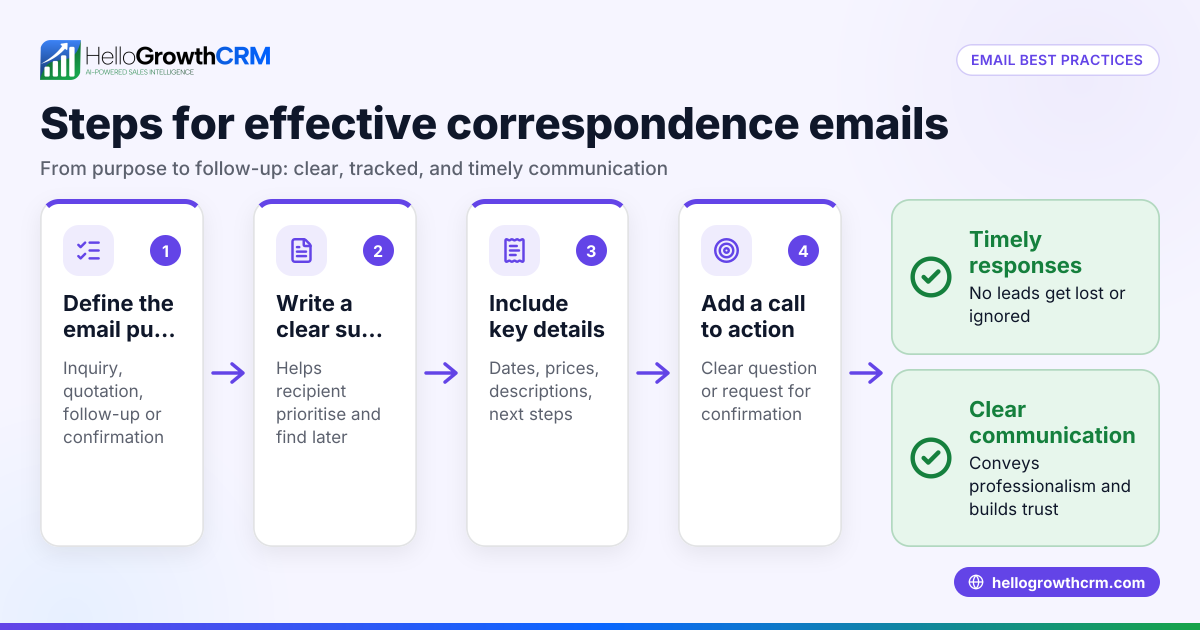
What is the difference between an away email message and an email signature? An away email message is an automatic reply sent only when you are unavailable, while an email signature is appended to every outgoing email. Away messages inform senders about your absence and response times, which signatures do not.
Can I customise my away email message for different contacts? Most email systems allow only one standard away message. For customised replies, you may need advanced email tools or CRM systems like HelloGrowthCRM that support personalised sequences and messaging.
Will an away email message notify spam or unwanted senders? Away messages typically send automatic replies to all incoming emails, including spam. Some email systems have settings to restrict replies to contacts only, but this varies by provider.
How often should I update my away message? Update your away message whenever you have planned absences or changes in availability. Avoid leaving outdated messages active to prevent confusion.
Can I use away messages for WhatsApp or SMS? WhatsApp and SMS do not have built-in away messages like email. However, HelloGrowthCRM logs WhatsApp conversations and allows automated follow-ups via messages, helping maintain communication when you are unavailable.
Key takeaways
- An away email message automatically informs senders you are unavailable and when you will reply.
- Setting clear dates and contact details in the message improves customer experience.
- Avoid common mistakes like missing date ranges or vague messages.
- Use HelloGrowthCRM’s shared inbox and automated sequences to manage follow-ups efficiently.
- Test your away message before relying on it during absences.
Setting an away email message helps your Singapore small business maintain professionalism and keep customers informed during your absence. To manage all your lead and customer communication seamlessly, consider how HelloGrowthCRM can support your team’s email, WhatsApp, and SMS outreach.
Start on the Free Forever plan (200 leads, no credit card) at HelloGrowthCRM.
Ready to put this into practice?
Set up your pipeline, WhatsApp follow-ups, and AI lead scoring in minutes — free, no credit card.
Try HelloGrowthCRM freeGet CRM tips in your inbox
Join thousands of sales professionals who get weekly insights on CRM strategy, AI automation, and pipeline optimization.

The HelloGrowthCRM team publishes guides on CRM strategy, AI sales tools, and revenue operations for small business sales teams.