HelloGrowthCRM software
Built for real small-business sales teams
HelloGrowthCRM helps reps qualify faster, follow up on time, and close more deals—with practical automation in one place.
- AI lead scoring and pipeline visibility
- Built-in dialer, WhatsApp, and email automation
- Sales forecasting and RevOps-ready reporting
A CRM business solution helps small businesses organise leads, speed up follow-ups, and manage sales pipelines efficiently. Choosing the right CRM means matching features to your team’s workflow and budget. This article covers why you need a CRM, step-by-step guidance to evaluate options, a worked example, common mistakes to avoid, and how HelloGrowthCRM supports Indian SMBs.
Why this comes up / what goes wrong
Many small business owners in India rely on WhatsApp chats, spreadsheets, or multiple disconnected apps to manage sales. This causes lost leads, slow follow-ups, and no clear visibility of sales progress. As your team grows beyond a few people, manually managing leads becomes chaotic and inefficient. A CRM business solution centralises lead data, tracks conversations, and automates follow-ups to prevent losing potential customers to competitors who respond faster.
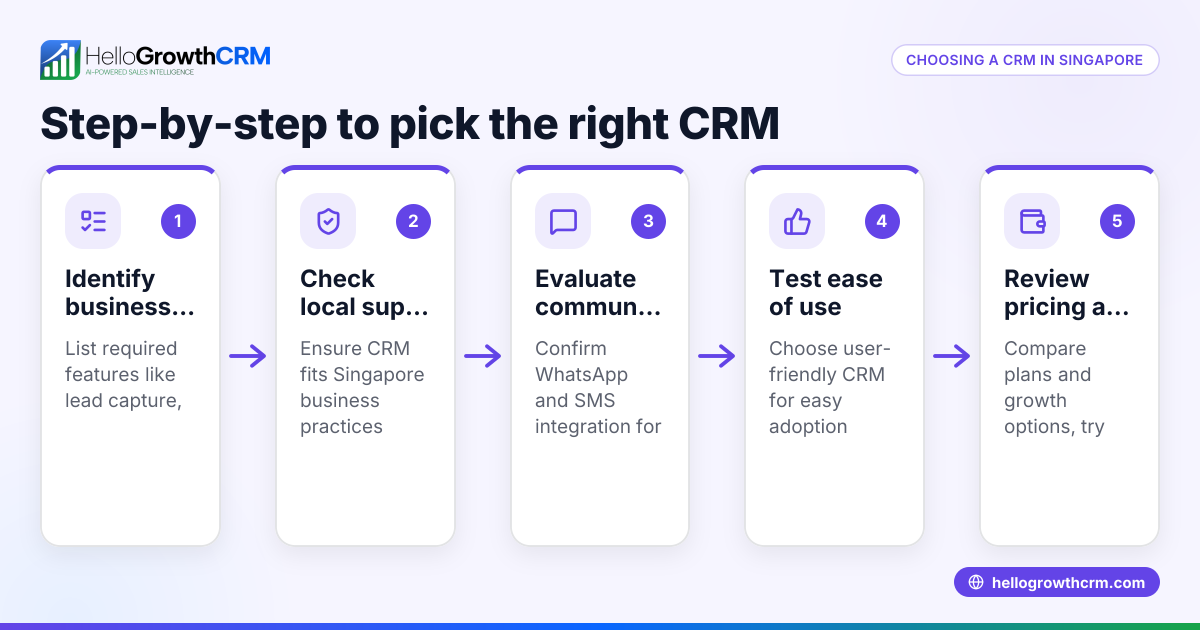
Step-by-step
- Identify your sales process needs: Document how your team captures leads (for example, IndiaMART, JustDial, web forms), how they follow up (calls, WhatsApp, SMS), and how you currently track progress (spreadsheets, paper).
- Check for lead capture integration: Choose a CRM that imports leads automatically from your main sources to reduce manual entry errors.
- Evaluate communication channels: Confirm the CRM supports WhatsApp and SMS messaging directly from the system, so conversations are logged and follow-ups can be scheduled.
- Look for pipeline and task management: The CRM should provide a Kanban or similar board to track leads at each sales stage and assign follow-up tasks.
- Consider automation and AI features: Features like AI agents that draft follow-up messages after calls can save time and reduce human error.
- Assess ease of use and adoption: The CRM should be simple enough for your sales and telecalling teams to use daily without friction.
- Review pricing and plans: Start with a free or low-cost plan that fits your team size and offers upgrade options.
- Check for built-in calling or dialer: A CRM with a built-in dialer helps sales reps make calls without switching apps.
- Test reporting and forecasting: Look for features that help forecast sales and monitor team performance.
- Request a trial or demo: Use this to verify the CRM fits your workflow and team comfort before committing.
Example (fictional figures)
Rajesh runs a small electronics parts business in Pune with 5 sales reps. He receives 300 leads monthly from IndiaMART and JustDial. Currently, follow-ups happen over WhatsApp and Excel, causing delays.
He chooses a CRM that imports leads automatically and supports WhatsApp messaging.
- Leads per month = 300
- Conversion rate without CRM = 5% (15 sales)
- Average order value = ₹30,000
With CRM, Rajesh expects faster follow-ups to improve conversion to 8%.
- Expected sales = 300 × 8% = 24 sales
- Additional sales = 24 - 15 = 9 sales
- Additional revenue = 9 × ₹30,000 = ₹2,70,000
By improving follow-up speed and tracking, Rajesh’s team can increase monthly revenue by ₹2,70,000.
Common mistakes
- Choosing a CRM too complex for the team: Prevent by selecting a CRM with an intuitive interface and mobile-friendly features.
- Ignoring integration with communication channels: Prevent by confirming WhatsApp and SMS support so conversations are logged and follow-ups automated. See WhatsApp and SMS CRM.
- Not checking for lead capture automation: Prevent manual errors and delays by choosing a CRM that imports leads directly from IndiaMART or JustDial.
- Overlooking the need for a built-in dialer: Prevent switching apps and lost call data by using a CRM with a built-in dialer. See built-in CRM dialer.
- Failing to test the CRM before committing: Prevent bad fit by using free plans or demos to ensure it suits your sales process.
Doing this in HelloGrowthCRM
HelloGrowthCRM supports WhatsApp and SMS messaging workflows that log conversations on the lead record and allow follow-ups to be sent as messages. Its AI agents (currently in Beta on the Growth plan) draft follow-up messages after calls, letting sales reps review and send quickly. For small teams, the Free Forever plan lets two users run a full Kanban pipeline at no cost until they need calling or WhatsApp automation. Learn more about HelloGrowthCRM for India.
Frequently asked questions
What is a CRM business solution? A CRM business solution is software that helps businesses manage customer relationships, leads, sales pipelines, and communications in one place. It improves organisation, follow-up speed, and sales tracking.
How does WhatsApp integration help in a CRM? WhatsApp integration lets your sales team send messages directly from the CRM, logging conversations automatically. This saves time and reduces lost leads. HelloGrowthCRM offers WhatsApp and SMS workflows that keep all communication linked to leads. See WhatsApp and SMS CRM.
Can a small team use a CRM for free? Yes, many CRMs offer free plans for small teams. HelloGrowthCRM’s Free Forever plan supports two users managing up to 200 leads with a full pipeline, allowing you to start without cost. Visit free CRM for small business to get started.
Why is a built-in dialer important in a CRM? A built-in dialer allows sales reps to make calls directly from the CRM without switching apps, logging call details automatically. This improves efficiency and tracking. HelloGrowthCRM includes a built-in dialer. See built-in CRM dialer.
What should I ask when choosing a CRM? Ask about lead capture methods, communication channel support (WhatsApp, SMS, calls), automation features, ease of use, pricing, and scalability. Testing with a free plan or demo helps confirm fit.
Key takeaways
- A CRM business solution centralises leads, communication, and sales tracking.
- Look for WhatsApp and SMS integration to keep conversations logged and automate follow-ups.
- Automation and AI agents can save time by drafting follow-up messages.
- Use free plans or demos to test CRM usability and fit before buying.
- Built-in dialers improve calling efficiency and data capture.
Start managing your sales pipeline better today. Start on the Free Forever plan (200 leads, no credit card).
Ready to put this into practice?
Set up your pipeline, WhatsApp follow-ups, and AI lead scoring in minutes — free, no credit card.
Try HelloGrowthCRM freeGet CRM tips in your inbox
Join thousands of sales professionals who get weekly insights on CRM strategy, AI automation, and pipeline optimization.

The HelloGrowthCRM team publishes guides on CRM strategy, AI sales tools, and revenue operations for small business sales teams.